In this guide 6 sections
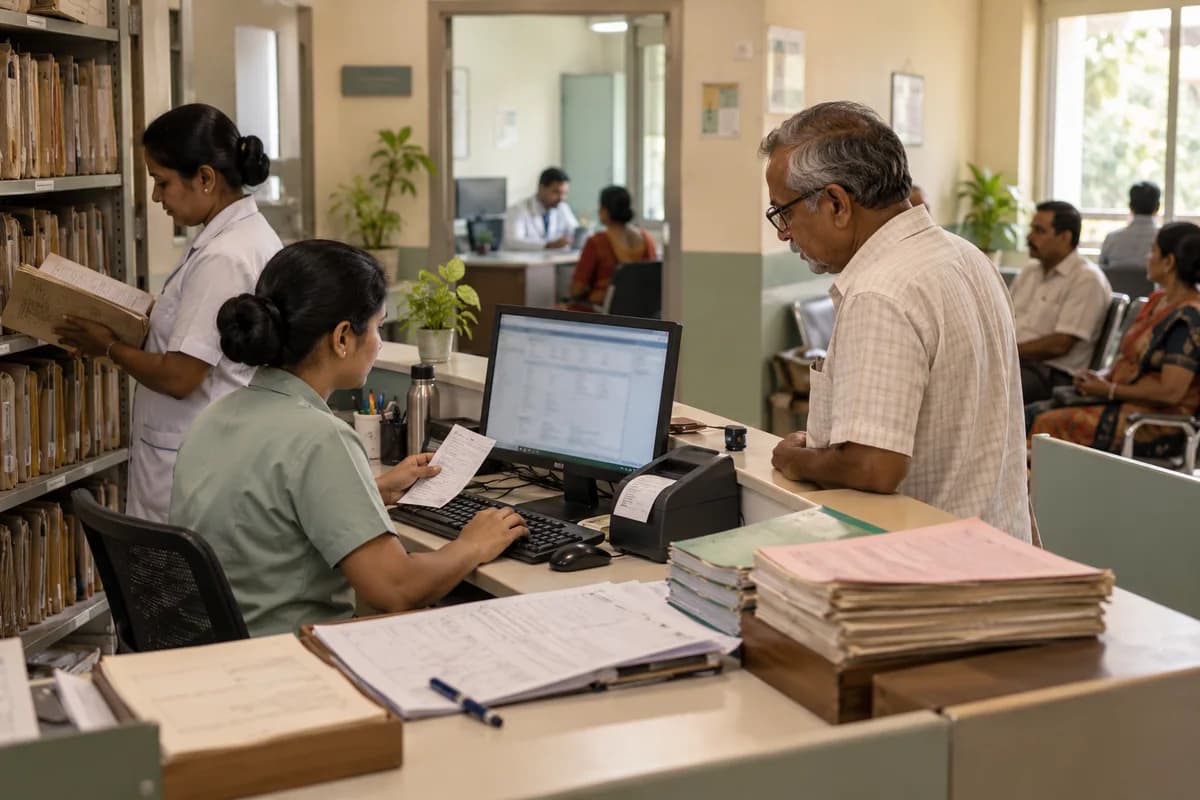
Move a paper OPD room by room. Start with registration, then consultation notes, then billing, and settle what happens to the old files in the cabinets before the first day of the move. A room switches only when the one before it runs without queues, and paper stays beside the screen throughout the first week.
Take stock of the paper you have
Walk the OPD with a clipboard. Count the file cabinets, the register books, the token slips and the printed forms, and note who writes on each one and who reads it later in the day.
Pull ten files at random and check the name spelling, the file number format, the visit dates and whether the same patient appears under two numbers. That sample tells you how messy the import will be, and with files this old the surprises are normal, from torn covers to two spellings of one name.
Write down every printed output patients get today. The receipt, the prescription pad and the lab slip all need a digital twin, and none of them can be skipped on day one.
- Cabinets, registers and token books
- Printed forms and who fills them
- File number format and duplicates
- Receipts, prescriptions and lab slips
Switch registration first
Registration is the front door. It sets the patient number that the consulting room, pharmacy and billing counter all use, so a wrong number here follows the patient to every other desk. A new patient gets a number, a phone and an age, while a return patient is searched by name or by phone and checked against the file cover.
Print the token and file cover. Nothing else changes. The doctor still writes on paper, so the consulting room stays calm while the desk learns the new screen, its search box and the token printer.
Watch the queue at nine in the morning. If the queue grows, fix the screen, the field order and the printer before the next room starts, since every slow minute at this desk reaches the doctors.
Then consultation notes
Move one doctor first. Pick the one who volunteers. Give that doctor a template for the common complaints, a printed prescription that looks like the old pad, and a helper for the first week.
Put a screen where the doctor already sits, angled so that the patient is never hidden behind a monitor and eye contact survives the visit. A slow typist can dictate to a helper, or write brief notes during the visit and finish the full entry once the patient has left the room.
Add the second and third doctors only when the first one is fast, because the rest of the room watches and copies what works. Doctors copy each other. Training matters less.
- One pilot doctor for the first week
- Templates for the twenty usual complaints
- Printed prescription in the old format
- A helper for slow typists
Billing, then the old files
Billing comes last. It carries cash and the fear of wrong totals, so load consultation fees, procedure rates and discounts, then test five sample receipts against the old receipt book.
Old files need a decision. Key in only the active patients, meaning those seen in the last year or two, and attach a scan of the last page of each older file. The rest stay in the cabinet, and each paper file gets a shelf code in the record so that a clerk can fetch it in minutes.
Tell the staff the cut off date. Nobody keys history after hours.
Run a parallel week and then switch off paper
For one week, keep both the paper register and the screen running side by side at every desk, and at closing compare the day’s receipts from both. Any difference points to a missed entry, a wrong rate or a discount nobody wrote down, so hunt it down before anyone goes home.
List every complaint on the wall. Fix the top three each evening. Staff trust the system once they see their gripes dealt with, and that trust, built one fixed complaint at a time, matters more than any training session.
On the eighth day, stop the receipt book. Paper ends there. Keep the cabinet for a month in case someone needs a file, then decide what to archive, what to scan and what to send to long term storage.
Room by room move plan
A one page plan with a row per room: registration, nursing, consultation, billing, pharmacy and records, with one more row for the old files in the cabinet. Columns show the paper in use, the screen replacing it, the owner, the go live date, the fallback and the check that proves the room is stable. A parallel week log sits at the bottom.
Open a blank worksheet to printQuestions owners ask
How long should the parallel run last?
A week is common for a small OPD. Extend it if the daily totals from paper and screen still differ, and stop only when two days in a row match.
What do we do with old files?
Decide before you start. Most clinics key in the active patients and leave the rest on shelves, with a shelf code recorded and a rule that nobody keys history after hours.
What if power or internet fails?
Keep a few printed registration forms and a paper receipt book in reserve on the front desk shelf, so the queue keeps moving when the screen goes dark. Enter the day’s paper entries once service returns.
Can the doctors keep writing by hand?
In the first phase, yes. Registration and billing go digital first, and consultation notes follow only when the doctors are ready and the front desk has settled into its routine.