In this guide 6 sections
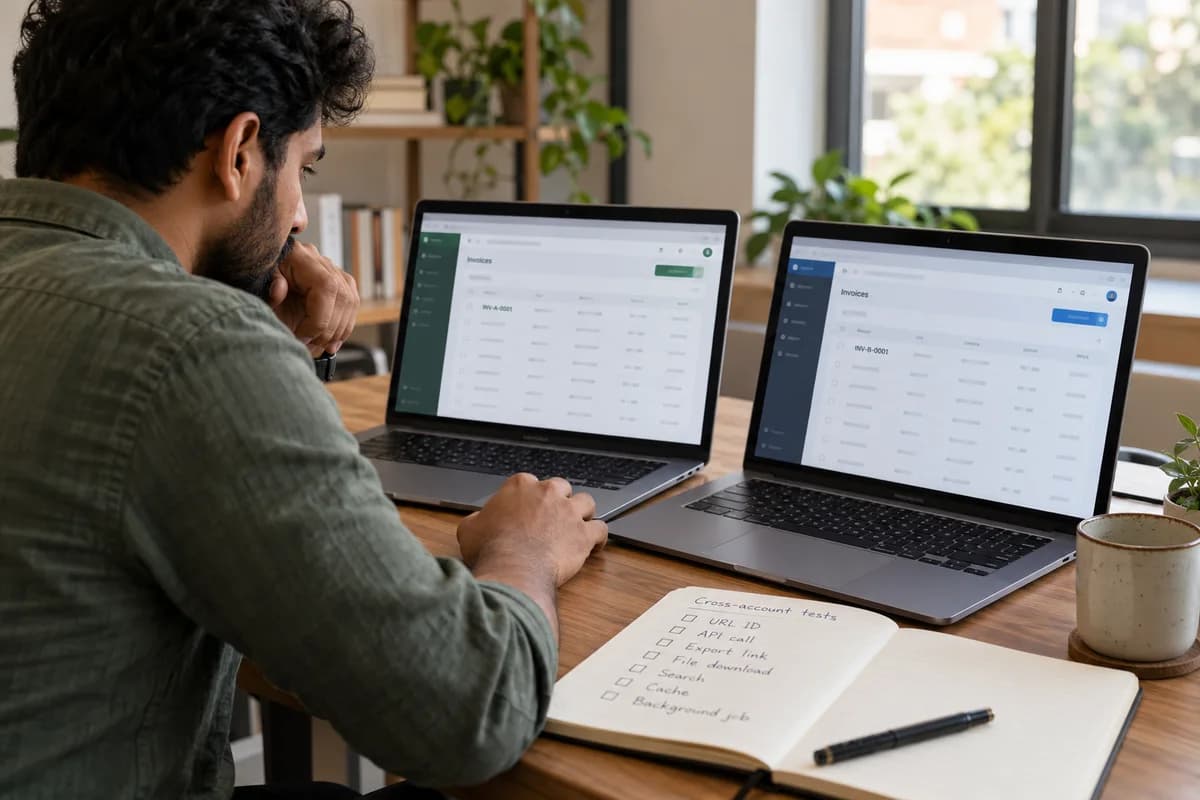
Log in as two different customers first. Try to reach one account’s data from the other: swap record IDs in URLs, open exports and file links, and check search, caches and background jobs. Treat a single leaked record as a failure.
Set up two tenants and keep both open
Create two tenants, A and B. Give A an invoice called INV-A-0001 and B one called INV-B-0001, so a wrong record on screen announces whose it is. Seed both with distinct names, files, contacts and users, so a stray record is obvious the moment it appears on screen.
Add one user and one admin to each. Test both roles. Admin screens often skip the filters that ordinary screens apply, because someone assumed administrators were trusted and never wrote the check for them.
Use two browser profiles. Both sessions stay live, so you can copy a request from one and replay it in the other without logging out again.
Change the ID and see what comes back
Open a record as tenant A. Note the number in the address bar. Log in as tenant B and request that same address, then read the status code and the response body, since either one can betray the record. Expect not-found. Anything else fails.
Repeat for every endpoint that takes an ID, including edit forms, delete buttons, PDF views and the JSON calls behind the mobile app. Postman or curl makes this quick. Sequential integer IDs make guessing easy, because tenant B can simply count upward from its own last record and watch which numbers answer.
Try writes as well as reads. An update request with a changed ID that lets B alter A’s record is worse than a leak, because the damage stays silent until a customer complains.
- GET, PUT and DELETE with another ID
- IDs inside nested paths and queries
- IDs in request bodies, not URLs
- Bulk endpoints accepting a list of IDs
Check shared reports, exports and file links
Run a report as A. Copy the download link. Paste it into B’s session, then into a window with nobody signed in, and compare what each one receives, since a leaky link serves one CSV to anyone.
Look at where files live. A guessable path such as /uploads/1042/contract.pdf is a risk even when the page that links to it is protected, since anyone can try 1043 next. Signed, expiring links close that gap.
Test scheduled exports and emailed attachments too. A report built overnight by a background worker may skip the tenant filter that the web request applied, so open the actual attachment and read the first twenty rows.
Look in the places that sit beside the database
Search is a frequent leak. Type a term found only in tenant A’s data while signed in as B, then watch autocomplete suggestions, result counts and facet totals, since each can expose a name.
Check the caches next. Warm the cache as A, then request it as B and compare headings, totals and the logo, because a cache key without a tenant hands A’s dashboard to B.
Background jobs and webhooks run with no logged-in user to supply a tenant, so each job must carry its own tenant identifier explicitly through every step. Queue two jobs for different tenants, then read the logs and the output files to confirm that each job touched only its own customer’s rows.
- Search results and autocomplete
- Cache keys for pages and counts
- Queued jobs, schedules and webhooks
- Email templates merging customer fields
Turn every attempt into a repeatable test
Record what each failure looks like. It may be a 200 response with the wrong body, a record count that is too high or a filename from another account, which the test should name.
Put every attempt into the automated suite. Run the suite on each release. A manual pass finds today’s leaks, while a suite catches the one introduced next month by a developer who never saw this list.
Before your first outside customer signs, have someone who did not write the code run the full list, and give them a day, a laptop and no hints. They will try routes the author forgot.
Cross-account test log
The log has a row per attempt. The area column names the route, such as URL ID, API call, export, file link, search, cache or background job. Further columns hold the exact request tried, the expected result, the actual result, pass or fail, the tester’s name and the date. The footer notes the release tested.
Open a blank worksheet to printQuestions owners ask
Do automated scanners find tenant isolation bugs?
Seldom. A scanner does not know which record belongs to whom, so it cannot tell a legitimate response from a leak, since every reply looks like a valid page. Build two real tenants. Write tests around your own data model, roles and the odd endpoints your team added over the years that nobody remembers to protect.
How often should these tests run?
On every release, inside the automated suite. Add a manual pass by someone outside the team before the first customer goes live, and repeat it after any major schema change or tenant model rewrite.
Are random IDs enough protection?
No. They make guessing harder but not impossible, because IDs leak through logs, emails, shared links, browser history, support screenshots and URLs pasted into chat. Check the tenant on every request.
Who should run the first full pass?
Someone who did not build the feature. Fresh eyes try routes the author never considered, such as old mobile endpoints, retired API versions and export links nobody has opened in a year.