In this guide 7 sections
The OWASP Top 10 is a public list of the most common web application weaknesses, ranked by how often they cause harm. For an owner, each item is a business risk: customers seeing each other’s data, prices changed in the browser, open admin pages or outdated libraries. A proposal that cites it usually means those are being tested.
What the list is and who maintains it
OWASP is a non profit community that publishes free security guidance. Its Top 10 is a short awareness document for web applications, revised every few years from data supplied by security firms. It is not a law, and passing it is not a certificate.
Vendors quote it because it gives buyer and tester a shared vocabulary. When a proposal says the assessment covers the Top 10, you can ask for the list of categories and how each will be checked.
Treat the list as a floor. A system can be clear of every category and still have a flaw in its own business rules.
Access problems: who can see and change what
Broken access control sits at the heart of the list. A customer edits the number at the end of an address and reads another customer’s invoice. A clerk opens the admin page because nobody blocked the link. Both are failures of checking who is asking. Neither needs clever hacking.
Related items cover weak sign in, such as unlimited password attempts, and cryptographic failures, such as passwords or card details stored in plain text or sent without encryption.
A security assessment tests these hardest. Testers log in as two users and a guest, then try to cross every line.
- Invoices or orders readable by changing an ID
- Admin pages reachable without an admin login
- No lockout on repeated wrong passwords
- Personal data stored unencrypted
Input problems: when the app trusts what it receives
Injection means an attacker types commands into a form field and the system obeys them. A search box that passes text straight into the database can expose every customer record. Cross site scripting is a cousin, where a comment field runs code in other visitors’ browsers.
A related example is a discount or price held in the browser. If the server accepts whatever arrives, a customer changes the total before paying. The cure is simple: the server recalculates everything itself.
Testers try odd characters, oversized values and edited requests in every field, and watch how the system answers.
Design and upkeep problems
Insecure design covers flaws no patch can fix, such as a password reset that asks only for an email address, or a refund flow with no second approval. These are found by reading the process, not by running a tool.
Vulnerable and outdated components is the item most owners can picture. A website builds on dozens of libraries, plugins and frameworks. When one gets a published flaw and you never update, you are exposed on a known date.
Security misconfiguration includes default passwords, open cloud storage folders and error pages that print internal paths. These are cheap to fix. They are also common.
- Reset and refund flows reviewed on paper
- Library list kept and checked for known flaws
- Defaults changed on every console and database
- Error pages that reveal nothing internal
Logging, outside calls and what to ask a vendor
Weak logging means an attack happens and nobody notices. Ask whether failed logins, permission changes and large exports are recorded, who reads those records, and for how long they are kept. Server side request forgery is a rarer item, where your server is tricked into fetching internal addresses.
Integrity failures include installing updates or plugins without checking where they come from. A tampered package can arrive looking official. Check the source.
Ask any vendor three questions: which categories you test, how you test them by hand, and where the results are written. Then ask your own developers which of the ten they have already checked.
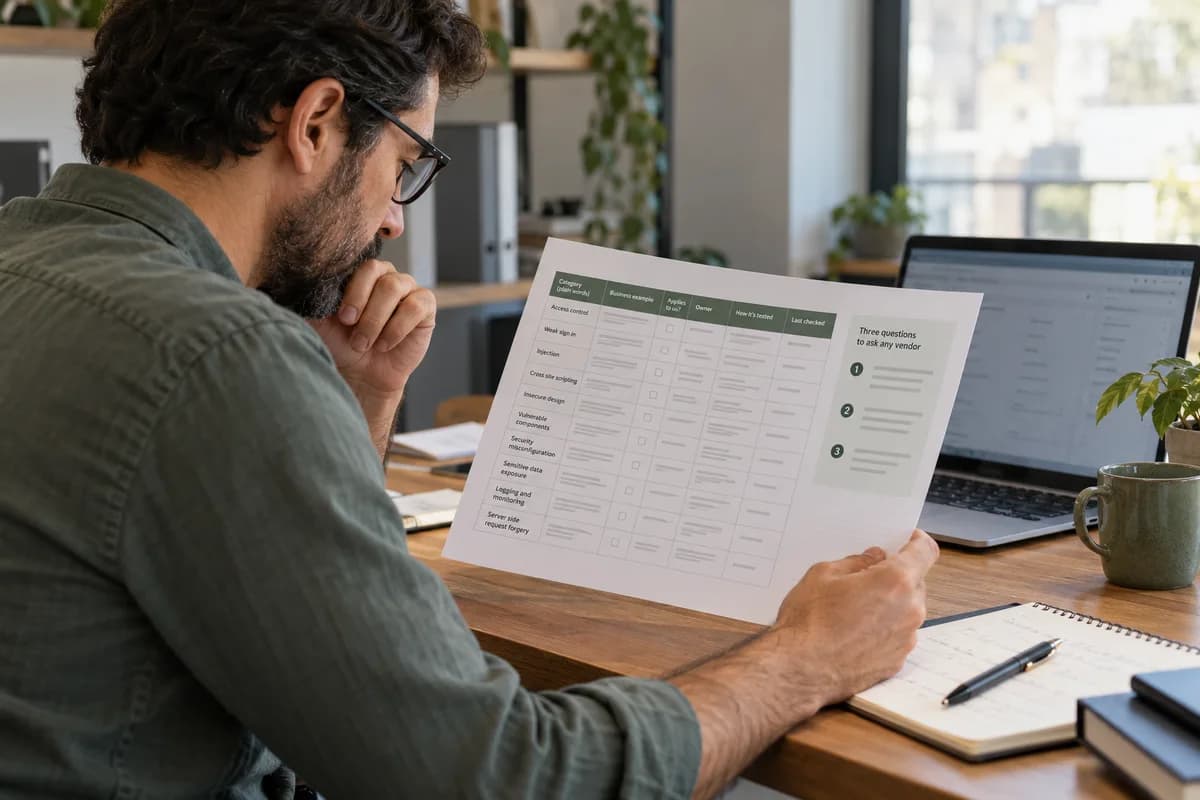
OWASP Top 10 owner’s question sheet
A single page table with ten rows, one per category. Columns hold the category in plain words, a business example, whether it applies to your system, who answers for it, how it is tested and the date last checked. A margin box lists three questions to ask any vendor.
Open a blank worksheet to printQuestions owners ask
Does passing the OWASP Top 10 mean the system is secure?
No. The list covers common weaknesses, not every risk. Business rule flaws, staff mistakes and cloud settings can still cause harm even when each category has been checked.
Is the OWASP Top 10 a legal requirement?
It is not a law. Some contracts and customer questionnaires ask for it, and some standards point to it, so it often comes up in procurement.
How often does the list change?
OWASP revises it every few years. Ask your tester which published version they use, because categories move and merge between editions.
Which categories matter most for a small business?
Access control, weak sign in, outdated components and misconfiguration cause most real damage to small systems. They are also the easiest to check and fix.
Sources
- OWASP Top 10 project page — verified 17 Oct 2026