In this guide 6 sections
Ask six questions. Does the platform capture the serial number at dispatch, record warranty registration, book an installation slot and hold stairs and doorway notes? Can it order spare parts by model and keep the energy label and rating plate on each listing? Every no is a phone call.
Which serial number belongs to which order?
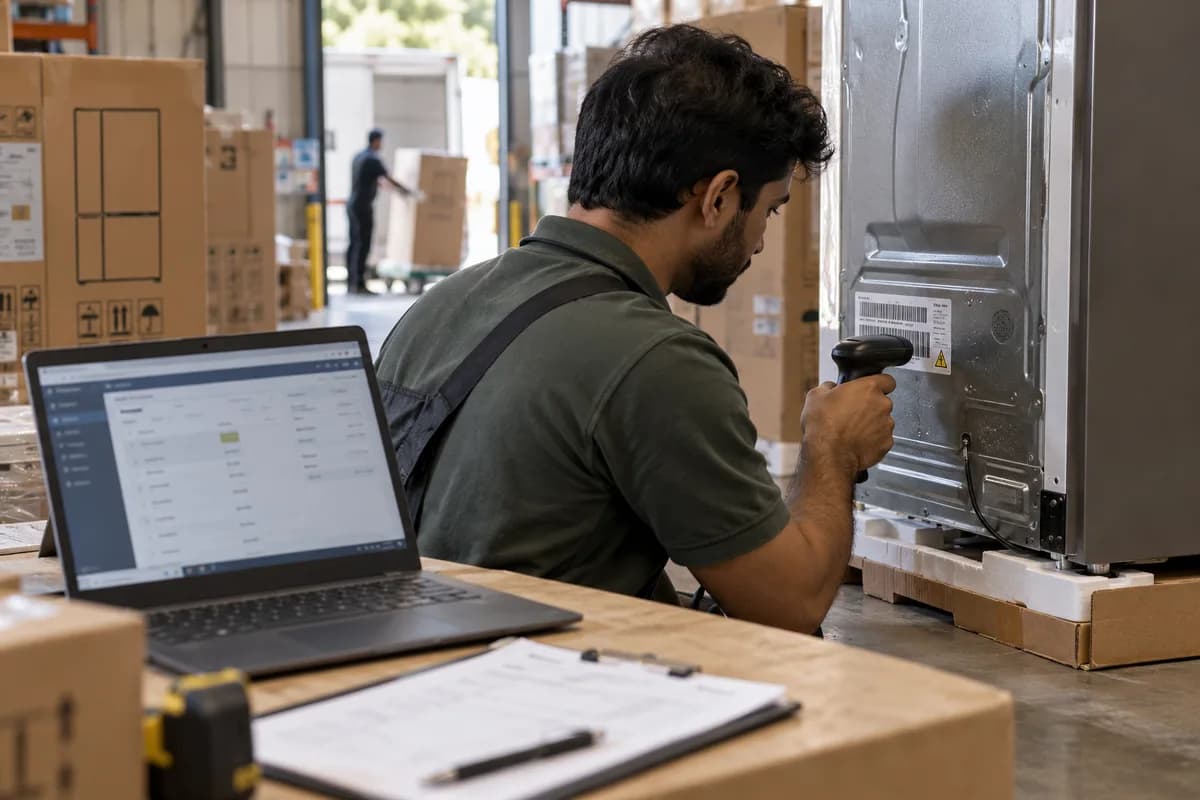
A refrigerator carries a carton barcode, a model number and a serial number on its rating plate, and they are three different things. Only the serial names the unit you shipped.
Ask where the serial number is entered. The strongest answer is a scan at dispatch, linked to the order line, with the picker unable to close the line without it. Free text notes are weak.
Next, take a picker who swaps in a second unit because the first carton was dented at the packing bench. What does the system do? The record must follow. Otherwise a warranty claim can arrive for a serial that was never sold to that customer, and nobody at the service desk can say whose unit it is.
- Serial number scanned at dispatch, not typed afterwards
- One serial per unit on the order line
- Substituted units re-scanned and the old serial released
- Model number and serial number held in separate fields
- Search by serial from the service desk
Who registers the warranty, and from which date?
Brands differ on registration. Some register the warranty from the serial and the invoice date, while others need the customer to register online or return a card by post. Record the route for each brand.
The start date matters more than it seems. Dispatch, delivery and installation are three different dates, and each brand agreement names one of them, so the system should hold all three.
Ask whether the customer’s account shows the warranty end date, the invoice as a PDF and the registration status, since customers ask for all three when a unit fails. Otherwise someone searches an inbox while the caller waits.
Can the buyer book an installation slot?
Some appliances are plug in. Many are not. A washing machine needs an inlet and a waste point, a chimney hood needs ducting and a split air conditioner needs a bracket for its outdoor unit.
Is installation its own line on the order? Its slot should open only after a delivery date exists, and it should show what the buyer must prepare, such as a socket within reach or a clear wall.
Ask too about old unit removal, a commissioning sheet signed on the day and what happens when the installer finds the site unready. A failed visit needs a reason code.
What does the driver need to know about stairs and doorways?
A refrigerator that cannot turn the corner at the stairs comes back on the truck, and the failed delivery costs a day and an annoyed customer. The cause was a number nobody collected.
Ask whether checkout or the booking call collects access notes: floor, lift or stairs, the narrowest door, any turns, gates, parking and a person to call. The notes belong on the driver’s run sheet.
Also ask whether a two person crew can be flagged on the order, and whether the buyer can add a photo of the doorway. These small fields prevent the biggest delivery failures.
- Floor number and whether a lift is available
- Narrowest door or passage width
- Turns, stairs and landings on the route
- Parking and gate access
- A contact number for the day
Where do spare parts, energy labels and rating plates live?
A buyer reading a listing wants the energy label, the product fiche and the rating plate details: voltage, power and model number. Fields and files work. Text baked into an image does not.
Spare parts should be searchable by model number. A customer with a cracked crisper drawer or a lost remote should find the part from the model, see whether it fits and order it from the same account.
Have the vendor open a best selling model with all of this in place, and check that the energy label file is current for that model. Then repeat the six with the next vendor.
- Energy label and product fiche attached to each listing
- Rating plate values held as fields
- Spare parts linked to model numbers
- Compatible models shown on each part
- User manual and installation guide as downloads
Appliance platform question sheet
Ten rows grouped under the six questions. Columns hold the question, the vendor’s answer, whether it was shown live in the demo, the workaround if the answer is no and the person who owns that workaround. Rows cover serial scan, substituted units, warranty start date, installation slot, old unit removal, access notes, the two person flag, energy label, rating plate fields and spare part search.
Open a blank worksheet to printQuestions owners ask
Do I need a separate system for serial numbers?
Not always. A small range can run on a stock sheet linked to order numbers. Once the range grows, a platform or stock system that scans at dispatch is safer than a sheet.
Should installation be sold as a separate line?
Usually yes. Installation has its own slot, crew and status, and a buyer may decline it. Keep it linked to the appliance, so the serial and the installation date sit together on one record.
Where do energy labels and rating plates belong on a listing?
Attach the label and fiche as files, and hold rating plate values as fields. Rules for showing energy labels online vary by country, so check what applies where you sell.
Who handles faults after delivery?
That depends on the brand. Some send buyers to their own service network, others expect the dealer to log the call. Either way, the order record should give the first caller the serial, the delivery date and the installer.