In this guide 6 sections
Yes for the floor, with care. Teach tasks and print job aids in the language staff speak, keep the screen’s field names visible, and change labels where the software allows. Run manager sessions separately. Sessions in the language people think in cut the number of questions that go unasked, the ones that later show up as wrong entries.
Split the decision by task, not by person
One language rule rarely fits. A storekeeper may speak Turkish at home, read English part numbers all day and still freeze at an English error message that reports a locked record.
List the tasks first. Receiving goods, raising a dispatch note, closing a job card and marking attendance each need their own answer, because spoken, written and read language often differ inside one task.
Where the words are already English, such as part codes, units and status names, teach them exactly as they appear on the screen. Where the instruction is a full sentence, say it in the floor language, in the wording staff would use when asking a neighbour for help rather than textbook wording.
- Spoken language during the task
- Language on the paper form it replaces
- Language of the labels on the screen
- Whether the person reads the script at ease
Sessions and printed job aids in the floor language
Run hands on sessions in the language people use to argue about work, with a real goods receipt on the screen and the supplier’s paper bill beside it. Questions come out faster. The trainer hears the real objection, such as a rounding rule or a missing supplier code, instead of a polite nod from the back row.
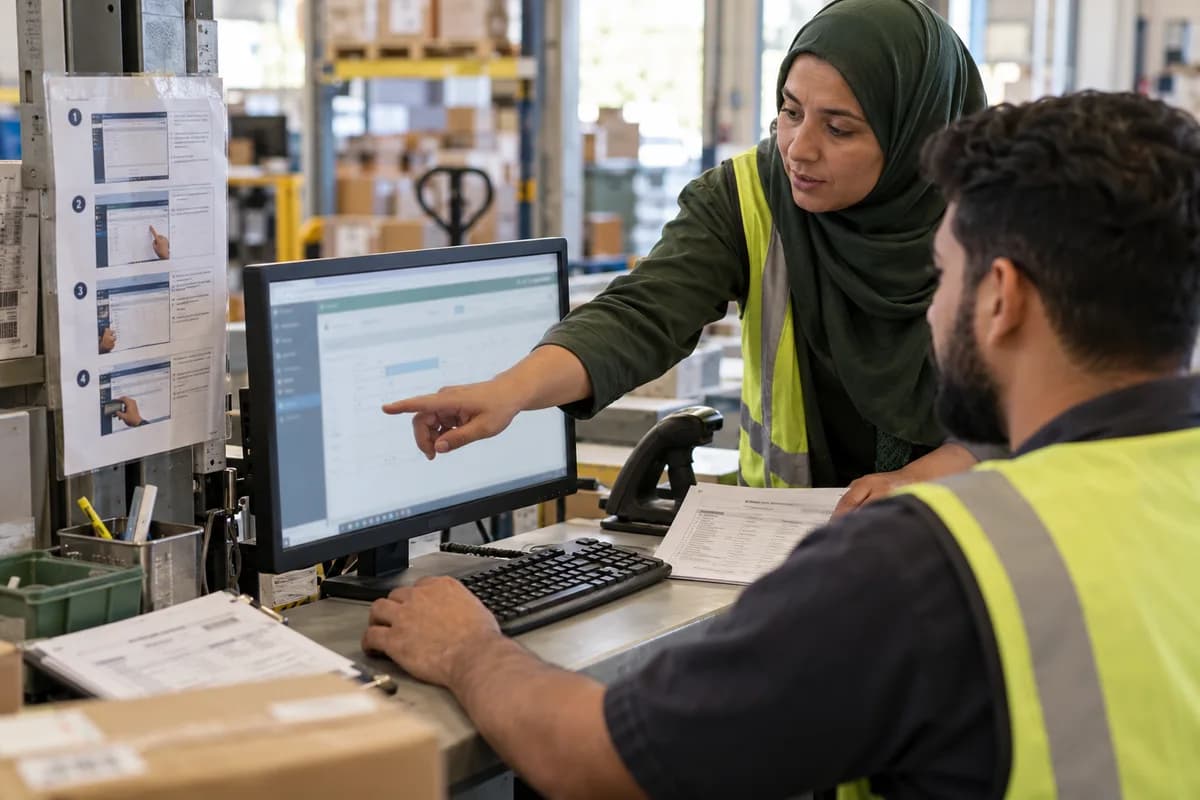
A printed card at the workstation does more than a slide deck, especially one card per task with a screenshot, numbered steps and the exact button names. Laminate it. Tape it to the monitor. Replace it when the screen changes.
Write the cards with a local speaker who does the task daily, because machine translation turns a status name into a different word from the one a supervisor uses. Then nobody finds the button.
Changing screen labels where the software allows it
Some systems let you rename a field, a menu or a status, and others offer a language pack for the whole interface. Check what yours allows before you promise anything to staff, because a promise you cannot keep costs more trust than silence.
Rename carefully, because if the screen says Dispatch Pending in one place and Dispatch Waiting in another, reports and training both break. Keep one agreed list of terms and apply it everywhere, from the data entry form to the printed delivery note and the card taped to the monitor. Review the list with two supervisors first.
Keep the original label in brackets on each card, so that when the vendor’s support team sends an English screenshot the floor can still match it.
- Field names on data entry forms
- Status values such as pending, hold, closed
- Menu items used every day
- Error messages and warnings
- Printed outputs sent to customers
Keeping manager sessions separate
Managers often prefer English for reports and settings, but a shared room slows both groups, because the manager skips ahead and the operator loses the thread. Split them.
Hold a second session on filters, approvals and exports, and let managers ask their questions in the language they think in. Use the report names they will meet in the system, such as the stock ageing report and the pending approvals list.
Pair a bilingual supervisor with each shift. That person answers questions in the moment and passes the notes back to the trainer, who fixes the cards before the next shift starts.
A way to test it with one team first
Pick one shift and train it in the floor language with cards, then train a second shift in English only, using the same slides and the same practice records.
Compare the questions asked in week one with the wrong entries found at the end of week two, using the same count sheet for both shifts. Keep the comparison honest. Same trainer, same task, same checklist.
Count correction requests rather than opinions, and write down every wrong entry with the field it landed in, whether quantity, supplier code or date. Then decide for the whole plant. Copy the method of whichever group made fewer wrong entries, and write the result, with the counts behind it, into the training plan before the next go-live.
Training language planner
A single page grid lists one task per row, such as goods receipt, dispatch note and job card closure, with the supervisor who does it named at the end. Columns hold session language, job aid language, screen label language, who owns the translation and the date the wording was last checked with a supervisor. One last column records trial results.
Open a blank worksheet to printQuestions owners ask
Is English only training ever the right choice?
Yes, when the whole group already works in English and the screen has no local option, though a printed card with plain steps still helps late joiners. Keep it short.
Can we translate the software screens ourselves?
Only if the product lets you edit labels or install a language pack, so ask the vendor what is supported before anyone patches a screen by hand.
Who should write the local language job aids?
A supervisor who does the task, reviewed by the trainer, because staff trust wording that sounds like their own shop floor and spot a stiff phrase straight away.
What about staff who read little?
Lean on screenshots, colour coded steps and spoken demos at the workstation, pair them with a confident colleague for the first week, and check their first ten entries together.