In this guide 6 sections
Start with a web app unless your users need offline access, camera or GPS as a core step, or notifications on the lock screen. A web MVP needs no install. Choose native only when the core journey cannot work without the phone’s own hardware or offline storage, and test that claim with real users first.
How and where the user works
The mobile-versus-web choice is a question about the user’s context, not about technology preference, and context starts with where the person physically stands when they use the product. Someone at a desk placing weekly stock orders works very differently from a technician standing in a customer’s backyard completing a service report. A browser tab serves the first well, while the second may need a phone in hand that works reliably with patchy signal.
Discovery matters as well. A business tool for existing customers who already trust you can simply send a link, and they start using the web app immediately. A consumer product hoping for organic discovery through an app store faces a harder acquisition path that a web app does not share.
Four deciding questions
Four questions settle most cases. First, must the core journey function with poor or no internet, such as for a technician in a basement or a rider between towers? Second, does the journey need the camera, GPS or other phone hardware as a core step of the work rather than a nice extra for later? Third, must you push a notification to the lock screen, or would an email or a WhatsApp message do the job just as well? Fourth, how much installation friction will the target user tolerate for a task they perform only once a week, before simply giving up on it?
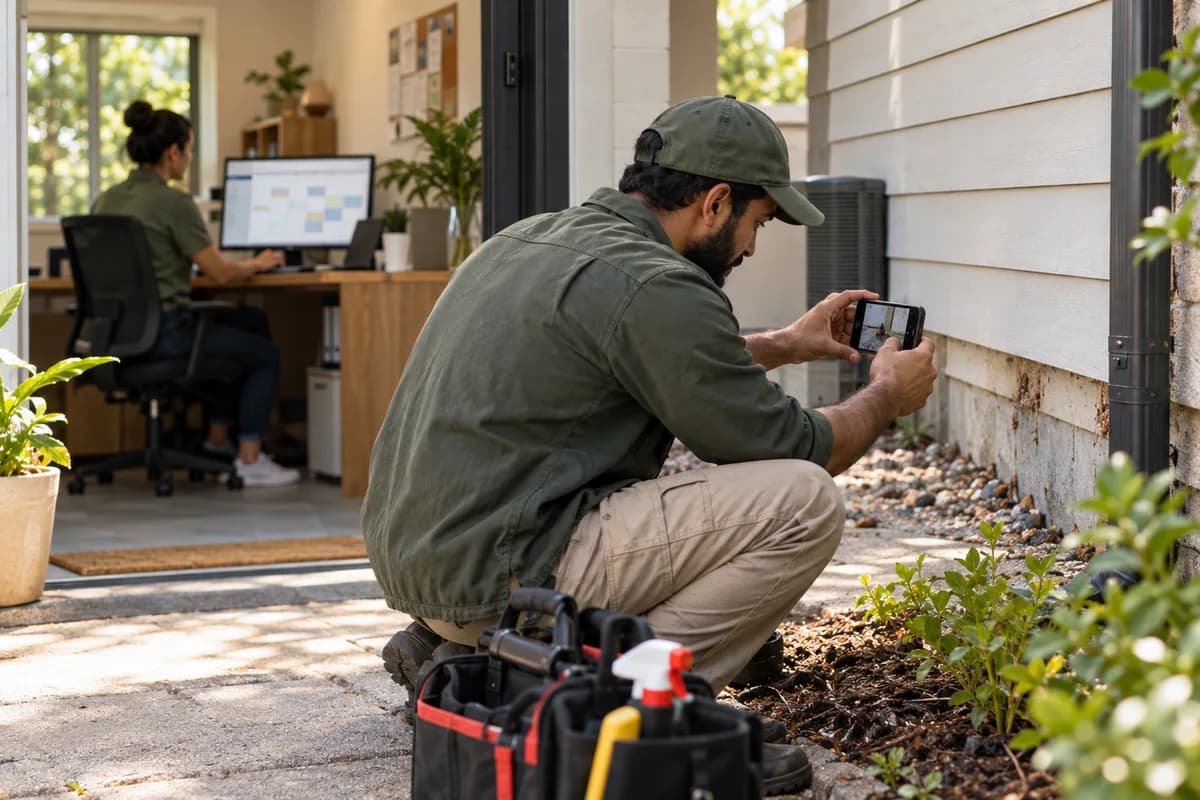
A pest-control business weighing a technician scheduling and job-completion tool is a useful test case, because its two groups of users work in completely different places. Technicians crawl through lofts and cellars. Signal is often weak indoors, and they must attach photos of bait stations and treated skirting as proof of work before they can close each job. Offline reliability plus camera use as a core step points toward a native mobile app for the technician side of the product. The office dashboard, used by staff at a desk with a keyboard and a large screen, is far better served as a web app.
The split follows the user. Technician and office staff work in different contexts, so an MVP can reasonably answer them differently instead of forcing one platform on both.
Cost, release speed and maintenance
A web app generally reaches users faster and costs less at the start, because there is no app-store review to wait for. One build works across devices without separate native codebases for two mobile platforms, and changes go live the moment they are deployed. Nobody has to update an installed app.
A native app typically costs more to build well, especially when it must support both major mobile platforms, often with separate code for each. It also carries costs a web app does not: developer accounts, updates to stay compatible with new operating system versions, and review delays whenever something changes. None of this makes mobile wrong. Plan for the commitment upfront.
How a responsive web app closes the gap
Check a responsive web app first. It runs in the phone browser and sits on the home screen beside installed apps, with no store listing and no review queue. Camera access and basic offline caching are possible in modern browsers for many uses, though not to the depth of a fully native app.
This middle option suits an MVP. It lets you test the mobile-context hypothesis: do people use this on their phones, in the field, the way you expect? You learn that without paying for native development before you know the answer, which is exactly what a first release is for, and it keeps the decision reversible.
A real experiment, not a guess
A small experiment beats an internal debate. Run it early. Watch or ask a handful of real target users how and where they would use the product day to day, noting which tasks only happen on a phone. Do not assume from a desk.
Building web first and deferring the mobile app is valid, and the cheapest route to an answer, because real usage data then shows whether the mobile context matters. Mobile second is not a compromise. For most first releases it is the more disciplined order, since the core idea gets validated before anyone pays for a second codebase.
Web-first versus mobile-first decision matrix
A checklist scoring your product against four factors: offline need, hardware or camera dependency, push notification necessity and install-friction tolerance. Two or more yes answers mean mobile. Fewer than two point toward a web-first MVP, with the mobile app deferred to a later release once real usage data shows it is needed.
Open a blank worksheet to printQuestions owners ask
Do customers need to install an app?
Only if the core journey needs offline reliability, camera or GPS as a core step, or lock-screen notifications, which most first releases for existing business customers do not. For those customers, a plain link to a web app removes the install step entirely and gets you real usage data sooner than any store listing could.
Can mobile follow the web release?
Yes, and for most first releases this is the more sensible order, because launching web first validates the core idea at lower cost. A mobile app can follow once real usage shows the mobile context matters enough to justify the extra build and maintenance.
Does a web app work on iPhone and Android?
Yes, it runs in the browser on either platform, so one build serves both iPhone and Android users from the same address. Deep hardware access and background notifications can differ between browsers and devices, so test the specific features your journey needs on real phones.