In this guide 6 sections
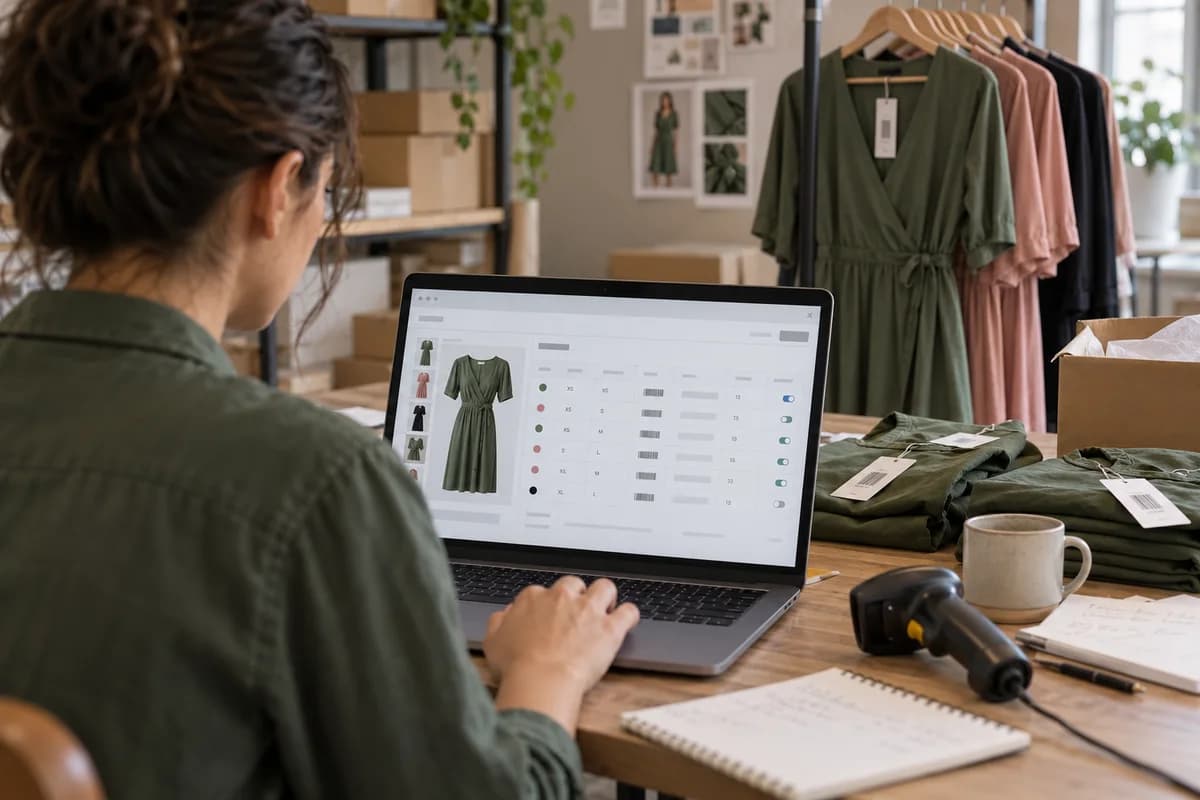
Make one style code the parent record. Add a child record for every size and colour pairing, each with its own barcode, stock count and price rule, and share the photos at colour level. The sold-out medium then greys out alone, and the large stays on sale.
Start with the style code and the size run
Choose a style code that never changes, such as DR-2041 for a wrap dress, and hang every colour and size from it. If the code carries the season or the supplier, you will rename it each time those change, and old orders will point at records that no longer exist. A code must outlive its season.
Next, fix the size run for the style, because a dress may run from XS to XL while trousers use waist and length pairs. Write the run once on the parent, in the order a shopper expects to see it. Every colour inherits it, which stops a stray Xl or a missing 2XL from breaking the size filter on one colour only.
Add a child for every size and colour pairing
A child is the item a shopper buys, and its code joins style, colour and size, so a packer can read DR-2041-SAG-S without opening the screen. One row, one sellable thing.
Cross the colours with the size run to generate the rows, then delete every pairing you never cut, such as the plum colourway that only exists in three sizes. Empty rows become phantom stock.
Fill the same fields on every child, so reports can group by colour, size or status later. Lock the code once an order lands.
- Variant code built from style, colour and size
- Barcode, either EAN or UPC
- Stock quantity for each warehouse or shop
- Price and a struck-through compare price
- Parcel weight
- Status: active, hidden or discontinued
Give every variant its own barcode
The barcode on the swing tag must match one child record and no other, so use the supplier’s registered EAN or UPC and generate internal numbers when none exists. Never reuse a code for next season’s colour.
At the packing bench the packer scans the garment and the order line turns green, or red when the size is wrong. Test it before you load the range. A wrong-size scan costs a few seconds at the bench but a full return cycle once the parcel has gone out the door.
Count stock per variant and share photos by colour
Stock lives on the child, so when the last sage medium sells, only that record reaches zero and only that size greys out. A parent-level count would hide the whole dress.
Photos belong to the colour, not the size, so upload six images to the sage group once and let all seven sage sizes show them. Attach pictures per size and you repeat the work seven times, and one size will be missing its images on launch day.
Set a low-stock alert on each child. A badge saying only two left in your size must read the child’s count and never the parent total, or shoppers chase sizes that are gone.
Test the setup before you publish
Open the product page on a phone and pick each colour in turn, watching whether the photos switch, the price holds and the unavailable sizes grey out. Then buy the last unit of one size on a test order and confirm that only that child’s count drops and the other sizes in the colour stay available.
Export the catalogue to a CSV and read it the way the platform will, hunting for blank barcodes, sizes spelled two ways and children with no parent. Fix them in the sheet and import again. Keep the sheet as next season’s template.
- Every child has a barcode
- Size labels use a single spelling
- Every colour has a photo group
- Parcel weight is set on all children
- A test order reduced one child only
Style setup sheet
Laid out on a single page, the sheet splits into a parent block and a child table, so one layout serves a dress, a shirt or trousers. The parent block holds the style code, name, size run, fabric, care text and size guide link, each in a labelled box with space for the merchandiser’s initials. The child table has one row per pairing, with columns for variant code, colour, size, barcode, stock, price and photo set.
Open a blank worksheet to printQuestions owners ask
Should each size and colour be a separate product?
No. Separate products split reviews, duplicate descriptions and make price changes slow, whereas one style with variants lets the shopper compare colours and sizes on a single page.
How should we name colours?
Use a fixed list in which each colour has a display name and a filter group, so Sage shows on the page and sits under Green in filters. Free typing yields Light Green and Lt Green.
What happens to a size we stop making?
Mark the child hidden instead of deleting it, because old orders, returns and reports still point at that record and would break without it. The page forgets it. The books do not.
Can one barcode cover two warehouses?
Yes. The barcode names the variant while stock is held per location, so a scan at either site finds the same child and adjusts only that site’s count.