Web and Mobile Application Testing as Separate Jobs
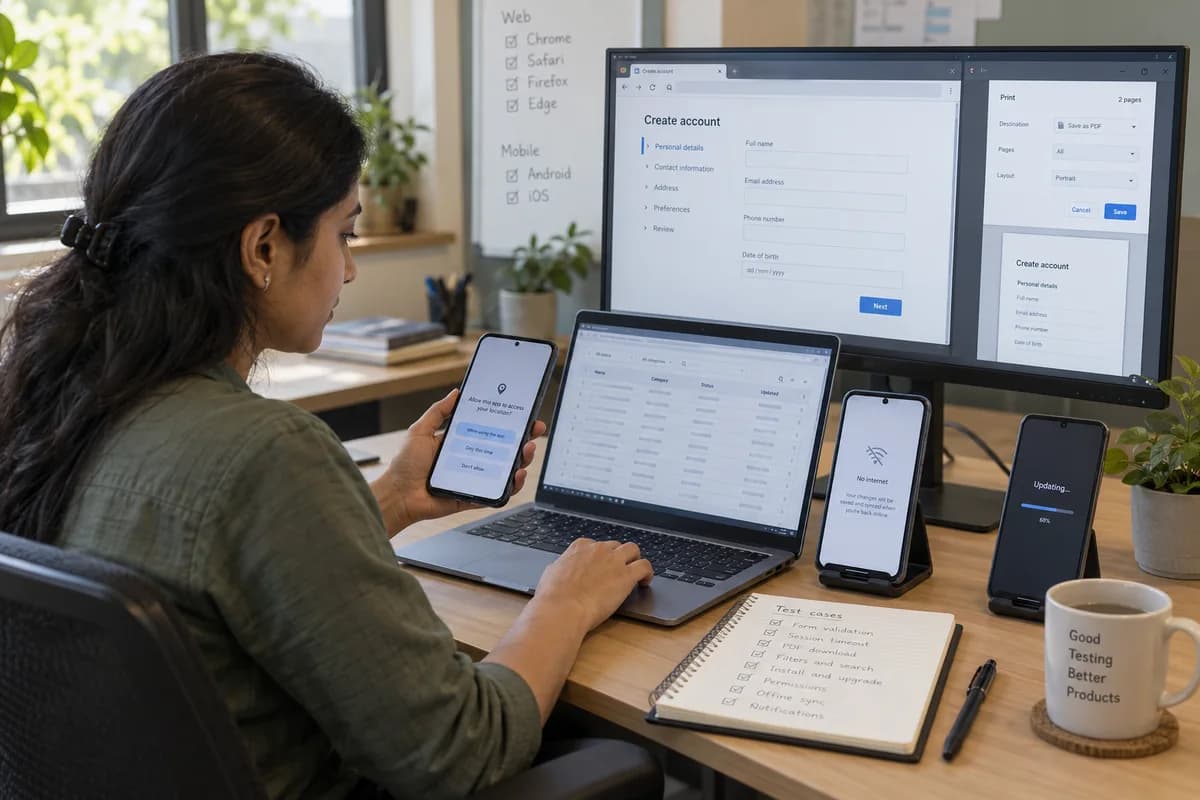
Web and mobile testing sounds like one job and is two. A portal is tested at the form, the print layout and across browsers. An installed app is tested for permissions, lost signal and upgrades.
On the web side
Most web defects sit in the awkward corners of a form. Others appear after the button is pressed.
- Validation on every field, including pasted text
- Session timeout in the middle of a long form
- Printing and PDF downloads that must match the screen
- Tables and filters with thousands of rows
- The same page on Chrome, Safari, Firefox and Edge
On the handset
An installed app carries state between openings, which is where its trouble begins. Testing runs on real Android and iOS devices across versions and screen sizes, extended with device cloud services when the list is wide.
One feature, two risks
For a business running both a website and an app, the same feature carries different risks. On the site, the discount rule and the printed bill matter most. On the app, the payment screen on a slow connection matters more, because a second tap while it spins can place a second order.
Frequently asked questions
Which devices do you use for mobile testing?
Real handsets across the Android versions and screen sizes your own traffic shows, plus iOS where you have iPhone customers. Where the list is broader than the phones available, a device cloud service is added. The matrix is agreed with you first.
Do you test on old Android versions?
Yes. Many customers and field staff carry handsets two or three versions behind, so the list comes from your analytics and not from an assumption that everyone is current.
Can you test a mobile app you did not build?
Yes. An installable build, test logins for each role and sandbox credentials for payments or messaging are needed. Much of this work is on apps written by someone else.
What about tablets used at a counter?
They are included when your staff use them, and they often expose layout problems. A screen designed on a laptop can hide the save button on an older tablet held in portrait.
Tell us what you need.
Share your requirements and one of our engineers will come back to you within one business day.
- No obligation
- A reply within one business day
- Your details stay private
Start with your requirements
Seven short steps that tell us what you need. An engineer reads them before getting in touch.
Share your requirements