Appointment Scheduling for Car detailing studios
Reserve time with named staff or resources and track changes.
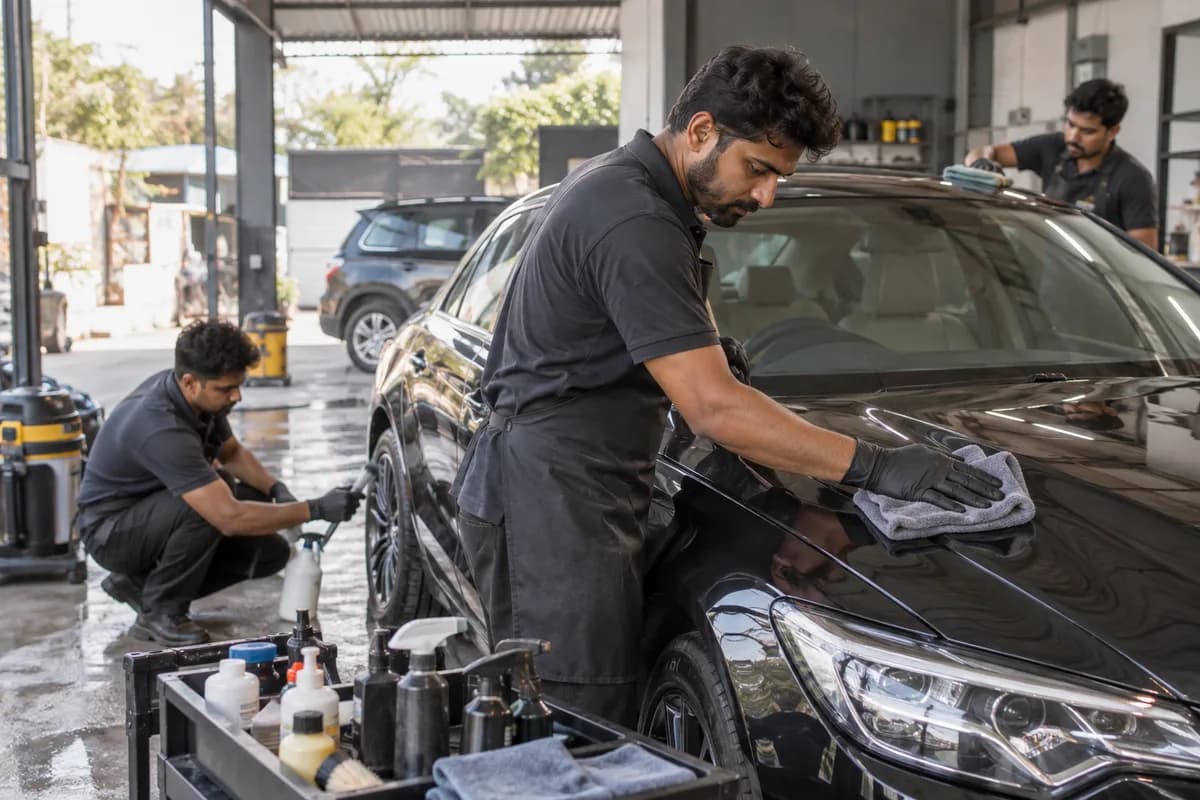
Does this function belong in your operation?
Use when work is delivered through scheduled time slots with people or resources.
A customer or team member requests a scheduled session.
A detailing booking reserves more than a customer arrival time. Inspection, preparation, specialist work and any required holding period affect different people and spaces. Record the service scope used for the reservation and who confirmed its duration. A free bay does not compensate for an absent applicator, and completion of a staff task does not necessarily release the vehicle’s occupied space.
Bring the records the workflow depends on.
- Inspection or work appointment type and vehicle reference
- Accepted service scope and stage-duration assumptions
- Named specialist availability and bay occupancy
- Confirmed product-related hold and collection plan
Outputs to check
- Inspection appointments and accepted work reservations
- Staff and bay conflicts with affected jobs
- Revised arrival and collection history
Follow the appointment scheduling workflow.
Use this sequence to compare your current process with the proposed module. Agree the owner, permission and exception at each step.
Who uses the module, and who approves?
Keep responsibilities distinct even when one person holds more than one role.
Decide how exceptions are handled.
These business rules belong in configuration and testing. A normal transaction alone does not demonstrate that the workflow is ready.
Can this work independently?
Scheduling can start with entered specialist and bay calendars. Inspection and quotation records explain the scope; job cards confirm progress. Product instructions determine operational holds. Billing, advance collection and customer messaging remain separate processes.
Systems and records it connects with
- Accepted quotations: service revision and customer approval.
- Job cards: actual arrival, work holds and readiness for collection.
- Permitted messaging: approved arrival or collection changes.
Configure, test and introduce the workflow.
- Map the inspection and work bookings for services the studio actually offers, including separate staff and bay time.
- Test a changed scope, specialist absence and longer occupancy with the studio lead.
- Reconcile open bookings with accepted quotations and confirm ownership of later changes.
Check the result before rollout.
Apply these checks to a sample from the agreed workflow, then repeat with an exception. Keep the expected result beside the test record.
- An inspection slot does not create an accepted detailing job.
- A named specialist conflict is exposed even when a bay is free.
- Extended occupancy updates affected reservations and retains the earlier plan.
How the business operates.
A detailing studio accepts defined interior, exterior-finish or protective-treatment work after inspection and scope agreement. Interior cleaning, correction, coating and paint protection film need different materials, staff and reviews. Track preparation, authorised work, finish review and collection rather than treating every booking as a wash.
The records that hold the operation together.
- Vehicle inspection, declared history, existing treatment and condition-photo references
- Versioned estimate with panels or interior areas, exclusions and accepted revision
- Vehicle/key custody, stage assignments and job status
- Product identity, relevant batch or roll reference, issued quantity and approved substitutions
Operational bottlenecks to check
Photo estimates become fixed promises
Keep photo estimates provisional until inspection. Retain the reviewed revision and acceptance before additional preparation, correction or coverage enters the job.
Specialist leave disrupts booked work
Check skill assignment and bay occupancy together. A free calendar slot is not enough when the necessary detailer is absent or an earlier job remains in the required working area.
How work flows across this business
This module sits within a wider operating process. Use the sequence to identify the other teams and records affected by a change.
1. Inspect before confirming the scope
Distinguish provisional photo estimates from inspected proposals. Record affected surfaces, existing treatment and exclusions. Refer unclear suitability questions to the senior detailer.
2. Agree work and reserve capacity
Retain the accepted itemised proposal. Reserve the specialist and bay occupancy, including confirmed product-dependent holds. Record collection plans and advance terms; payment does not establish technical approval.
3. Record custody and preparation
Reconcile the arriving vehicle with accepted scope, condition and keys. Assign preparation and specialist stages. Pause affected work after new findings until technical and commercial decisions are recorded.
4. Complete authorised stages
Link material issues and completion to the job and stage reviewer. Retain original and revised approvals when scope changes. A newly noted defect does not authorise chargeable correction.
5. Review finish and resolve exceptions
The senior detailer records the finish assessment, rework and revised collection plan. Preserve original inspection and stage evidence when work is repeated.
6. Hand over and follow through
Record the collector, keys, completed work and outstanding matters. Provide applicable care references and reconcile approved charges and advances. Create customer-agreed or confirmed product-specific follow-up events.
Industry reports to connect with
- Jobs by preparation, specialist work, review, hold and collection stage
- Accepted quotation value, approved changes, advances and remaining balances
- Occupied bays and jobs awaiting a named specialist
- Material issues, returns and waste by job and product
Questions before implementation.
When should car detailing studios consider appointment scheduling?
Use when work is delivered through scheduled time slots with people or resources. A customer or team member requests a scheduled session.
What should we bring to the requirements discussion?
Bring anonymised examples of Inspection or work appointment type and vehicle reference; Accepted service scope and stage-duration assumptions; Named specialist availability and bay occupancy; Confirmed product-related hold and collection plan. Show who creates, checks and changes each record. Use only records from an activity that meets the suitability conditions above.
Does this replace our existing business software?
The starting point is your current system and the gap you need to close. Reserve time with named staff or resources and track changes. Configuration, a connected module or a custom build are evaluated against that gap before a replacement is proposed.
What is outside this module?
Professional suitability and service outcomes remain the responsibility of the service provider. Reminders and payments are separate scope items.
How are scope, price and rollout decided?
The proposal follows a review of your records, user roles, branches and existing software. Data migration, connections, training and support are scoped separately where needed. An inspection slot does not create an accepted detailing job. Use this check when reviewing the first working version.
Related functions for car detailing studios.
Discuss appointment scheduling for your business.
Tell us which workflow needs attention and which systems your team uses. The next step is a requirements discussion and a written scope.
What happens after you share your requirements
- We review your brief and the systems you already use.
- We clarify the workflow, missing information and the work to consider first.
- The proposed scope sets out the deliverables, responsibilities and dependencies.
- Review the scope and commercial terms before deciding whether to proceed.
Start with your requirements
Describe your current process, the people involved and the change you need. Start with the details you know; we can clarify the rest together.
Share your requirements