Business solutions for Bakery product manufacturers
Explore software for work such as “Route and outlet records with order history”. Review each business function below, including when it fits and what to check before implementation.
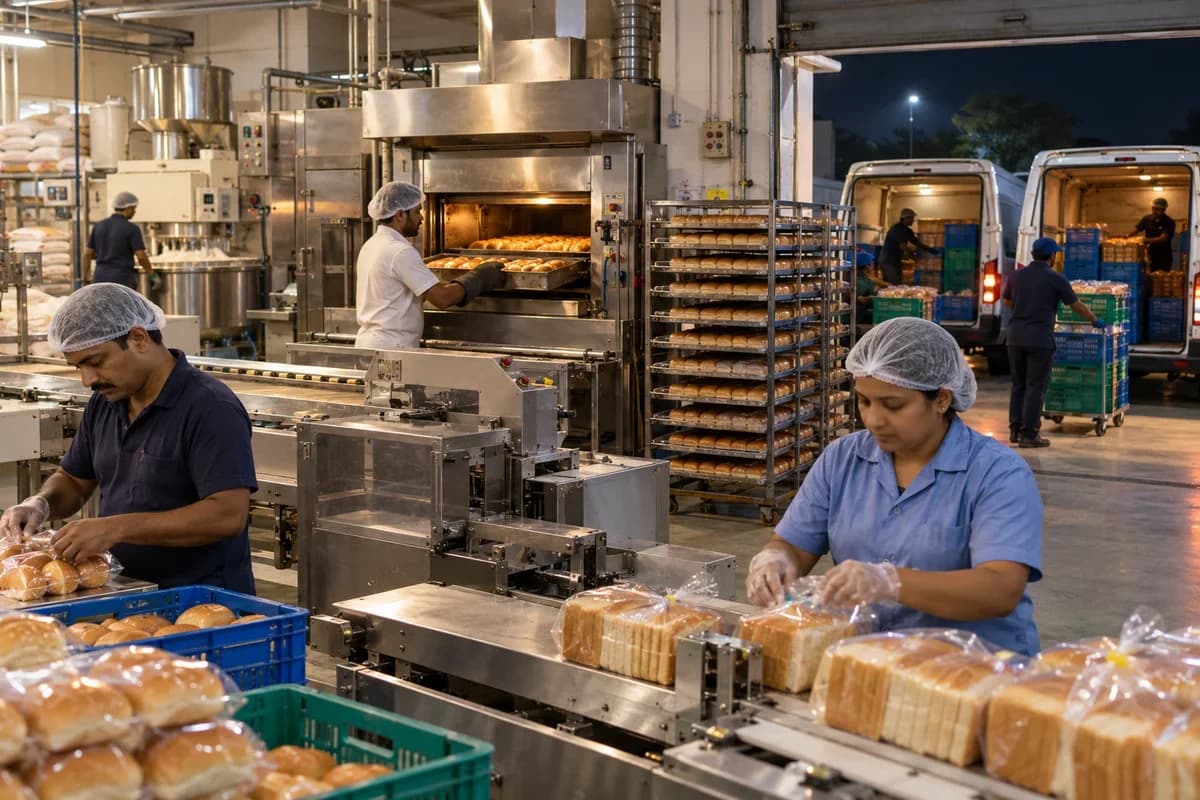
How the business operates.
A bakery factory has the shortest planning cycle in food manufacturing. Orders close in the evening, dough is mixed overnight, and loaves, buns or cakes are on a delivery van before the shops open. There is no second chance to get the count right, because a loaf that is not on the van at dawn is a loaf that is never sold.
The records that hold the operation together.
- Outlet orders and standing patterns. Hold each shop’s weekly pattern and one-off changes by product and tray size, and close the order at the cut-off hour.
- Mixer and oven planning. Propose dough batches from order totals, and show proofing, oven slot and rack time for every batch.
- Recipes and improvers. Keep each recipe with its flour blend, fat, yeast and improver quantities, scaled to the batch size chosen.
- Dough batch records. Capture ingredient lots, mixing time, dough temperature and the oven the batch went into.
- Allergen changeover log. Require the clean-down checks and a supervisor signature when a line moves between nut, egg, sesame and plain products.
- Shelf life and date coding. Store the life of each product and pack, and print the best-before date and lot code at wrapping.
- Tray, crate and van loading. Count trays and crates by outlet and route, and give drivers a loading list and a drop-off sheet.
- Returns and credit notes. Log unsold trays by outlet and product, raise credits, and show routes with the heaviest returns.
Operational bottlenecks to check
Standing orders drift from the bake plan
Outlets change quantities by phone. The plan keeps last week’s quantities even when orders change, so baking and van loading follow the wrong demand.
Flour sacks never reach the dispatch sheet
At the mixer someone jots a flour sack number on a slip. The van sheet carries no trace of it. Nobody can link a complaint about a loaf to its flour.
Allergen changeovers rely on memory
A line moves from a nut cake to a plain sponge. Whether the tins were washed and the signature taken depends on who was on shift. Nobody can prove it.
Returns are counted but not analysed
Stale trays come back. Nobody records which product, route or shop sent them, so the next day’s plan repeats the same mistake, and the waste carries on for weeks before anyone adds it up.
Shelf life is set by habit
The best-before date depends on the product and the pack. A date set wrongly on the wrapping line reaches shelves before anyone notices.
Follow the work across teams.
This is a planning flow. Confirm the steps, owners and approval rules against your actual operation.
Roles and responsibility boundaries.
Reports your managers need.
- Bake plan against actual trays by product
- Ingredient lots used by dough batch
- Allergen changeovers signed by line and shift
- Returns by outlet, route and product
- Shelf-life dates printed by product and pack
- Standing order changes after cut-off
- Flour and packaging stock against the next week’s plan
Connections to scope
- SMS
- Label printer
- Accounting export
- Payment gateway
Confirm data access, record ownership and the exchange method for each connection. Inclusion here does not mean every connection is available in a standard package.
Setup decisions and adoption risks.
Use these requirements to plan phases, data migration and user training. Agree the release sequence after reviewing your current systems.
Limitations to settle before implementation
- A shop bakery that bakes and sells over its own counter will find Bakery Management System closer.
- A packaged snack maker with no dough line may prefer Food Packaging Manufacturer Management Software.
Modules to consider first.
These functions connect to the operating model above. Confirm each one against the work your business actually runs.
Choose the operation you want to improve.
Use these activities to explain your scope. Your business does not need every function in the directory.
- Route and outlet records with order history
- A clear returns and credit policy that outlets can see
- A night-before order channel on WhatsApp
- Festival and bulk cake order booking with a cut-off date
- Supply agreements with institutions and caterers
- New area opening plan with vans and outlets together
Explore the business functions.
Production, stock, fleet and recurring billing functions apply only where your business runs those activities. Read the suitability conditions on each page.
Retail and POS
Manufacturing
Batch and Serial Tracking
Trace goods using batch identifiers or individual serial numbers.
View workflow and suitability →Bill of Materials
Define the materials and quantities needed for a manufactured item.
View workflow and suitability →Production Planning
Plan manufacturing quantities against demand, materials and capacity.
View workflow and suitability →Quality Control
Record specified inspections and the disposition of checked goods.
View workflow and suitability →
CRM
Sales and Distribution
Inventory Management
Start with the problem your team can describe.
Bring a sample record and show where information is copied, missed or waiting for approval. Scope the first useful change from there.
What happens after you share your requirements
- We review your brief and the systems you already use.
- We clarify the workflow, missing information and the work to consider first.
- The proposed scope sets out the deliverables, responsibilities and dependencies.
- Review the scope and commercial terms before deciding whether to proceed.
Start with your requirements
Describe your current process, the people involved and the change you need. Start with the details you know; we can clarify the rest together.
Share your requirements