Price Lists and Schemes for Serviced apartments
Apply dated price lists and promotional rules to eligible transactions.
Does this function belong in your operation?
Use when prices vary by customer group, channel, quantity or promotion.
A price or commercial offer changes.
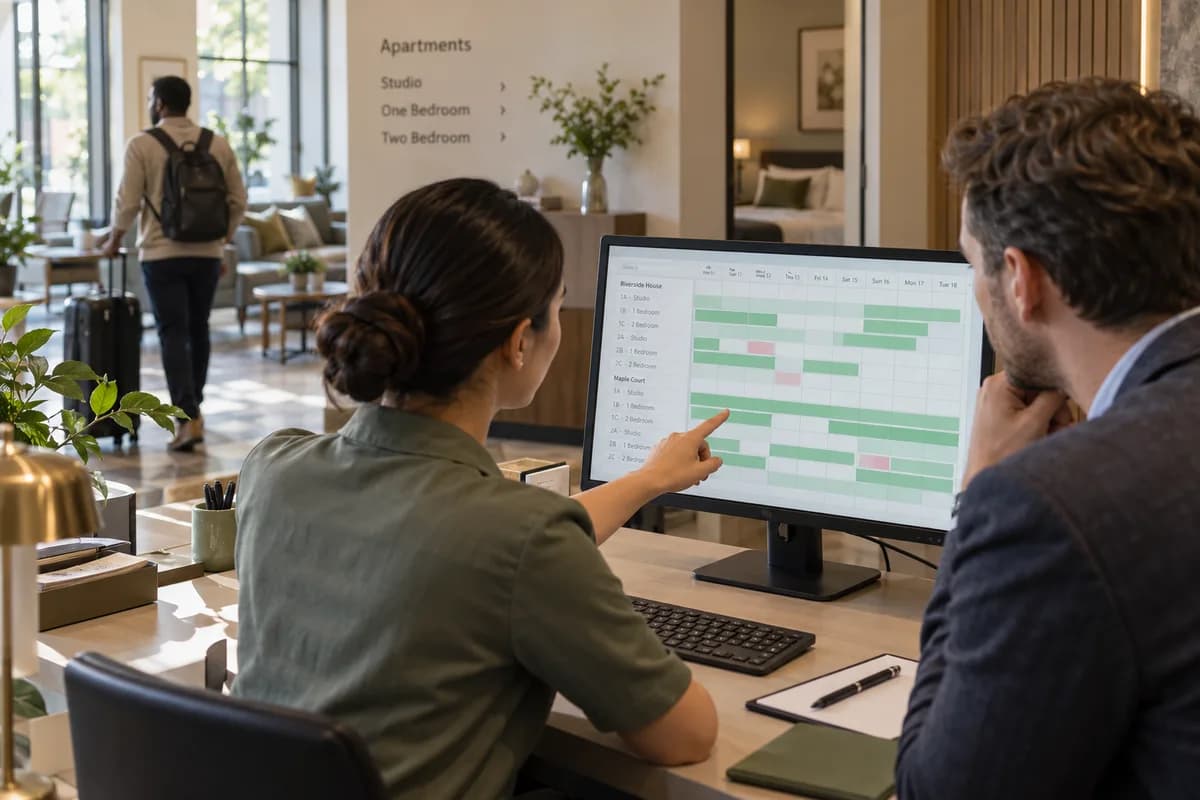
Configure short-stay, extended-stay and negotiated company rates with explicit eligibility and effective dates. The applicable unit type, minimum stay basis and included services matter as much as the nightly amount. A revised corporate agreement should govern new accepted bookings under its terms, while an existing guest's confirmed offer requires its own documented change decision. Separate the rate's eligibility from the guest's payer arrangement. A traveller using a company-negotiated rate may still pay personally under the accepted booking terms. The rate record should explain why the price applies, while the folio and invoice records identify who owes each charge and where the payment is allocated.
Bring the records the workflow depends on.
- Unit types and supported stay-rate bases
- Seasonal and corporate validity dates
- Included services and approved eligibility conditions
- Existing reservation rate references
Outputs to check
- Effective apartment-rate register
- Corporate and public-rate eligibility view
- Override and historical-rate record
Follow the price lists and schemes workflow.
Use this sequence to compare your current process with the proposed module. Agree the owner, permission and exception at each step.
Who uses the module, and who approves?
Keep responsibilities distinct even when one person holds more than one role.
Decide how exceptions are handled.
These business rules belong in configuration and testing. A normal transaction alone does not demonstrate that the workflow is ready.
Can this work independently?
Pricing can be maintained independently, but quoting or billing must use the approved selection rules for consistent application. Customer groups and item codes provide eligibility. The price module does not establish stock availability, contractual acceptance or whether a promotion is legally permitted.
Systems and records it connects with
- Invoice management: Issued invoice references, line amounts and outstanding balances.
- Point of sale billing: Counter sales, tender records and authorised returns.
- Credit control: Customer limits, current exposure and authorised order releases.
- Dealer portal: Partner identities, submitted orders and permitted account information.
Configure, test and introduce the workflow.
- Hand over price sheets, scheme letters and the discount habits of the counter. A note groups them into lists.
- Decide who sits on which list and how far each role may go. Bills that pick the right rate come back. Try them. Staff raise sample bills from several lists. Corrections return as an adjusted set of lists.
- Billing clerks and sales staff practise approvals. A reference sheet for the counter follows. The next offer is entered with its dates. A review after it ends checks what each party paid.
Check the result before rollout.
Apply these checks to a sample from the agreed workflow, then repeat with an exception. Keep the expected result beside the test record.
- A confirmed stay identifies the rate version and included services accepted.
- An expired agreement cannot silently price a new reservation.
- Rate overrides retain the authorised decision and affected stay dates.
How the business operates.
A serviced apartment sits between a hotel and a rental. One block can hold a consultant staying two nights, an engineering team posted for a commissioning season and a family waiting for their own flat to be handed over.
The records that hold the operation together.
- Apartment identifier and date-based availability
- Guest, company payer and booking agreement
- Check-in record and permitted identity-document reference
- Stay folio, approved extras and deposit
Operational bottlenecks to check
Two bookings land on one apartment
Availability lives in a spreadsheet and an extranet login, and a quiet extension collides with a new arrival. The night manager shuffles luggage to another floor.
Corporate statements take days to build
Someone retypes every company stay from separate guest folios, with the corporate rate, minibar and laundry lines, and the purchase order reference is lost on the way. Payment waits.
How work flows across this business
This module sits within a wider operating process. Use the sequence to identify the other teams and records affected by a change.
1. Check availability and terms
Identify the apartment type and dates, payer and agreed rate terms. Distinguish an enquiry or temporary hold from a confirmed stay.
2. Prepare and check in
Confirm apartment readiness and record the agreed guest information and handover inventory using the operator’s requirements.
3. Record the stay
Post authorised extra charges and service or maintenance requests to the correct apartment and guest stay.
4. Manage changes and extensions
Check availability before extending or moving a stay. Retain the original and revised dates, rate basis and payer approval.
5. Check out and reconcile
Record the apartment handback and authorised adjustments. Reconcile the guest folio or corporate statement and release the unit only when its readiness state is confirmed.
Industry reports to connect with
- Apartment occupancy and upcoming availability
- Corporate stays and statements awaiting settlement
- Unresolved maintenance and turnover tasks
- Deposits, approved extras and folio differences
Questions before implementation.
When should serviced apartments consider price lists and schemes?
Use when prices vary by customer group, channel, quantity or promotion. A price or commercial offer changes.
What should we bring to the requirements discussion?
Bring anonymised examples of Unit types and supported stay-rate bases; Seasonal and corporate validity dates; Included services and approved eligibility conditions; Existing reservation rate references. Show who creates, checks and changes each record. Use only records from an activity that meets the suitability conditions above.
Does this replace our existing business software?
The starting point is your current system and the gap you need to close. Apply dated price lists and promotional rules to eligible transactions. Configuration, a connected module or a custom build are evaluated against that gap before a replacement is proposed.
What is outside this module?
Commercial policy and permitted promotional terms must be approved by your business.
How are scope, price and rollout decided?
The proposal follows a review of your records, user roles, branches and existing software. Data migration, connections, training and support are scoped separately where needed. A confirmed stay identifies the rate version and included services accepted. Use this check when reviewing the first working version.
Related functions for serviced apartments.
Discuss price lists and schemes for your business.
Tell us which workflow needs attention and which systems your team uses. The next step is a requirements discussion and a written scope.
What happens after you share your requirements
- We review your brief and the systems you already use.
- We clarify the workflow, missing information and the work to consider first.
- The proposed scope sets out the deliverables, responsibilities and dependencies.
- Review the scope and commercial terms before deciding whether to proceed.
Start with your requirements
Describe your current process, the people involved and the change you need. Start with the details you know; we can clarify the rest together.
Share your requirements