Business solutions for Sweet shops
Explore software for work such as “Advance booking for Diwali, Rakhi, Ganesh Chaturthi and other festivals”. Review each business function below, including when it fits and what to check before implementation.
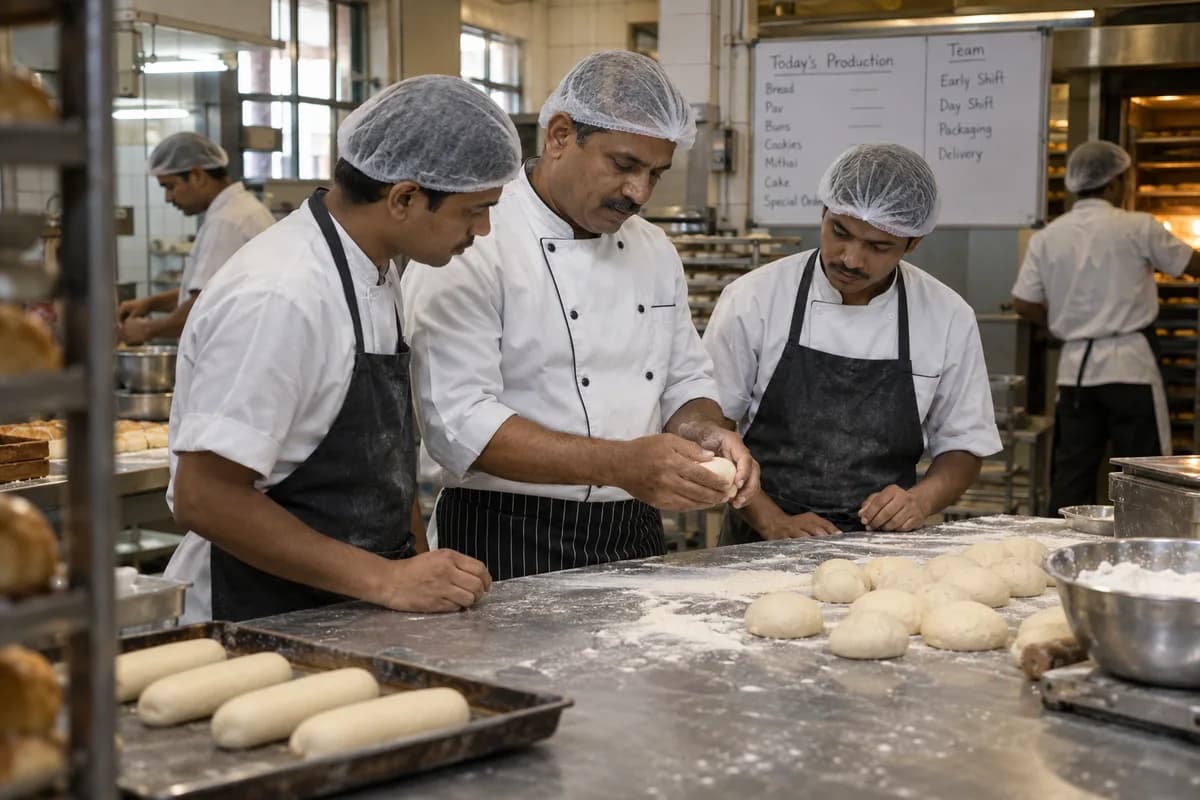
How the business operates.
Sweet Shop Management Software from GullySystem serves shops that cook fresh sweets and sell them by weight, by piece and in boxes. Each item keeps its recipe, rate and shelf life. Orders keep their date and advance. The counter, the kitchen and the stores all read the same records, so a festival rush is planned instead of survived.
The records that hold the operation together.
- Sweet items, recipes and rates. Enter each sweet with its rate per kilo or piece, tray size, shelf life and a recipe of raw materials. Cost per kilo updates when a purchase price changes.
- Counter weighing and billing. Take the weight from a digital scale or key it in, apply the rate, add packing and tax, and print the bill. Mixed purchases are billed on one slip.
- Festival and wedding advance orders. Record the customer, date, items, quantity, advance and pickup or delivery. A calendar shows the load for every day, so a date can be refused or moved in time.
- Gift boxes and assortments. Define each box as a list of pieces and a price. Packing a box draws those pieces from stock and bills the box as a single item.
- Kitchen production plan. Set how much to cook for each sweet from past sales, the order book and festival dates. The cook marks batches done and records the real yield.
- Shelf life, expiry and wastage. Every batch carries a made-on date. The system lists what to sell first, flags trays near their limit and logs discards with a reason.
- Raw material stock and purchases. Track milk, khoya, sugar, ghee, nuts and packing material. Raise purchase orders from the plan, and compare the rate paid against the last purchase.
- Suppliers and payments. Keep dairy, sugar and dry fruit suppliers with their rates and dues. Record what was received, what was returned and what is still to be paid.
Operational bottlenecks to check
Bulk orders sit in a notebook
A wedding order and a festival order are written down with an advance. The kitchen cannot see the total until it is too late to buy the khoya.
Rates on the board go stale
Ghee goes up and the case still shows the old price. Staff bill from memory, and the margin on a kilo of sweets disappears.
Old trays are found late
Batches from several days share one cold room. A fresh tray is sold first and the older one is thrown out.
Cooking follows habit, not demand
The cook repeats last week’s plan. A holiday or a wet day changes sales, and one sweet runs out while another is left over.
Branch counts never match
Outlets ask for trays by phone. The kitchen dispatches, the van is late, and the branch record and the kitchen record disagree.
Gift boxes are priced by eye
A box of mixed pieces is packed from whatever is in the case. Nobody knows what went inside, so cost and stock are both guessed.
Follow the work across teams.
This is a planning flow. Confirm the steps, owners and approval rules against your actual operation.
Roles and responsibility boundaries.
Reports your managers need.
- Sales by sweet, by counter and by branch
- Festival and wedding orders due by date, with advances and balances
- Trays to cook against orders and expected demand
- Batches near or past their shelf life, and wastage by item
- Raw material stock, usage against recipe and purchase rates
- Stock sent to each branch against stock sold and returned
- Gift box sales and the pieces drawn for them
Connections to scope
- Digital weighing scale
- Thermal bill and label printer
- SMS
- Payment links and gateways
- Accounting export
Confirm data access, record ownership and the exchange method for each connection. Inclusion here does not mean every connection is available in a standard package.
Setup decisions and adoption risks.
Use these requirements to plan phases, data migration and user training. Agree the release sequence after reviewing your current systems.
Limitations to settle before implementation
- The bakery product suits a shop whose main line is bread, cakes and pastries baked to a daily plan.
- A factory that packs sweets in sealed packs for wholesale and distributors needs the manufacturer product, with batch lots and dispatch.
Modules to consider first.
These functions connect to the operating model above. Confirm each one against the work your business actually runs.
Choose the operation you want to improve.
Use these activities to explain your scope. Your business does not need every function in the directory.
- Advance booking for Diwali, Rakhi, Ganesh Chaturthi and other festivals
- A gift box catalogue with prices that a buyer can forward
- Bulk and corporate order handling with samples
- Wedding and function tray orders recorded in one place
- Honest freshness and shelf-life information on every box
- Offers for the quiet weeks between festivals
- Gifting for people outside the city, where you can deliver
Explore the business functions.
Production, stock, fleet and recurring billing functions apply only where your business runs those activities. Read the suitability conditions on each page.
Manufacturing
Retail and POS
CRM
Inventory Management
Start with the problem your team can describe.
Bring a sample record and show where information is copied, missed or waiting for approval. Scope the first useful change from there.
What happens after you share your requirements
- We review your brief and the systems you already use.
- We clarify the workflow, missing information and the work to consider first.
- The proposed scope sets out the deliverables, responsibilities and dependencies.
- Review the scope and commercial terms before deciding whether to proceed.
Start with your requirements
Describe your current process, the people involved and the change you need. Start with the details you know; we can clarify the rest together.
Share your requirements