In this guide 6 sections
Place probes where the warmest air collects, log at a fixed interval, add a door sensor, and set alarms that wait a defined time before firing. Add a gateway that records through outages. Route alerts by shift. Keep a log you can export on request.
Place probes where the product actually sits
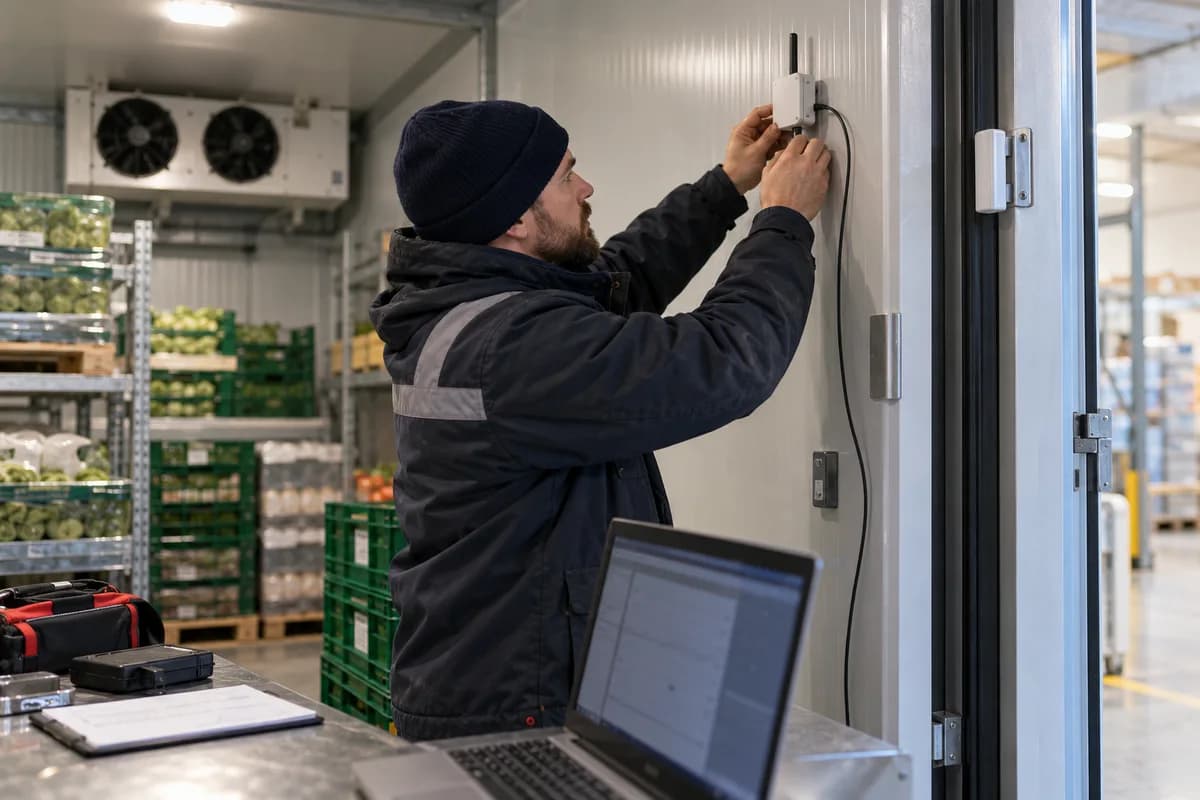
The thermostat on the evaporator reports what the evaporator feels, which says little about a pallet at the rear, near the door or on the top tier. Put one probe in the warmest spot. Put another near the return air.
Mount probes away from the cooling coil and clear of the door curtain, then check each one against a calibrated reference before you trust the first week of data. A probe on the wall reads the wall.
For a reefer vehicle, use one probe in the cargo area and one at the rear doors, since the body behaves differently once the bay doors open. Warm air rolls in fast.
- One probe at the warmest point
- One near the return air path
- One at the door end of a reefer body
- Product probe for high-value loads
Set the logging interval and the alarm delay
Log every few minutes. Too slow, and an excursion vanishes. Too fast, and storage and noise pile up with no extra insight into what the compressor is doing, which only hides the real fault.
Alarms need a delay. A loading bay door left open for ninety seconds lifts the air temperature before it recovers, which is normal and no reason to wake the manager. A reading stuck out of range is not. Write down the limit and the duration.
Use two levels. A warning sends the shift lead to check the door or the compressor, and a critical alarm reaches the manager when the warning is ignored. Review after a month of data. Defrost cycles often explain a repeating spike. A longer delay can silence it.
Add door sensors and a gateway that survives outages
A magnetic door contact labels the mystery spike. Nobody wastes an afternoon hunting for a refrigeration fault when the log shows the rise began at the minute a door opened.
Put a gateway inside the site. It collects readings from the probes and stores them locally, then sends the backlog to the cloud once the internet line returns after an outage. Otherwise the log has a hole.
Power matters too. Fit the gateway and the router to a small UPS, so a brief mains cut during a compressor restart does not blank the record.
- Door contact on every chamber door
- Local storage on the gateway
- UPS for gateway and router
- Time stamps from the gateway, not the cloud
Route alerts by shift and require acknowledgement
Name one person per shift who receives the alarm, then add a second name and a manager as escalation, because alerts sent to a group chat get ignored. Nobody owns a shared alert.
Require an acknowledgement with a note, such as door held open or compressor tripped, and if nobody replies within the set time the alert moves up the list. Escalation must be automatic.
Test it. Hold a probe in your hand. That trips the alert. Then see who answers at two in the morning, and how long the escalation takes to reach the manager if the first two names stay silent.
Keep a log you can hand to a customer or auditor
A distributor’s customer may ask for the temperature history of one consignment, and an auditor may ask for a whole month. Both want a clean export. Make it a PDF or CSV with time stamps, locations, alarms and the name of whoever acknowledged each one, so nobody has to rebuild it from screenshots.
Keep calibration dates beside the data. An unchecked probe weakens the record.
Your next step: draw the floor plan of one chamber and mark where each probe and door contact will go before you order hardware. Name chambers and vehicles the way your delivery notes do, so a customer can match a log to a consignment without a phone call.
Cold room monitoring setup sheet
Print one sheet per chamber or vehicle. Block one is a plan view. Mark probes and door sensors on it. Block two is a grid of location, limit, alarm delay, warning contact and critical contact by shift, with a column for the gateway and UPS check. Block three lists the probe calibration date, the gateway location, the UPS test date and the export format a customer or auditor expects to receive.
Open a blank worksheet to printQuestions owners ask
How many probes does a cold room need?
At least two, one at the warmest spot and one near the return air. Larger chambers or mixed loads need more. A mapping run with a few portable loggers over a day or two shows where the warm pockets sit, and that tells you where the permanent probes belong.
Why do we need a gateway on site?
It stores readings locally. If the internet drops, recording continues and the backlog is sent later, so the log has no gap, and a siren or beacon can still sound locally.
How do we avoid false alarms from door openings?
Set a delay and add a door sensor. The system then waits for the temperature to stay out of range for a stated time, and it marks every door event in the log.
Can the log be shared with a customer?
Yes, if the system exports a file with time stamps, locations, alarms and acknowledgements. Check the format first. Some customers want PDF and others want a CSV, so learn what yours expects before the first request arrives.