In this guide 6 sections
A returns workflow runs from request and approval rules through pickup or drop off, inspection grading, refund, then restock or write off with matching ledger entries. Automate approvals, labels, status messages and ledger posting. Keep grading and exceptions with a person who can see the item.
The request and the approval rules
A return starts when a customer picks the order line and a reason from a list. Give reasons that matter to you: wrong size, damaged in transit, not as described, changed mind. Free text alone cannot be counted later. Counts matter later.
Approval rules decide what happens next. A damaged item inside the window can be approved at once and may need a photo. A change of mind on a sealed item may pass automatically. Used goods, custom orders and hygiene items go to a person.
Write the rules as a table of reason, window in days and item type. Software can then approve the easy cases and queue the rest. Keep it short.
- Reason code chosen by the customer
- Days since delivery against the policy window
- Photo required for damage claims
- Excluded items such as custom or perishable lines
Pickup, drop off and the return label
Once approved, the system should issue a return merchandise authorisation number and a courier label. Offer a pickup where the courier supports it, or a drop off point where it does not. Show the customer the tracking status so they stop writing to support.
The warehouse needs to expect the parcel. An open RMA list at the goods receipt desk lets staff scan the label and match it to the order. Without that, returns pile up in a corner, unrecorded. Missing scans cause disputes.
Bad parcels without a label are the headache. Give the desk a way to search by phone number or order number and attach the return after the fact.
Inspection grades decide the money and the stock
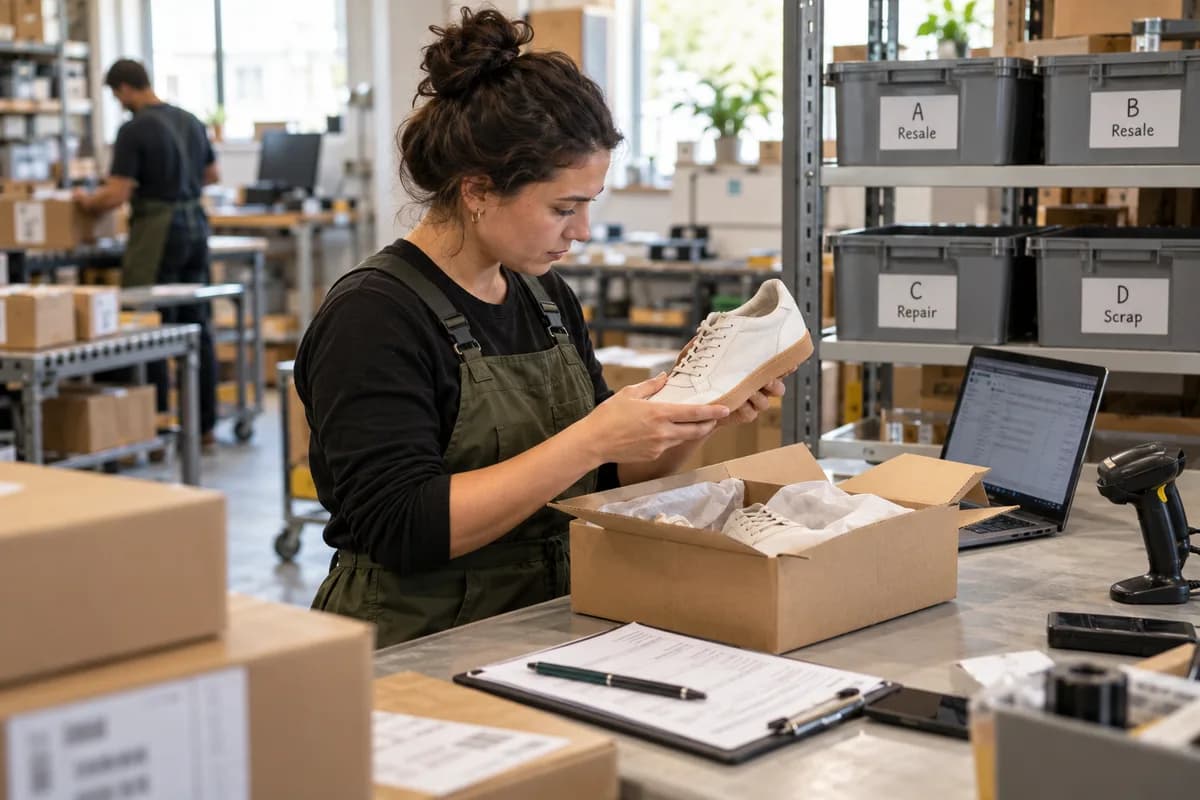
A person opens the parcel and grades the item. Keep the scale short: A for unused in original packing, B for opened but resaleable, C for repair or refurbish, D for scrap. Photograph anything graded C or D. Be strict about it.
The grade drives two outcomes. It decides the refund amount, since a grade D item with a damage claim may be refunded in full while a worn item may not. It also decides the stock location: saleable shelf, repair bench or scrap bin.
This is where automation should stop and judgement should start. A software rule cannot smell a perfume that was used or spot a missing screw in a fitting kit.
- Grade A, B, C or D with a reason note
- Serial or batch number checked against the order
- Missing accessories ticked off a packing list
- Photo attached for C and D
Refund method and the ledger entries
Refund to the original payment method through the gateway, so the reference matches the bank statement. Store credit or an exchange can be offered as an alternative, with its own balance record. Partial refunds need a reason line for the accountant. Gateways keep references.
Each outcome posts entries. A restocked item reverses the cost of goods sold and returns units to inventory at the original cost. A scrapped item moves value to a write off account. A refund reduces revenue and, where relevant, the tax collected.
Posting these by hand at month end is where errors creep in. Link the refund event to the accounting system so each return creates its credit note automatically. Link them once.
What to automate and what to leave to people
Automate approval of clear cases, label creation, customer messages at each status, stock movement after grading and the credit note. These steps are rule based and repetitive.
Leave grading, fraud suspicion, high value refunds and goodwill decisions to a named person with a limit. Review a weekly report of return reasons by product, because three damage reports on one SKU point to packaging, not customers. Packaging is often the culprit.
Take your last twenty returns, trace each through these stages and note where it stalled. That list is your first build order.
Returns process map
A one page swimlane sheet with four lanes: customer, support, warehouse and finance. Rows run from request to restock, each with the decision rule, the owner, the system status and the ledger entry. A side table lists reason codes, window days and the A to D grade scale.
Open a blank worksheet to printQuestions owners ask
How long should the return window be?
It depends on the product and your market. Consumer goods often allow a few weeks. Set it by item type, state it plainly at checkout and check any consumer law that applies where you sell.
Should refunds wait for inspection?
For low value items with a clear history, many shops refund when the courier scans the parcel. For costly or easily swapped goods, wait until the warehouse has graded the item.
How do I stop returns fraud?
Match serial numbers to the order, weigh the parcel against the dispatch weight, and flag repeat returners for review. Keep the final call with a person rather than blocking customers automatically.
Where do returned items go in the stock record?
Into a separate returns location until graded. After grading, move them to saleable stock, the repair bench or scrap, so the available quantity on the storefront stays accurate.