In this guide 6 sections
A spreadsheet works for a handful of installs a month. Software wins once you track equipment serial numbers, commissioning sheets and annual service contracts across many sites, because those records must link to each other and survive staff changes. Start with the records that cost you callbacks.
Where a spreadsheet holds up
Small crews run well on Excel. One tab for jobs, one for enquiries, one for payments. The owner knows every site and remembers every promise. That model stops working around the fifth crew and the second branch.
Load calculations fit this pattern. A Manual J style worksheet, or a tonnage estimate per room, is a calculation file. It lives happily on a laptop for one job.
The trouble begins when the same facts must appear in four places. The calculation, the quote, the equipment order and the commissioning sheet all quote the same room. Each retyping is a chance to be wrong.
Where it starts to cost you
Serial numbers are the first crack. An outdoor unit, an indoor cassette and a thermostat each carry their own. Warranty claims need the right number, the install date and proof of who fitted it.
In a sheet, those numbers sit in a notes column. Nobody can search by serial when a compressor fails three years later. Software stores the number against the site, the unit and the technician. A good register also tells you which units share a refrigerant type, which matters when a supplier recalls a batch.
Home automation adds more. Controller firmware, keypad models, scene programs and network passwords all belong to a client’s house. Losing the program file means redoing the work.
- Serial and model numbers per unit
- Install date and warranty start
- Controller program backups per house
- Technician who fitted and tested it
Commissioning sheets and handover
A commissioning sheet records what the system did on the day it was switched on. Suction and discharge pressure, supply and return air temperature, refrigerant charge, airflow at each grille, a signed client check.
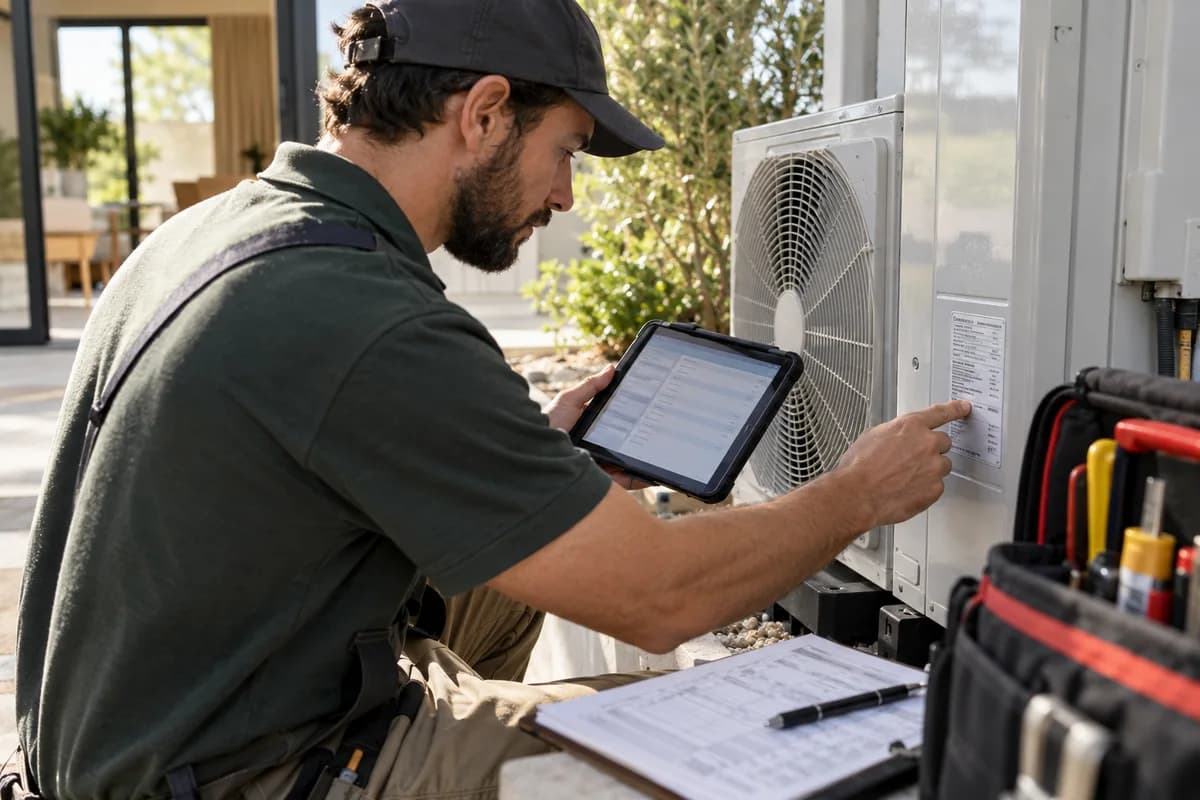
Paper forms get lost in vans. Photos of forms get buried in a phone gallery. When a client rings in summer to say the second floor stays warm, you need the original readings in a minute. A tablet form can refuse to close until the airflow and temperature fields are filled, which paper never does.
Software lets the technician fill the form on a tablet and attach it to the unit. The readings become a baseline. A later visit compares against them, not against guesses.
Annual service contracts need dates
A service contract is a promise repeated every year. Filter cleaning before the hot months, a coil check, a gas level test, a firmware update for the automation panel.
A spreadsheet can show renewal dates, yet it cannot send the reminder, assign the technician and open the visit card on its own. Someone must look. Someone forgets. Missed visits also show up as breakdown calls in the hottest week, when your crews are already fully booked.
Contracts that lapse quietly are lost income. Software that lists contracts expiring next month, with the units covered and the last visit’s findings, turns renewals into a routine call.
- Contract start, end and visit schedule
- Units covered, each with its serial number
- Reminder before every visit
- Findings from the last visit on screen
A sensible way to decide
Count the callbacks you had last season that came from a missing record. A wrong serial, a lost commissioning reading, a lapsed contract. Write each one down with the site name.
If the list is short, keep the spreadsheet and tighten it with fixed columns. If it is long, move the serial register and the contracts first, since those are the records customers ask about.
Run both side by side for one month on a single crew, then compare what was found faster in each. Pick the crew with the most contracts, since the gains show there first.
HVAC and automation record worksheet
Three tables share one printed page. The first lists units with site, model, serial number, install date and warranty end. The second is a commissioning block with pressures, temperatures, airflow and client sign-off. The third tracks service contracts with start date, visits due and renewal call date.
Open a blank worksheet to printQuestions owners ask
Can one tool handle both HVAC and home automation?
Yes, when the records are shaped around sites and installed units. Both trades fit that pattern. Automation needs space for program files, which a plain job tracker may lack.
Do load calculations need software?
Not necessarily. Many contractors keep calculation tools separate and attach the result to the job. The design figures must still reach the quote and the commissioning sheet, whichever tool produces them. Pressures and airflow readings come from the site, so capture them on the commissioning form rather than in the design file.
How do we move existing sites into software?
Start with the units in service contracts. Build a sheet with site, unit and serial, check it with a technician, then import it. Older one-off installs can follow later. Photograph each nameplate while on site; the serial is then readable even when the label fades.