In this guide 6 sections
Pick WhatsApp when customers already chat with you, SMS for short urgent notices to any phone, and email when a document must be kept. Replies belong in the record. Whatever you choose, store consent and every reply against the customer, then send the next message through a second channel when the first one fails.
Consent and rules differ by channel
WhatsApp needs opt-in for business-started messages, and the first message outside a customer’s own conversation must use a template that Meta has approved. Keep the opt-in date and wording on the customer record, next to the phone number it covers and the person who captured it.
SMS in many countries needs a registered sender name, an approved message format and sometimes a pre-registered template for each type of notice. Rules differ by route. The regime depends on where you send from and to, so check your country’s telecom regulator, your provider’s registration steps and the route rules before building anything.
Email is the most open. It still needs a lawful basis, a clear sender, an authenticated domain and an unsubscribe route for anything marketing-like, even when the list is small. A payment due notice is usually transactional, but one promotional line inside it can change that, so keep offers out of invoices and reminders.
- WhatsApp: opt-in recorded, template approved
- SMS: sender registration and approved format
- Email: sender domain authenticated, unsubscribe where needed
What each one proves after you send
Delivery proof matters. A customer will say nothing arrived. WhatsApp gives sent, delivered and read states, and those states can be saved against the invoice so the accounts team can show the exact time.
SMS gives a delivery report from the carrier, which confirms the handset received it and says little else about whether anyone read the text. Email gives a bounce or acceptance by the mail server, and opens are unreliable because many clients block tracking pixels, so an open count proves very little.
None of them proves the customer understood. For a large dues notice, pair any channel with a call from the accounts team, and note the outcome of that call on the invoice. Calls settle doubts.
Replies, and where they land
A reply is the useful moment. With WhatsApp, the reply opens a conversation window in which you can answer freely and attach a payment link or a rescheduled slot.
With SMS, replies go to a number that is often one-way, or to a short code with fixed keywords such as YES or STOP. Reply handling is basic. With email, the reply lands in a shared mailbox that someone must read, interpret and copy into the booking or customer record by hand.
Whichever you pick, route replies back into the same CRM or booking record, or the front desk ends up retyping answers from three inboxes. A reminder that cannot hear is half a tool.
- WhatsApp: two-way, rich buttons such as Confirm and Reschedule
- SMS: keyword replies or none
- Email: free text, manual sorting unless parsed
Match the channel to the message
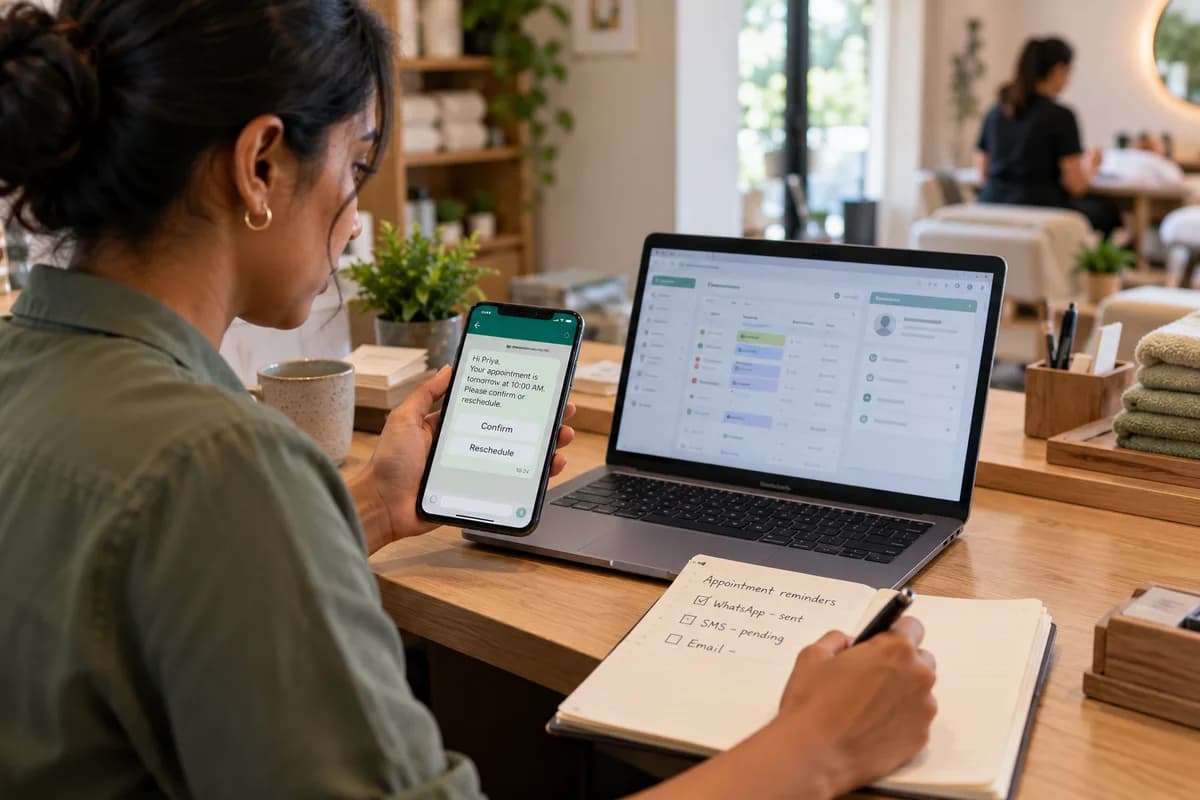
Appointment reminders suit WhatsApp or SMS. They are short and time-bound. A quick yes or no is all they need. A clinic or salon can include a Confirm button and a Reschedule button, cut missed visits and spare the front desk from calling every patient or client.
Payment reminders depend on the customer. Business buyers expect a statement by email, with the invoice PDF attached and the purchase order number quoted, so their accounts team can match it. Individuals respond to a short WhatsApp or SMS message that carries a payment link, the amount due, the due date, nothing more, because anything longer gets skimmed. Dispatch updates fit WhatsApp or SMS. Include a tracking link, a delivery window and the driver’s contact number so the customer can reply when the gate is locked.
Booking confirmations that carry terms, directions or a ticket suit email, since the customer will search the inbox for them later, perhaps at the venue door. A chat thread buries a ticket within days.
Count the staff time, then choose a fallback
Each channel costs hours somewhere, so count them: WhatsApp needs template approvals and a shared inbox for replies, while SMS needs sender registration once and then little. Email needs deliverability care and someone to read bounces.
Set a fallback chain. Send on WhatsApp first, and if the message fails or stays unread by a set time, such as two hours before the appointment, send an SMS instead. Keep email as the record for documents.
Run a four-week trial on one message type, for example next-day appointment reminders, and log every send, failure and reply on the channel worksheet. Compare confirmations received, reminders that failed and minutes spent by staff, then extend the winner to payment dues and booking confirmations once the numbers settle.
Channel choice worksheet
A single sheet with message types as rows, namely payment due, appointment reminder, booking confirmation and dispatch update, leaves room for any other notice you send. Columns record the audience, consent held, the channel chosen, the fallback channel, template or sender status, where replies land and the staff member who watches them.
Open a blank worksheet to printQuestions owners ask
Do I need a template for every WhatsApp reminder?
Yes, for any message you start outside a customer’s recent conversation, and the template must be approved by Meta before you can send it. Free text is fine inside an open window.
Is SMS cheaper than WhatsApp?
Pricing varies by country, carrier and provider, so compare current rate cards for your own monthly volumes of reminders, confirmations and dues notices. Count staff time too.
Can one system send all three?
Yes. A messaging layer in your billing or booking software can pick a channel by customer preference and fall back to another, logging every attempt in one record.
What if a customer has not opted in anywhere?
Collect consent at the next contact point, such as the booking form, the invoice portal or the front desk check-in sheet, and store the date. Until then, stick to the channel your terms cover.