In this guide 6 sections
Clean the phone numbers in your party masters and match each to one party. Get a reminder template approved with the invoice copy attached, test on a few friendly dealers, and send replies to the accounts desk. Tally holds the data. A WhatsApp API layer does the sending. Other billing software works the same way.
Start with the party master, not the message
Open the ledger masters in Tally and look at the contact field. You will find landline numbers, two mobiles crammed into one cell, a salesman’s number kept for convenience and plenty of blanks. Reminders sent to those will miss or embarrass you.
Decide one primary mobile per party and store it with the country code. Keep a second column for the accounts contact, who is often a different person from the owner and the only one who can actually confirm a payment.
This cleanup takes longer than the integration. Do it first, in a spreadsheet export, then load the corrected list back into the party masters. Nothing else here works without it.
- One primary mobile per party
- Country code on every number
- Separate accounts contact column
- Landlines and duplicates removed
Match every number to the right party
Two dealers sometimes share one phone. A head office pays for several branches, and one proprietor runs three firms, so if each firm’s dues go to the same number, the recipient gets a confusing pile.
Decide whether to send one combined statement or a message per firm. Combined is calmer for the customer, but the outstanding figure must come from one clear report such as Bills Receivable or an ageing statement, never from a hand-typed total.
Keep a mapping table of party name, ledger group, number and consent status. The integration reads that table. It never reads the free text in the ledger.
Write a reminder template that carries the invoice
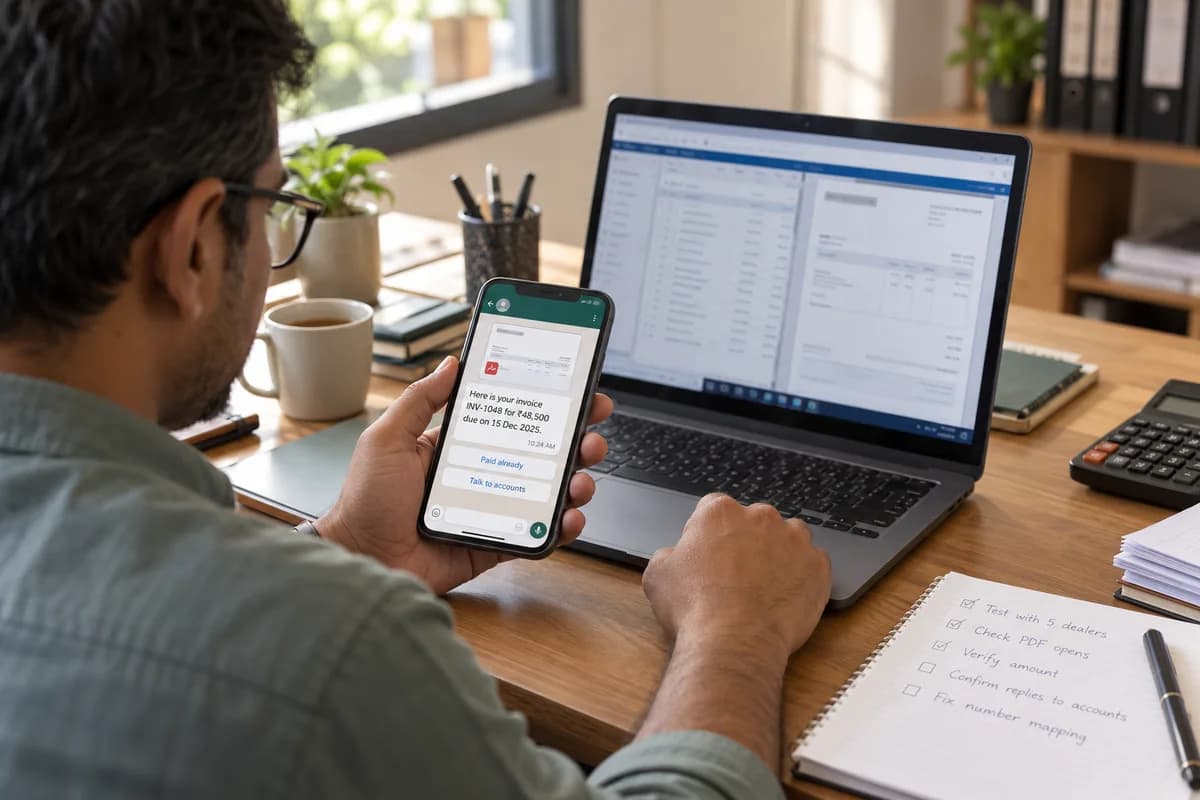
Submit a utility template. Its variables are party name, invoice number, invoice date, amount due and due date, and the invoice copy rides along as a PDF header generated from the voucher print. Keep the tone polite and factual.
Offer two buttons: Paid already and Talk to accounts. The first stops further reminders for that bill, and the second opens a conversation in which your accountant can answer in plain text, since the tap opens the window.
Avoid threats, pressure and promises of discounts. Those lines tend to push a utility draft into the marketing category. Calm wording reads better too.
- Variables: party, invoice number, date, amount, due date
- PDF of the voucher print as the header
- Button: Paid already
- Button: Talk to accounts
Run a small first test
Pick five or six dealers who pay on time and know you well. Tell them in advance. Send the reminder for one real invoice each and watch delivery, reads and replies from the first hour onward.
Check the details. Did the PDF open? Does the amount match the ledger? Did a number reach the wrong person? Fix the mapping before touching the long tail of slow payers, because a wrong amount sent to a slow payer is the fastest way to lose goodwill.
Then widen in stages, starting with bills just past due. Leave the oldest and most sensitive accounts for a phone call, where a person can hear the tone. Automation can wait for them.
Route replies to the accounts desk
A reply is where the value sits. A dealer writes that payment went out yesterday, or that the shipment arrived short, and if nobody sees it, the reminder turns into noise.
Send every reply to a shared inbox. The accounts team watches it, with the party name and invoice number on screen. They record the promised payment date in a Tally narration or a follow-up sheet, so the next reminder respects the promise.
This week, choose the five friendliest dealers and clean only their numbers. You can test the whole path, from number to template to reply, without touching the full master.
Reminder rollout sheet
Printable rollout worksheet, ruled into a row for each party. Columns hold party name, primary mobile, accounts contact, consent status, invoices due, template used, test group flag, reply owner and promised payment date.
Open a blank worksheet to printQuestions owners ask
Does Tally send WhatsApp messages by itself?
Not on the business API. Tally holds the data, and a connector or small program reads vouchers and sends them through the WhatsApp platform using approved templates.
Will this work with other billing software?
Yes. The steps are identical for any package that can export parties, phone numbers and outstanding bills, or that offers a database or API to read them.
Can reminders go out automatically every day?
They can, but start with a weekly rhythm and a cap per customer. Too many reminders annoy good payers, and complaints can hurt your number’s quality rating.
What if a number is wrong and a stranger receives the reminder?
Make the first template neutral enough to ignore, include a Not my number reply option, and mark the entry for correction. Review those replies weekly.