In this guide 6 sections
Your phone is newer, faster and better connected than most customers’ phones. Failures come from low memory Android handsets, older OS versions, small screens that push the pay button out of view, different keyboards, OTP autofill gaps and weak networks. Build a device list from your own visitor data.
Your phone is the easiest one to pass
Developers and owners tend to carry recent handsets on fast office wifi, already logged in, with plenty of free storage. The app was built and approved on exactly that phone. Of course it works there. It always will.
Customers hold something else. Think of a four year old Android with a nearly full memory card, a cracked screen, a cheap data plan and a dozen apps open in the background. The same build can freeze, restart or draw half a page. Your phone says almost nothing about theirs.
The common culprits, one by one
Low memory handsets kill background apps without warning, so a customer who switches to a banking app to read an OTP returns to a blank checkout. Older operating system versions lack newer features. A script written for a recent browser may simply stop running.
Small screens cause quieter damage. A sticky footer, a cookie banner and the on screen keyboard can squeeze the form. The Pay button then sits below the fold with no way to scroll to it. Keyboard type matters. A card field that opens a letter keyboard loses sales.
- App killed in the background on low memory handsets
- Browser too old for the scripts used
- Pay button hidden behind keyboard or banner
- Wrong keyboard for phone, card or pin fields
- Font size set to large in system settings
OTP autofill and weak networks
One time passwords break in odd ways. The SMS arrives, but autofill does not read it because the message format is not recognised, or the app lost focus and the session was discarded. The customer types the code into a dead page and gives up.
Networks are the other silent killer. On a train or in a basement the connection drops mid payment. The real question is whether your app retries, shows a clear message and avoids charging twice when the request is sent again. Test on throttled speeds. Switch aeroplane mode on halfway through.
Build a device list from your own visitors
Do not guess. Open your analytics and export device model, operating system version, browser and screen width for the last three months, then sort by sessions and again by abandoned checkouts. The busiest models and the worst offenders together form your list.
Add two outliers on purpose: the oldest OS version still in use and the smallest screen. Rent them from a cloud device lab if buying them is too costly. Review the list each quarter. Your visitors change faster than your build does.
Run one checkout on every device on the list
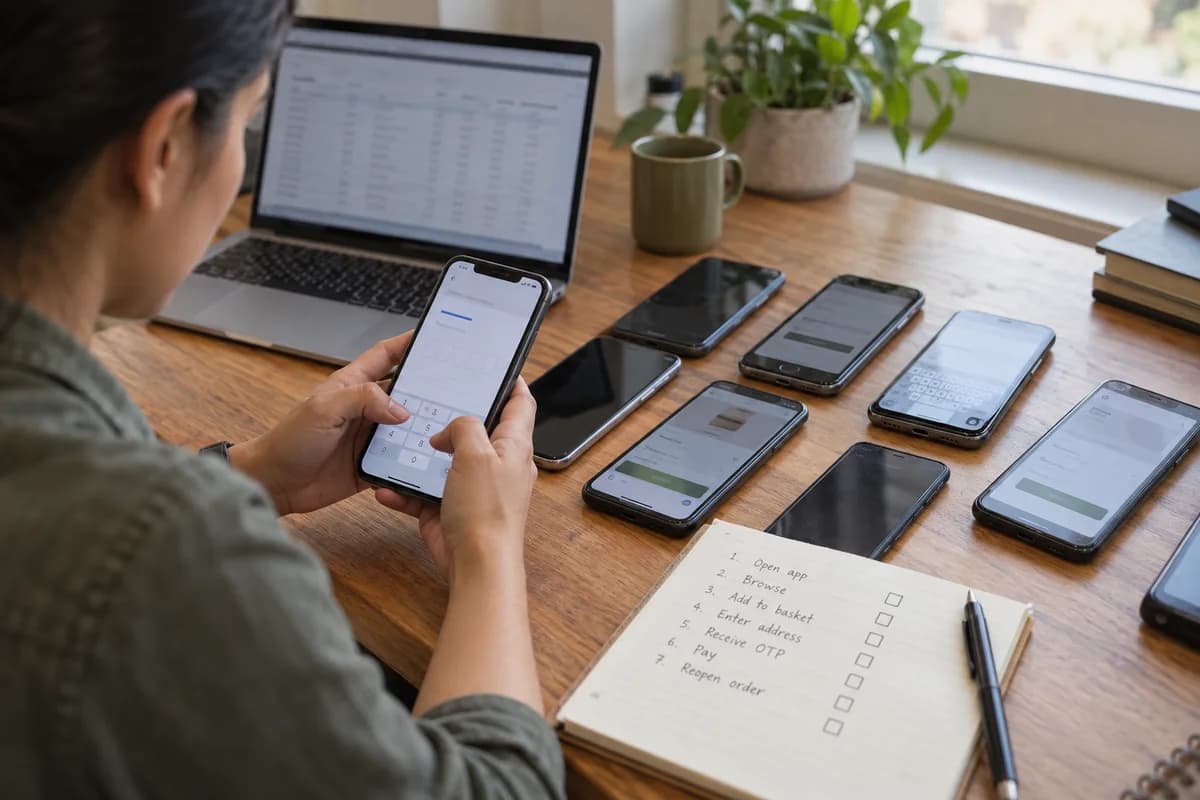
Keep the test short and identical on every handset. Open the app, browse, add to basket, enter an address, receive an OTP, pay, then reopen the order. Note any freeze, hidden button or slow screen, and photograph the handset’s settings page for the record.
Log each failure with the model and OS version. Patterns appear quickly, such as every failure sitting on one chipset or one browser build. Fix those first. Keep the sheet and rerun it on the same handsets before the next release.
Device coverage worksheet
This worksheet has three blocks. Block one lists the top twelve devices from analytics with model, OS version, browser, screen width and share of sessions. Block two is a checkout script of ten steps with a pass or fail box per device. Block three logs failures with a photo reference and the owner.
Open a blank worksheet to printQuestions owners ask
How many devices should we test on?
Ten to fifteen drawn from your analytics usually covers most of your traffic. Add the oldest and smallest devices you still see, and review the list every quarter.
Are emulators good enough?
They help early, but they run on your computer’s memory and network. Real handsets show heat, low memory and touch problems that emulators miss.
What if we have no analytics yet?
Use the app store console, your server logs or the payment provider’s reports to see browsers and models. Failing that, start with common budget Android handsets and an older iPhone.
Why do problems appear only for some customers?
Because each phone differs in memory, system version, screen, keyboard and network. A fault that needs two of those conditions will look random until you log the device.