Work Order Management for Corrugated box manufacturers
Track a production job from material issue to completed output.
Does this function belong in your operation?
Use when physical production needs a job-level record of materials and output.
A production plan releases a specific job.
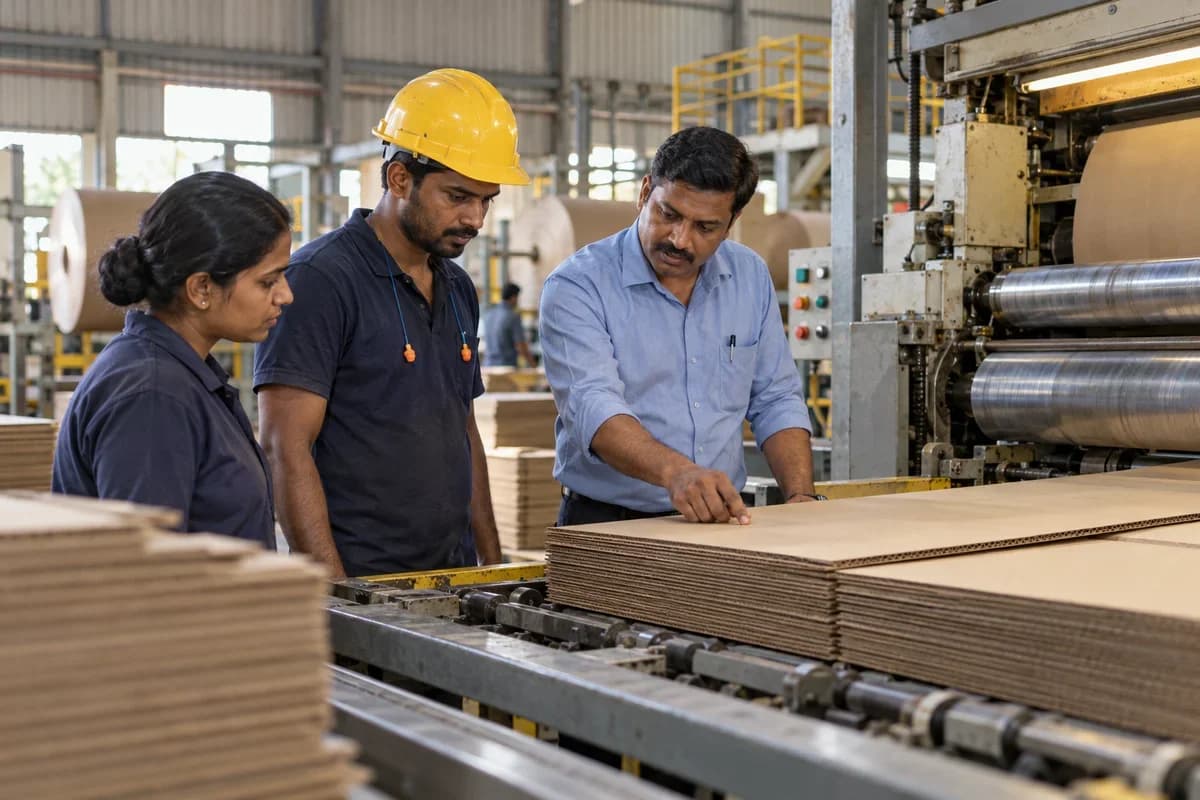
A work order moves a box job from corrugating to printing, die cutting and gluing. Every stage logs sheets in and out. Short counts are visible before the job reaches the dock.
Bring the records the workflow depends on.
- Required output
- Approved material list
- Process steps and due dates
Outputs to check
- Released production-job record
- Material and output reconciliation
- Work-in-progress and variance list
Follow the work order management workflow.
Use this sequence to compare your current process with the proposed module. Agree the owner, permission and exception at each step.
Who uses the module, and who approves?
Keep responsibilities distinct even when one person holds more than one role.
Decide how exceptions are handled.
These business rules belong in configuration and testing. A normal transaction alone does not demonstrate that the workflow is ready.
Can this work independently?
A work order needs an output definition and process instructions. It can use entered materials and progress, but bill-of-materials, stock and quality links make execution traceable. Sales orders provide demand; closing production is not the same as dispatching or invoicing the finished goods.
Systems and records it connects with
- Bill of materials: Approved component quantities and production-definition versions.
- Production planning: Demand, planned quantities and resource or material constraints.
- Stock: Item-location quantities and authorised stock movements.
- Job work delivery notes: Material dispatch and return references for outside processing.
Configure, test and introduce the workflow.
- Tell us the stages a job passes through, in your words. A stage list comes back to confirm.
- Sales orders are connected, and so is the bill of materials. A sample work order draws on each. A screen shows jobs by stage. The supervisor tries it beside the whiteboard.
- Supervisors and the store use live work orders. The whiteboard is retired after a trial period.
Check the result before rollout.
Apply these checks to a sample from the agreed workflow, then repeat with an exception. Keep the expected result beside the test record.
- Output links to its work order.
- Material usage is traceable.
- Unfinished quantities remain visible.
How the business operates.
A corrugated plant buys paper by the reel and sells boxes by the thousand. In between, a corrugator glues fluting medium between liners to make sheets, and converting machines slot, score, print and die-cut them. Trim waste at the board edge decides whether a job earns anything. Margins are thin. A buyer who packs fruit, ceramics or machine spares judges the box by what it carries.
The records that hold the operation together.
- Box specification library. Keep inside dimensions, ply, flute, board grade, print colours and the approved sample for every buyer.
- Estimating and quotations. Price boxes from blank size, board weight, print colours and tooling. Every revision is kept for the next enquiry.
- Taking orders and quoting dates. Each quantity and date is checked against corrugator hours first. The buyer’s packing line is then never promised a stack the plant cannot make.
- Liner and medium reel stock. Log each reel on the dock with its grammage, width and mill lot so planners see which can go to the corrugator.
Operational bottlenecks to check
Board runs lose their paper reels
Liner and medium reels go onto the stands in the order they are racked, and the grammage and supplier lot stay on a slip. The sheets that come out carry no trace.
Trim waste is guessed
The corrugator makes board at one set width, and orders with different blank sizes have to be cut out of that width without leaving too much trim. Nobody can say how much of a reel became box and how much became trim. Quotes stay guesses.
How work flows across this business
This module sits within a wider operating process. Use the sequence to identify the other teams and records affected by a change.
1. Enquiry and estimate
A buyer gives box size, ply, flute and print. The estimator works out the blank, the board grade and the sheets per tonne.
2. Specification approval
The box specification and print proof are confirmed against the buyer’s saved version before the order is booked.
3. Paper check
Liner and medium reels are checked against stock by grammage and width, and purchasing orders any shortfall.
4. Board run
Orders of like width are grouped on the corrugator. Each run notes the reels it consumed.
5. Converting
Sheets pass through the printer slotter, rotary die cutter, stitcher or gluer with the right die and plates fitted.
6. Testing, packing and dispatch
Samples are tested, boxes are bundled and strapped, and a packing list goes with the load.
Industry reports to connect with
- Board runs by flute and width
- Reel use against sheets produced
- Trim per order and shift
- Tests per run with pass or hold status
Questions before implementation.
When should corrugated box manufacturers consider work order management?
Use when physical production needs a job-level record of materials and output. A production plan releases a specific job.
What should we bring to the requirements discussion?
Bring anonymised examples of Required output; Approved material list; Process steps and due dates. Show who creates, checks and changes each record. Use only records from an activity that meets the suitability conditions above.
Does this replace our existing business software?
The starting point is your current system and the gap you need to close. Track a production job from material issue to completed output. Configuration, a connected module or a custom build are evaluated against that gap before a replacement is proposed.
What is outside this module?
This is a production work order; field repairs and customer visits belong in job cards.
How are scope, price and rollout decided?
The proposal follows a review of your records, user roles, branches and existing software. Data migration, connections, training and support are scoped separately where needed. Output links to its work order. Use this check when reviewing the first working version.
Related functions for corrugated box manufacturers.
Discuss work order management for your business.
Tell us which workflow needs attention and which systems your team uses. The next step is a requirements discussion and a written scope.
What happens after you share your requirements
- We review your brief and the systems you already use.
- We clarify the workflow, missing information and the work to consider first.
- The proposed scope sets out the deliverables, responsibilities and dependencies.
- Review the scope and commercial terms before deciding whether to proceed.
Start with your requirements
Describe your current process, the people involved and the change you need. Start with the details you know; we can clarify the rest together.
Share your requirements