Service Reports and Proof of Visit for Elevator companies
Record work performed and the evidence of a service visit.
Does this function belong in your operation?
Use when customers or managers require a documented account of field work.
A technician completes a visit or service activity.
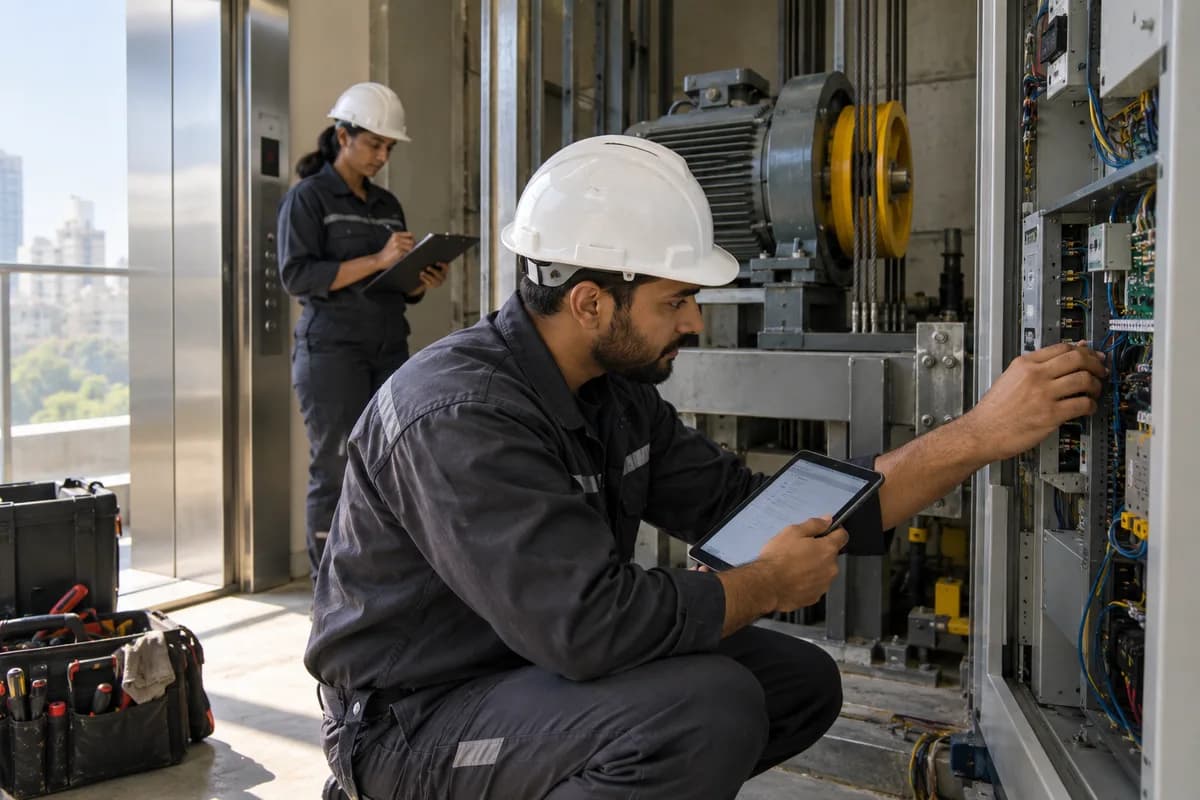
The technician records checks on door, brake, rope and safety gear during each visit. The building manager signs on the phone. Findings that need parts raise a quote.
Bring the records the workflow depends on.
- Job reference
- Required report fields
- Evidence and customer-acknowledgement rules
Outputs to check
- Approved visit report
- Work and evidence history
- Unresolved-work and billing inputs
Follow the service reports and proof of visit workflow.
Use this sequence to compare your current process with the proposed module. Agree the owner, permission and exception at each step.
Who uses the module, and who approves?
Keep responsibilities distinct even when one person holds more than one role.
Decide how exceptions are handled.
These business rules belong in configuration and testing. A normal transaction alone does not demonstrate that the workflow is ready.
Can this work independently?
A report can be recorded independently against a customer and job reference. Job cards, contracts and scheduling supply context; billing uses only approved chargeable work. Photos or acknowledgements support the report but do not substitute for a professional safety or completion certificate.
Systems and records it connects with
- Job cards: Service findings, approved work, parts and completion records.
- Technician scheduling: Assigned field jobs and technician availability.
- AMC contracts: Contract coverage, dates and planned service obligations.
- Invoice management: Issued invoice references, line amounts and outstanding balances.
Configure, test and introduce the workflow.
- We look at your current slips or books. You show us what a customer expects to receive. A sample report layout comes back.
- Checklists for each type of job are drafted. Supervisors correct them. The report is tied to job cards and the material issued to each technician. Coordinators confirm the numbers add up.
- A small group of technicians completes reports on their phones during real visits. Their feedback shapes the screens. Sending by message or email is switched on. The duplicate book is retired after a final check.
Check the result before rollout.
Apply these checks to a sample from the agreed workflow, then repeat with an exception. Keep the expected result beside the test record.
- Reports link to the correct job.
- Required evidence is present before approval.
- Corrections retain the earlier issued version.
How the business operates.
An installed lift is a contract that runs for decades. Monthly maintenance, licence renewal and a night call from a watchman are where a lift company’s service is judged.
The records that hold the operation together.
- Lift and building records. Hold each lift with its machine number, make, model, load, speed, floors served, drive type, controller and the building and wing it stands in. A gearless machine is told apart from a geared one at a glance.
- Enquiries and site surveys. Record enquiries from builders, societies and facility teams, with survey notes on the shaft, pit, headroom and the machine already installed. Photographs of the hoistway and machine room stay with the enquiry.
- Quotations and modernisation proposals. Quote for a new lift, a repair or a modernisation, listing the parts and labour offered, from a new controller to rope and sheave replacement. Track the quotation to an order, with revisions kept on file.
- Installation project stages. Follow an erection job through guide rails, machine, counterweight, car, doors, wiring, controller and trial runs. Each stage carries its supervisor and dates. Delays show against the stage that caused them.
Operational bottlenecks to check
Night calls reach the wrong technician
The office phone rings through to a technician who does not cover that area, and the people in the lift wait. The time of the call is not written down.
Service visits cannot be shown to have happened
The association says nobody came, and the only proof is a paper slip in a technician’s bag. The office cannot answer.
How work flows across this business
This module sits within a wider operating process. Use the sequence to identify the other teams and records affected by a change.
1. Enquiry and site survey
A builder, society or facility manager asks for a lift or for service cover. The survey notes the shaft, pit depth, headroom, floors served and the existing machine where there is one, with the machine room dimensions.
2. Quotation and order
A quotation covers the lift or the cover offered, with spares and labour included. When it is accepted, the order and payment stages are recorded against the building. Nothing is retyped.
3. Installation and commissioning
Erection runs in stages from guide rails, machine and counterweight to car, doors, controller and trial runs. Commissioning and handover close the job, with the governor and buffer test records filed against the lift.
4. AMC and routine service
The lift goes on a contract with its visit frequency. Each routine visit opens with a checklist for the machine room, car, hoistway and landing doors, and closes with the technician’s signature. Lubrication is logged.
5. Breakdown call
The desk logs the caller, the lift and the fault reported. A technician is sent, and the fault found and the parts used are entered. The call is closed with the outcome, and a trapped passenger is noted as a rescue.
6. Billing and renewal
AMC instalments, repair work and chargeable spares are invoiced with tax. Renewal dates appear in advance, so the office can speak to the committee or the facility team before cover lapses.
Industry reports to connect with
- Lifts under contract by building and cover type
- Routine visits done against visits due, by route
- Breakdown calls by lift, with the fault found
- Spares issued by lift and by technician
Questions before implementation.
When should elevator companies consider service reports and proof of visit?
Use when customers or managers require a documented account of field work. A technician completes a visit or service activity.
What should we bring to the requirements discussion?
Bring anonymised examples of Job reference; Required report fields; Evidence and customer-acknowledgement rules. Show who creates, checks and changes each record. Use only records from an activity that meets the suitability conditions above.
Does this replace our existing business software?
The starting point is your current system and the gap you need to close. Record work performed and the evidence of a service visit. Configuration, a connected module or a custom build are evaluated against that gap before a replacement is proposed.
What is outside this module?
Photos, location and signatures need appropriate permissions; visit evidence does not prove workmanship quality.
How are scope, price and rollout decided?
The proposal follows a review of your records, user roles, branches and existing software. Data migration, connections, training and support are scoped separately where needed. Reports link to the correct job. Use this check when reviewing the first working version.
Related functions for elevator companies.
Discuss service reports and proof of visit for your business.
Tell us which workflow needs attention and which systems your team uses. The next step is a requirements discussion and a written scope.
What happens after you share your requirements
- We review your brief and the systems you already use.
- We clarify the workflow, missing information and the work to consider first.
- The proposed scope sets out the deliverables, responsibilities and dependencies.
- Review the scope and commercial terms before deciding whether to proceed.
Start with your requirements
Describe your current process, the people involved and the change you need. Start with the details you know; we can clarify the rest together.
Share your requirements