Business solutions for Equipment rental companies
Explore software for work such as “Aerial lifts, scissor lifts and boom lifts”. Review each business function below, including when it fits and what to check before implementation.
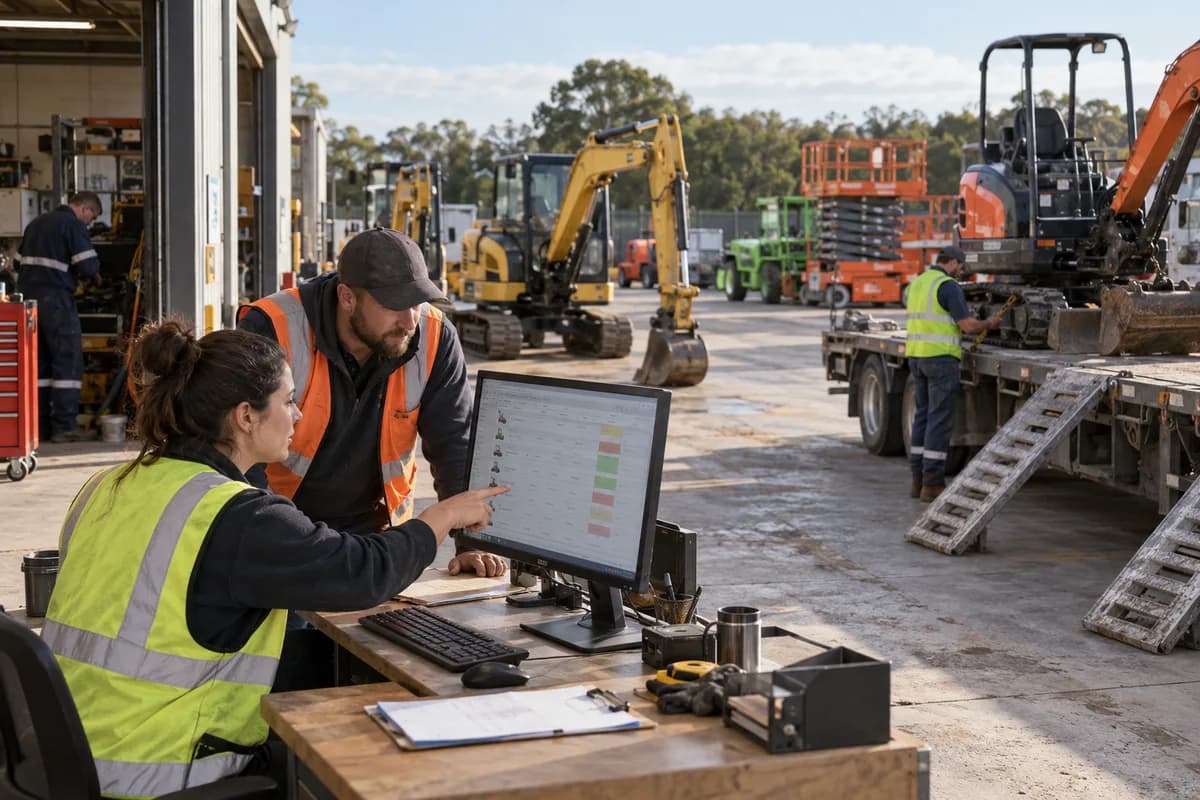
How the business operates.
A rental company earns only while its machines are on hire and working. Between one site and the next, a unit has to be collected, washed, inspected, greased and made ready again. Each idle day costs money. Nobody sees it.
The records that hold the operation together.
- Enquiries and customers. Record each enquiry with its source, dates and site. Customer files hold contacts, credit terms, site addresses and earlier contracts together, so the counter sees the history before it quotes a repeat hirer.
- Equipment register. Hold each machine with its serial number, class, attachments, location, status, purchase details and hire history. Tracked excavators, trailers and tower lights each sit in their own class. Each unit keeps one record.
- Availability calendar. See which machines are free, reserved, on hire or on the workshop ramp for any dates. Move a booking without losing the record, and see the clash before a second hirer is promised the same scissor lift.
- Quotations and rate cards. Build quotations from your own rate cards by day, week, month or hour, with operator, transport, diesel, insurance and deposit lines. Revisions are kept.
- Rental contracts. Turn an accepted quotation into a contract that lists units, attachments, period, site, responsible person and terms. A hire that runs over, a machine kept on standby or one returned early is noted against the contract line, along with the date and who agreed to the change.
- Delivery and collection. Plan drivers and vehicles for each delivery and pickup, with runs grouped by site. The signed handover stays on the contract beside the delivery photographs.
- Condition checks and meter readings. Record photographs, diesel level, damage and hour meter readings at delivery and at return. Compare the two to settle charges for a cracked boom guard, a bent bucket, a missing ignition key or an empty tank.
- Workshop jobs and servicing. Raise a job card for each repair, schedule hours-based servicing from the readings recorded at return, and record spares and labour against the machine. Track undercarriage, hydraulic hoses, filters and lubrication by unit.
Operational bottlenecks to check
Availability is held in someone’s head
Two customers are promised the same telehandler for the same week. Nobody finds out until two trucks wait at a yard that holds one unit. Someone loses the job.
Condition at return is argued
A bucket tooth is missing or a mudguard is dented. Without a signed check at delivery and another at off-hire, the charge becomes a negotiation.
Servicing runs by guesswork
Machines go out again before the hours-based service is done. The last meter reading was never written down.
Extensions slip past the invoice
After one phone call a site holds the compactor three days longer. Those days reach the invoice only if someone remembers them.
Utilisation is never measured
The owner senses that some machines earn and others stand idle. No report shows which, so buying and disposal rest on opinion.
Follow the work across teams.
This is a planning flow. Confirm the steps, owners and approval rules against your actual operation.
Roles and responsibility boundaries.
Reports your managers need.
- Utilisation and idle days by machine and class
- Earnings by machine, customer and branch
- Contracts due back and overdue returns
- Servicing due by hours or by date
- Repair, spares and attachment cost against each machine
- Deposits held and dues by customer
- Quotations won and lost
Connections to scope
- SMS
- WhatsApp or other messaging
- Payment gateway
- Accounting software export
- Telematics data import
Confirm data access, record ownership and the exchange method for each connection. Inclusion here does not mean every connection is available in a standard package.
Setup decisions and adoption risks.
Use these requirements to plan phases, data migration and user training. Agree the release sequence after reviewing your current systems.
Limitations to settle before implementation
- Someone who lends out one machine a handful of times a year gets by with a wall diary and a signed hire form.
- Dealers whose main work is selling and servicing machines will find Forklift Dealer Management Software or Garage Management Software closer.
Modules to consider first.
These functions connect to the operating model above. Confirm each one against the work your business actually runs.
Choose the operation you want to improve.
Use these activities to explain your scope. Your business does not need every function in the directory.
- Aerial lifts, scissor lifts and boom lifts
- Compact excavators, skid steers and attachments
- Generators, light towers and temporary power
- Pumps and storm response equipment
- Heaters and climate control
- Trench safety, shoring and compaction
- Delivery and haul-off as a paid service
- Long-term rentals and rental purchase options
- Credit accounts for builders and general contractors
- Homeowner weekend rentals
Explore the business functions.
Production, stock, fleet and recurring billing functions apply only where your business runs those activities. Read the suitability conditions on each page.
Documents
Assets and Fleet
Finance & Accounting
Field Service
CRM
Start with the problem your team can describe.
Bring a sample record and show where information is copied, missed or waiting for approval. Scope the first useful change from there.
What happens after you share your requirements
- We review your brief and the systems you already use.
- We clarify the workflow, missing information and the work to consider first.
- The proposed scope sets out the deliverables, responsibilities and dependencies.
- Review the scope and commercial terms before deciding whether to proceed.
Start with your requirements
Describe your current process, the people involved and the change you need. Start with the details you know; we can clarify the rest together.
Share your requirements