Vehicle and Trip Management for Milk collection centres
Record vehicle assignments, trip activity and operating costs.
Does this function belong in your operation?
Use when the business operates or directly manages vehicle trips.
A vehicle is assigned to a trip or operating job.
A milk tanker leaves the centre with a seal number, a quantity and a driver. The plant’s reading on arrival is saved beside it. Differences between the two are visible.
Bring the records the workflow depends on.
- Vehicle availability
- Trip requirements
- Driver and cost records
Outputs to check
- Trip assignment and completion record
- Vehicle availability view
- Trip cost and revenue reconciliation
Follow the vehicle and trip management workflow.
Use this sequence to compare your current process with the proposed module. Agree the owner, permission and exception at each step.
Who uses the module, and who approves?
Keep responsibilities distinct even when one person holds more than one role.
Decide how exceptions are handled.
These business rules belong in configuration and testing. A normal transaction alone does not demonstrate that the workflow is ready.
Can this work independently?
Trip management can run with entered vehicles, drivers and jobs. Fuel and expense records supply cost, while delivery notes or service jobs provide work references. Live tracking and routing require separate supported connections; a trip status does not independently establish legal vehicle readiness.
Systems and records it connects with
- Delivery notes: Dispatched quantities, destinations and delivery references.
- Fuel and driver records: Fuel entries, meter readings and driver assignments.
- Invoice management: Issued invoice references, line amounts and outstanding balances.
- Fixed asset register: Asset identifiers, custody and acquisition records.
Configure, test and introduce the workflow.
- You list vehicles, drivers and regular routes. You get a note on how trips will be recorded.
- Dates for each vehicle are entered from your files. Expiry alerts are shown on a trial screen. Dispatchers log a few days of trips. You compare totals with your diary.
- Drivers learn to send readings and photographs from a phone. Problems with signal and habit are noted. A past monthly claim is compared with recorded trips. The accounts team judges the usefulness.
Check the result before rollout.
Apply these checks to a sample from the agreed workflow, then repeat with an exception. Keep the expected result beside the test record.
- Trips identify their vehicle and driver.
- Conflicting assignments are visible.
- Costs trace to the relevant trip.
How the business operates.
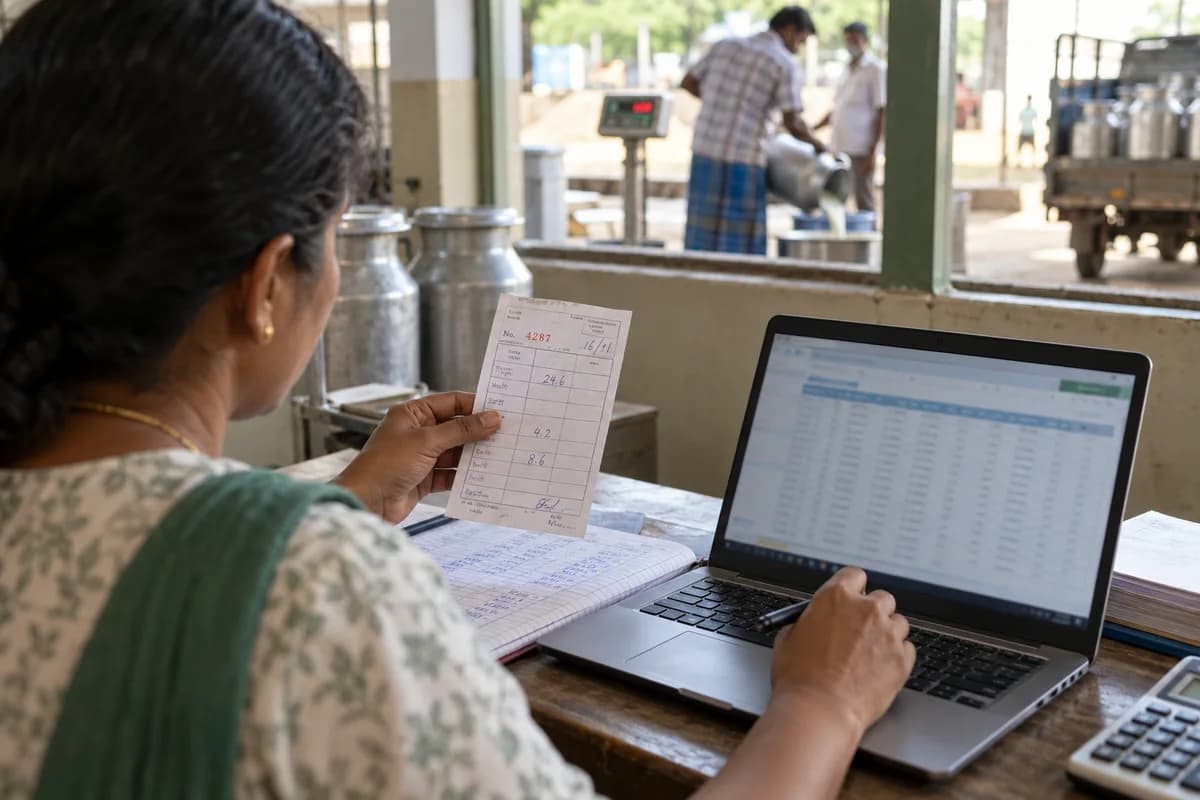
A collection centre is a short, busy window. Suppliers queue with cans, the pan scale reads, a sample goes to the tester, and a slip is written for a person who has walked four kilometres at dawn. Seconds per supplier. Errors here are paid for later.
The records that hold the operation together.
- Supplier register and pass book. One record per supplier holds village or route, animals in milk, bank details and payment cycle, and the pass book lists each shift’s quantity, test and amount.
- Milk weighing and test entry. Litres or kilograms, fat and solids-not-fat are recorded at the weighing platform from an analyser file or by key, and the shift, can count and tester are stored with the line.
- Rate chart and price slabs. The plant’s rate chart by fat and solids-not-fat is held with bonus slabs and effective dates, and every entry takes the row that applied on its day. Old shifts stay as they were.
- Rejection and quality log. Clot, alcohol and adulteration results are recorded with the rejected cans and the reason given, and suppliers with repeated rejections appear on a review list for the manager.
Operational bottlenecks to check
The pass book and the register disagree
Each supplier holds a pass book, and the clerk keeps a register. A smudged line, a skipped shift or a sheet lost in the rain leaves two versions of the same morning, and neither can be proved. Each side trusts its own.
Rates are applied by memory
The rate chart has changed three times this season, and the clerk reads from a laminated sheet. A wrong row pays one supplier too little and another too much for months.
How work flows across this business
This module sits within a wider operating process. Use the sequence to identify the other teams and records affected by a change.
1. Supplier arrives
The supplier is found by code or name. Animals in milk, cycle, bank details and open balance appear on the weighing screen before the can is lifted onto the scale.
2. Weighing and testing
Quantity is recorded and a sample is drawn. Fat and solids-not-fat come from the analyser or by key, and a failed clot or alcohol test marks the can as rejected before any litre is added.
3. Rate and amount
The chart row is picked automatically. A slip is printed or a message is sent with the quantity, fat, rate and amount, and the pass book picks up the same figures without anyone copying them.
4. Cooling
Milk goes to the cooler. Readings are logged at set times by the person who took them, and any reading above your limit is flagged to the manager.
5. Dispatch
Each tanker gets a seal number. The plant’s receipt figures are entered beside the load when they arrive, so a short delivery shows up as a difference to chase.
6. Payment cycle
At cycle end, entries are totalled, feed dues and advances are deducted, and the bank list or cash payout sheet goes out with a statement for each supplier.
Industry reports to connect with
- Litres and average fat and solids by supplier, shift and route
- Rejected cans by supplier and reason
- Cooler readings above limit, with time and person
- Tanker loads against plant receipts, with differences
Questions before implementation.
When should milk collection centres consider vehicle and trip management?
Use when the business operates or directly manages vehicle trips. A vehicle is assigned to a trip or operating job.
What should we bring to the requirements discussion?
Bring anonymised examples of Vehicle availability; Trip requirements; Driver and cost records. Show who creates, checks and changes each record. Use only records from an activity that meets the suitability conditions above.
Does this replace our existing business software?
The starting point is your current system and the gap you need to close. Record vehicle assignments, trip activity and operating costs. Configuration, a connected module or a custom build are evaluated against that gap before a replacement is proposed.
What is outside this module?
Route navigation, live tracking and transport-authority compliance need separately agreed arrangements.
How are scope, price and rollout decided?
The proposal follows a review of your records, user roles, branches and existing software. Data migration, connections, training and support are scoped separately where needed. Trips identify their vehicle and driver. Use this check when reviewing the first working version.
Related functions for milk collection centres.
Discuss vehicle and trip management for your business.
Tell us which workflow needs attention and which systems your team uses. The next step is a requirements discussion and a written scope.
What happens after you share your requirements
- We review your brief and the systems you already use.
- We clarify the workflow, missing information and the work to consider first.
- The proposed scope sets out the deliverables, responsibilities and dependencies.
- Review the scope and commercial terms before deciding whether to proceed.
Start with your requirements
Describe your current process, the people involved and the change you need. Start with the details you know; we can clarify the rest together.
Share your requirements