Goods Receipt (GRN) for Plywood manufacturers
Record what physically arrives against a supplier order.
Does this function belong in your operation?
Use when purchased physical goods need quantity and acceptance checks on arrival.
Purchased goods arrive at a receiving location.
Truckloads of logs are measured at the gate by girth and length, then booked against the supplier’s bill. Short or oversized pieces are noted. The purchase team pays on the measured volume.
Bring the records the workflow depends on.
- Purchase order
- Delivery note
- Acceptance and storage rules
Outputs to check
- Numbered receipt and inspection record
- Accepted and rejected quantity statement
- Purchase-order balance and bill-match inputs
Follow the goods receipt (grn) workflow.
Use this sequence to compare your current process with the proposed module. Agree the owner, permission and exception at each step.
Who uses the module, and who approves?
Keep responsibilities distinct even when one person holds more than one role.
Decide how exceptions are handled.
These business rules belong in configuration and testing. A normal transaction alone does not demonstrate that the workflow is ready.
Can this work independently?
Goods receipt needs item and supplier references; a purchase order is preferred or an explicitly approved unplanned receipt is required. Stock posting, quality release and invoice approval are separate handoffs. Receiving a delivery note does not prove that the stated goods were counted or accepted.
Systems and records it connects with
- Purchase orders: Authorised supplier commitments and open line balances.
- Stock: Item-location quantities and authorised stock movements.
- Vendor bills: Supplier invoice lines and authorised posting status.
- Quality control: Inspection results and authorised hold or release decisions.
Configure, test and introduce the workflow.
- We watch how material comes in and who signs for it. You describe the problems met at the gate. A short list of what needs recording returns to you.
- Open purchase orders and the item list are brought in. The purchase team checks a sample for accuracy. The storekeeper enters real deliveries on a trial screen next to the paper register. Gaps in the form are found and fixed.
- Hold rules, batch numbers and weighbridge entries are set where they apply. You approve which items need them. Storekeepers and the accounts desk practise on phones and screens. The paper register stops on an agreed date.
Check the result before rollout.
Apply these checks to a sample from the agreed workflow, then repeat with an exception. Keep the expected result beside the test record.
- Receipt quantities link to the purchase order.
- Rejected goods remain distinct from accepted stock.
- Partial deliveries leave the correct balance due.
How the business operates.
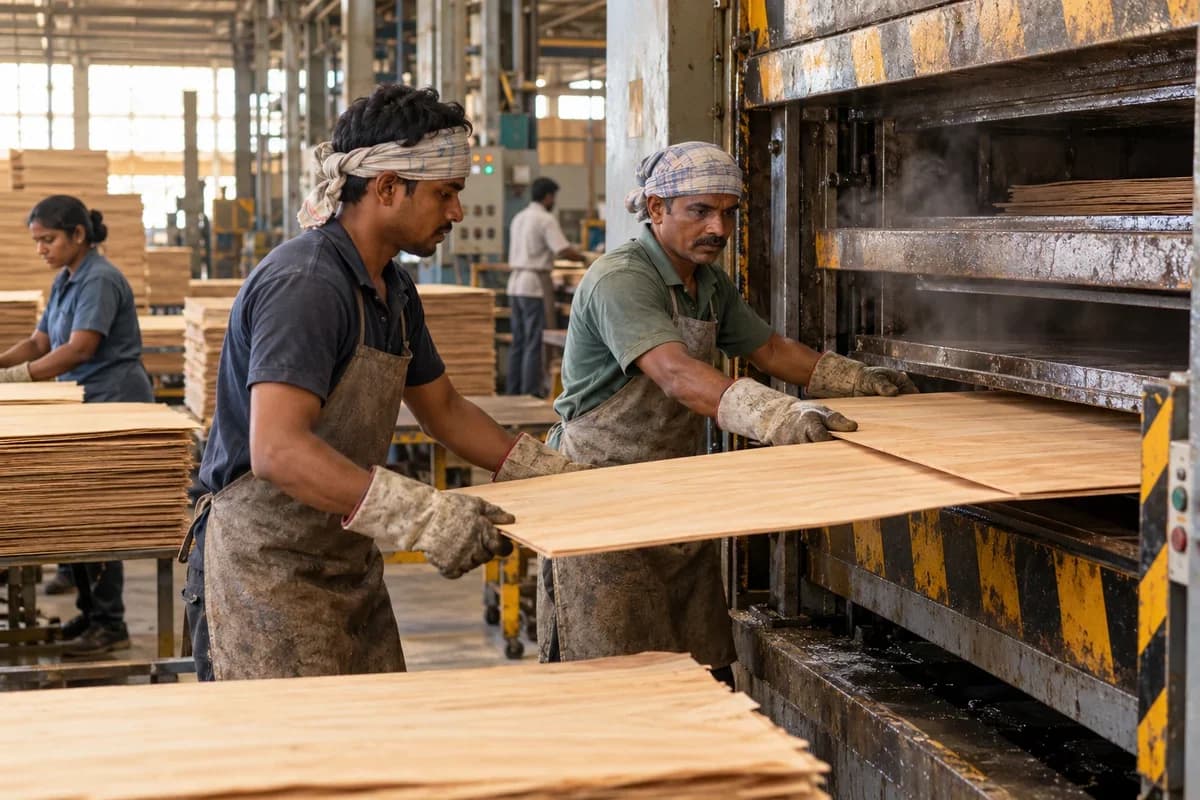
Plywood is made in stages that each lose some material. Logs are peeled, the veneer is clipped, dried and sorted, and layers are glued and pressed hot. A sheet that fails a bond test or comes out at the wrong thickness could trace back to any one of them. Without a record, the mill guesses.
The records that hold the operation together.
- Log yard and intake. Receive logs by species, supplier, girth class and volume, assign lot numbers and track what is stacked, soaked and issued to the lathe.
- Peeling and recovery. Record ribbon output by lot with clipped veneer by thickness, and show core and bark waste so recovery per lot is visible.
- Dryer load register. Number each dryer load, record moisture on exit and the veneer by thickness that came out, and flag loads that need redrying.
- Veneer grading. Count face, core and reject veneer by grade and thickness, and hold graded stock by shelf for layup.
Operational bottlenecks to check
Veneer recovery is a guess
Logs of different girth come from different suppliers and are peeled together. Each log lot yields an unknown area of dry veneer, so what you pay for logs is never set against what a sheet costs. Buying goes blind.
Dryer output is not graded in time
Veneer comes out wet in patches or with splits. Sorting happens late, and poor sheets are used as core because nobody recorded the dryer load that produced them. The next load repeats it.
How work flows across this business
This module sits within a wider operating process. Use the sequence to identify the other teams and records affected by a change.
1. Log intake
Logs arrive by weight or volume with species, supplier and girth class. They are lotted in the yard and soaked or steamed ahead of peeling.
2. Peeling and clipping
The lathe peels logs lot by lot into a ribbon, which is clipped to size. Output by thickness, core and bark waste are recorded against the lot.
3. Drying and grading
Veneer goes through the dryer in numbered loads. Moisture on exit is noted, and sheets are graded as face, core or reject.
4. Glue and layup
Glue is mixed by batch and spread. Layers are laid up in the order the sheet requires, with the batch and operator noted.
5. Pressing and finishing
Layups are pressed cold and hot in logged loads, then trimmed, sanded and graded by class and thickness.
6. Testing and dispatch
Bond samples are boiled or soaked and results are entered. Passing sheets are palletised, allocated to dealer orders and loaded with the invoice.
Industry reports to connect with
- Recovery of dry veneer per log lot and species
- Dryer loads by exit moisture and reject share
- Glue batches against press loads and test results
- Sheets by class and thickness per day
Questions before implementation.
When should plywood manufacturers consider goods receipt (grn)?
Use when purchased physical goods need quantity and acceptance checks on arrival. Purchased goods arrive at a receiving location.
What should we bring to the requirements discussion?
Bring anonymised examples of Purchase order; Delivery note; Acceptance and storage rules. Show who creates, checks and changes each record. Use only records from an activity that meets the suitability conditions above.
Does this replace our existing business software?
The starting point is your current system and the gap you need to close. Record what physically arrives against a supplier order. Configuration, a connected module or a custom build are evaluated against that gap before a replacement is proposed.
What is outside this module?
A goods receipt does not replace specialist inspection or approval of the supplier's invoice.
How are scope, price and rollout decided?
The proposal follows a review of your records, user roles, branches and existing software. Data migration, connections, training and support are scoped separately where needed. Receipt quantities link to the purchase order. Use this check when reviewing the first working version.
Related functions for plywood manufacturers.
Discuss goods receipt (grn) for your business.
Tell us which workflow needs attention and which systems your team uses. The next step is a requirements discussion and a written scope.
What happens after you share your requirements
- We review your brief and the systems you already use.
- We clarify the workflow, missing information and the work to consider first.
- The proposed scope sets out the deliverables, responsibilities and dependencies.
- Review the scope and commercial terms before deciding whether to proceed.
Start with your requirements
Describe your current process, the people involved and the change you need. Start with the details you know; we can clarify the rest together.
Share your requirements