Business solutions for Plywood manufacturers
Explore software for work such as “Dealer recruitment in districts with no coverage”. Review each business function below, including when it fits and what to check before implementation.
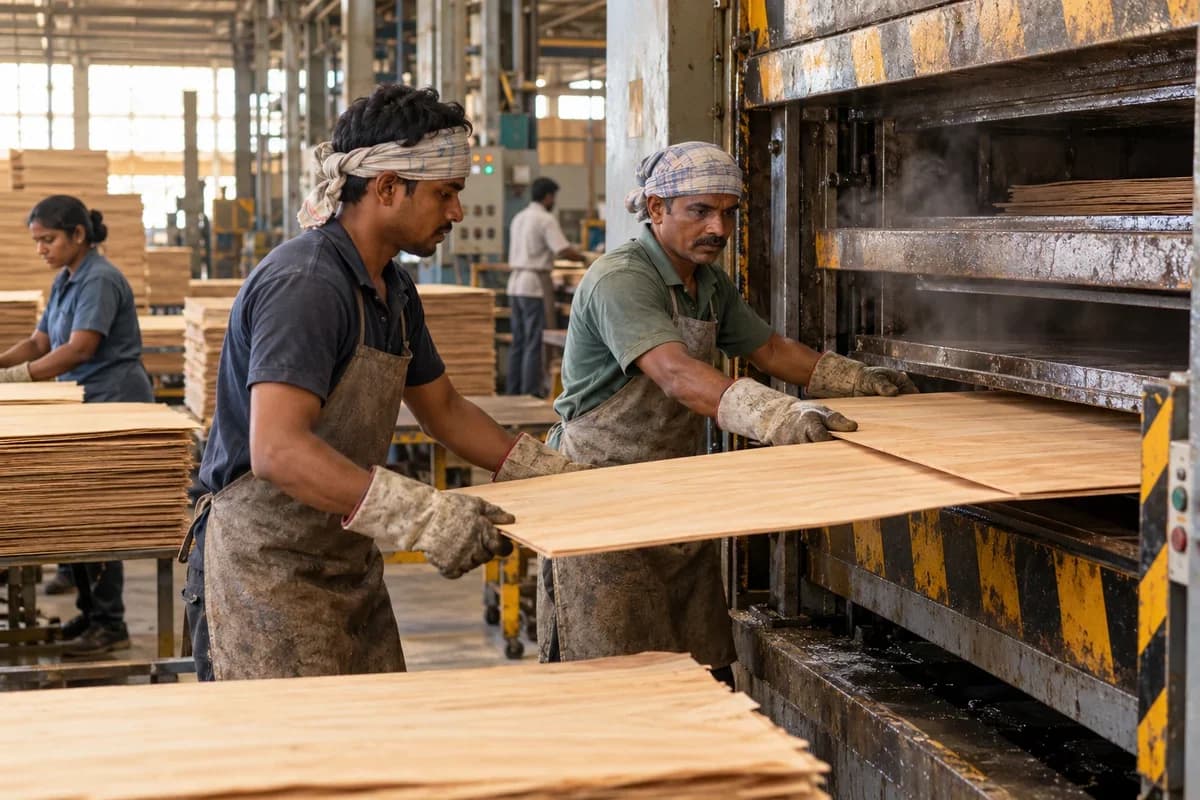
How the business operates.
Plywood is made in stages that each lose some material. Logs are peeled, the veneer is clipped, dried and sorted, and layers are glued and pressed hot. A sheet that fails a bond test or comes out at the wrong thickness could trace back to any one of them. Without a record, the mill guesses.
The records that hold the operation together.
- Log yard and intake. Receive logs by species, supplier, girth class and volume, assign lot numbers and track what is stacked, soaked and issued to the lathe.
- Peeling and recovery. Record ribbon output by lot with clipped veneer by thickness, and show core and bark waste so recovery per lot is visible.
- Dryer load register. Number each dryer load, record moisture on exit and the veneer by thickness that came out, and flag loads that need redrying.
- Veneer grading. Count face, core and reject veneer by grade and thickness, and hold graded stock by shelf for layup.
- Glue mix batches. Record resin, hardener and filler by weight for each batch and the layup lines and shifts that used it.
- Layup and press loads. Link each layup to its glue batch and each press load to platen, pressure, temperature and time, with sheets counted out.
- Trim, sand and grade. Track sheets through the trim saw and sander, then grade them by class and thickness with rejects and losses logged.
- Bond and thickness tests. Enter boil or soak results and thickness readings against the load, and hold a pallet if a sample fails.
Operational bottlenecks to check
Veneer recovery is a guess
Logs of different girth come from different suppliers and are peeled together. Each log lot yields an unknown area of dry veneer, so what you pay for logs is never set against what a sheet costs. Buying goes blind.
Dryer output is not graded in time
Veneer comes out wet in patches or with splits. Sorting happens late, and poor sheets are used as core because nobody recorded the dryer load that produced them. The next load repeats it.
Glue spread and mix are not recorded
Glue is prepared by hand in batches, and the spread per layer varies with the operator and the shift. A panel delaminates in the boil test, yet nobody can say which glue batch or crew produced it. The fault returns on the next run.
Press loads are anonymous
Sheets leave the hot press and join a pile. Pressure time, temperature and platen number are lost, so a bond failure has no history. Claims turn into arguments.
Pallets leave without grade control
Dealers order by thickness and class. Pallets of mixed grades are loaded in a hurry and returned, and the credit note reaches accounts weeks later. Stock counts drift.
Follow the work across teams.
This is a planning flow. Confirm the steps, owners and approval rules against your actual operation.
Roles and responsibility boundaries.
Reports your managers need.
- Recovery of dry veneer per log lot and species
- Dryer loads by exit moisture and reject share
- Glue batches against press loads and test results
- Sheets by class and thickness per day
- Bond test failures by press load, glue batch and shift
- Pallets dispatched and returned by dealer
- Waste by type and use per day
Connections to scope
- SMS
- Weighbridge
- Label printer
- Accounting export
Confirm data access, record ownership and the exchange method for each connection. Inclusion here does not mean every connection is available in a standard package.
Setup decisions and adoption risks.
Use these requirements to plan phases, data migration and user training. Agree the release sequence after reviewing your current systems.
Limitations to settle before implementation
- A trader who only buys and sells plywood will find Plywood and Timber Dealers pages closer.
- A carpenter who cuts sheets to size for furniture jobs will find Cabinet Manufacturer Management Software closer.
Modules to consider first.
These functions connect to the operating model above. Confirm each one against the work your business actually runs.
Choose the operation you want to improve.
Use these activities to explain your scope. Your business does not need every function in the directory.
- Dealer recruitment in districts with no coverage
- Carpenter loyalty and registration programme
- Grade guide for carpenters and designers
- Counter display and board sticker identification
- Distributor sell-out and stock reporting
- Interior designer sample sets and spec sheets
- Warranty claim handling and communication
- Builder and OEM direct supply terms
- Dealer and distributor onboarding pack
Explore the business functions.
Production, stock, fleet and recurring billing functions apply only where your business runs those activities. Read the suitability conditions on each page.
Manufacturing
Batch and Serial Tracking
Trace goods using batch identifiers or individual serial numbers.
View workflow and suitability →Bill of Materials
Define the materials and quantities needed for a manufactured item.
View workflow and suitability →Production Planning
Plan manufacturing quantities against demand, materials and capacity.
View workflow and suitability →Quality Control
Record specified inspections and the disposition of checked goods.
View workflow and suitability →
Procurement
CRM
Inventory Management
Start with the problem your team can describe.
Bring a sample record and show where information is copied, missed or waiting for approval. Scope the first useful change from there.
What happens after you share your requirements
- We review your brief and the systems you already use.
- We clarify the workflow, missing information and the work to consider first.
- The proposed scope sets out the deliverables, responsibilities and dependencies.
- Review the scope and commercial terms before deciding whether to proceed.
Start with your requirements
Describe your current process, the people involved and the change you need. Start with the details you know; we can clarify the rest together.
Share your requirements