Business solutions for Resorts
Explore software for work such as “Mid-week packages”. Review each business function below, including when it fits and what to check before implementation.
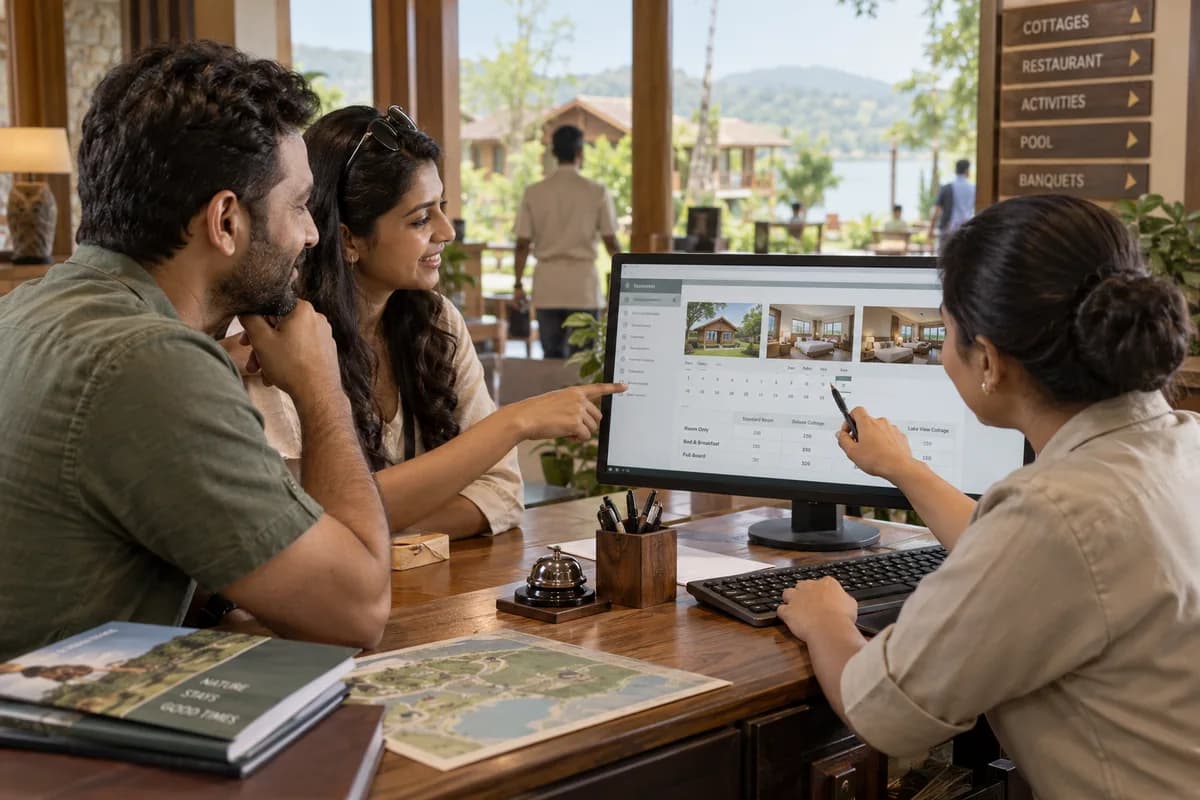
How the business operates.
A resort has more to sell than rooms. Guests buy a cottage for the weekend, a day pass for the family, a hall for a wedding, and an activity slot on arrival.
The records that hold the operation together.
- Cottages, villas and rate plans. Enter each cottage, villa and room with its type, capacity and features. Weekday, weekend, season and package rates apply to the dates a guest chooses.
- Reservations and availability calendar. See every unit by date on one chart. Holds, changes and cancellations update the chart at once, so a unit cannot be sold twice.
- Enquiries and quotations. Record where each enquiry came from. Send a quotation with rooms, meals and activities, and chase it until it is confirmed or closed.
- Front desk, ID proof and check-in. Arrivals and departures are listed for the day. Guest details and ID proof are recorded at check-in and kept with the guest’s history.
- Housekeeping and maintenance. Cleaning tasks follow check-outs and arrivals. A room is marked ready only when it is inspected, and a repair can block a unit until it is fixed.
- One folio for stay, meals and activities. Every charge posts to the guest’s folio, whether it came from a cottage, the restaurant, the spa or an activity, and settles in one payment.
- Restaurant, room service and poolside billing. Take orders at the table, the pool or the cottage, send them to the kitchen, and post the bill to the room or settle it on the spot.
- Day outing passes and gate entry. Sell full-day and half-day packages with adult, child and group rates. Each pass carries a code that is checked at the gate and counted against the day’s capacity.
Operational bottlenecks to check
Day outing guests are counted by hand
Passes are sold at the gate against a notebook, and lunch covers, pool entries and the day’s collection rarely match. The count differs each evening.
Package prices do not reach the bill
A weekend package bundles the cottage, meals and one activity, and the folio shows each item at its list rate. The guest waits at the desk.
Activity charges are lost
A boat ride, a safari or a spa slot is noted on a slip, and the slip never reaches the front desk. The charge is gone.
Cottages and the hall clash
A wedding block takes cottages that an agent also sold, and nobody sees both on one chart. Someone is moved at short notice.
Agent dues are chased from printouts
Commission, advances and balances differ by agent, and the ledger is rebuilt from printouts each month. Follow-up drifts.
Follow the work across teams.
This is a planning flow. Confirm the steps, owners and approval rules against your actual operation.
Roles and responsibility boundaries.
Reports your managers need.
- Occupancy by cottage type and night
- Arrivals, departures and cottages ready for the day
- Day outing headcount and meals by date and group
- Takings by department: rooms, dining, activities and events
- Advances and balances outstanding by booking
- Housekeeping turnaround and repair requests still open
- Events pipeline from enquiry to final settlement
Connections to scope
- Card payment gateway
- SMS
- Accounting export
- Website booking page
Confirm data access, record ownership and the exchange method for each connection. Inclusion here does not mean every connection is available in a standard package.
Setup decisions and adoption risks.
Use these requirements to plan phases, data migration and user training. Agree the release sequence after reviewing your current systems.
Limitations to settle before implementation
- The homestay and guesthouse product suits a small guesthouse with few rooms, no restaurant and no day visitors.
- A property that only needs to appear on travel sites, with no meals, activities or events of its own, needs a channel manager more than this.
Modules to consider first.
These functions connect to the operating model above. Confirm each one against the work your business actually runs.
Choose the operation you want to improve.
Use these activities to explain your scope. Your business does not need every function in the directory.
- Mid-week packages
- Monsoon and off-season stays
- Corporate offsites and team outings
- Family functions and small destination weddings
- Whole-property group bookings
- Repeat guests booking direct
- Workations and long stays
- Pet-friendly stays
- Annual agreements with companies
Explore the business functions.
Production, stock, fleet and recurring billing functions apply only where your business runs those activities. Read the suitability conditions on each page.
Bookings and Appointments
Appointment Scheduling
Reserve time with named staff or resources and track changes.
View workflow and suitability →Online Booking Portal
Let customers request or reserve an available service through a website.
View workflow and suitability →Resource and Room Booking
Reserve shared rooms, equipment or facilities for defined periods.
View workflow and suitability →
Retail and POS
Platform
Start with the problem your team can describe.
Bring a sample record and show where information is copied, missed or waiting for approval. Scope the first useful change from there.
What happens after you share your requirements
- We review your brief and the systems you already use.
- We clarify the workflow, missing information and the work to consider first.
- The proposed scope sets out the deliverables, responsibilities and dependencies.
- Review the scope and commercial terms before deciding whether to proceed.
Start with your requirements
Describe your current process, the people involved and the change you need. Start with the details you know; we can clarify the rest together.
Share your requirements