Order Management for Rice mills
Track a confirmed order through fulfilment and billing.
Does this function belong in your operation?
Use when sales, operations and billing share confirmed orders.
A customer confirms goods or work.
A wholesaler’s order for a variety, grade and bag size is matched to milled stock and dated for dispatch. The sales clerk sees what is short. Part loads are tracked.
Bring the records the workflow depends on.
- Order lines
- Commercial terms
- Fulfilment rules
Outputs to check
- Confirmed order and revision record
- Outstanding fulfilment list
- Delivered and billed reconciliation
Follow the order management workflow.
Use this sequence to compare your current process with the proposed module. Agree the owner, permission and exception at each step.
Who uses the module, and who approves?
Keep responsibilities distinct even when one person holds more than one role.
Decide how exceptions are handled.
These business rules belong in configuration and testing. A normal transaction alone does not demonstrate that the workflow is ready.
Can this work independently?
Orders can be entered from an accepted customer instruction without CRM. Stock, production, service delivery and invoicing connect through order-line references. Each owns its execution record; an order status should reflect their confirmed outcomes rather than assume delivery from a planned date.
Systems and records it connects with
- Quote and proposal management: Commercial proposal versions and acceptance details.
- Stock tracking and alerts: Item-location quantities and authorised stock movements.
- Invoice management: Issued invoice references, line amounts and outstanding balances.
- Accounting software: Posted financial entries and reconciliation references.
Configure, test and introduce the workflow.
- Walk us through an order from call to payment. A note shows the steps and the documents.
- Decide which changes need approval. A test order can then be taken, with your own staff at the keys. Share orders still pending. The trial import shows quantities dispatched and pending for the storekeeper to check.
- Sales and the store team practise a part delivery. A note for the counter follows. New orders go through the system from the date you agree. Changes from the opening week are reviewed together. Habits settle quickly.
Check the result before rollout.
Apply these checks to a sample from the agreed workflow, then repeat with an exception. Keep the expected result beside the test record.
- Partial fulfilment leaves correct balances.
- Term changes follow approval.
- Billing follows approved quantities.
How the business operates.
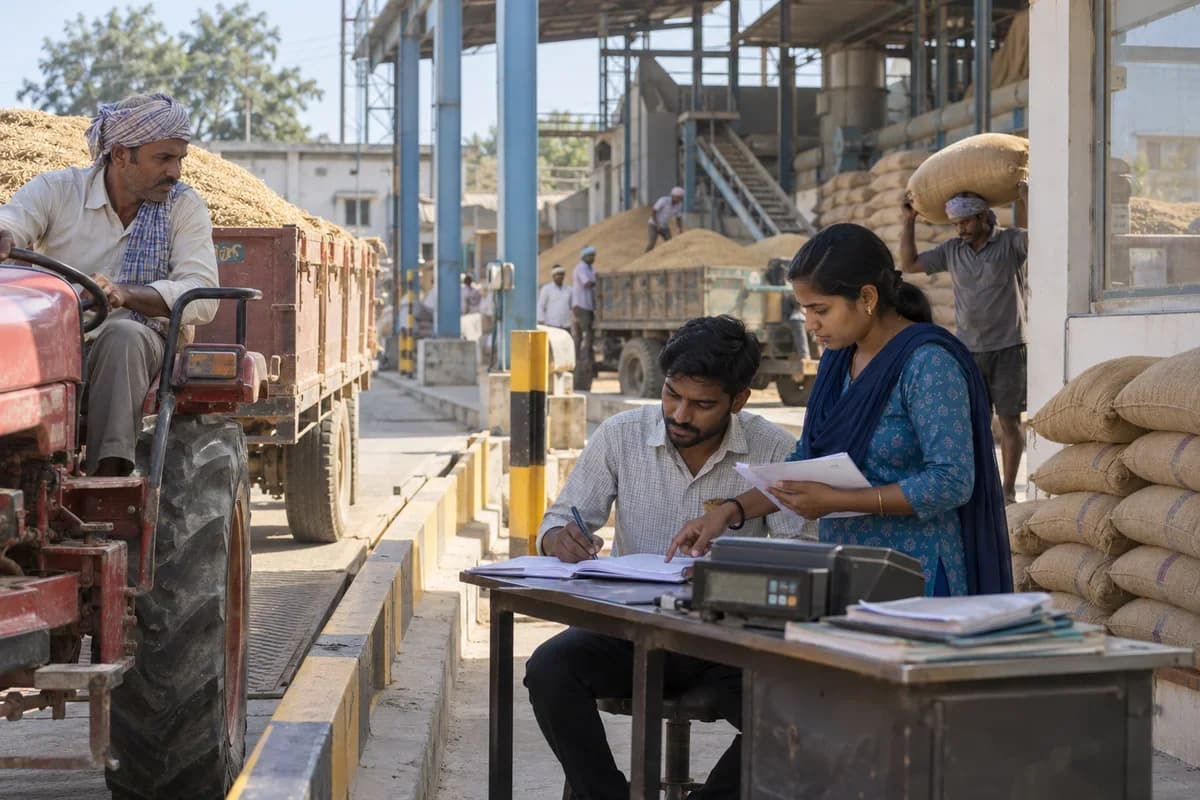
Paddy arrives from farmers and agents at different moisture levels and grain types, and the price paid depends on the reading taken at the gate. A clerk takes it with a handheld meter and a sample tray, with a queue of trucks waiting behind. What the mill earns depends on how much whole grain comes out of each tonne.
The records that hold the operation together.
- Weighbridge and gate intake. Record gross and tare weight, moisture and foreign matter for each load, then price the paddy and open a lot.
- Paddy suppliers and advances. Keep farmers and agents with their advances, part payments and balances, so a supplier’s dues are one lookup.
- Drying yard and dryer log. Record sun drying and dryer batches with start and end moisture, so paddy is released to milling at the right reading.
- Parboiling batches. Log soak, steam and dry times by batch, so cracked or discoloured grain can be set beside the process used.
Operational bottlenecks to check
The gate price and the final yield are never compared
A lot is bought on a moisture reading. Nobody checks later whether that lot milled well or poorly. The next purchase repeats the mistake.
Parboiling and drying times are unrecorded
Soaking and steaming times differ between batches and between operators, and the dryer that follows can be set for a different final moisture each shift. When grain cracks, nobody can say which batch or operator caused it. It sells at a lower rate.
How work flows across this business
This module sits within a wider operating process. Use the sequence to identify the other teams and records affected by a change.
1. Paddy purchase
A load reaches the weighbridge. Weight, moisture and foreign matter are recorded, a price is fixed, and a paddy lot is opened.
2. Drying and parboiling
Lots go to the yard or dryer, and parboiled varieties are soaked, steamed and dried. Times and batch sizes are logged.
3. Cleaning and husking
Pre-cleaning removes stones and chaff. Husking records paddy in and husk out for the run.
4. Polishing and sorting
Brown rice is polished, then colour sorted. Bran and discoloured grain are weighed out.
5. Grading and bagging
Graders split head rice and brokens by length. Bags are filled to a fixed weight, stitched and stacked by variety and grade.
6. Dispatch and dues
Orders are loaded against bag counts, delivery notes are raised, and wholesaler balances are tracked until paid.
Industry reports to connect with
- Milling yield by paddy lot and variety
- Broken percentage by polisher setting
- Paddy purchased by supplier with moisture readings
- Bran, husk and broken rice sold by buyer
Questions before implementation.
When should rice mills consider order management?
Use when sales, operations and billing share confirmed orders. A customer confirms goods or work.
What should we bring to the requirements discussion?
Bring anonymised examples of Order lines; Commercial terms; Fulfilment rules. Show who creates, checks and changes each record. Use only records from an activity that meets the suitability conditions above.
Does this replace our existing business software?
The starting point is your current system and the gap you need to close. Track a confirmed order through fulfilment and billing. Configuration, a connected module or a custom build are evaluated against that gap before a replacement is proposed.
What is outside this module?
Stock, production and carrier connections need agreed scope.
How are scope, price and rollout decided?
The proposal follows a review of your records, user roles, branches and existing software. Data migration, connections, training and support are scoped separately where needed. Partial fulfilment leaves correct balances. Use this check when reviewing the first working version.
Related functions for rice mills.
Discuss order management for your business.
Tell us which workflow needs attention and which systems your team uses. The next step is a requirements discussion and a written scope.
What happens after you share your requirements
- We review your brief and the systems you already use.
- We clarify the workflow, missing information and the work to consider first.
- The proposed scope sets out the deliverables, responsibilities and dependencies.
- Review the scope and commercial terms before deciding whether to proceed.
Start with your requirements
Describe your current process, the people involved and the change you need. Start with the details you know; we can clarify the rest together.
Share your requirements