Business solutions for Supermarkets
Explore software for work such as “A customer register built from bills with mobile numbers”. Review each business function below, including when it fits and what to check before implementation.
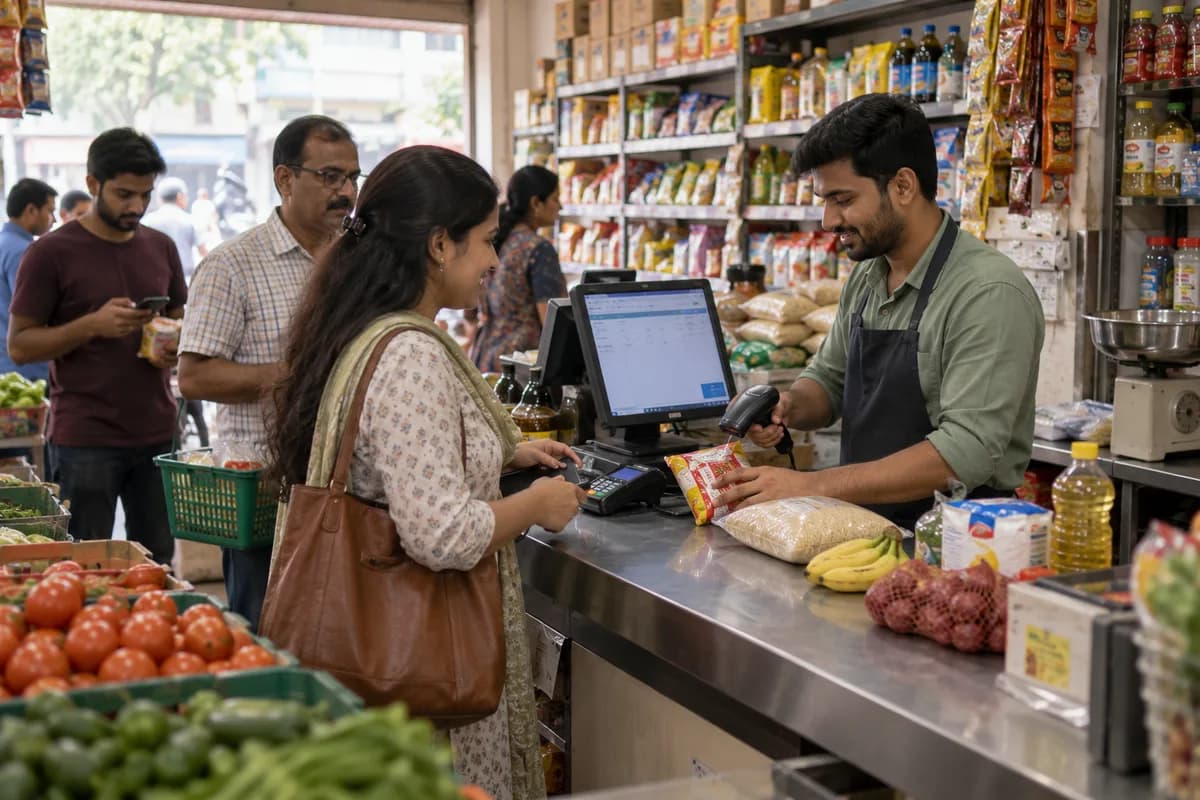
How the business operates.
A supermarket lives or dies between the delivery bay and the checkout lane, where a warm chiller or a wrong shelf label ends in a till dispute. Fresh lettuce, coriander and bananas turn in days. Packaged goods carry dates that cannot be missed. Prices change weekly.
The records that hold the operation together.
- Item master and labels. Keep every product with its barcode, unit, department, supplier and tax setting, and print shelf-edge labels and weighing-scale labels from the one record. No aisle strip disagrees with the till.
- Lane billing. Scan or weigh at the lane, apply offers, split payment across cash, card and vouchers, and park a basket when a shopper walks back for a forgotten carton of milk.
- Weighed and loose items. Price produce, deli and bakery lines by weight through price lookup codes, with a scale label or a lane scale, and keep the net weight printed on the bill.
- Batch and expiry. Receive chilled, dairy, bakery and packaged lines by batch with a date, then list what falls due by department. Markdown stickers are planned before the oldest stock reaches the front.
- Supplier orders. Raise purchase orders from reorder levels and recent sales, with the agreed case rate, pack size and delivery day for each supplier.
- Goods receiving. Match each delivery with its order and delivery note, record short supply and rejected cases, and hold a supplier’s invoice against what the dock actually counted.
- Promotions and price changes. Specials, multi-buy offers and price changes carry a start date and an end date. The lane price and the shelf label switch over at the same moment.
- Wastage and stock counts. Write off spoiled and expired items by reason, and run cycle counts by aisle and bay, so shrinkage from theft or mis-scans shows up beside the recorded loss.
Operational bottlenecks to check
Shelf expiry dates are checked by eye
Dairy shelves get a glance each morning. A short-dated carton of yoghurt that should have gone to markdown last week is found by a customer holding it at the lane, not by staff.
Shelf price and till price disagree
A multi-buy offer ends on Sunday. The endcap ticket stays up until Tuesday. The customer points to the shelf edge, the cashier points to the screen, and the manager approves a discount just to clear the queue behind them.
Deliveries are accepted without being matched
While the driver stands by, the clerk signs the delivery note, and any check against the purchase order quantity happens a day later, if it happens. Short supply is paid for.
Wastage is written off in bulk
Spoiled lettuce, broken jars of lentils and expired cheese are thrown away at closing and recorded as a single number in a notebook, so the loss never reaches a department. Which department lost what is never clear.
Reordering follows habit, not sales
The buyer orders what was ordered last month. Shelves of lentils, rice and toothpaste sit empty on fast lines while slow ones fill the backroom to the roof.
Follow the work across teams.
This is a planning flow. Confirm the steps, owners and approval rules against your actual operation.
Roles and responsibility boundaries.
Reports your managers need.
- Sales by department, product group and hour of the day
- Batches due to expire this week, by department
- Wastage by reason, department and week
- Deliveries received against orders, with short supply
- Promotion sales against the same line without an offer
- Shift closing variances by lane and cashier
- Slow and fast lines against shelf space and stock held
Connections to scope
- Barcode scanner
- Weighing scale and label printer
- Card terminal
- SMS or messaging
- Accounting export
Confirm data access, record ownership and the exchange method for each connection. Inclusion here does not mean every connection is available in a standard package.
Setup decisions and adoption risks.
Use these requirements to plan phases, data migration and user training. Agree the release sequence after reviewing your current systems.
Limitations to settle before implementation
- A small neighbourhood shop with one counter will find Grocery Management System closer.
- Department stores selling clothing, furniture and appliances will find Department Store Management Software closer.
Modules to consider first.
These functions connect to the operating model above. Confirm each one against the work your business actually runs.
Choose the operation you want to improve.
Use these activities to explain your scope. Your business does not need every function in the directory.
- A customer register built from bills with mobile numbers
- Weekly offers shown on WhatsApp before the family leaves home
- Home delivery for a defined slot and radius
- Own-label staples and fresh counters as reasons to come in
- Festival hampers and bulk orders for offices and function halls
- Brand and distributor scheme planning with product-group data
- Loyalty points that a cashier can explain in one sentence
Explore the business functions.
Production, stock, fleet and recurring billing functions apply only where your business runs those activities. Read the suitability conditions on each page.
Manufacturing
Procurement
Retail and POS
Sales and Distribution
Inventory Management
Product Management
Maintain the item definitions used by sales, purchasing and stock.
View workflow and suitability →Purchase Order Management
Record authorised supplier orders and track what remains due.
View workflow and suitability →Stock Tracking and Alerts
Record stock movements and flag items reaching configured levels.
View workflow and suitability →
Start with the problem your team can describe.
Bring a sample record and show where information is copied, missed or waiting for approval. Scope the first useful change from there.
What happens after you share your requirements
- We review your brief and the systems you already use.
- We clarify the workflow, missing information and the work to consider first.
- The proposed scope sets out the deliverables, responsibilities and dependencies.
- Review the scope and commercial terms before deciding whether to proceed.
Start with your requirements
Describe your current process, the people involved and the change you need. Start with the details you know; we can clarify the rest together.
Share your requirements