In this guide 6 sections
Use email for anything that needs a record or an attachment, SMS for short time-critical nudges, and WhatsApp where customers already chat with you and have opted in. Approvals suit email or an in-app alert. Decide on proof, consent and templates, never habit.
Start from the message, not the channel
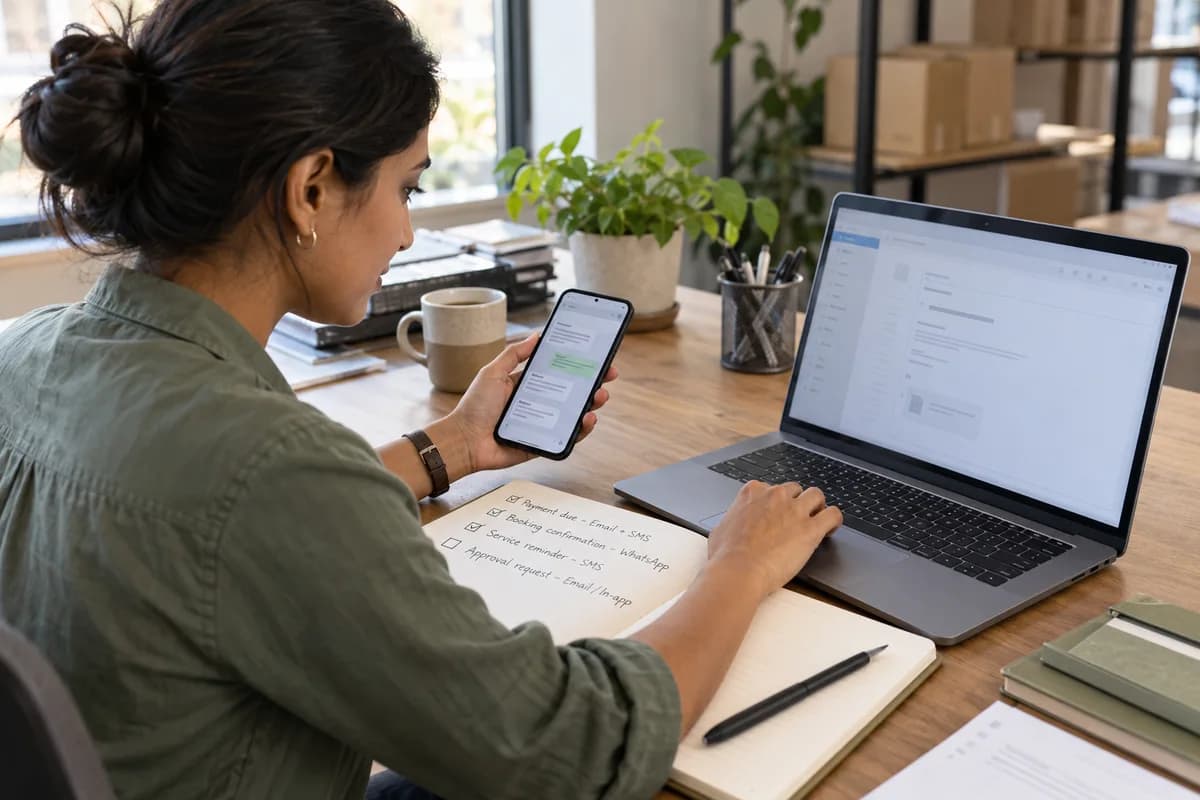
Four alerts cover most small businesses: payment due, booking confirmation, service reminder and internal approval request, each with a different reader and a different cost when missed. A missed alert costs real money.
A payment reminder needs an invoice number and a payment link, while a booking confirmation needs a date, a place and a way to change it. A service reminder is only a nudge. Approvals need the purchase order attached.
Write down what each message must carry first. Teams that pick the channel first discover in week two that the invoice PDF cannot travel over SMS and the approval trail cannot live inside a personal chat.
How the three channels differ in practice
Email carries PDF attachments, long text and message headers that prove when the receiving server accepted it, though it never proves a person opened it. Spam folders hide some.
SMS reaches a phone with no app and no data, as plain text, but in many countries the sender ID and templates need carrier registration before bulk sending. Plan that lead time.
WhatsApp business messages open a conversation with an approved template, and the delivered and read ticks give stronger proof than the other two channels. Once the customer’s reply window closes, only approved templates may be sent, so a late message needs wording cleared with the provider in advance.
- Email: attachments, records, lowest per-message cost, weakest read proof
- SMS: works on any phone, short, often needs registered senders
- WhatsApp: delivered and read status, template approval, opt in required
Match each alert to a channel
For a payment due, email the invoice and add a short SMS line on the due date, since the attachment is the record and the text is the nudge.
A booking confirmation goes out by WhatsApp or SMS within minutes, with a reschedule link, because customers compare it against their diary before they leave the page. Keep service reminders to SMS, the day before.
Internal approvals belong in email for the audit trail, or in an in-app notification with approve and reject buttons that stamp the user and the time. Personal chat apps hide the decision.
- Payment due: email plus a short nudge
- Booking confirmation: WhatsApp or SMS
- Service reminder: SMS, one day before
- Approval request: email or in-app alert
Consent, templates and delivery proof
Record opt in per channel, with the date and the source, because a customer who gave a number for delivery calls has not agreed to marketing on WhatsApp. Keep alerts transactional. Send promotions on a separate list.
Template approval takes time. Submit wording for each alert early, with variables for name, date and amount, because rejected templates usually fail on vague or promotional wording.
Store the delivery status against the customer record. When someone says they never heard from you, a logged delivered status ends the argument, and a bounce code tells you whether to retry or phone.
How cost behaves as you grow
Email cost stays flat, SMS cost grows with every message and varies by country, and WhatsApp charges differ by conversation type, so read the provider’s rate card.
Add a fallback rule. If a WhatsApp message fails, send an SMS after an hour, and if an invoice email bounces, flag the customer record so someone phones before the due date.
Next, list your top six alerts in a sheet, and fill in the channel, template status, consent source and fallback for each before you buy anything.
Alert channel matrix
A single grid with a row for each alert type and columns for audience, must-carry fields, chosen channel, fallback channel, consent source, template approval status and delivery proof stored. A footer names each template’s owner.
Open a blank worksheet to printQuestions owners ask
Can I send invoices over WhatsApp?
You can send a document in a template message once the customer has opted in; keep the emailed invoice as the formal copy for your records.
Do I need consent for service reminders?
It depends on the country. Transactional reminders are often treated more leniently than promotions, but local rules differ by channel, so check them and keep a dated consent log.
Which channel proves a message was read?
WhatsApp read status is strongest. Email can use tracking pixels, but many mail clients block the hidden image that reports an open, so silence proves nothing about whether the message was read. SMS gives delivery reports only.
Should staff approvals go through chat apps?
Prefer email or in-app buttons. Both leave a dated record tied to the purchase order or leave form being approved, which a thread of chat messages cannot do reliably.