Build a production system around your routing, not around somebody else’s factory.
A factory is described by its routing. It may have seven operations where a package expects three. A drawing is revised on Tuesday, and half the value of a job sits in a job worker’s shed two streets away.
The money is lost in the gap between the plan the office made on Monday and what the shift actually did. That gap closes only when the floor can record a day in a few taps, and when material that has left your gate is still on your books.
GullySystem designs manufacturing software around your own operation. It covers bills of material with their drawing revision, work orders, job cards, stores, job work delivery notes, inspection stages and the costing that says what a part really took.
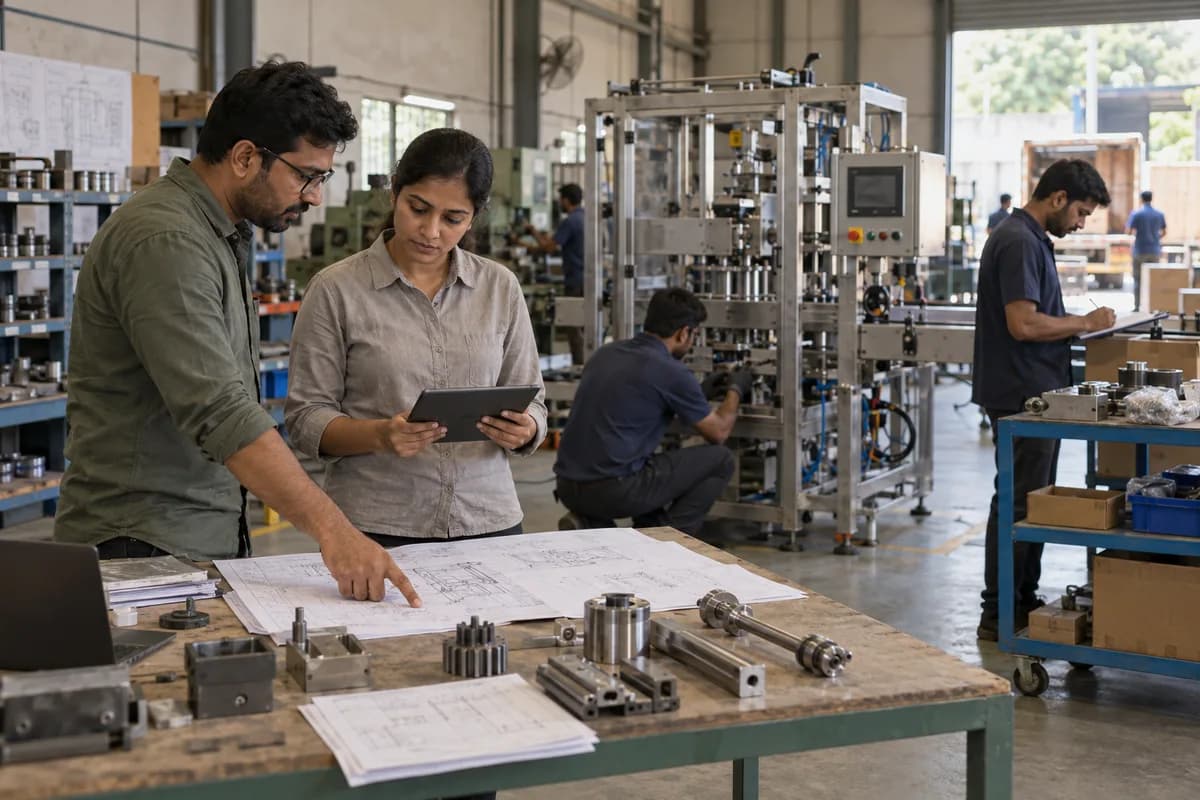
Manufacturing businesses we can build for.
Forty people in a fabrication shed, or three plants making the same component to different drawings. Your routing decides the shape of it.
- Machinery and equipment manufacturers
- Special purpose machine builders
- Control panel manufacturers
- Fabrication and sheet metal units
- CNC machining shops
- Auto component manufacturers
- Foundries
- Forging units
- Plastic moulding units
- Rubber products units
- Electrical and electronics manufacturers
- Pump and valve manufacturers
- Packaging material manufacturers
- Food processing units
- Chemical and paint manufacturers
- Textile and garment units
- Furniture manufacturers
- Building material manufacturers
- Job work units
- Contract manufacturers
- Export-oriented units
- Multi-plant manufacturing groups
The modules, and what each one covers.
Nothing here is a fixed package. Each module is built, left out or changed to match how your organisation already works.
Bills of material and drawing revisions
The parts list for a product, with the revision it was cut from written on it.
- Multi-level bill of material
- Part master
- Drawing and revision number
- Bought, made and job work parts
- Alternate parts
- Scrap allowance
- Customer-specific variants
- Where-used list
- Revision history
- Engineering change notes
When a drawing is revised on Tuesday, the work orders already open can be flagged instead of quietly running on the old revision.
Production planning
- Order and forecast load
- Material requirement working
- Shortage list
- Work centre load
- Shift plan
- Weekly and daily schedule
- Priority and due dates
- Capacity against commitment
- Plan against actual
Work orders
- Order
- Work order
- Material issue
- Operations
- Inspection
- Finished stock
- Dispatch
What the job card carries
One card per work order, readable by the person who works from it.
- Work order and part number
- Drawing revision
- Quantity to make
- Routing and operation sequence
- Machine and work centre
- Operator
- Setting and cycle time
- Material issued
- Quantity produced
- Rejected and reworked quantity
- Operation status
- Supervisor sign-off
Shop floor reporting
Shop floor screens have to suit a supervisor who works from a notebook.
- Operation start and end
- Shift-wise production
- Machine downtime and reason
- Operator output
- Work in progress by stage
- Hold and resume
- Idle time
- Rework entry
- Daily production report
Entry from a tablet on the floor works only when it takes seconds, so the screen is cut back to what the shift actually has to record.
Machines and work centres
- Machine list
- Work centre grouping
- Capacity per shift
- Setting and running time
- Machine-wise load
- Downtime reasons
- Operator mapping
- Maintenance status
- Utilisation
Job work and subcontracting
Material that has left your gate and not returned is the easiest stock to lose.
- Job work vendor
- Delivery note
- Material sent
- Process and rate
- Expected return date
- Quantity received back
- Rejection at the vendor’s end
- Material still outside
- Job work bill verification
- Ageing of pending delivery notes
Delivery note formats and the tax returns your accountant files follow the rules of the day. The system prepares the data and does not decide the rule.
Stores and inventory
- Raw material
- Bought-out items
- Consumables
- Work in progress
- Finished goods
- Rack and bin location
- Batch and heat number
- Minimum and reorder level
- Stock ageing
- Non-moving items
- Transfer between stores
- Physical count and adjustment
Material issue to production
- Requisition
- Approval
- Issue
- Consumption
- Return of balance
Purchase
- Purchase request
- Approval
- Enquiry
- Quotation comparison
- Purchase order
- Goods receipt
- Invoice
- Payment
Vendor records
- Vendor master
- Items supplied
- Rate contracts
- Lead time
- Purchase history
- Delivery performance
- Quality rejections
- Outstanding payments
- Documents and bank details
- Vendor rating
Vendor portal
The Friday call about a delivery date can become an update the vendor makes directly.
- View purchase orders
- Confirm delivery dates
- Upload invoices and test certificates
- Dispatch details
- Goods receipt status
- Rejection notes
- Payment status
- Rate contract
- Queries
A portal only helps when vendors open it. Most factories start with the handful who supply most of their value, and widen it later.
Incoming inspection
- Goods receipt note
- Sample size
- Inspection parameters
- Accepted and rejected quantity
- Deviation acceptance
- Rejection reason
- Debit note to vendor
- Return to vendor
- Material test certificate
- Inspection record
In-process quality
- Stage inspection points
- First-article inspection
- Drawing dimensions
- Instrument used
- Observed readings
- Pass and fail
- Operator and inspector
- Hold at a stage
- Corrective action
Final inspection and testing
- Final inspection checklist
- Functional testing
- Load and run trials
- Customer inspection visit
- Test report
- Serial number allocation
- Packing list
- Release for dispatch
Where the customer sends an inspector, the same checklist can be shared before the machine is built, not after the inspector arrives.
Rejection, rework and scrap
- Rejection at each stage
- Reason code
- Rework instruction
- Rework cost
- Scrap quantity and value
- Where it happened
- Repeat defects
- Customer complaints
- Corrective action
Instruments and calibration
- Instrument register
- Identification number
- Location and department
- Calibration frequency
- Last and next calibration date
- Calibration agency
- Calibration record
- Overdue alert
Maintenance
A breakdown costs twice: the machine, and the delivery date that depended on it.
- Machine-wise history
- Preventive maintenance schedule
- Checklist per machine
- Breakdown complaint
- Technician assignment
- Downtime
- Spare parts used
- External service vendor
- Annual maintenance contract
- Repeat breakdowns
- Maintenance cost per machine
Reading data from the machine
Where a controller allows it, run hours, counts and stoppages can be read from the machine instead of typed at the end of a shift.
This depends on the controller, its protocol and what the machine supplier permits. It is checked machine by machine before it is offered.
Enquiry to order
- Enquiry
- Costing
- Quotation
- Negotiation
- Order
- Advance
- Production plan
Dispatch and documents
- Dispatch plan
- Packing and box list
- Invoice
- Delivery note
- Transport document details
- Transporter and vehicle
- Transport receipt number
- Proof of delivery
- Dispatch history
Tax invoice series and transport documents follow the rules of the authority concerned. The system assembles the data and the authority decides what it accepts.
What a part actually cost
- Material cost from the bill of material
- Job work cost
- Machine hour rate
- Labour cost
- Consumables
- Scrap recovery
- Estimated against actual
- Order-wise profitability
- Customer-wise profitability
Actual cost is only as honest as what the shift reports, which is why the floor entry screen matters more than the costing screen.
Workers and attendance
- Worker records
- Contract labour
- Shift and muster
- Attendance from the biometric machine
- Overtime
- Piece-rate output
- Skill and machine mapping
- Leave
- Gate pass
Traceability
A customer may ask about a part made eleven months ago. The answer takes minutes.
- Batch and heat number
- Raw material supplier
- Work order
- Operator and machine
- Inspection records
- Dispatch details
- Customer and invoice
- Serial number
After the machine leaves
For equipment builders, dispatch is the start of the relationship.
- Installed base and serial numbers
- Installation and commissioning
- Warranty period
- Service calls
- Engineer visit reports
- Spare part orders
- Annual maintenance contracts
- Renewal reminders
Customer portal
- Order status
- Production stage
- Inspection reports
- Dispatch documents
- Invoices and payments
- Spare part enquiry
- Service requests
- Drawings and manuals
Role-based access
A planner, an operator, a job work vendor and the customer open the same order, and each sees a different screen.
- Management
- Plant head
- Production planner
- Supervisor
- Operator
- Stores
- Purchase
- Quality
- Maintenance
- Dispatch
- Accounts
- Sales
- Vendor
- Customer
Multiple plants
- Plant-wise production
- Stock at each plant
- Inter-plant transfers
- Plant-wise rejection
- Machine utilisation
- Manpower
- Dispatch
- Cost
Management dashboards
The numbers the Monday meeting opens, without anyone building them on Sunday.
- Orders in hand
- Production against plan
- Pending work orders
- Delayed orders
- Machine utilisation
- Rejection and rework
- Stock value
- Shortage list
- Material lying at job workers
- Dispatch value
- Outstanding receivables
- Cost per order
What it connects to
- Your accounting software, such as QuickBooks or Xero
- Tax invoice and transport document data
- Biometric attendance
- Barcode and QR scanning
- Weighbridge
- Existing ERP modules
- Customer portals
- Supplier systems
Most machines on a shop floor write a file or nothing at all, and older accounting packages want a file import. We open the actual file before anything is agreed.
One connected workflow, end to end.
Every stage below can sit in one system, so nobody re-enters what the last stage already captured.
- Enquiry
- Costing
- Quotation
- Order
- Planning
- Material
- Job card
- Production
- Inspection
- Packing
- Dispatch
- Invoice
- Service
You do not have to replace everything at once.
Each phase is usable on its own, so the system earns its place before the next part is built.
- 1
Orders, material and stores
Part masters, bills of material, purchase, stores and job work. The records everything else on the floor reads from.
- 2
The shop floor
Work orders, job cards, operation reporting and work in progress, so the plan and the shift describe the same day.
- 3
Quality and maintenance
Inspection stages, rejections, instruments, preventive maintenance and breakdowns, held against the machine and the part.
- 4
Costing, portals and dashboards
Order costing, the vendor and customer portals, management reporting and whatever integrations are worth doing.
How a build actually runs.
- 01
Walk the floor
We follow one order from enquiry to dispatch, in your factory, including the parts that live in a register.
- 02
Map
Products, routings, work centres, stores, job workers, inspection stages, approvals and the handovers between shifts.
- 03
Design
Screens drawn for the person who will open them. A stores clerk and a planner need different pages.
- 04
Build
Stores and job cards usually come first, so the factory is working soonest.
- 05
Run a real order
Your own supervisors push a live order through the system before anything is switched over.
- 06
Deploy
Go-live on the floor, with the operators and clerks trained on their own screens.
- 07
Extend
Machine data, portals, costing depth and analytics, added as the plant gets used to the system.
What you bring, and when.
The build moves at the speed of the answers. These are the things we ask for, in the order we ask.
- 01
Job cards, BOMs and drawing files
Send job cards, bills of material, routing sheets, drawing revision lists and stores registers. Completed orders show the real flow. Planning starts here.
- 02
Planner, shop supervisor and stores keeper
Each answers for a part of the plant. They poke at each demonstration and report gaps. The works head settles planning and floor differences.
- 03
Standard times, scrap norms and purchase limits
Machine times, scrap allowances, reorder levels and purchase approval limits need a ruling mid-build. Vendor and item masters accompany them. A reviewer is present at each demo.
- 04
Open work orders and machine data
Open work orders, stock by location and vendor balances are loaded for go-live. Machine monitoring links and accounting software are named at once. The plant head accepts the switch.
Systems we can put together for you.
- Manufacturing ERP
- Production planning systems
- Shop floor data capture
- Job card and work order systems
- Bill of material and costing systems
- Stores and inventory software
- Purchase and procurement systems
- Vendor portals
- Quality management systems
- Maintenance management systems
- Machine monitoring dashboards
- Dispatch and documentation systems
- Customer and dealer portals
- Multi-plant management platforms
Questions owners ask before starting.
What is custom manufacturing software?
It is software written around one factory: your part numbers, your routings, the operations you send out on a job work delivery note, and the stages where somebody inspects. Where the process is ordinary a package is cheaper. It earns its cost where the process is not.
We are a small unit with thirty workers. Is this for us?
Often the small unit gains most, because the gap between the plan and the floor is wider. Start with stores, job cards and dispatch, and leave the rest for later.
Can the system handle job work sent outside?
Yes. Delivery notes, the process and rate, the expected return date, what has come back and what is still lying at the vendor’s place are all tracked against the work order.
Will operators actually enter data?
Only if the entry is short. We design the floor screens around a few taps per operation, and where a supervisor enters for a gang, the screen is built for that instead.
Can it connect to our machines?
Sometimes. It depends on the controller, the protocol and what the machine supplier allows, and it varies machine to machine. We check each one rather than assume.
Do we have to move away from our accounting software?
No. Most units keep their books exactly where they are. Invoices, purchases and journals can be posted across, and your accountant carries on as before.
Is the real cost of an order available?
Yes, as far as the floor reports it. Material, job work, machine hours and labour can all land on the order, and the estimate sits beside the actual.
Can quality records be kept in the same system?
Yes. Incoming, in-process and final inspection, instruments, calibration dates and corrective actions sit against the part and the work order, not in a separate file.
Is more than one plant supported?
Yes. Each plant runs its own day, transfers between plants are recorded, and the head office sees the group without ringing three managers.
Can we build only part of it?
Yes. Stores and job cards come first, ahead of quality and costing. A plant that records a shift is ready for the next phase.
What will the software not fix?
It will not make a wrong drawing right, and it will not stop a vendor being late. It tells you sooner, and it keeps the record of what happened.
Could it be offered as a product to other units?
Yes, though it is a different build. Software sold to several factories has to survive routings you did not design, so it is planned that way at the start and not adapted from your own system afterwards.
How we work with this trade.
Build the system your factory actually runs on.
A factory should not have to rewrite its routing because a package expects three operations and you have seven. The software can take the shape of the shop floor instead.
Whether that is a job card application for one shed, a stores and purchase system, or a full manufacturing ERP across plants, tell us how your factory runs today. The routing comes first, because a system that cannot hold your seven operations will not hold anything else.
Tell us how your manufacturing companies runs today.
We will tell you what can be digitised, what can be connected, what is worth automating, and what you should leave alone.
What happens after you share your requirements
- A senior engineer reads your answers. Nobody phones first.
- Within one business day you get a written note: what we understood, what we would start with, and the questions we still have.
- If it fits, a proposal follows with the order of work, what we need from you and what you receive at each step.
- No call is booked and nothing is paid until you have read the note. Your details stay with us.
Start with your requirements
Seven short steps that tell us what you need. A senior engineer reads them before anyone gets in touch.
Share your requirements