Invoice Data Extraction With Three-Way Matching
Invoice data extraction reads supplier bills received as PDFs, scans and photographs, and pulls out supplier, invoice number, dates, tax figures and line items. Each bill is matched to its purchase order and goods receipt.
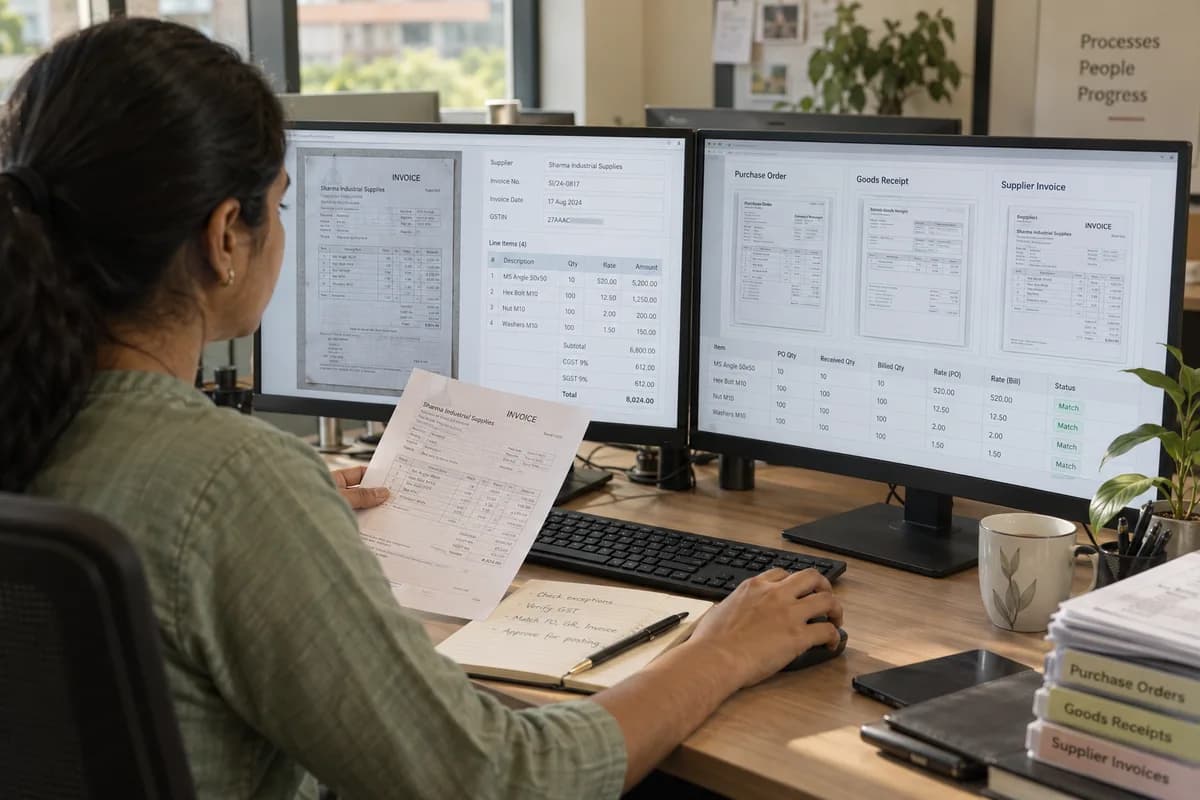
The three-way check
The check compares what was ordered, what arrived and what is billed. Quantity billed above quantity received is an exception. So is a rate above the purchase order, or a bill against an order already fully invoiced. Each exception is raised with the three documents side by side. Clean matches queue for posting, and accounts staff review only the exceptions.
What affects how well it reads
Nothing posts without a person
Low-confidence fields are shown highlighted against the image for a quick check, and posting stays a human action. That rule holds even when accuracy is good, because an incorrectly posted tax figure becomes your issue at filing time. Compliance rules are set with your accountant at the start and revisited whenever your adviser asks.
Frequently asked questions
Does invoice data extraction replace our accounts team?
No. It removes the typing and leaves the judgement. Approval, posting and vendor conversations stay where they are.
Will this work with our accounting software?
Where it accepts an import or has an API, yes, including the usual import routes of packages such as QuickBooks or Xero. Where neither exists, extraction still produces a checked file that is quicker to key in than the original bills.
What volume makes this worth doing?
It depends on the daily flow of bills and on how much staff time goes to entry. At a low monthly volume the setup and tuning may outweigh the gain, and that is assessed during scoping.
What about handwritten bills from small suppliers?
Those read poorly and stay manual. Printed and system-generated bills are where this works, and a supplier’s handwritten slip should not be forced through it.
Tell us what you need.
Share your requirements and one of our engineers will come back to you within one business day.
- No obligation
- A reply within one business day
- Your details stay private
Start with your requirements
Seven short steps that tell us what you need. An engineer reads them before getting in touch.
Share your requirements