GullySystem

Project Management for Jobs, Sites and Job Costing

Project management software tracks tasks, timelines, resources, hours, site documents and reports for interiors, civil work, fabrication, AMC sites and IT projects. Seven modules end with cost set against the quote.

Where job costs go unchecked

On a busy site, nobody sets the quoted figure beside what has been spent since the second week. The overrun shows up after the job closes.

  • Decisions taken in a group chat with no owner or date
  • Two sites promised the same crew for one morning
  • Work cut to a drawing replaced days earlier
  • Hours billed from a figure worked out on Friday

Seven modules for running jobs

Begin with tasks and timelines. Costing follows once hours and material are entered.

Task management

Each piece of work has one owner and one due date, filed under the client or project so that nothing floats free.

Project timelines with Gantt charts

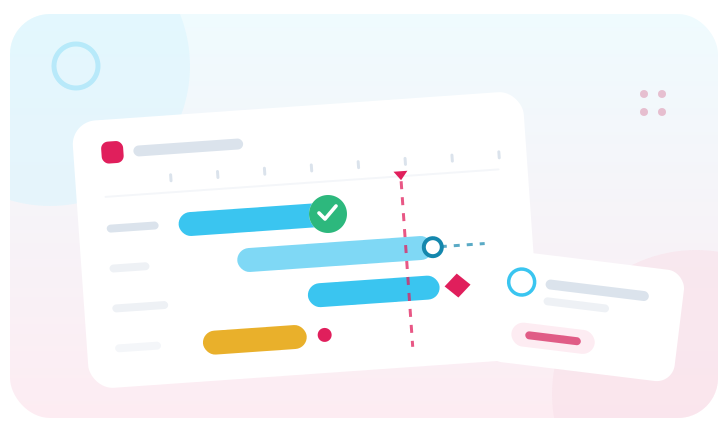
Stages sit on a calendar together with what each one is waiting for, such as a drawing, a delivery or a payment. Move one date and the rest move.

Resource allocation

It shows who and what is free before a date is promised. A double booking is refused.

Time tracking and attendance

Hours are booked against the task and the client, billable or not, and the invoice is raised from what was recorded. Attendance covers office staff and site labour: who came in, when and where.

Project document management

Drawings, approvals and site photographs are filed per project, each carrying a version number.

Project management reports

Quoted against spent, and stages running late with the reason, are built while the job is still running.

Made for sites

The screens assume a supervisor on a site with one hand free, not only a laptop and a desk.

  • Site photographs uploaded from a phone, dated and filed
  • Attendance marked at the site, for labour and for staff
  • Stage bills raised from the timeline as each stage closes
  • Variations recorded, so extra work is not missed at billing

What project software cannot do

Software shows a delay and does not shorten one. Where the plan on screen stops matching the site, nobody is updating it, and no feature fixes that. Name the person who owns the plan before starting.

FAQ

Frequently asked questions

Is this project management software for construction or for IT projects?

Both, set up differently. A civil job runs on stages, drawings and stage bills. An IT project runs on tasks, hours and a monthly invoice. The modules are configured around whichever you are.

Can we see whether a job made money before it finishes?

Yes, once hours and material are booked against the job. Cost sits beside the quoted value from the start, so a job going wrong shows early. It depends on people entering what they spend.

Do the workers need to use an app?

No, not usually. A supervisor marks attendance for a gang, uploads the site photographs and closes the stage. Engineers and office staff use it themselves, because their hours are what the client is billed for.

How does it handle a client who keeps changing the scope?

Each variation is recorded against the project with a date and the requester’s name. The old plan stays beside the new one. When the final bill is questioned, the trail is on screen.

Talk to us

Tell us what you need.

Share your requirements and one of our engineers will come back to you within one business day.

  • No obligation
  • A reply within one business day
  • Your details stay private

Start with your requirements

Seven short steps that tell us what you need. An engineer reads them before getting in touch.

Share your requirements