Departmental Performance Dashboards
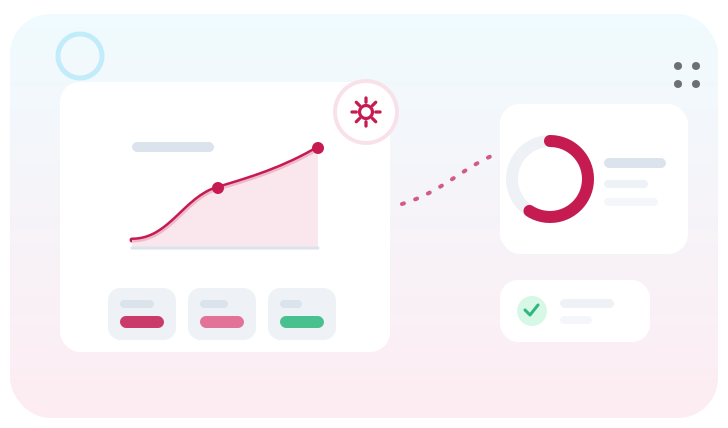
Visualise HR, finance, sales, and operations data in customised dashboards to measure departmental productivity and efficiency. GullySystem designs departmental dashboards that align metrics with each team's goals.
Overview
GullySystem designs departmental dashboards that align metrics with each team's goals. From sales and HR to finance and ops, we help you visualise performance, track efficiency, and increase accountability across the organisation—all in real time.
Benefits
Role-Based Dashboards
Each department gets a customised view with only the metrics that matter—delivered in a format that’s easy to understand and act on.
Live Department Metrics
Monitor departmental KPIs as they update—sales revenue, hiring funnel, cost variances, or support resolution time in real time.
Improved Decision-Making
Leaders get instant access to visual performance trends that help guide strategy, budget allocation, and team optimisation.
Cross-Team Transparency
Visualise how departments impact one another—track interdependencies and prevent siloed decisions.
Automated Reporting
Dashboards can email snapshots or full reports on schedule—no need to manually compile metrics every week.
Goal Alignment & Accountability
Tie each metric to goals and visualise progress, keeping departments aligned with company-wide objectives.
Our Approach
Department Needs Assessment
We meet with each team to identify their KPIs, challenges, and decision-making needs to guide dashboard content.
Data Source Mapping
Connect your spreadsheets, ERPs, HRMS, CRM, or accounting tools to fetch and normalise data department-wise.
Custom Visualisation Design
Build layouts customised to each department’s language—funnels for sales, ratios for finance, and timelines for ops.
Access Control Setup
Ensure departments only see what they need with secure role-based access, while execs see rolled-up views.
Deployment & Scheduling
Launch interactive dashboards on the web or embedded in portals, with optional scheduled PDF or Excel exports.
Technologies We Use
Dashboard Platforms
Power BI, Tableau, Superset, or custom React dashboards customised to HR, finance, sales, or operations roles.
Integration Tools
Connect to Zoho, QuickBooks, SAP, Salesforce, Freshdesk, Excel, Google Sheets, or APIs for real-time metrics.
Visualisation Libraries
D3.js, Chart.js, Highcharts, and ApexCharts to build dynamic visuals like gauges, funnels, scorecards, and timelines.
Security & Permissions
Role-based controls, data masking, and audit logs to maintain confidentiality between departments and execs.
Automated Reports
Use Airflow or cron to schedule reports, email updates, or push data to dashboards from internal systems.
Cloud or On-Prem Hosting
Host dashboards on AWS, Azure, or your servers with secure backups and custom branding.
Why Choose GullySystem
Department-Specific Design
We build dashboards around how each department works—not just generic layouts—so they’re used.
Unified Performance View
Combine metrics across departments to get an executive-level overview and identify interdependencies fast.
Low-Code, Scalable Setup
We use automation and visual tools to reduce build time and allow fast scaling as departments grow or evolve.
Actionable KPI Insights
Highlight trends, bottlenecks, or missed goals visually prompting timely interventions and support.
White-Labeled Deployments
Use your brand’s logo, colors, and fonts across internal dashboards to ensure consistency and professionalism.
Training & Support
We train teams to read, filter, and act on dashboard data—driving adoption and ownership across departments.
Use Cases
Sales Dashboards
Track monthly revenue, pipeline, deal stage conversion, win rate, and team performance by region or product.
Finance Dashboards
Visualise budget vs actuals, cash flow, expenses, and forecasts to make informed financial decisions.
HR Dashboards
Monitor recruitment funnels, training completion, retention, absenteeism, and onboarding success rates.
Operations Dashboards
Track inventory levels, order fulfillment rates, service SLAs, and incident resolution metrics in real time.
Customer Support Dashboards
Analyse response time, backlog trends, ticket resolution efficiency, and CSAT for individual support teams.
Marketing Dashboards
Track leads, traffic sources, campaign ROI, social media engagement, and funnel drop-offs across channels.
Give each team the clarity they need.
GullySystem builds customised performance dashboards for every department—HR, sales, finance, and more.
Frequently asked questions
Can each department have its own dashboard?
Yes. We build custom views per department, plus a combined leadership dashboard with full or summarised visibility.
Can data be pulled from our tools?
Yes. We connect to CRMs, ERPs, HRMS, accounting tools, and more via APIs, files, or ETL tools to automate data sync.
Can we export reports?
Absolutely. Dashboards can export PDF, Excel, or email summaries on a schedule or on-demand.
How secure is the setup?
We use role-based access, encryption, and audit logs to control visibility and protect sensitive departmental data.
Will users be trained?
Yes. We provide onboarding and documentation, so each team knows how to use their dashboard to improve performance.
Tell us what you need.
Send a short brief and one of our engineers will come back to you — usually the same day.
- No obligation
- We reply the same working day
- Your details stay private