Dealer and Distributor Portal for Animal feed manufacturers
Let channel partners view their terms and submit orders through a controlled account.
Does this function belong in your operation?
Use when goods are sold through dealers or distributors who place repeat orders.
A dealer needs prices, availability or account information.
Dealers log in to see their ledger, place a feed order and check dispatch status. Sales officers see which dealer has not reordered a particular brand. Order status needs no phone call.
Bring the records the workflow depends on.
- Partner accounts
- Partner-specific terms
- Ordering and visibility rules
Outputs to check
- Partner order submissions
- Partner-specific price and account view
- Order-status and query history
Follow the dealer and distributor portal workflow.
Use this sequence to compare your current process with the proposed module. Agree the owner, permission and exception at each step.
Who uses the module, and who approves?
Keep responsibilities distinct even when one person holds more than one role.
Decide how exceptions are handled.
These business rules belong in configuration and testing. A normal transaction alone does not demonstrate that the workflow is ready.
Can this work independently?
A portal depends on partner identity and the commercial records it exposes. Prices, orders, stock and balances can be supplied through controlled imports or connections. Showing availability does not reserve goods, and submitting an order does not confirm credit approval or fulfilment.
Systems and records it connects with
- Price lists and schemes: Effective-dated rates and customer eligibility rules.
- Credit control: Customer limits, current exposure and authorised order releases.
- Sales orders: Confirmed order lines and remaining fulfilment balances.
- Invoice management: Issued invoice references, line amounts and outstanding balances.
Configure, test and introduce the workflow.
- We go through your dealers, territories and price lists. You supply the lists. A written map of who sees what comes back.
- Screens are built from your data. You try them with a sample login. Limits and stock visibility are agreed. You approve what happens when an order crosses a limit.
- A few sign in early, with a sales officer standing by. Comments come back as notes. Remaining dealers join by territory. Each group gets a short guide, and phone orders taper as habits settle.
Check the result before rollout.
Apply these checks to a sample from the agreed workflow, then repeat with an exception. Keep the expected result beside the test record.
- Partners cannot view other accounts.
- Prices follow the assigned terms.
- Orders retain their submitting partner.
How the business operates.
Feed is made to a formula for a species and a growth stage, such as broiler starter, layer mash, dairy cattle pellet or fish grower. A formula can only perform as well as the grain and meal that go into the mixer. Maize moisture, soya protein and fish meal quality shift from one truck to the next, so the mill adjusts the mix each time. The record must follow.
The records that hold the operation together.
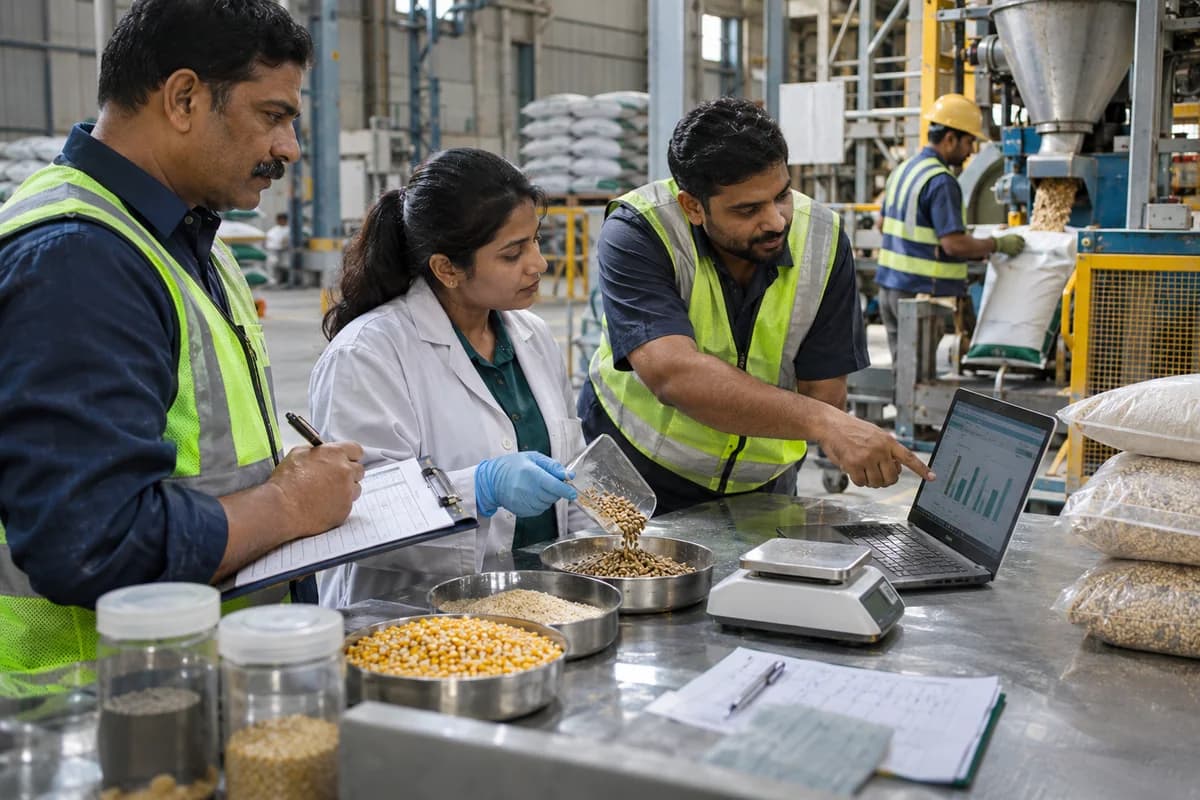
- Weighbridge and raw material intake. Weigh each truck, record the supplier, vehicle and declared quantity, and hold the load until the lab result is entered against that lot.
- Laboratory results. Save moisture, crude protein, fibre, aflatoxin screening and foreign matter results for every lot, with accept, reprice and reject decisions kept beside them.
- Bins, silos and ingredient stock. Track the level in each bin or silo by ingredient and supplier lot, with transfers between bins and alerts when a bin falls below the day’s need.
- Formulas and premix. Maintain formulas by species and stage, such as broiler starter, layer mash or dairy pellet, with revisions, premix inclusion and approved substitutions.
Operational bottlenecks to check
Intake results are not attached to bins
A load fails on moisture, yet the same maize is already in a bin with earlier stock. The lab report sits in a file, and the batch that used it cannot be named.
Formulas drift on the shop floor
Operators substitute an ingredient when a bin runs low, and the change is made verbally. The bag says one thing and the mixer log says another. Nobody knows who changed it.
How work flows across this business
This module sits within a wider operating process. Use the sequence to identify the other teams and records affected by a change.
1. Intake and lab
A truck is weighed in, sampled and tested for moisture, protein and foreign matter. The load is accepted, repriced or rejected before it is tipped into a bin. Nothing enters a bin unchecked.
2. Formula and plan
The planner picks formulas by species and stage against dealer orders. The plan shows the ingredient quantities needed and the bins that must supply them. Plans follow orders.
3. Mixing
Operators weigh ingredients and premix into the mixer, with each weight confirmed on screen. A variance against the formula must be explained before the batch closes. Variances need a reason.
4. Pelleting and cooling
Mash is conditioned, pressed through a die, cooled and screened. The run notes the die, steam and cooler settings, and the quantity of fines returned. Fines go back in.
5. Bagging and testing
Bags are filled to weight, sealed and stamped with the batch code. A retained sample is shelved, and finished feed test results are saved to the batch. Each batch keeps one sample.
6. Dispatch and credit
Dealer orders are loaded from stacks against the batch codes, invoiced, and set against the dealer’s credit limit. Returned bags are logged with the reason. Credit is checked first.
Industry reports to connect with
- Raw material lots accepted, repriced and rejected, by supplier
- Ingredient cost per tonne of finished feed, by formula
- Formula variances flagged at the mixer, with reasons
- Pellet runs with settings and fines returned
Questions before implementation.
When should animal feed manufacturers consider dealer and distributor portal?
Use when goods are sold through dealers or distributors who place repeat orders. A dealer needs prices, availability or account information.
What should we bring to the requirements discussion?
Bring anonymised examples of Partner accounts; Partner-specific terms; Ordering and visibility rules. Show who creates, checks and changes each record. Use only records from an activity that meets the suitability conditions above.
Does this replace our existing business software?
The starting point is your current system and the gap you need to close. Let channel partners view their terms and submit orders through a controlled account. Configuration, a connected module or a custom build are evaluated against that gap before a replacement is proposed.
What is outside this module?
Stock promises, payments and external system connections depend on the agreed scope.
How are scope, price and rollout decided?
The proposal follows a review of your records, user roles, branches and existing software. Data migration, connections, training and support are scoped separately where needed. Partners cannot view other accounts. Use this check when reviewing the first working version.
Related functions for animal feed manufacturers.
Discuss dealer and distributor portal for your business.
Tell us which workflow needs attention and which systems your team uses. The next step is a requirements discussion and a written scope.
What happens after you share your requirements
- We review your brief and the systems you already use.
- We clarify the workflow, missing information and the work to consider first.
- The proposed scope sets out the deliverables, responsibilities and dependencies.
- Review the scope and commercial terms before deciding whether to proceed.
Start with your requirements
Describe your current process, the people involved and the change you need. Start with the details you know; we can clarify the rest together.
Share your requirements