Stock Tracking and Alerts for Beverage manufacturers
Record stock movements and flag items reaching configured levels.
Does this function belong in your operation?
Use when the business holds physical stock or consumables requiring quantity control.
Goods are received, issued, transferred or counted.
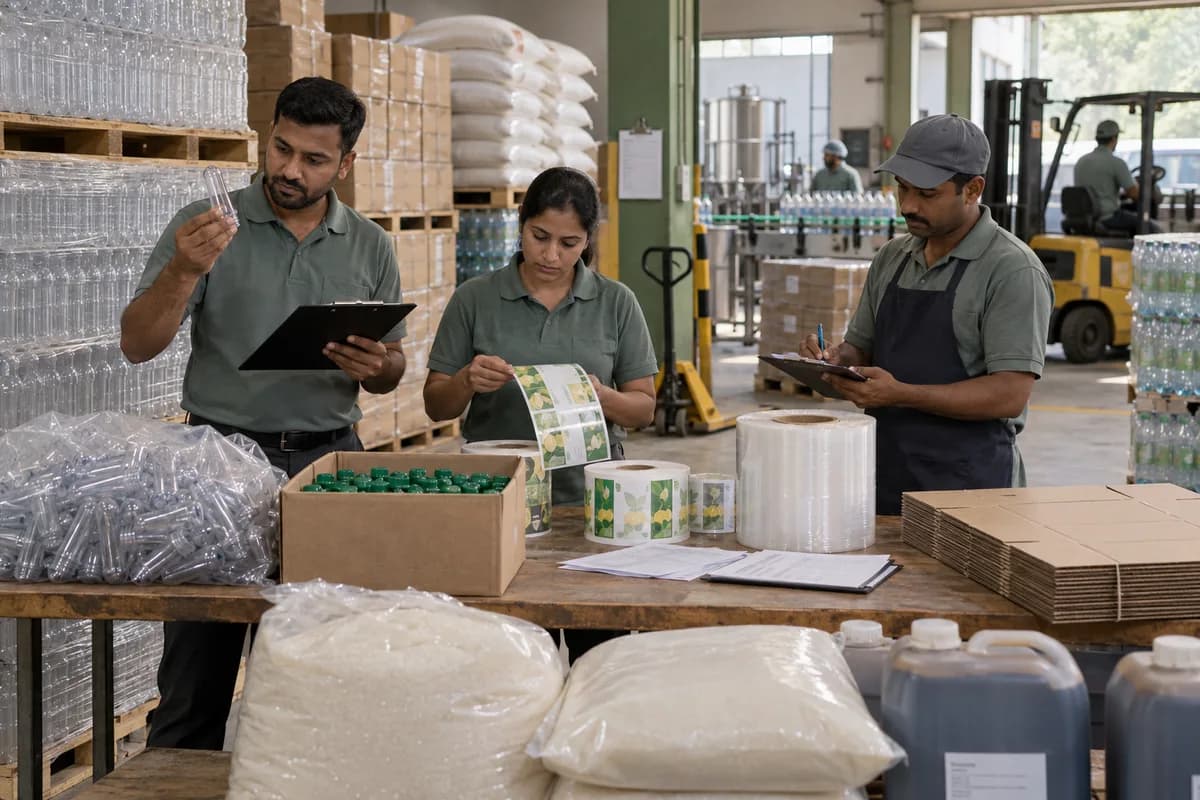
A beverage stock view has several different balances: ingredients, empty packaging, blended material, filled goods and returnable empties. Reorder alerts should use usable stock at the relevant stage. Treating bottles awaiting a quality decision or empty crates as available finished goods gives the loading team a false promise.
Bring the records the workflow depends on.
- Ingredient and packaging item units
- Location, batch and shelf-life records where applicable
- Opening balances and approved movement types
- Reorder levels, reservations and quality-hold treatment
Outputs to check
- Usable packaging and ingredient shortages
- Finished goods by flavour, pack, batch and location
- Returnable-container balance separate from full goods
Follow the stock tracking and alerts workflow.
Use this sequence to compare your current process with the proposed module. Agree the owner, permission and exception at each step.
Who uses the module, and who approves?
Keep responsibilities distinct even when one person holds more than one role.
Decide how exceptions are handled.
These business rules belong in configuration and testing. A normal transaction alone does not demonstrate that the workflow is ready.
Can this work independently?
Stock tracking can run from entered receipts and issues, but every physical movement needs a record. Purchase, sales, production and warehouse connections provide those movements. Reorder alerts signal a threshold; purchasing still decides quantity, supplier and approval.
Systems and records it connects with
- Purchase order management: Authorised supplier commitments and open line balances.
- Goods receipt: Counted, accepted and rejected supplier-delivery quantities.
- Point of sale billing: Counter sales, tender records and authorised returns.
- Multi-outlet stock: Outlet quantities and acknowledged transfer movements.
Configure, test and introduce the workflow.
- Show us the godown and the counters. A note lists the locations and the item groups.
- Supply levels per item and place, or ask for suggestions from history. Balances and alerts then appear for trial. A count is taken and loaded as the opening balance. The team checks a sample against the shelf.
- Each group practises receipts, issues and transfers. Short cards for the shelves follow. Alerts reach named people. A review once the opening season ends lists slow stock.
Check the result before rollout.
Apply these checks to a sample from the agreed workflow, then repeat with an exception. Keep the expected result beside the test record.
- Reconcile one pack from ingredient and packaging issue through filled output and breakage.
- Confirm a cap alert reflects usable stock after reservations and holds.
- Compare full crates, empty crates and damaged containers without counting any unit twice.
How the business operates.
You buy preforms, caps, labels, sugar, concentrate and treated water, blend and fill in batches, and sell to distributors, retail outlets and institutions. Your result depends on breakage, empties returned and what each line actually filled in a shift.
The records that hold the operation together.
- Ingredient and packaging lot receipts
- Blend version, batch sheet and filling record
- Quality readings and release decision
- Finished-goods batch and dispatch note
Operational bottlenecks to check
A batch cannot be traced to its materials
The batch code, the syrup sheet and the cap and label lots sit in different registers, and one of them is missing when a complaint comes in. The distributor waits for answers.
Empties and deposits do not reconcile
Crates, returnable bottles and jars go out on vans and come back short, while the deposit ledger is a notebook. The team cannot reconcile the containers held by each outlet.
How work flows across this business
This module sits within a wider operating process. Use the sequence to identify the other teams and records affected by a change.
1. Receive and identify materials
Receive ingredients, preforms, caps and labels with their supplier references. Keep rejected or unapproved lots apart from material available to production.
2. Prepare the blend and line
Release a batch against the approved formulation and pack specification. Record ingredient issues and the line-cleaning record required by the plant.
3. Fill, inspect and release
Capture filled packs, rejects and the quality readings selected by the quality team. A named release decision makes the batch available for dispatch.
4. Load customer and route orders
Allocate released batches to distributor or route orders. Record the quantity and returnable containers loaded against each delivery.
5. Reconcile returns and payment
Record accepted deliveries, damaged stock, empties returned and deposits. Accounts reconciles the resulting invoice and collection records.
Industry reports to connect with
- Batch yield and packaging consumption
- Filling rejects by line and reason
- Stock by batch and remaining shelf life
- Returnable containers and deposits by customer
Questions before implementation.
When should beverage manufacturers consider stock tracking and alerts?
Use when the business holds physical stock or consumables requiring quantity control. Goods are received, issued, transferred or counted.
What should we bring to the requirements discussion?
Bring anonymised examples of Ingredient and packaging item units; Location, batch and shelf-life records where applicable; Opening balances and approved movement types; Reorder levels, reservations and quality-hold treatment. Show who creates, checks and changes each record. Use only records from an activity that meets the suitability conditions above.
Does this replace our existing business software?
The starting point is your current system and the gap you need to close. Record stock movements and flag items reaching configured levels. Configuration, a connected module or a custom build are evaluated against that gap before a replacement is proposed.
What is outside this module?
Recorded balances depend on timely movement entries. Physical availability must be confirmed through the agreed count and reservation process.
How are scope, price and rollout decided?
The proposal follows a review of your records, user roles, branches and existing software. Data migration, connections, training and support are scoped separately where needed. Reconcile one pack from ingredient and packaging issue through filled output and breakage. Use this check when reviewing the first working version.
Related functions for beverage manufacturers.
Discuss stock tracking and alerts for your business.
Tell us which workflow needs attention and which systems your team uses. The next step is a requirements discussion and a written scope.
What happens after you share your requirements
- We review your brief and the systems you already use.
- We clarify the workflow, missing information and the work to consider first.
- The proposed scope sets out the deliverables, responsibilities and dependencies.
- Review the scope and commercial terms before deciding whether to proceed.
Start with your requirements
Describe your current process, the people involved and the change you need. Start with the details you know; we can clarify the rest together.
Share your requirements