Stock Tracking and Alerts for Cloud kitchens
Record stock movements and flag items reaching configured levels.
Does this function belong in your operation?
Use when the business holds physical stock or consumables requiring quantity control.
Goods are received, issued, transferred or counted.
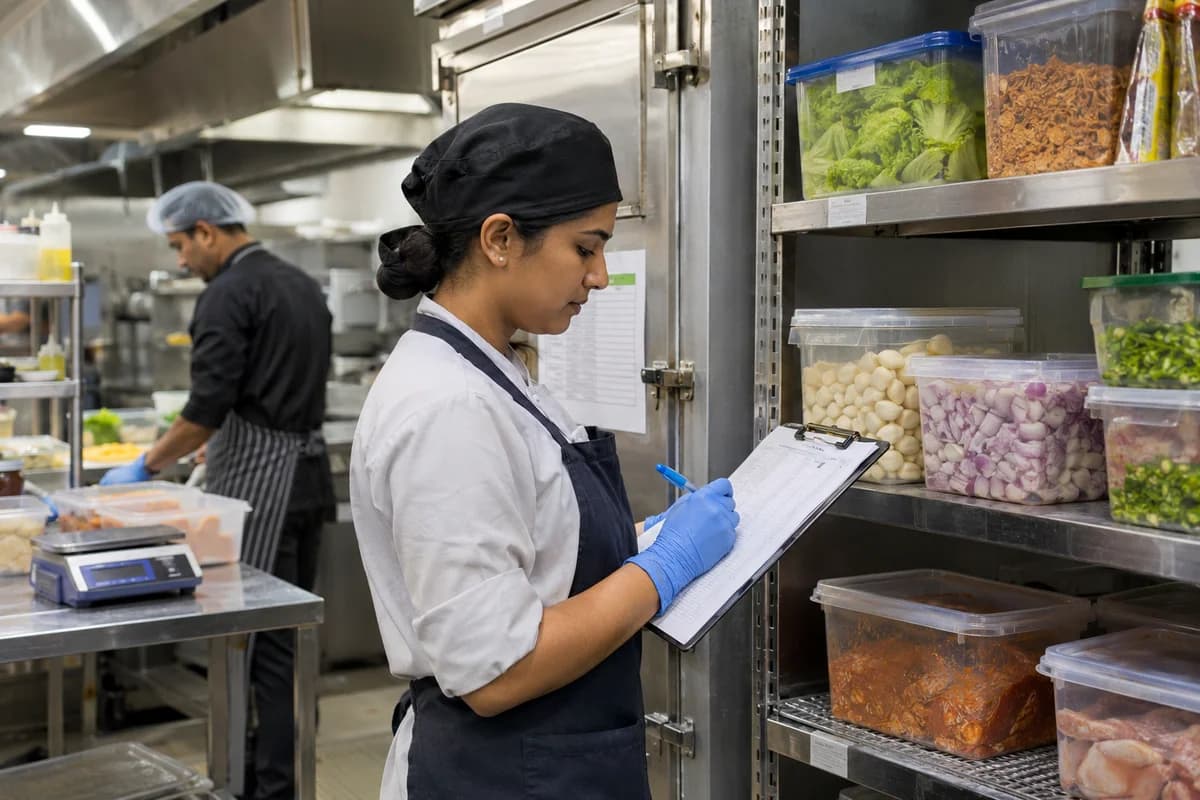
The shared walk-in holds chicken, paneer, rice and sauces used by more than one brand. Every issue to a brand is booked as it leaves. Short-dated items are listed first.
Bring the records the workflow depends on.
- Item and location list
- Opening quantities
- Reorder and movement rules
Outputs to check
- Item-location balance register
- Movement and count-adjustment history
- Replenishment exception list
Follow the stock tracking and alerts workflow.
Use this sequence to compare your current process with the proposed module. Agree the owner, permission and exception at each step.
Who uses the module, and who approves?
Keep responsibilities distinct even when one person holds more than one role.
Decide how exceptions are handled.
These business rules belong in configuration and testing. A normal transaction alone does not demonstrate that the workflow is ready.
Can this work independently?
Stock tracking can run from entered receipts and issues, but every physical movement needs a record. Purchase, sales, production and warehouse connections provide those movements. Reorder alerts signal a threshold; purchasing still decides quantity, supplier and approval.
Systems and records it connects with
- Purchase order management: Authorised supplier commitments and open line balances.
- Goods receipt: Counted, accepted and rejected supplier-delivery quantities.
- Point of sale billing: Counter sales, tender records and authorised returns.
- Multi-outlet stock: Outlet quantities and acknowledged transfer movements.
Configure, test and introduce the workflow.
- Show us the godown and the counters. A note lists the locations and the item groups.
- Supply levels per item and place, or ask for suggestions from history. Balances and alerts then appear for trial. A count is taken and loaded as the opening balance. The team checks a sample against the shelf.
- Each group practises receipts, issues and transfers. Short cards for the shelves follow. Alerts reach named people. A review once the opening season ends lists slow stock.
Check the result before rollout.
Apply these checks to a sample from the agreed workflow, then repeat with an exception. Keep the expected result beside the test record.
- Movements reconcile with location balances.
- Count adjustments retain approval.
- Alerts use the correct item and location threshold.
How the business operates.
A cloud kitchen has no dining room. It has a pass, a row of stations and three or four delivery brands that all draw on the same walk-in fridge.
The records that hold the operation together.
- Channel order intake. Bring orders from each delivery app and the brand’s own link into one queue, tagged by brand, channel and promised pickup time, with accept and reject rules.
- Brand menus and item pauses. Keep a separate menu for each virtual brand over shared recipes, and pause an item on every brand at once when its ingredient runs out.
- Station tickets and kitchen screens. Split each order into tickets for grill, fryer, wok and cold pass, and show the pass which parts of a combo are still open.
- Prep lists and batch cooking. Build the morning prep list from expected orders, record gravies and marinades made in batches, and note the discard time of each batch.
Operational bottlenecks to check
Each app is a separate tablet
Orders, menu edits and item pauses are handled app by app. A dish sold out on one brand stays live on another, and the kitchen cooks an order it cannot finish.
Every brand draws on one walk-in
Chicken, rice and sauces are shared across menus, yet stock is counted once a week. Nobody knows which brand consumed the chicken thighs or the marinated wings.
How work flows across this business
This module sits within a wider operating process. Use the sequence to identify the other teams and records affected by a change.
1. Menu and brand setup
Each virtual brand gets its menu, prices and packaging. Recipes are shared. Item availability is controlled once and pushed to each channel as far as its access allows.
2. Order intake
Orders from each delivery app and any direct link enter one queue, tagged by brand and channel with a promised pickup time. The manager accepts or rejects against kitchen load.
3. Cook
Each order splits into tickets for the grill, fryer, wok and cold pass. Cooks mark their part done, and the pass sees when every part of a combo is ready.
4. Pack and hand over
The packer seals the box and adds the label. Then the order is marked packed. The rider’s arrival and pickup time are recorded so waits at the hatch are measured.
5. Stock and prep
Cooked dishes deduct their recipes from the shared walk-in. Tomorrow’s prep list is built from expected orders and what the fridge already holds.
6. Settle
Each app’s payout statement is matched to its orders, commission, refunds and penalties. The owner reads profit by brand after all deductions.
Industry reports to connect with
- Orders by brand, channel and hour
- Ingredient use by brand against purchases
- Plate cost and margin after commission by dish
- Rider waits at the hatch by app
Questions before implementation.
When should cloud kitchens consider stock tracking and alerts?
Use when the business holds physical stock or consumables requiring quantity control. Goods are received, issued, transferred or counted.
What should we bring to the requirements discussion?
Bring anonymised examples of Item and location list; Opening quantities; Reorder and movement rules. Show who creates, checks and changes each record. Use only records from an activity that meets the suitability conditions above.
Does this replace our existing business software?
The starting point is your current system and the gap you need to close. Record stock movements and flag items reaching configured levels. Configuration, a connected module or a custom build are evaluated against that gap before a replacement is proposed.
What is outside this module?
Recorded balances depend on timely movement entries. Physical availability must be confirmed through the agreed count and reservation process.
How are scope, price and rollout decided?
The proposal follows a review of your records, user roles, branches and existing software. Data migration, connections, training and support are scoped separately where needed. Movements reconcile with location balances. Use this check when reviewing the first working version.
Related functions for cloud kitchens.
Discuss stock tracking and alerts for your business.
Tell us which workflow needs attention and which systems your team uses. The next step is a requirements discussion and a written scope.
What happens after you share your requirements
- We review your brief and the systems you already use.
- We clarify the workflow, missing information and the work to consider first.
- The proposed scope sets out the deliverables, responsibilities and dependencies.
- Review the scope and commercial terms before deciding whether to proceed.
Start with your requirements
Describe your current process, the people involved and the change you need. Start with the details you know; we can clarify the rest together.
Share your requirements