Business solutions for Commercial refrigeration companies
Explore software for work such as “Cold rooms for fruit, vegetable and flower traders”. Review each business function below, including when it fits and what to check before implementation.
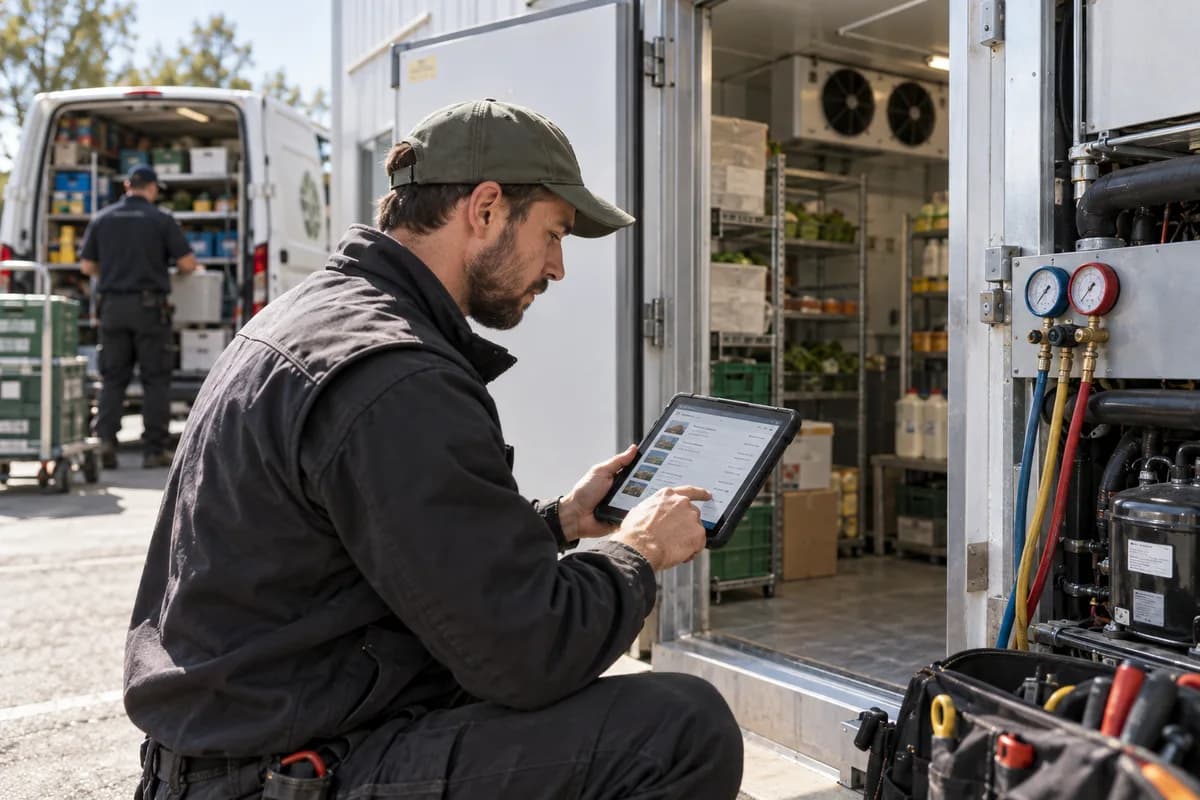
How the business operates.
A customer with a failed cold room has stock at risk within hours. The call is urgent. The unit dates from years back, and the engineer needs its make, its refrigerant type and what was done last time before leaving the yard.
The records that hold the operation together.
- Customer sites and unit register. Hold each site with its cold rooms, cabinets, evaporators and condensing units, including serial numbers, refrigerant types and install dates.
- Fault calls and dispatch. Log breakdowns with the unit, symptom and stock at risk, and assign the nearest engineer who holds the right skill and the right parts.
- Planned maintenance calendar. Generate visits by contract and unit, with checklists for filters, coils, door seals, defrost cycles, drain heaters and controller settings.
- Maintenance contracts and renewals. Record cover, visit counts and fees by contract, and flag each renewal before it lapses.
- Refrigerant and gas log. Record gas added, recovered and returned by unit, cylinder and engineer, with leak test results and tare weights, and print a record on request.
- Van and store stock. Track compressors, fan motors, controllers, solenoid valves, contactors and gas by van and store, with reorder levels for common parts.
- Installation jobs and commissioning. Quote and run new installations in stages, with brazing, nitrogen pressure tests, commissioning readings, drawings and handover documents on the job.
- Service reports and signatures. Capture readings such as superheat and subcooling, work done and parts used on a phone, and take the customer’s signature at the site.
Operational bottlenecks to check
Unit history lives in memory
The engineer who installed a cold room knows its quirks, its awkward valves and the pipework behind the wall, and none of it is written anywhere. Once that engineer is away, whoever opens the plant room next starts with guesses and rings a customer who cannot say either.
Refrigerant is not traced to a unit
Gas is bought in cylinders, topped up on site and recovered from old plant. Without a record by unit and cylinder, an audit request becomes a search through job sheets.
Urgent calls compete for the same engineer
A failed freezer and a routine service are both on the board for today. The dispatcher decides from a phone list, not from the value of stock at risk, the position of each engineer or the parts that each van is carrying.
Contract renewals are missed
Planned visits and renewal dates live in a diary or on a sheet. A customer discovers the lapse when a unit fails.
Parts on the van are unknown
An engineer drives out to a customer’s site and finds the van has no fan motor, though the store holds one on its shelf. The second visit costs a day. It could have been avoided.
Follow the work across teams.
This is a planning flow. Confirm the steps, owners and approval rules against your actual operation.
Roles and responsibility boundaries.
Reports your managers need.
- Fault calls broken down by unit, type and engineer
- Recurring faults, by make and model
- Planned visits completed against missed
- Contracts approaching renewal
- Gas charged and recovered, unit by unit
- Leak test results by unit and date
- Parts used, and lines that have fallen below reorder level
Connections to scope
- WhatsApp or other messaging
- SMS
- Temperature monitoring alerts
- Online payment gateway
- Accounting export
Confirm data access, record ownership and the exchange method for each connection. Inclusion here does not mean every connection is available in a standard package.
Setup decisions and adoption risks.
Use these requirements to plan phases, data migration and user training. Agree the release sequence after reviewing your current systems.
Limitations to settle before implementation
- A lone engineer who attends only a handful of breakdowns each week can get by with a phone and a pocket diary.
- Companies mainly installing and servicing air conditioning for comfort cooling may prefer HVAC Service Management Software.
Modules to consider first.
These functions connect to the operating model above. Confirm each one against the work your business actually runs.
Choose the operation you want to improve.
Use these activities to explain your scope. Your business does not need every function in the directory.
- Cold rooms for fruit, vegetable and flower traders
- Walk-in coolers and freezers for hotels and restaurants
- Display chillers and counters for bakeries, sweet shops and supermarkets
- Bulk milk coolers and dairy chilling units
- Ice plants, ice-cream and cold drink outlets
- Pharma and vaccine cold storage rooms
- Blast freezers for meat, fish and ready-to-eat food
- Annual maintenance contracts and spare parts
- Retrofit and energy-saving upgrades for old compressors
Explore the business functions.
Production, stock, fleet and recurring billing functions apply only where your business runs those activities. Read the suitability conditions on each page.
Assets and Fleet
Finance & Accounting
CRM
Field Service
Service Reminders
Track due service events and their follow-up messages.
View workflow and suitability →Service Reports and Proof of Visit
Record work performed and the evidence of a service visit.
View workflow and suitability →Technician Scheduling
Assign service work to suitable available technicians.
View workflow and suitability →
Inventory Management
Helpdesk
Start with the problem your team can describe.
Bring a sample record and show where information is copied, missed or waiting for approval. Scope the first useful change from there.
What happens after you share your requirements
- We review your brief and the systems you already use.
- We clarify the workflow, missing information and the work to consider first.
- The proposed scope sets out the deliverables, responsibilities and dependencies.
- Review the scope and commercial terms before deciding whether to proceed.
Start with your requirements
Describe your current process, the people involved and the change you need. Start with the details you know; we can clarify the rest together.
Share your requirements