Task Management for Contract farming companies
Give project work an owner, due date and visible status.
Does this function belong in your operation?
Use when work crosses people or requires follow-up beyond personal reminders.
A piece of work needs assignment or follow-up.
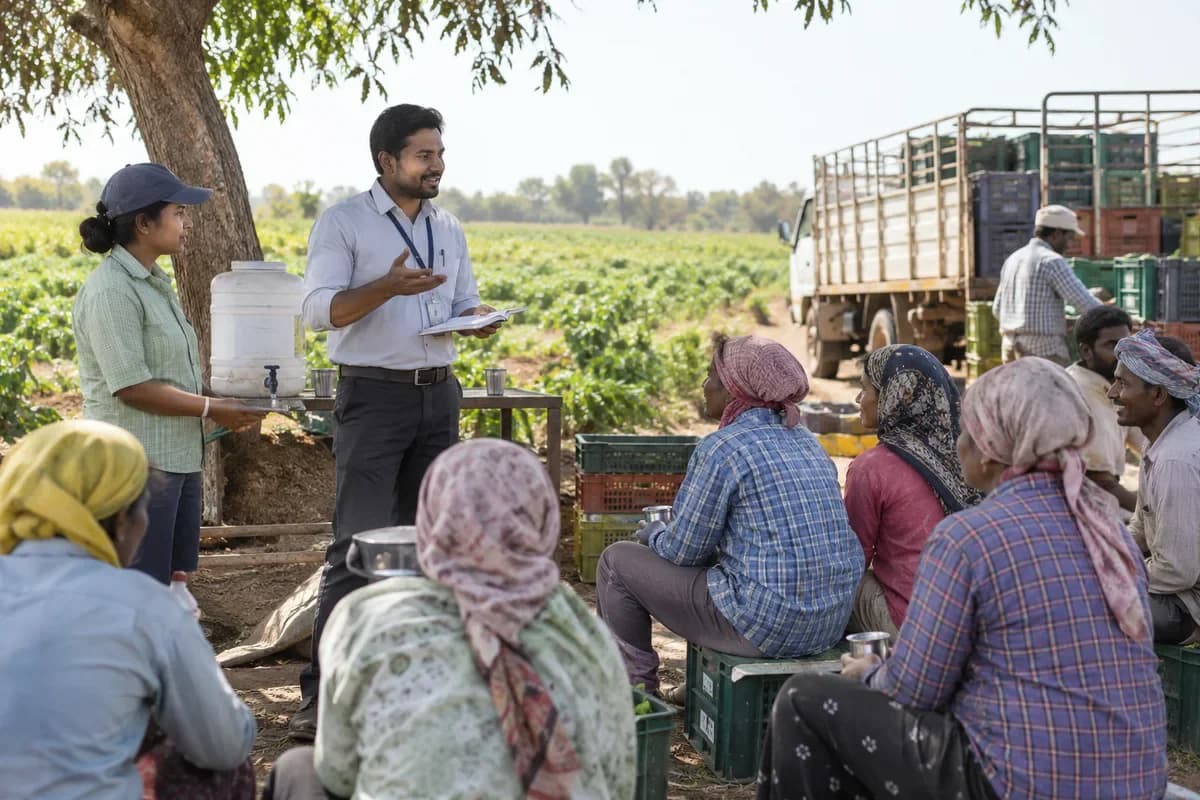
Visits to check germination, a spray round or harvest readiness are set as tasks for an officer by plot and date. Missed visits stay open. The area manager sees which village lacks cover.
Bring the records the workflow depends on.
- Task descriptions
- Owners and due dates
- Project and dependency references
Outputs to check
- Owned task register
- Overdue and blocked-work list
- Completion and handover history
Follow the task management workflow.
Use this sequence to compare your current process with the proposed module. Agree the owner, permission and exception at each step.
Who uses the module, and who approves?
Keep responsibilities distinct even when one person holds more than one role.
Decide how exceptions are handled.
These business rules belong in configuration and testing. A normal transaction alone does not demonstrate that the workflow is ready.
Can this work independently?
Tasks can stand alone with named users and due dates. Project schedules, time records and document approvals provide context when connected. Completing a task should not automatically post an invoice, release stock or approve a document unless that separate handoff is explicitly designed.
Systems and records it connects with
- Project timelines with Gantt charts: Planned dates, dependencies and recorded milestone progress.
- Project time tracking: Approved task hours and their billable classification.
- Notifications: Approved event messages and delivery or failure status.
- Client portal: Permitted customer documents, requests and account views.
Configure, test and introduce the workflow.
- Name the kinds of tasks your team handles. We return task types and checklists for each.
- List the clients or projects tasks belong under. A structure arrives to browse. Open tasks from your sheets or chats are loaded. Owners are checked and dates fixed.
- A few people use it daily. Phone use is tested, and the rest join after changes.
Check the result before rollout.
Apply these checks to a sample from the agreed workflow, then repeat with an exception. Keep the expected result beside the test record.
- Open tasks have an owner.
- Overdue tasks are identifiable.
- Closed work retains its completion record.
How the business operates.
The company never owns the field. It owns an agreement with several hundred growers, each holding a small plot of gherkin or sugarcane, a seed pack, a fertiliser advance and a promised delivery date. Most of that promise lives in a ledger at the area office, beside a stack of signed agreements, and the ledger ages faster than the crop.
The records that hold the operation together.
- Grower registry. Hold each grower’s identity, bank account, cluster and field officer, with the signed agreement, land record copy and nominee details attached to the file. Nothing lives in a cabinet.
- Agreement terms. Record crop, season, price band, grade rules, delivery window and recovery terms as fields the weighbridge reads, and keep the dated history of every revision to those terms. Old terms never vanish.
- Plots and crop calendar. Register each plot with area, variety, sowing date and expected harvest week, and let the calendar show which clusters are sowing, flowering or ready for the first picking. Harvest weeks drive trucks.
- Input store and issue. Receive seed, fertiliser and crop protection by batch number, issue them to growers against their agreements, and show the stock remaining in each store. Issues carry batch numbers.
Operational bottlenecks to check
Agreements are in cabinets, not linked
The price band, grade rules and delivery window sit on a signed paper, and a collection centre clerk applies them from memory. Growers dispute the slip.
Input advances are lost in a ledger
Seed, fertiliser and sprays go out in the pre-season rush, and weeks later finance cannot tell how much each grower owes before settlement. Recovery becomes a guess.
How work flows across this business
This module sits within a wider operating process. Use the sequence to identify the other teams and records affected by a change.
1. Sign the grower
The sourcing team records the grower, the plots with survey numbers, the crop and the agreement terms, and a cluster and a field officer are assigned to the file. Terms are entered as fields.
2. Issue inputs
Seed, fertiliser and crop protection leave the store against the agreement with batch numbers noted, and the value is added to the grower’s advance balance the same day.
3. Visit and forecast
Field officers log germination, crop stage, pest notes and a yield estimate for each plot, and the forecast for the cluster is built from those visits. Nobody forecasts from memory.
4. Plan procurement
Each plot carries a harvest week, and from it the system books trucks and pickup days for the whole cluster, then messages every grower with the slot and the collection centre.
5. Weigh and grade
Each lot is weighed at the centre, read for moisture or grade, and printed on a slip showing gross, tare and net weight. Rejected quantity gets a reason.
6. Settle and dispatch
Payment is computed from accepted weight, price band and advance recovery, lots go to the processor with delivery notes, and intake weight is reconciled against centre totals.
Industry reports to connect with
- Agreements, area and expected volume by crop and cluster
- Input issues and advance balances by grower
- Field officer visits done against plan
- Forecast against procured weight, by cluster and week
Questions before implementation.
When should contract farming companies consider task management?
Use when work crosses people or requires follow-up beyond personal reminders. A piece of work needs assignment or follow-up.
What should we bring to the requirements discussion?
Bring anonymised examples of Task descriptions; Owners and due dates; Project and dependency references. Show who creates, checks and changes each record. Use only records from an activity that meets the suitability conditions above.
Does this replace our existing business software?
The starting point is your current system and the gap you need to close. Give project work an owner, due date and visible status. Configuration, a connected module or a custom build are evaluated against that gap before a replacement is proposed.
What is outside this module?
A completed status records the team's decision rather than independent proof that work meets a standard.
How are scope, price and rollout decided?
The proposal follows a review of your records, user roles, branches and existing software. Data migration, connections, training and support are scoped separately where needed. Open tasks have an owner. Use this check when reviewing the first working version.
Related functions for contract farming companies.
Discuss task management for your business.
Tell us which workflow needs attention and which systems your team uses. The next step is a requirements discussion and a written scope.
What happens after you share your requirements
- We review your brief and the systems you already use.
- We clarify the workflow, missing information and the work to consider first.
- The proposed scope sets out the deliverables, responsibilities and dependencies.
- Review the scope and commercial terms before deciding whether to proceed.
Start with your requirements
Describe your current process, the people involved and the change you need. Start with the details you know; we can clarify the rest together.
Share your requirements