Business solutions for Diagnostic centres
Explore software for work such as “Health check-up packages”. Review each business function below, including when it fits and what to check before implementation.
How the business operates.
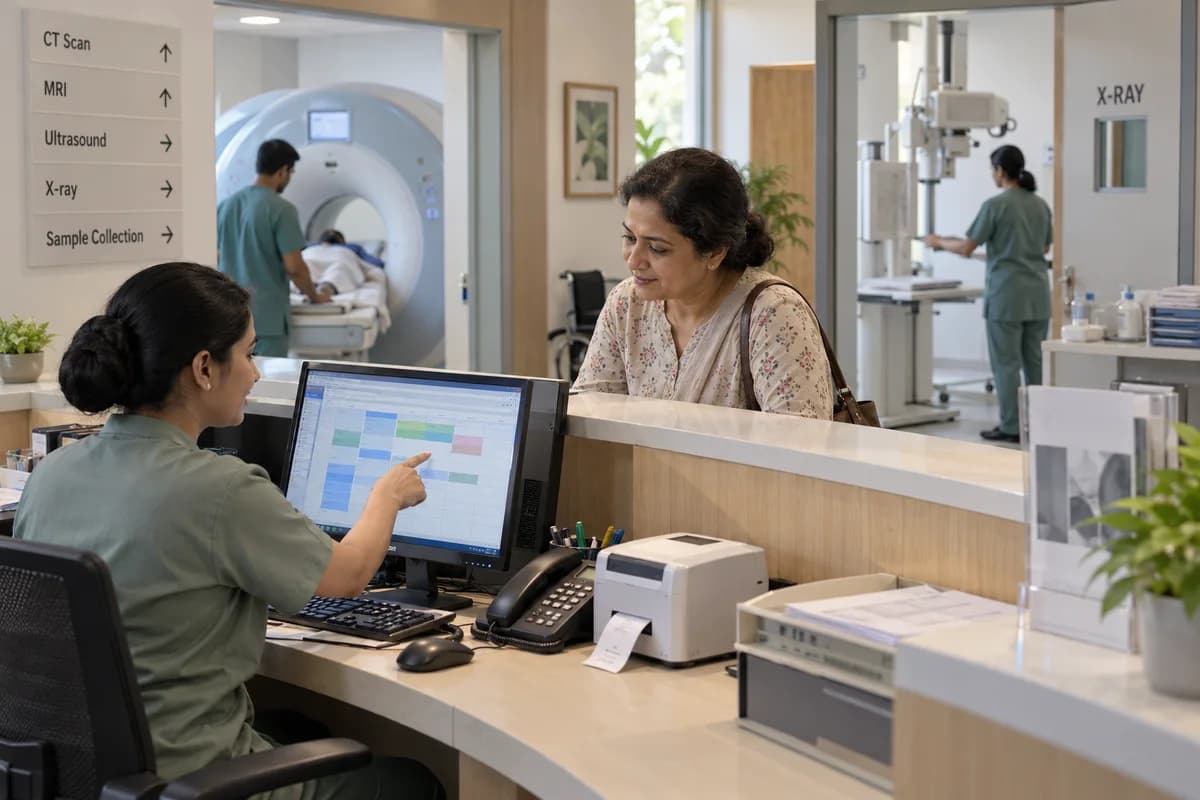
A centre with an X-ray room, two ultrasound rooms and a CT scanner handles walk-ins, booked scans, hospital referrals and health check packages through one front desk. That desk is the bottleneck.
The records that hold the operation together.
- Patient registration and visits. Register each patient once, found by phone number or ID, with every visit, prescription, referrer and report on the same record.
- Slot booking by machine. Book ultrasound, X-ray, CT, MRI and other rooms by slot. The preparation each scan needs is printed or sent at booking, so fasting and test values are asked for in advance.
- Rate lists and health packages. Keep separate rate lists for walk-ins, hospitals, corporates and camps. Group scans and tests into health check packages.
- Billing, dues and refunds. Bill each visit from the right rate list, take part payments, record every discount with the person who approved it, and refund a cancelled scan with the reason written down.
- Study worklist and status. Follow every study through booked, scanned, in draft, signed and delivered, with views by room, modality and radiologist.
- Report templates and sign-off. Write reports from templates set per modality and study. The radiologist’s sign-off locks the version that goes out.
- Report delivery. Print signed reports with films or a CD, or send a PDF by email or through the centre’s WhatsApp Business account.
- Sample collection and lab results. Label samples with a barcode at the counter or on a home visit, enter results against each test, and hold them until the pathologist approves.
Operational bottlenecks to check
Every machine keeps its own diary
Ultrasound uses a register, CT uses a sheet, and the desk cannot see either while a caller waits on the line. Double bookings follow.
Preparation is missed
A patient arrives for an abdomen scan after breakfast, or for a contrast study without a recent creatinine value. The slot is lost.
Nobody can say where a report stands
A study may be scanned, in draft, waiting for the radiologist or printed, and each stage is checked by walking to the reporting room. Patients keep calling.
Draft reports leave the building
A typed draft is printed before the radiologist corrects it, and two versions of the same report are now in circulation. That is hard to undo.
Credit statements are built by hand
Hospitals, corporates and camp organisers pay monthly, and the statement is assembled from bill copies at month end. Some bills never reach it.
Follow the work across teams.
This is a planning flow. Confirm the steps, owners and approval rules against your actual operation.
Roles and responsibility boundaries.
Reports your managers need.
- Studies by modality, machine and day
- Reports awaiting sign-off, by radiologist
- Visits by referring doctor and hospital
- Credit dues by hospital and corporate
- Collections, discounts and refunds by day
- Consumables to reorder and items near expiry
Connections to scope
- WhatsApp Business account
- SMS
- Bank transfer and card payments
- Existing PACS or viewer, where it allows
- Barcode and label printer
- Accounting package export
Confirm data access, record ownership and the exchange method for each connection. Inclusion here does not mean every connection is available in a standard package.
Setup decisions and adoption risks.
Use these requirements to plan phases, data migration and user training. Agree the release sequence after reviewing your current systems.
Limitations to settle before implementation
- A centre still needs a PACS to store and view images. This system links to one where it allows, and does not replace it.
- Hospital radiology departments run inside the hospital’s own information system, not a separate centre system.
Modules to consider first.
These functions connect to the operating model above. Confirm each one against the work your business actually runs.
Choose the operation you want to improve.
Use these activities to explain your scope. Your business does not need every function in the directory.
- Health check-up packages
- Senior citizen and executive check-ups
- Combined blood tests and scans
- Cardiac screening with ECG and echo
- Women's health packages
- Diabetes and lifestyle screening
- Corporate and school camps
- Cashless and insurance patients
Explore the business functions.
Production, stock, fleet and recurring billing functions apply only where your business runs those activities. Read the suitability conditions on each page.
Bookings and Appointments
Sales and Distribution
Commission and Incentives
Calculate incentive amounts from approved sales or collection rules.
View workflow and suitability →Credit Limits and Control
Apply customer credit terms and review orders that exceed limits.
View workflow and suitability →Price Lists and Schemes
Apply dated price lists and promotional rules to eligible transactions.
View workflow and suitability →
Finance & Accounting
Inventory Management
Platform
Start with the problem your team can describe.
Bring a sample record and show where information is copied, missed or waiting for approval. Scope the first useful change from there.
What happens after you share your requirements
- We review your brief and the systems you already use.
- We clarify the workflow, missing information and the work to consider first.
- The proposed scope sets out the deliverables, responsibilities and dependencies.
- Review the scope and commercial terms before deciding whether to proceed.
Start with your requirements
Describe your current process, the people involved and the change you need. Start with the details you know; we can clarify the rest together.
Share your requirements