Health and wellness · Software for diagnostic and imaging centresBook scans by machine, follow each study to sign-off, and bill referrers and corporates from one record.
A diagnostic centre runs X-ray, ultrasound, CT or MRI beside a collection counter, and each machine keeps its own slot book. Reports wait for a radiologist, then for a print, then for a phone call. The software books slots by machine, follows each study from registration to a signed report, and keeps walk-in, package, hospital and corporate billing on the same visit.
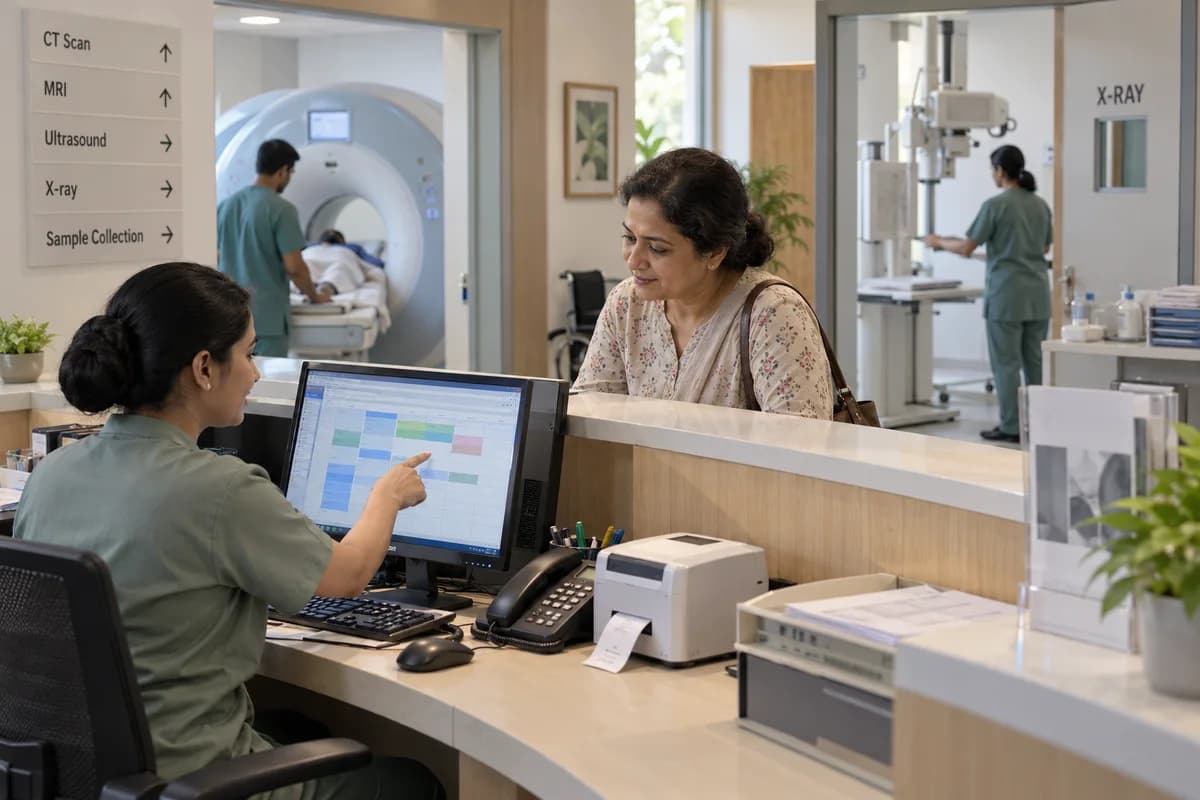
A centre with an X-ray room, two ultrasound rooms and a CT scanner handles walk-ins, booked scans, hospital referrals and health check packages through one front desk. That desk is the bottleneck.
Our diagnostic centre product is built around the study, not the invoice. Each scan carries its machine, slot, preparation, technician, radiologist and report status, so anyone at the centre can see where a patient’s report stands.
The day starts with each machine’s booked list: fasting patients for an abdomen scan, a contrast CT waiting on a creatinine value, and chest X-rays sent over by a nearby hospital. Walk-ins are fitted into the gaps. The desk bills, prints a token and seats the patient.
Technicians scan and send images to the centre’s image archive (PACS) or viewer. Radiologists, on site or reporting from home, open the study, type or dictate the findings from a template and sign. Critical findings are phoned to the referring doctor.
Signed reports are printed with films or a CD, or sent as a PDF. At month end, hospitals and corporates on credit get a statement, and the owner asks which referrers sent patients and which machines sat idle.
What goes wrong for diagnostic and imaging centres without a proper system.
What diagnostic and imaging centres gain from one system.
Not a feature list. These are the moments in the working day that go differently once the records sit together.
What we would build for diagnostic and imaging centres.
Named the way your team already talks about the work. We start with whichever part the audit shows is costing you most.
A requirements checklist for diagnostic and imaging centres.
What to cover, which reports to ask for and what to put to every vendor, ready to print or save as a PDF.
A product already built for diagnostic and imaging centres.
It is adapted to how your business works before it goes live, and anything your trade needs that it lacks is added then.
Diagnostic Centre Management Software
Slot booking by machine, study status, report templates and sign-off, report delivery, referrer and credit billing, and consumables for diagnostic and imaging centres.
What Diagnostic Centre Management Software covers, feature by feature
- Patient Registration and Visit Records
- Scan Slot Booking by Machine and Room
- Rate Lists and Health Check Packages
- Billing, Dues and Refunds
- Study Worklist and Status
- Report Templates and Sign-Off
- Report Delivery After Sign-Off
- Sample Collection and Lab Results
- Referrer and Credit Accounts
- Consent and Declaration Forms
- Films, Contrast and Consumables
Other products in the same sector as diagnostic and imaging centres.
- Addiction Treatment Centre Management Software
- Ayurveda Clinic Management Software
- Assisted Living Community Management Software
- Audiology Clinic Management Software
- Cardiology Clinic Management Software
- Hospital/Clinic Management System
- Chiropractic Clinic Management Software
- Counsellor and Psychotherapist Management Software
- Dental Clinic Management Software
- Skin and Aesthetics Clinic Management Software
- ENT Clinic Management Software
- Hospital Operations Management Software
- All industry products
The business modules diagnostic and imaging centres use most.
Each one is also available on its own, or inside a system built for you.
Appointment Scheduling
The CT, MRI and ultrasound rooms each have a slot book, with longer slots for contrast studies and fasting rules shown at booking. Walk-ins fill gaps. Radiologist availability is checked before an interventional slot is given.
Learn morePrice Lists and Schemes
Rates for an MRI of the spine, a health check package and a corporate panel differ, and each price list carries its own dates. Referrers with agreed rates are applied at the desk. Package discounts are listed.
Learn moreInvoice Management
A visit with a CT and a blood panel becomes one bill with the contrast charge itemised. Hospital and corporate bills are raised later from the visits. Paid and pending amounts show at the counter.
Learn moreWorkflow and Approvals
A study moves from technician to radiologist to sign-off before the report is released. Addenda need a second approval. A report held for a missing prior film is shown as waiting.
Learn moreWhatsApp, SMS and Email Notifications
Patients are told their report is ready and sent the preparation rules before a fasting scan. Referring doctors receive a link once signed. Delays on a busy machine reach those booked that day.
Learn moreCommission and Incentives
Referring doctors and collection agents are paid by agreed rates on scans and tests billed. Reversals follow cancelled studies. The accounts team reads the payout from signed bills.
Learn moreCredit Limits and Control
Hospitals and corporate clients send patients on credit, and outstanding bills are aged by account. A hospital past its limit is flagged before new scans are accepted. Statements go out with study lists attached.
Learn moreStock Tracking and Alerts
Contrast vials, X-ray films, ultrasound gel and ECG electrodes are counted against reorder levels. Contrast near expiry is flagged. The technician sees what is left before the first CT slot.
Learn moreAll solutions by area
- Applicant Tracking (5)
- CRM (8)
- Finance & Accounting (10)
- Helpdesk (4)
- Human Resources (13)
- Inventory Management (5)
- Project Management (7)
- Manufacturing (6)
- Procurement (4)
- Sales and Distribution (6)
- Field Service (5)
- Statutory and Compliance (4)
- Retail and POS (4)
- Bookings and Appointments (3)
- Subscriptions (2)
- Assets and Fleet (4)
- Platform (6)
- Analytics (2)
- Documents (1)
Where AI can help diagnostic and imaging centres.
Each one reads records you already keep, and a person approves every decision.
The services behind it.
ERP, CRM and Business Software Implementation
Machines, rooms, radiologists, referral sources and billing are set up as one centre system. Package, walk-in, hospital and corporate accounts share the visit record, and the owner reads referral income by source.
Learn moreWhatsApp Business API and Chatbots
Patients book a slot and receive scan preparation notes through a messaging app. A signed report can be delivered as a PDF to the patient or referring doctor, and the desk answers status questions from the study record.
Learn moreAPI and System Integration
Connections to the image archive (PACS), modality worklists and hospital systems link each scan to its patient and report. Studies registered at the desk appear at the scanner, and signed reports flow back to the referring hospital.
Learn moreData Protection and Privacy Readiness
Scans, reports and referral histories are health data. Consent, role-based access, retention of images and reports, and a log of every opened study are set up. The centre can then show how records are protected.
Learn moreAll our other services
- Business Process Automation
- Custom Software and Product Engineering
- Software Maintenance, Support and Rescue
- AI and Intelligent Automation
- Data Engineering and Business Intelligence
- UI/UX Design and Prototyping
- Cloud Engineering and Managed Infrastructure
- DevOps & Automation Services
- QA and Software Testing
- Performance Engineering
- Cybersecurity and Application Security
- IoT and Edge Computing
- Technology Strategy and Product Consulting
- E-Commerce and Digital Commerce
- MVP Product Development
- Web and Mobile Application Development
- SaaS Product Development
- Data Migration and Moving Off Spreadsheets
- Training and Adoption
- Tax and e-Invoice Engineering
- Managed IT Support
- Dedicated Team and Staff Augmentation
- Business Intelligence and Reporting Tools
- Cloud Cost Optimisation
- Global Compliance and Localisation
Written for diagnostic and imaging centres.
Practical notes on running the business, not product marketing.
How the work runs from Bengaluru for your city.
- 1
The audit, by call
A screen-share and a look at the sheets, accounting reports and WhatsApp groups your team uses. No travel needed.
- 2
A written proposal
Scope, what we build first and the cost, agreed in writing before anything starts.
- 3
Build in short rounds
Working screens shared every few weeks. Your team tests them from your own office.
- 4
Go-live, in person when it helps
For data migration and training we can come to your city. Travel is agreed in advance.
- 5
Support online
Fixes, changes and hosting handled remotely by the same team that built it.
Software we have built and run in this sector.
Published with the client’s agreement, with what was built and what changed.
Check the difficult cases before choosing software.
Use examples from your own records to test the workflows that matter in your business.
Slot booking by machine and room
What becomes available when a booking is moved or cancelled?
Use “Slot booking by machine and room” to move a booking, then cancel a second example. Check the released slot, the person or resource still assigned, and any amount left to settle before accepting the revised schedule.
Background reading: ERPNext: appointment records
Report templates and sign-off
What needs fresh approval after a record is changed?
For “Report templates and sign-off”, change a material detail after approval during a scoped walkthrough. Agree the next responsible person and the evidence needed before the work can continue.
Background reading: ERPNext: approval transitions
Questions diagnostic and imaging centres ask before they call.
Is it a PACS image archive?
No. Images stay in the centre’s existing PACS or viewer, and the study record links to them where that system allows. The software handles bookings, billing, report status and delivery.
Can the CT or ultrasound machine pick up the patient list directly?
Not on its own. Modality worklist interfacing is scoped per machine model during implementation. Where a machine cannot take it, the technician enters the patient at the console as today.
Can radiologists report from home?
Yes. The reporting screen opens in any browser, and a radiologist who has been given access writes and signs from home. Images open in the centre’s own viewer.
Does it keep the forms and registers our licence asks for?
It keeps the forms and registers the centre sets up, each tied to the patient, doctor and date. What those records must contain is for the centre and its adviser to confirm.
What moves the imaging system quotation?
Choosing slot booking first, or study tracking, or report sign-off, changes the base most. Rooms and machines matter, as do users. An image archive link can add effort. Slot booking can be dropped.
Gathering for the imaging system: what first?
Bring machine diaries, preparation instructions, report templates and a credit statement sample. Contacts from reception, technicians and radiologists are needed. Samples of preparation instructions help most.
Who owns the study records after we stop?
Study records, report templates and referrer accounts all belong to the centre, code included. Plain-file exports cover study records, report templates and referrer accounts. The imaging system builders keep supporting study records.
What happens after I share my requirements?
We review your brief and clarify the work with you. We then look at the software, spreadsheets and WhatsApp groups your business runs on today and write down what works, what slows your team down and what is missing. A demo login, a screen-share or a few screenshots are enough. You get a short written summary ordered by priority, with no obligation to hire us afterwards.
How much will the software cost?
We don’t publish a price, because it depends on what the system has to do. That first review settles the scope, and the cost goes into a written proposal before any work starts.
Related industries.
- Addiction treatment centres
- Alternative medicine practices
- Assisted and senior living communities
- Audiology and hearing clinics
- Cardiology clinics
- Chiropractic clinics
- Clinics and doctors
- Counsellors and psychotherapists
- Dental clinics
- Dermatology clinics
- ENT clinics
- Eye hospitals and clinics
- Fertility and IVF clinics
- Gyms and fitness studios
- Hospice providers
- Hospitals and nursing homes
- In-home care providers
- Nutritionists and dietitians
- OB-GYN clinics
- Occupational therapy clinics
- Optometrists
- Orthodontic clinics
- Orthopaedic hospitals and clinics
- Pathology labs
- Physiotherapists
- Plastic surgery clinics
- Podiatry clinics
- Psychiatry clinics
- Speech therapy clinics
- Telehealth providers
- Urgent care centres
- Urology clinics
- Veterinary clinics
- Wellness centres
Part of a wider group.
Tell us how your business runs today.
A few lines on your spreadsheets, software and WhatsApp groups is enough. We reply the same working day.
What happens after you share your requirements
- We review your brief and the systems you already use.
- We clarify the workflow, missing information and the work to consider first.
- The proposed scope sets out the deliverables, responsibilities and dependencies.
- Review the scope and commercial terms before deciding whether to proceed.
Start with your requirements
Describe your current process, the people involved and the change you need. Start with the details you know; we can clarify the rest together.
Share your requirements