Scan Slot Booking by Machine and Room
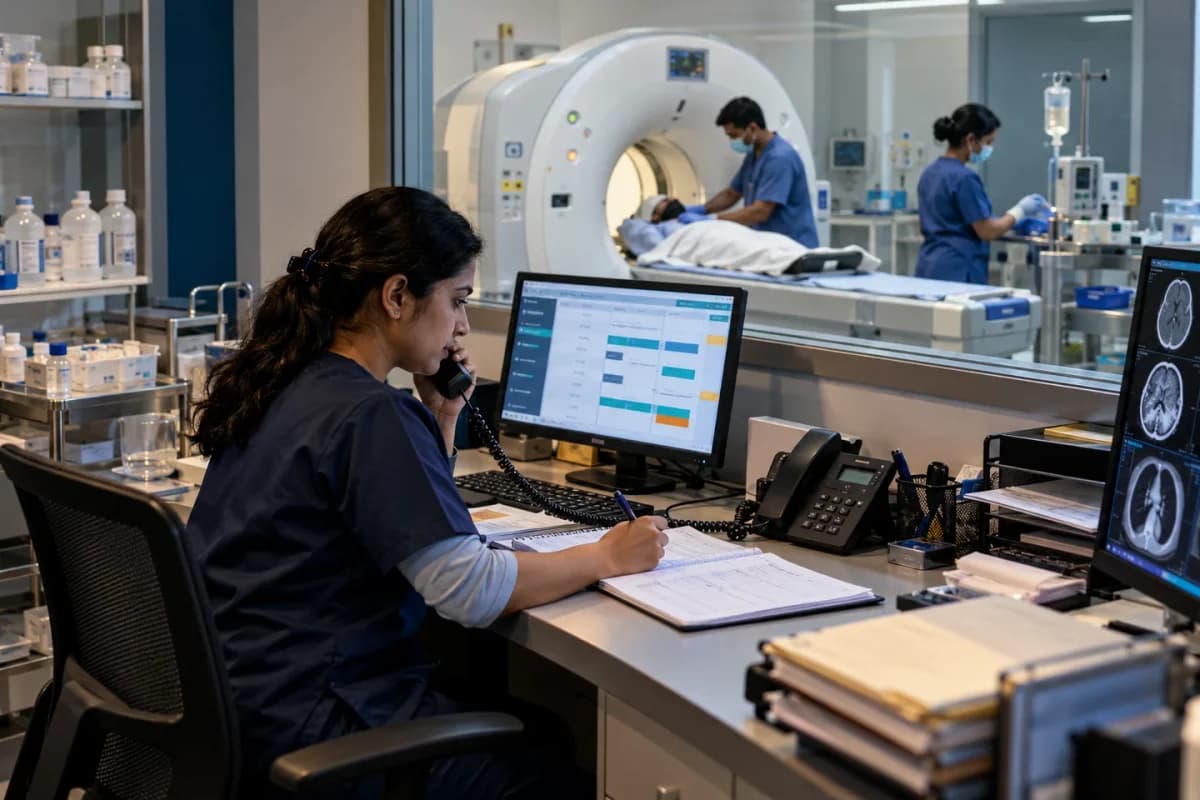
Bookings are made against a machine and a room, not a general diary. The desk sees which ultrasound room is free at eleven, which CT slot is held for a contrast study, and which hours are blocked for service.
How slots are set up
Each room has its working hours and the studies it can do. A slot length is set per study, so a whole abdomen takes longer than a single-part X-ray.
Preparation at the time of booking
Every study can carry its own preparation note. An abdomen scan may ask for fasting. A pelvic scan may ask for a full bladder. A contrast study may ask for a recent creatinine value. The note is printed on the booking slip or sent by message, using the wording the centre approves.
Walk-ins and reschedules
A walk-in is placed in the next gap the desk can see. A patient who calls to move a slot is shifted, and the old slot opens for someone else. Missed bookings are marked, so the owner can see how often they happen.
Why scheduling decides turnaround
Radiology workflow writers describe the first stage as order to exam. A centre that schedules well keeps machines busy and patients short of waiting, and the later stages of reading and reporting start on time. Poor scheduling leaves a machine idle at ten and a queue at noon.
A morning with the slot grid
Early on, the desk reads the grid for each room and notes the blocked hours and contrast slots. It also checks that each booked patient has received the preparation note. During the day, walk-ins fill the gaps and late arrivals shift the order. Late in the shift, the desk reads the list of missed bookings and calls those patients to rebook them.
Cutting no-shows and late starts
Patients miss scans for ordinary reasons: they forgot the fasting rule, the hour did not suit them, or the preparation note never reached them. A reminder the evening before, plain wording on the booking slip and a chance to reschedule by phone address most of these causes. The record of missed bookings then shows whether a particular study or day is the problem.
What makes a slot grid realistic
A grid that ignores the room does not help. Real slots depend on patient prep, change of gown, contrast injection and cleaning between patients.
Slot grid questions for the vendor
Ask how the grid handles the awkward cases.
- Can two machines in one room be booked separately?
- What happens to booked patients when a machine breaks down?
- Can a package visit reserve a CT and an ultrasound back to back?
- Can the desk see no-show rates by study?
Slot grid use from first call to last scan
After that, a slot grid earns its place daily. Machine hours, room readiness and patient preparation meet on one screen. Here is how the booking desk, the technologist and the supervisor use it from opening to closing, each reading a different corner of the same day.
Rules fixed before booking opens
A realistic grid comes from decisions taken before the first booking, not from mending mistakes afterwards. Staff then book inside it without negotiating each slot. Four choices matter first.
Agree the evidence before signing off this part.
Use a representative scenario to decide what this part of the system must show and where review is still needed.
Preparation at the time of booking
What becomes available when a booking is moved or cancelled?
Use “Preparation at the time of booking” to move a booking, then cancel a second example. Check the released slot, the person or resource still assigned, and any amount left to settle before accepting the revised schedule.
Background reading: ERPNext: appointment records
Frequently asked questions
Can patients book online?
A booking page can be added, showing only the slots the centre opens to the public. It is scoped during implementation.
Who writes the preparation instructions?
The centre does, with its radiologists. The system holds the text and sends it with the booking.
Does it send reminders before a scan?
Yes, where messaging is set up. A reminder with the preparation note can go the evening before.
What happens when a machine is down?
The service hours are blocked, and the desk sees which patients were booked in the affected slots. Moving them is a task for the desk.
Can slot length differ for a contrast study?
Yes. Each study has its own length, so a contrast CT can have more time than a plain scan.
Can we limit slots to a radiologist’s roster?
Slots follow the working hours of the room. Tying them to a named radiologist’s roster is a scoping point.
How this feature fits the system.
Diagnostic Centre Management Software: the parts that work with this feature, the trades that use it and the ways to put it in place.
Slot booking by machine
Ultrasound, X-ray, CT and MRI rooms are booked by slot, and the preparation for each scan is printed or sent at booking.
Appointment SchedulingRate lists and health packages
Separate rate lists serve walk-ins, hospitals, corporates and camps, and scans and tests are grouped into health check packages.
Price Lists and SchemesBilling, dues and refunds
Each visit is billed from the right rate list, with part payments, discounts logged with the approver, and cancelled scans refunded with a written reason.
Invoice ManagementTell us what you need.
Tell us what your team does today, where work gets stuck and what you want to change.
What happens after you share your requirements
- We review your brief and the systems you already use.
- We clarify the workflow, missing information and the work to consider first.
- The proposed scope sets out the deliverables, responsibilities and dependencies.
- Review the scope and commercial terms before deciding whether to proceed.
Start with your requirements
Describe your current process, the people involved and the change you need. Start with the details you know; we can clarify the rest together.
Share your requirements