Billing, Dues and Refunds
The bill is raised from the visit itself. Scans and tests come from the rate list that applies, payments are recorded as they arrive, and every discount or refund carries a name and a reason.
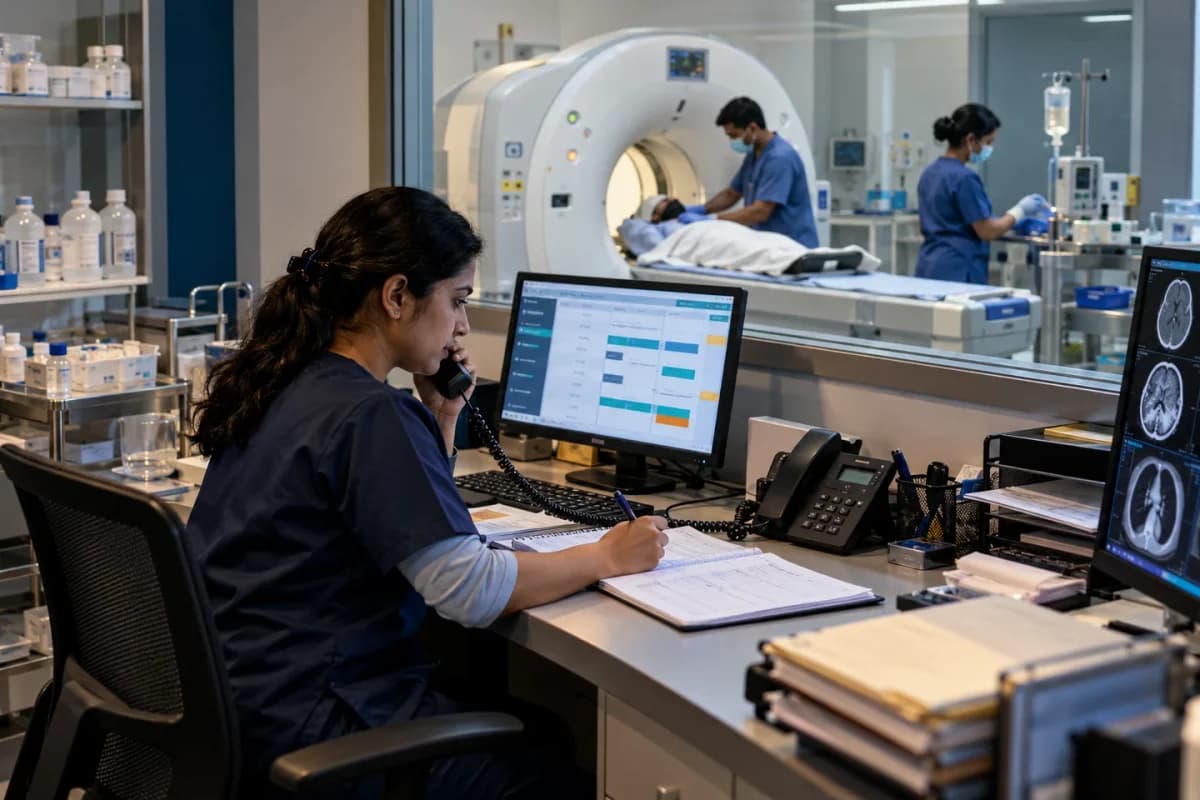
At the counter
The desk adds studies to the visit and the bill builds as it goes.
Cancellations and refunds
A scan cancelled before it is done can be refunded. The refund is linked to the original bill, with the mode and the reason. A study already scanned cannot be refunded from the desk without the owner’s approval.
Day close
At closing, the desk sees collections by payment mode, dues raised during the day and dues taken against older visits, alongside every discount and refund. Cash in the drawer is counted against the figure on screen. Any difference is noted, not hidden.
Where scan centres lose money
Leakage in a diagnostic centre is small and repeated. A concession given verbally and never logged. A study added after the bill was printed. A report released before the balance was paid.
- Discounts without a named approver.
- Studies done but not billed, because the visit and the machine list do not match.
- Dues that sit unchased until the patient is forgotten.
- Refunds paid in cash with no link to the first bill.
Questions for a vendor about scan centre billing
Check how billing joins the rest of the centre’s work.
Corporate and referrer bills
Visits billed to a hospital or a company follow a separate path, described on the credit account page. At the counter, the desk only picks the account and the visit carries its rates.
Following up dues that go quiet
A balance of a few hundred rupees is easy to forget, and enough of them together become real money. A list of open dues by age gives reception something to work through in quiet hours. Calls and messages are sent from that list, and each outcome is noted, such as a promise to pay or a dispute, so the next person to call knows the story.
A day-close routine that works
What the centre decides
Who may discount, how far, when refunds need the owner and whether reports wait for dues are all the centre’s own rules.
Billing and dues from counter to month end
At that point, the bill is touched by several people before it is settled. The counter raises it, the technologist’s worklist matches it, the cashier closes the day, and the accountant reviews the dues. Each looks at the same figures. The totals agree throughout.
Money rules to settle before the first bill
Money questions are quick to answer in advance and slow to answer in a dispute. Decide who may discount, when reports are held and what the accountant needs. Do it with the owner and the cashier. Do it early. Money talks are easier then.
Questions to settle before rollout.
Use a representative scenario to decide what this part of the system must show and where review is still needed.
Cancellations and refunds
What returns to stock, and what returns to the customer’s account?
Walk through “Cancellations and refunds” using a partly paid sale. Agree the physical return and the financial correction separately, with a reference to the original transaction.
Background reading: ERPNext: returns and credits
Discounts
Which rule wins when two rates or offers apply?
Use “Discounts” to check an ordinary sale and one that meets two pricing conditions. Ask for the calculation behind each final amount, rather than only the total.
Background reading: ERPNext: pricing conditions
Frequently asked questions
Can the report be held until dues are paid?
Yes, if the centre chooses that rule. The report shows as signed but held at the desk.
Does it produce GST invoices?
The invoice format follows what the centre’s accountant advises for its services. How tax applies is for that adviser to confirm.
Does it post entries to Tally?
Not built in. An export for the accountant can be arranged at implementation, as separately quoted work.
Can two people close the day on the same counter?
Each desk closes its own collections. Totals across desks are read by the owner.
Can a discount be limited by amount?
The centre can decide how far a desk may discount before a second approval is needed. Confirm the limit during setup.
What happens to a bill if a scan is cancelled midway?
The cancelled line is refunded with a reason and a link to the original bill. The remaining lines stay as billed.
How this feature fits the system.
Diagnostic Centre Management Software: the parts that work with this feature, the trades that use it and the ways to put it in place.
Slot booking by machine
Ultrasound, X-ray, CT and MRI rooms are booked by slot, and the preparation for each scan is printed or sent at booking.
Appointment SchedulingRate lists and health packages
Separate rate lists serve walk-ins, hospitals, corporates and camps, and scans and tests are grouped into health check packages.
Price Lists and SchemesBilling, dues and refunds
Each visit is billed from the right rate list, with part payments, discounts logged with the approver, and cancelled scans refunded with a written reason.
Invoice ManagementTell us what you need.
Tell us what your team does today, where work gets stuck and what you want to change.
What happens after you share your requirements
- We review your brief and the systems you already use.
- We clarify the workflow, missing information and the work to consider first.
- The proposed scope sets out the deliverables, responsibilities and dependencies.
- Review the scope and commercial terms before deciding whether to proceed.
Start with your requirements
Describe your current process, the people involved and the change you need. Start with the details you know; we can clarify the rest together.
Share your requirements