Journeys, wireframes and clickable prototypes prepared before development starts
UI/UX design and prototyping turns your requirements into user journeys, wireframes and clickable prototypes. Owners, staff and customers can tap through and approve them before a developer writes code. It suits new products and running software alike.
- A clickable prototype you can test. Build budget follows only after real users have tried it
- Design files that any development team can build from, in-house developers too
- Suitable for a new idea. Equally suitable for software that is already in use
We have done interface and prototype work for distributors, clinics, manufacturers, professional firms, schools and software product teams. The work spans new products, internal admin panels, dealer and customer portals, and redesigns of daily-use software, so most business interfaces are familiar ground.
Where Software Design Goes Wrong
Repeated Questions About the Same Screen
An accounts clerk asks a supervisor where a credit note is raised. It happens daily, and nobody counts the cost. A new joiner needs weeks to become productive, because the menus follow the database tables and not the order in which the work really happens.
Requirements Held Only as Words
Scope is agreed across meetings, email threads, voice notes and a few whiteboard photos, and each person pictures a different screen. The gap shows late. Rework is then costly.
One Brief, Several Interpretations
Two developers given one written brief can deliver screens that look nothing alike, and aligning them costs a second round of work and some goodwill on both sides.
Separate Phone and Desktop Layouts
Field staff use one layout while the back office uses another, and the two may not even ask for the same fields. Entries need correcting before any report can be trusted.
Customer Portals Compared With Phone Apps
A portal that passed at launch starts to feel dated beside the apps people use every day, and a dealer gives up on the order form. He phones the order in. Someone keys it by hand.
Approval Without Seeing the Screens
Sign-off is often given on a scope document that lists only module names, so the first real look comes at user testing. Changing a flow then means changing code. That is late.
An Interface Grown Module by Module
Each module was added by a different person at a different time, so buttons sit in different corners and dates appear in three formats. Status quietly means two things on different screens.
Most of these faults are simpler to fix on a screen. Code is slower. A prototype gives owners and staff something to click early, while a change is still a conversation and not a change request with a cost attached.
Prototype First, Then Decide to Build
We start with the people who will use the software. We learn what they must finish, how often, and where they get stuck today, whether that is a stock entry, a billing screen or an approval. We then draw the journey, the screen structure and a prototype that opens on a phone or laptop, which staff can try during an ordinary working day. Development waits until staff have used it.
Journeys Before Screens
Each journey records who does what, in what order, and what must be true before the next step. The screen list is drawn from that journey and never from a wish list. It stays short.
A Prototype That Can Be Clicked
A working prototype opens on a laptop or phone, so the person who will use the software every day can tap through it. No code exists yet. That is the point.
Files a Developer Can Build From
Spacing, type sizes, button states, error screens, empty screens and reusable components are documented in the design file, so a team can build what was approved. Nothing is left to guesswork.
What Design and Prototyping Provides
Focus on business value before discussing technology.
Flows Reviewed Before Development
Arguments over how a process should work end on a wireframe. The fix is a redrawn screen. It is never rewritten code.
Decisions Made on a Real Screen
Owners and staff approve something they have used themselves. Sign-off rests on a screen they clicked. It does not rest on a scope document.
Requirements Shown as Annotated Screens
Developers build from annotated screens. They do not interpret a paragraph. The written brief and the drawn screen carry the same facts, so the two cannot drift apart as the project moves along and people change.
One Interface Across Every Screen
One component library defines buttons, forms, tables and messages once, so later modules look and behave like the first, even when another developer builds them months afterwards. Habits carry over.
Layouts Built Around Common Actions
Frequent actions sit where users expect them. Training gets shorter. The parallel spreadsheet that staff kept as a safety net slowly loses its purpose and then disappears from the desk.
Developer-Ready Output for Any Team
Specifications, assets and components are packaged in Figma, so an in-house team, an existing vendor or GullySystem can take on the build without a long briefing call. Nothing is locked in.
What UI/UX Design and Prototyping Covers
Everything required from operational discovery to production deployment and long-term maintenance.
Product Discovery and Requirement Mapping
Sessions with owners, managers and counter staff cover the daily work, the exceptions, and the rules that nobody ever wrote down but everyone follows.
User Journeys and Information Architecture
Step-by-step flows are drawn for each role, and the menu and screen structure that follows keeps every daily action within one or two taps. Nothing hides three levels deep.
UX Wireframing
Grey-box layouts decide what goes on each screen. Colour and branding wait. Structure comes first, always.
Clickable Prototypes
Linked screens open on a phone or laptop and can be shared with staff and customers, or shown in a funding pitch or an internal approval meeting.
Web Application and SaaS Product Design
Interface design for customer portals, dealer portals, booking systems and subscription products, including the onboarding, billing and settings screens that teams tend to forget until launch week.
Mobile Application Design
Android and iOS layouts are designed around how users really work, and one hand, bright sunlight, a patchy network or an entry-level phone each change the layout. Thumb reach decides button placement.
Admin Panel and Dashboard Design
Data-dense screens cover filters, bulk actions, long tables and printable reports, with the three or four figures a manager checks first each morning placed at the top. Nothing else competes.
Design Systems and Component Libraries
A reusable kit of colours, type, buttons, forms, tables and states keeps later modules consistent, so a designer need not draw each new screen from a blank canvas.
Redesign of Software Already in Use
Familiar patterns stay. The screens with the most support calls and entry mistakes change first, and updates reach staff in small stages instead of one disruptive release.
Responsive and Multi-Device Layouts
One interface is designed for desktop, tablet and phone, so a task such as raising an invoice behaves the same way on each device. Staff learn it once.
Usability Testing and Accessibility
Real users attempt real tasks while we watch. The work also covers readable type sizes, contrast, keyboard access and multi-language layouts for the audiences who need them, so nobody is shut out.
Developer Handover and Build Support
Annotated specifications, exported assets, a walkthrough for the development team, and a design review of the built screens against the approved files.
Where UI/UX Design and Prototyping Is Used
Real-world business processes we configure and automate.
A Founder Who Needs a Demonstration
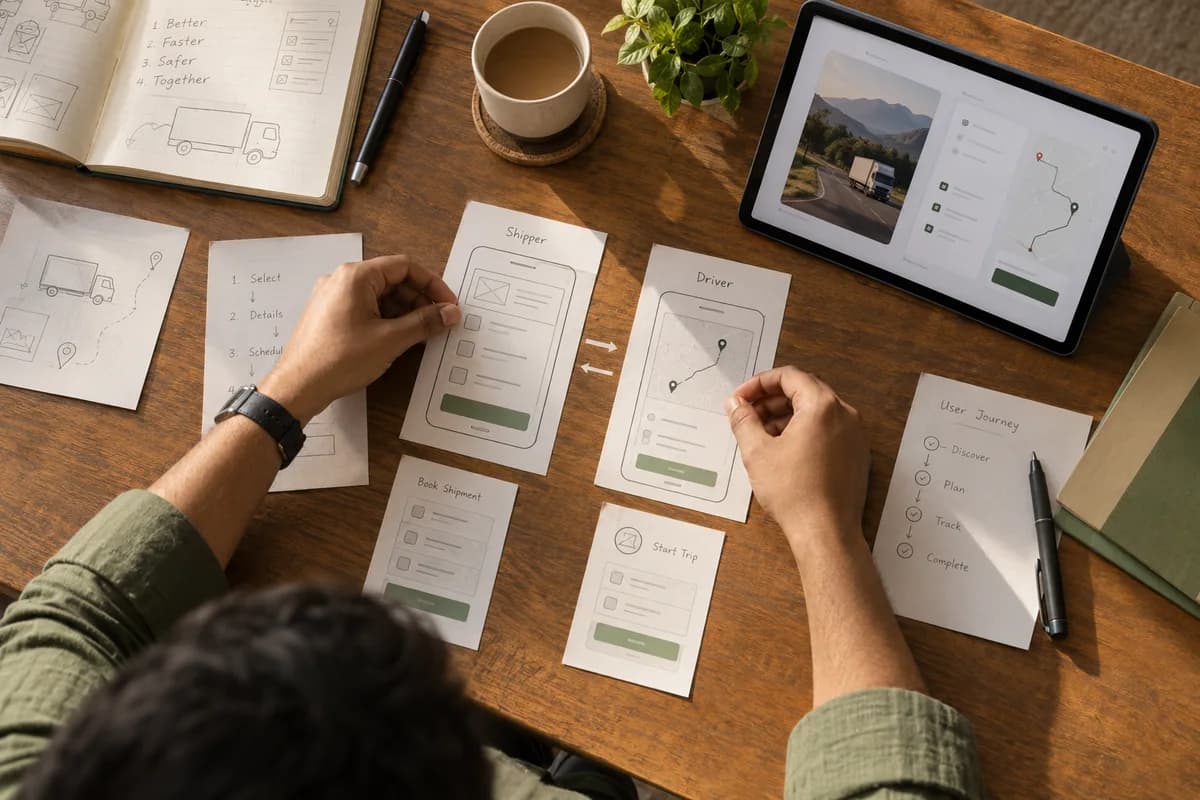
A logistics idea exists only as a slide deck, and investors and pilot customers keep asking what the product will look like. We map the shipper and driver journeys, build a clickable prototype, and a development quote can then rest on a defined screen list.
A Distributor With a Difficult Order Screen
A consumer goods distributor’s order-punching screen follows the database and not the counter, so staff keep a side spreadsheet for partial dispatches. We redraw the flow around the counter. Item search and a partial-dispatch state are added.
A Clinic Front Desk Run by Non-Technical Staff
Receptionists handle walk-ins, doctor changes and phone calls on a screen built for a trained operator, not for a busy front desk. The redesign centres on booking, rescheduling and collecting payment, with larger touch targets and fewer confirmation steps, so the queue at the desk moves.
A Manufacturer Validating a Field Service App
Technicians work at customer sites. The network is patchy. Gloves are common. We prototype the app and let them try it on their own phones against real jobs, correcting failing screens and dropping unused features while change is cheap.
A SaaS Product That Looks Like Four Products
A platform has modules built by different developers over several years, each with its own tables, buttons and date formats. A design system and component library give the engineering team one reference for every new module, so the platform reads as one product again. Users stop noticing seams.
A School Portal Used by Parents
Fee payment and attendance are online. The office still answers most parent queries by phone. We redesign the parent journey for entry-level phones, with plain wording in two languages and one clear path to pay, so fewer parents ring.
Is This Service Right for Your Business?
We partner with established businesses that have outgrown manual processes and want reliable systems.
Founders and Product Owners With an Idea
Teams that must show investors, partners or an internal committee something concrete, and want a defined scope settled before they fund development.
Businesses Whose Staff Work Around the Software
Teams that keep a parallel spreadsheet, register or chat group because the official system is slower than doing the task by hand. The workaround is the signal.
Companies About to Commit a Development Budget
Companies close to signing for a build that want the screens agreed and tested first, so the quote rests on something specific. Fewer surprises follow.
Owners of Software That Grew Module by Module
Platforms that work but were extended by different people at different times, and now look and behave differently from one module to the next. Users notice.
Businesses Whose Customers Use the Software Directly
Dealers, patients, students or buyers who use a portal with no training. Every point of confusion becomes a phone call to your office. Those calls add up.
When This Service Is Not Needed
Two or three internal screens used by a handful of staff do not need a full design engagement, nor does off-the-shelf software that only needs a logo. We suggest a smaller piece of work.
Enterprise Capabilities in Plain Business Terms
User Flow Mapping
Role-by-role journeys show every step, decision and exception. All of it is mapped before any screen is drawn. Surprises come early.
Wireframes
Low-fidelity layouts settle structure and priority. Nobody argues about colour at this stage, so reviews stay on the structure of the work and finish quickly, with fewer rounds of comment.
Interactive Prototypes
Linked screens are shared as a private link. It opens on any phone or laptop.
Responsive Layouts
Desktop, tablet and mobile versions of each key screen are designed individually and never simply scaled down, because a thumb and a mouse ask different things of a layout.
Component Library and Design Tokens
Buttons, forms, tables, cards, filters and modals are defined once. Colour, spacing and type scales sit beside them as design tokens, so developers apply both identically each time.
Screen States
Loading, empty, error, no-permission and success states are designed in advance, so a developer is not inventing them the week before release. Each gets a screen.
Data-Heavy Table Design
Long lists, filters, sorting, bulk actions and pagination are laid out to stay readable on a laptop screen with forty rows showing and a manager scanning for one exception.
Form and Validation Design
Field order, input types, defaults and error wording are set to cut mistakes at the point of entry, for a clerk keying invoices or a customer filling one form. A date field accepts only a date. It says why it refused one.
Role-Based Screen Design
Owner, manager, operator and customer each get a view. It shows only what that role needs.
Readability and Accessibility
Contrast, type size, tap targets, keyboard access and screen-reader labels are checked against WCAG guidelines, using axe, WAVE and a real phone, before any screen is called finished. A screen that looks fine on a designer’s laptop is not assumed to be fine on a cracked phone in direct sunlight.
Multi-language Layouts
Layouts hold up when labels are set in a second language or script beside English, where words often run longer and a fixed-width button breaks.
Developer Specifications
Annotated screens carry measurements, behaviour notes and asset exports. The developer opens one file.
Our Structured 6-Step Delivery Process
A transparent path from your first conversation to a reliable production release.
- 01
Discovery
We meet the owner or product lead and the daily users, watch the current process, and collect sample documents and existing screens. The client provides one decision-maker. Two or three real users join the sessions.
- 02
Requirement and Flow Planning
We define the roles. We map each journey. We list the screens. The client approves the flow map and screen list. That list becomes the scope of the design work. Nothing outside it is drawn unless the client agrees.
- 03
Wireframing
Each screen is laid out in grey-box form to settle what appears where, and the client reviews structure only, without colour. Visual design begins after that confirmation.
- 04
Interface Design and Prototype
We design full-fidelity screens for each device size and link them into a clickable prototype that behaves like the finished product. The client receives a private link and marks up anything that does not match how the work is really done.
- 05
Usability Review and Revision
Where testing is in scope, the prototype goes in front of actual users, and we note every hesitation and wrong turn they make. The design is revised from those notes. The client gives final acceptance on the revised prototype.
- 06
Handover and Build Support
Design files, the component library, specifications and exported assets are packaged for handover, and a walkthrough is held with whoever builds the screens. Questions during development are answered. The built screens are reviewed against the approved design.
What You Receive Upon Project Completion
Everything required to run, maintain, and expand your software without vendor lock-in.
Connects With the Systems You Already Rely On
We build bridges between your software so you don't have to replace functional existing tools.
Design and Prototyping Tools
- Figma
- FigJam
- Adobe XD
- Penpot
Handover and Documentation
- Figma Dev Mode
- Storybook
- Design tokens
- Annotated specification sheets
Front-End Stacks We Design For
- React and Next.js
- React Native
- Flutter
- Tailwind CSS
- Bootstrap
Existing Products We Redesign
- In-house admin panels
- Laravel and .NET applications
- WordPress sites
- Shopify storefronts
Review and Research Tools
- WhatsApp and email for review rounds
- Google Meet and Loom recordings
- Google Forms for feedback
- Session recordings via Hotjar or Microsoft Clarity
Selected for Reliability, Speed, and Longevity
Technology chosen to match your operational scale and long-term maintainability.
Design and Prototyping
Design Systems
Build Handover
Assets and Media
Accessibility and Usability Checks
Why Business Owners Choose GullySystem
Design From a Software Team
GullySystem also builds software, so every screen is drawn with its build cost in mind. Designs that look good in Figma but turn impractical once a developer opens them are filtered out early, so the quote that follows is honest.
Designed for the Person Doing the Job
We picture a warehouse supervisor on a dusty phone, a receptionist answering a call mid-entry, and a dealer placing an order late at night. Screens are shaped for them.
Reviews Held on Screens
Every review uses something that can be clicked. Approval is never requested on a module list alone.
Existing Software Is Kept in Use
A redesign starts with the screens causing the most trouble and ships in stages, so staff are never asked to relearn everything on one Monday morning. Change arrives gently.
Plain-Language Reviews
Work is explained in business terms: what the user is trying to do, and why a screen is arranged as it is. Design jargon stays out of the room.
Full Ownership of Files
Editable source files, the component library and every exported asset are handed over with full ownership, so any team can pick the work up. Nothing stays behind a licence.
Flexible Engagement Options
Choose an engagement model that matches your operational scope, budget, and timeline.
Design-Only Engagement
Journeys, screens and a prototype that any development team can use, whether ours, an in-house team or an existing vendor. It is a smaller first step for testing an idea before you fund a build, and it can also show that an idea should wait.
Validation Prototype
For founders and product owners who need something concrete to show investors, pilot customers or an internal approval committee before they commit budget.
Redesign of Existing Software
For software already in daily use. The screens with the most friction are redesigned and released first, so changes reach users without disrupting operations or retraining the whole floor.
Design With Development
Design and engineering run together under one team. The approved prototype stays the reference for what is built. Disputes end there, with the screen open.
Frequently Asked Questions
Straightforward answers to the questions owners ask before getting started.
Can we begin with design only, without committing to development?
Yes. A design-only engagement ends with approved flows, screens and a clickable prototype that the client owns, which can go to in-house developers, an existing vendor or GullySystem. If it shows an idea is not worth building, you learn that at design stage and not at build stage.
How many screens are included?
It depends on the journeys found in discovery. We map each role’s journeys and list the screens they need. That list becomes the written scope before design begins. Screens added later are quoted separately.
Will the prototype really be clickable?
Yes. It is shared as a private link that opens on a phone, tablet or laptop, and users move through the screens as they would in real use. It is a prototype and not a working application. No live data sits behind it. Every important path can be clicked. That is enough to test whether people understand the flow.
Can you redesign our existing product instead of starting over?
Yes. For software already in daily use, a staged redesign is often the better route. We review the current screens and watch people use them, to find where mistakes and support calls begin and which screens produce most of them. Patterns staff already know stay. Only the troublesome ones change.
Do developers receive proper specifications, and can our own team build from them?
Yes to both. Handover includes annotated screens with spacing and type measurements, component states such as default, hover, disabled, loading, error and empty, validation messages, responsive behaviour and exported assets. We walk the builders through it. Finished screens can be reviewed against the design.
Will the design fit the technology we already use?
Yes. We discuss your existing stack during discovery and keep the design within what it supports, whether that is a Laravel back office, a .NET application or a Shopify storefront. Components and layouts are specified so that they translate into React, React Native, Flutter, Laravel or an in-house framework, and we match the patterns already on screen.
Is user testing included?
It is included when placed in scope, and it is worth adding for anything customer-facing or used by many staff. Real users get real tasks on the prototype. We record each hesitation or wrong turn they make. Testing only with management shows less. The client provides a few genuine users.
What drives the cost of a design engagement?
The scope is driven by how many user roles and screens there are, whether it is a fresh product or a redesign, and how many device sizes the layouts must fit. A full design system adds to it. So do usability testing and multi-language layouts. The proposal is confirmed after discovery.
What decides how long the design work takes?
It depends mainly on how quickly reviews come back. Whether one person can approve matters most. After that come the roles and screens, how settled the requirements are, the availability of real users for testing and the revision rounds wanted. We agree a review schedule at the start.
What do you need from us?
One person who can decide and give feedback, and access to two or three staff who use these screens daily. Sample invoices, forms or reports with sensitive details removed help, as does a demo login or screenshots of existing software. Brand assets are useful if they exist. Without guidelines, we work with what is available.
Do we own the design files?
Yes. Editable source files, the prototype, the component library and every exported asset are handed over with full ownership and no ongoing licence. Another agency can continue from the same files.
How do you handle our confidential business information?
We agree confidentiality in writing before discovery begins. Sample data has customer names, prices and personal details removed, and we use read-only or demo accounts wherever the software allows. Live records stay out of design files. Prototypes sit on private links. They are never public URLs. Your screens stay private without written permission.
Can we just use a template or a website builder instead of paying for custom design?
It depends on the interface. A good template is often right for a marketing site. Custom design earns its place once the interface carries real business logic, such as several roles seeing different data, an approval flow, or a dashboard that drives decisions. A template turns into a poor fit when a team hides fields it does not need or works around a flow it cannot support. We say so when a template is enough.
Read before you decide.
Practical notes on the questions this service raises, not product marketing.
What Is UI/UX Design and Why Does Business Software Need It?
UI is how software looks; UX is whether staff can finish their work in it. Why internal business tools need both, with a before-and-after example.
Why Employees Reject Newly Implemented Software
Employees usually reject software that disrupts their workload or breaks trust in data: not change itself. How to tell which is happening.
How Poor Software Design Reduces Employee Productivity
Excess clicks, duplicate entry and unclear status are the three most common ways bad screen design slows a team down. How to measure and fix them.
Why You Should Create a Prototype Before Development
A prototype lets real users test a workflow before production code exists, catching costly misunderstandings early. What it can and cannot prove.
Let’s Build the Right Software for Your Business
Tell us about your current operational challenge, spreadsheet bottleneck, or software requirement. An experienced engineer will review your workflow and reply within one business day.
- No obligation consultation
- Senior engineer reviews your brief
- Your operational details stay 100% confidential
Start with your requirements
Seven short steps that tell us what you need. An engineer reads them before getting in touch.
Share your requirementsRelated Practices & Services
MVP Product Development
Take the approved prototype into a working first version that real users can sign up for. The screens carry over.
Custom Software and Product Engineering
The full build of the designed product, whether web application, mobile app or internal platform, carried out by the team that drew the screens.
Software Maintenance, Support and Rescue
For software already in production that needs stabilising. A staged interface redesign can run alongside.
QA and Software Testing
Independent testing of the built screens against the approved designs, across browsers, devices and screen sizes, with defects logged against the prototype. Nothing ships unchecked.