Health and wellness · Software for orthopaedic hospitals and clinicsTrack fracture visits, implant use, surgery packages and physiotherapy follow-up on one record.
An orthopaedic hospital treats walk-in fractures, planned joint replacements, arthroscopy and spine cases, and sends most patients on to physiotherapy. Implants come from vendors on consignment, priced per case and billed inside a package. The software ties the X-ray, plaster, surgery, implant stickers, package bill and review visits to the patient, so the implant count and the bill agree.
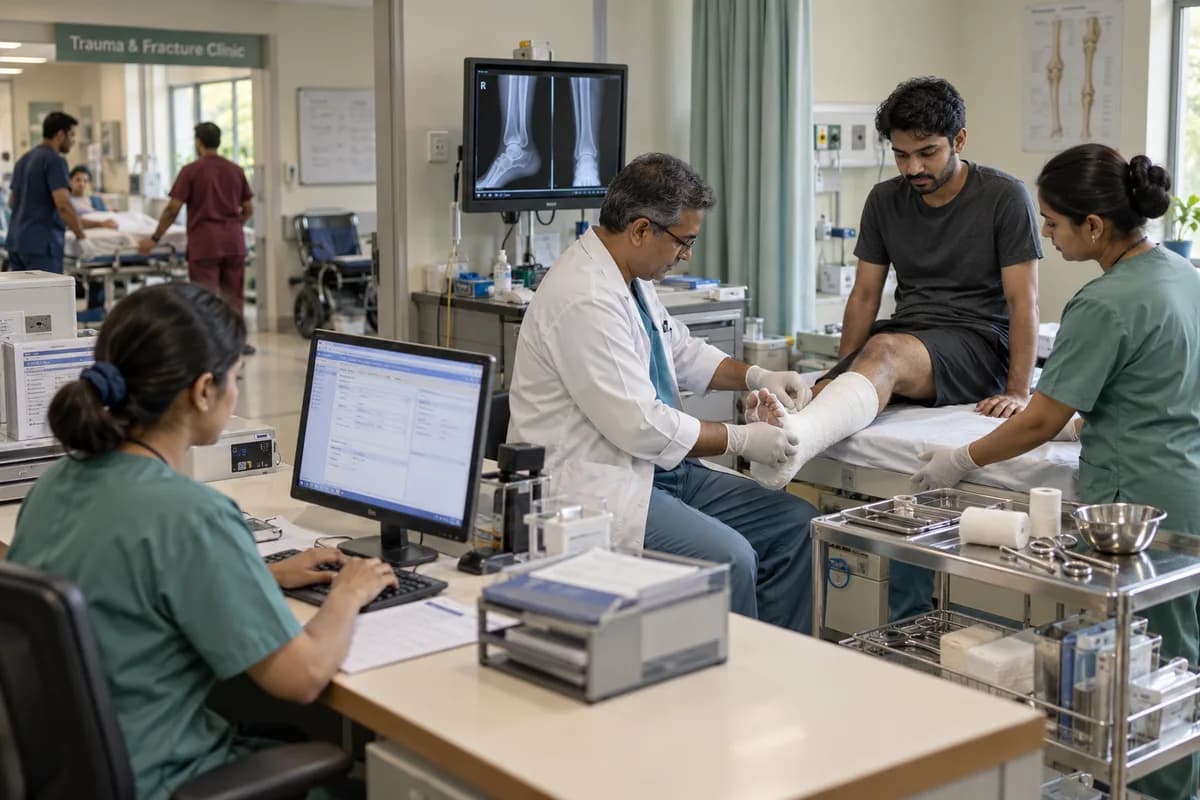
Orthopaedic work splits into two streams: trauma that walks in at any hour, and planned surgery booked in advance with an implant, a package and an insurer’s approval where one is needed.
Both streams end in the same place. Reviews, check X-rays and physiotherapy carry on long after the operation, and each visit adds to the record.
A fracture patient is registered in the emergency department, sent for X-ray, seen by the surgeon and either plastered or admitted for fixation. Road accident cases bring extra paperwork and calls from relatives.
For a planned knee or hip replacement, the patient chooses a package and an implant brand, and the insurer pre-authorisation is filed. The vendor’s representative brings the implant set to the theatre, and stickers from used implants go into the case file.
After discharge come suture removal, review X-rays and a course of physiotherapy. Patients drop off between visits. Nobody calls them back.
What goes wrong for orthopaedic hospitals and clinics without a proper system.
What orthopaedic hospitals and clinics gain from one system.
Not a feature list. These are the moments in the working day that go differently once the records sit together.
What we would build for orthopaedic hospitals and clinics.
Named the way your team already talks about the work. We start with whichever part the audit shows is costing you most.
A requirements checklist for orthopaedic hospitals and clinics.
What to cover, which reports to ask for and what to put to every vendor, ready to print or save as a PDF.
Ready products we start from for orthopaedic hospitals and clinics.
Each one is adapted to how your business works before it goes live, and anything your trade needs that it lacks is added then. You are not paying to build the basics again.
Hospital/Clinic Management System
Appointments, OPD queue, patient records, billing, medicine stock and staff rosters for clinics and small hospitals, set up around your doctors and departments.
Learn moreHospital Operations Management Software
Tasks raised and assigned across departments, housekeeping and maintenance jobs, biomedical service records and ward and store stock for hospitals with an HMS.
Learn moreOther products in the same sector as orthopaedic hospitals and clinics.
- Addiction Treatment Centre Management Software
- Ayurveda Clinic Management Software
- Assisted Living Community Management Software
- Audiology Clinic Management Software
- Cardiology Clinic Management Software
- Chiropractic Clinic Management Software
- Counsellor and Psychotherapist Management Software
- Dental Clinic Management Software
- Skin and Aesthetics Clinic Management Software
- Diagnostic Centre Management Software
- ENT Clinic Management Software
- Gym Management Software
- All industry products
The business modules orthopaedic hospitals and clinics use most.
Each one is also available on its own, or inside a system built for you.
Stock Tracking and Alerts
Plaster rolls, bandages, K-wires, screws and sutures are counted at the store and at the theatre cupboard. Implant stock on consignment is shown apart from owned stock. Low levels are flagged early.
Learn moreAppointment Scheduling
Outpatient slots for fracture review, X-ray follow-up and surgeon consultations are booked by doctor and day. Walk-in fractures take the next free slot. Joint replacement clinics hold longer visits.
Learn moreInvoice Management
An admitted fracture or replacement is billed as a package with room, theatre, surgeon fee and implant on separate lines. Extra days or a second procedure are added. The insurer’s share is shown apart from the patient’s.
Learn moreLeave & Holiday Management
Surgeons, theatre nurses, plaster technicians and physiotherapists apply for leave on one calendar. The theatre desk sees which operating lists lose cover. Approved leave blocks new bookings for that doctor.
Learn moreWhatsApp, SMS and Email Notifications
Patients get a message for a review visit, a suture removal date and a physiotherapy session. The surgeon is alerted when a post-operative X-ray report arrives. Ward arrival alerts a relative.
Learn morePayroll Management
Salary for doctors on a visiting fee, nurses on shifts and technicians on fixed pay runs from one sheet. Operation counts and on-call duty feed the surgeon’s variable pay. Deductions are shown on the payslip.
Learn moreAudit Trail
Every change to an implant sticker count, package price or discharge bill is stamped with user and time. Hospital management can see who altered a figure. Edited implant counts show both values.
Learn moreRoles and Permissions
Surgeons see clinical notes and implant records, the billing desk sees charges, and the store sees consignment stock. Vendor representatives see only their own sets. Access is set by role.
Learn more- Task Management
- Workflow and Approvals
- Work Order Management
- Fixed Asset Register
- Asset AMC Tracking
- Purchase Order Management
- All business solutions
All solutions by area
- Applicant Tracking (5)
- CRM (8)
- Finance & Accounting (10)
- Helpdesk (4)
- Human Resources (13)
- Inventory Management (5)
- Project Management (7)
- Manufacturing (6)
- Procurement (4)
- Sales and Distribution (6)
- Field Service (5)
- Statutory and Compliance (4)
- Retail and POS (4)
- Bookings and Appointments (3)
- Subscriptions (2)
- Assets and Fleet (4)
- Platform (6)
- Analytics (2)
- Documents (1)
Where AI can help orthopaedic hospitals and clinics.
Each one reads records you already keep, and a person approves every decision.
The services behind it.
Custom Software and Product Engineering
Build the pieces an orthopaedic hospital needs that off-the-shelf packages lack. Examples are an implant consignment register, package billing with extras and a fracture clinic screen linked to X-ray orders. These sit beside the main hospital record.
Learn moreERP, CRM and Business Software Implementation
An ERP and CRM for an orthopaedic hospital joins registration, emergency, theatre, wards, pharmacy, billing and insurer files. A trauma patient and a planned joint replacement are read from one record through admission, surgery and review.
Learn moreBusiness Process Automation
Pre-authorisation requests, theatre booking checks, implant sticker capture, package extras and follow-up recalls become set steps. A discharge cannot close until the implant record and the package bill are completed.
Learn moreAPI and System Integration
Connect the hospital record with the X-ray and imaging system, the insurer’s pre-authorisation portal, vendor price lists and accounting. Reports, implant details and approvals reach the case without a person retyping them.
Learn moreAll our other services
- Software Maintenance, Support and Rescue
- AI and Intelligent Automation
- Data Engineering and Business Intelligence
- UI/UX Design and Prototyping
- Cloud Engineering and Managed Infrastructure
- DevOps & Automation Services
- QA and Software Testing
- Performance Engineering
- Cybersecurity and Application Security
- IoT and Edge Computing
- Technology Strategy and Product Consulting
- E-Commerce and Digital Commerce
- MVP Product Development
- Web and Mobile Application Development
- SaaS Product Development
- WhatsApp Business API and Chatbots
- Data Migration and Moving Off Spreadsheets
- Training and Adoption
- Data Protection and Privacy Readiness
- Tax and e-Invoice Engineering
- Managed IT Support
- Dedicated Team and Staff Augmentation
- Business Intelligence and Reporting Tools
- Cloud Cost Optimisation
- Global Compliance and Localisation
Written for orthopaedic hospitals and clinics.
Practical notes on running the business, not product marketing.
How the work runs from Bengaluru for your city.
- 1
The audit, by call
A screen-share and a look at the sheets, accounting reports and WhatsApp groups your team uses. No travel needed.
- 2
A written proposal
Scope, what we build first and the cost, agreed in writing before anything starts.
- 3
Build in short rounds
Working screens shared every few weeks. Your team tests them from your own office.
- 4
Go-live, in person when it helps
For data migration and training we can come to your city. Travel is agreed in advance.
- 5
Support online
Fixes, changes and hosting handled remotely by the same team that built it.
Software we have built and run in this sector.
Published with the client’s agreement, with what was built and what changed.
Check the difficult cases before choosing software.
Use examples from your own records to test the workflows that matter in your business.
Implant register and consignment stock
What happens to movements entered while a count is being checked?
For “Implant register and consignment stock”, choose a count date and trace the movements around it. Agree who investigates a difference before an adjustment changes the available balance.
Background reading: ERPNext: stock reconciliation
Imaging reports on the record
What does one row mean before totals are combined?
Choose one period in “Imaging reports on the record” and compare it with the source records. Define the date basis and grouping before accepting a total that combines several kinds of entry.
Background reading: Microsoft: reporting grain and relationships
Questions orthopaedic hospitals and clinics ask before they call.
Does the hospital product track implants by serial number?
Not on its own. It holds the patient record, billing and stock with expiry dates. The implant register and consignment matching are added work, scoped with your theatre and stores teams.
Can X-ray images be seen in the system?
Reports can be attached to the patient’s record. Images stay in your existing viewer or image archive, and a link to it is set up where that system allows.
Will it file our insurance claims?
No. It records the insurer, pre-authorisation and claim status against each bill. Filing still happens on the insurer’s portal or by email.
Can our own physiotherapy department use it?
Yes, as part of the hospital record. Sessions are booked and billed against the patient. A stand-alone physiotherapy clinic is better served by our physiotherapy product.
How is a bone and joint hospital system quoted?
Theatres, beds and clinics count, as do the surgeons and staff using it. Implant register, packages, insurance claims or review tracking are each wanted or not. Imaging and a hospital system to link are listed too. The quotation then gives a price for every part.
What should an orthopaedic hospital bring first?
Bring a theatre list, one implant register page, vendor delivery challans, a package price sheet and a review visit form. Name the theatre manager, a billing lead and the physiotherapy head to review each screen.
Who holds implant and patient records if we ever stop?
The hospital owns the code, and with it every implant, surgery, package and follow-up record. Plain files can carry everything out. Original builders handle support. GullySystem hosts unless the hospital prefers its own arrangement.
What happens after I share my requirements?
We review your brief and clarify the work with you. We then look at the software, spreadsheets and WhatsApp groups your business runs on today and write down what works, what slows your team down and what is missing. A demo login, a screen-share or a few screenshots are enough. You get a short written summary ordered by priority, with no obligation to hire us afterwards.
How much will the software cost?
We don’t publish a price, because it depends on what the system has to do. That first review settles the scope, and the cost goes into a written proposal before any work starts.
Related industries.
- Addiction treatment centres
- Alternative medicine practices
- Assisted and senior living communities
- Audiology and hearing clinics
- Cardiology clinics
- Chiropractic clinics
- Clinics and doctors
- Counsellors and psychotherapists
- Dental clinics
- Dermatology clinics
- Diagnostic and imaging centres
- ENT clinics
- Eye hospitals and clinics
- Fertility and IVF clinics
- Gyms and fitness studios
- Hospice providers
- Hospitals and nursing homes
- In-home care providers
- Nutritionists and dietitians
- OB-GYN clinics
- Occupational therapy clinics
- Optometrists
- Orthodontic clinics
- Pathology labs
- Physiotherapists
- Plastic surgery clinics
- Podiatry clinics
- Psychiatry clinics
- Speech therapy clinics
- Telehealth providers
- Urgent care centres
- Urology clinics
- Veterinary clinics
- Wellness centres
Part of a wider group.
Tell us how your business runs today.
A few lines on your spreadsheets, software and WhatsApp groups is enough. We reply the same working day.
What happens after you share your requirements
- We review your brief and the systems you already use.
- We clarify the workflow, missing information and the work to consider first.
- The proposed scope sets out the deliverables, responsibilities and dependencies.
- Review the scope and commercial terms before deciding whether to proceed.
Start with your requirements
Describe your current process, the people involved and the change you need. Start with the details you know; we can clarify the rest together.
Share your requirements