Keep admission, treatment, billing and insurance claims on one patient record.
A small hospital runs casualty, outpatient clinics, a few wards and an in-house pharmacy, and the discharge bill is pieced together while the family waits. The software follows your own departments, bed categories, pharmacy and duty rosters, so admission, treatment, inpatient billing and the insurance claim sit on one patient record.
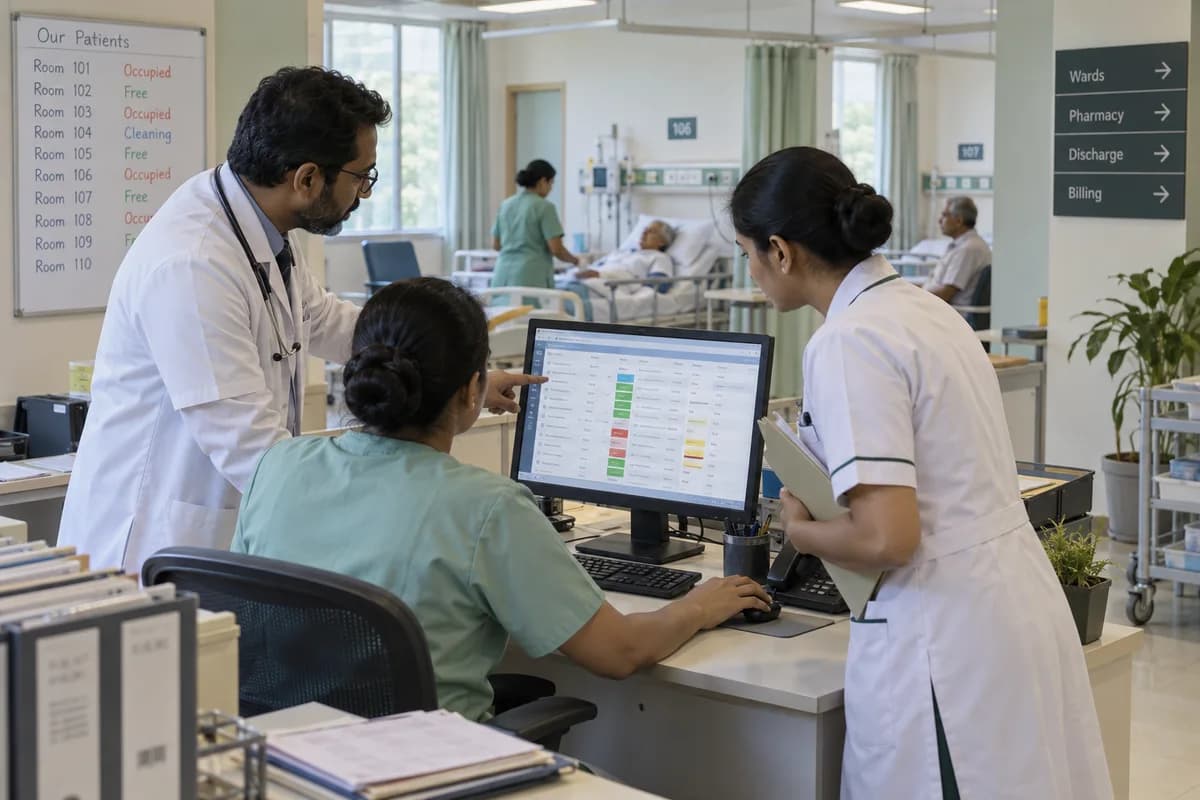
A twenty-bed nursing home does a hospital’s work with a small staff: casualty at night, the outpatient clinic in the morning, and the same few people registering, admitting, billing and filing claims.
This product is made for small hospitals and nursing homes, not for a teaching hospital with thousands of beds and dozens of departments. Share your requirements first. Then one discharge is walked through from the ward chart to the final bill.
The patient is registered at the front desk, given a queue token, seen in the outpatient clinic, and either sent home with a prescription or admitted. The admission register records the bed, the consultant and the relative’s phone number.
During the stay, nurses note medicines and injections on the treatment chart, and the pharmacy issues packs against a ward request. At discharge a clerk copies these into the bill.
Cashless patients need pre-authorisation, then a claim file with the discharge summary, bills and reports, followed up with the insurer or its claims administrator. Queries come back and are answered by email. Night duty is often settled on a phone call.
What goes wrong for hospitals and nursing homes without a proper system.
What we would build for hospitals and nursing homes.
Named the way your team already talks about the work. We start with whichever part the audit shows is costing you most.
A requirements checklist for hospitals and nursing homes.
What to cover, which reports to ask for and what to put to every vendor, ready to print or save as a PDF.
Ready products that fit hospitals and nursing homes.
Each one is adapted to how your business works before it goes live, and anything your trade needs that it lacks is added then. You are not paying to build the basics again.
Hospital/Clinic Management System
Appointments, OPD queue, patient records, billing, medicine stock and staff rosters for clinics and small hospitals, set up around your doctors and departments.
Learn moreHospital Operations Management Software
Tasks raised and assigned across departments, housekeeping and maintenance jobs, biomedical service records and ward and store stock for hospitals with an HMS.
Learn moreEmployee Records and Self-Service Software
Every employee on one record: documents, shift attendance, overtime, leave balances and a portal for payslips and tax forms.
Learn moreOther products in the same sector as hospitals and nursing homes.
- Addiction Treatment Centre Management Software
- Ayurveda Clinic Management Software
- Assisted Living Community Management Software
- Audiology Clinic Management Software
- Cardiology Clinic Management Software
- Chiropractic Clinic Management Software
- Counsellor and Psychotherapist Management Software
- Dental Clinic Management Software
- Skin and Aesthetics Clinic Management Software
- Diagnostic Centre Management Software
- ENT Clinic Management Software
- Gym Management Software
- All industry products
The business modules hospitals and nursing homes use most.
Each one is also available on its own, or inside a system built for you.
- Stock Tracking and Alerts
- Leave & Holiday Management
- Payroll Management
- Roles and Permissions
- Appointment Scheduling
- Invoice Management
- WhatsApp, SMS and Email Notifications
- Audit Trail
- Task Management
- Workflow and Approvals
- Work Order Management
- Fixed Asset Register
- Asset AMC Tracking
- Purchase Order Management
- Employee Database
- HR Document Management
- Attendance & Time Tracking
- Employee Self-Service (ESS)
- Exit & Offboarding
- Benefits & Compliance
- Candidates Tracking
- Collaboration Management
- Dashboards and KPIs
- HR Analytics & Reporting
- Interview Scheduling
- Performance Management
- Recruitment & Onboarding
- Report Builder
- Resume Management
- Training & Development
- All business solutions
All solutions by area
- Applicant Tracking (5)
- CRM (8)
- Finance & Accounting (10)
- Helpdesk (4)
- Human Resources (13)
- Inventory Management (5)
- Project Management (7)
- Manufacturing (6)
- Procurement (4)
- Sales and Distribution (6)
- Field Service (5)
- Statutory and Compliance (4)
- Retail and POS (4)
- Bookings and Appointments (3)
- Subscriptions (2)
- Assets and Fleet (4)
- Platform (6)
- Analytics (2)
- Documents (1)
Where AI can help hospitals and nursing homes.
Each one reads records you already keep, and a person approves every decision.
- AI Anomaly Detection
- AI Attrition Prediction
- AI Candidate Screening
- AI Cybersecurity Threat Detection
- AI Demand and Capacity Forecasting
- AI Employee Engagement Analytics
- AI Expense Optimisation
- AI Feedback and Review Analytics
- AI Identity and Access Analytics
- AI Performance Analytics
- AI Personalised Training and Learning
- AI Workforce Planning
- AI for Sales
- AI for Marketing
- AI for Customer Support
- AI for HR
- AI for Finance
- AI for Operations
- AI for Supply Chain and Logistics
- AI for Security
- AI for Procurement
- All AI solutions
Tools hospitals and nursing homes often connect.
The services behind it.
ERP, CRM and Business Software Implementation
One record of stock, orders, customers and accounts, set up so your team opens it every day.
Learn moreBusiness Process Automation
Approvals, reminders, follow-ups and reports that run on their own instead of on someone remembering.
Learn moreCybersecurity and Application Security
Logins, roles, backups and data exposure checked, so a staff exit or a lost phone is not a crisis.
Learn moreAPI and System Integration
Accounting software, WhatsApp, payment gateways, tax portals and your own apps sharing one set of numbers.
Learn moreAll our other services
- Custom Software and Product Engineering
- Software Maintenance, Support and Rescue
- AI and Intelligent Automation
- Data Engineering and Business Intelligence
- UI/UX Design and Prototyping
- Cloud Engineering and Managed Infrastructure
- DevOps & Automation Services
- QA and Software Testing
- Performance Engineering
- IoT and Edge Computing
- Technology Strategy and Product Consulting
- E-Commerce and Digital Commerce
- MVP Product Development
- Web and Mobile Application Development
- SaaS Product Development
- WhatsApp Business API and Chatbots
- Data Migration and Moving Off Spreadsheets
- Training and Adoption
- Data Protection and Privacy Readiness
- Tax and e-Invoice Engineering
- Managed IT Support
- Dedicated Team and Staff Augmentation
- Business Intelligence and Reporting Tools
- Cloud Cost Optimisation
- Global Compliance and Localisation
Written for hospitals and nursing homes.
Practical notes on running the business, not product marketing.
How the work runs from Bengaluru for your city.
- 1
The audit, by call
A screen-share and a look at the sheets, accounting reports and WhatsApp groups your team uses. No travel needed.
- 2
A written proposal
Scope, what we build first and the cost, agreed in writing before anything starts.
- 3
Build in short rounds
Working screens shared every few weeks. Your team tests them from your own office.
- 4
Go-live, in person when it helps
For data migration and training we can come to your city. Travel is agreed in advance.
- 5
Support online
Fixes, changes and hosting handled remotely by the same team that built it.
Software we have built and run in this sector.
Published with the client’s agreement, with what was built and what changed.
Questions hospitals and nursing homes ask before they call.
Does it cover inpatients or only outpatients?
Both. Admission, bed allotment, ward charges and discharge are included, and a patient seen in outpatients keeps the same hospital number on admission, so nobody is registered twice.
Will daily collections go into the accounting software?
Not built in. Bills, receipts and collections by department are available for the accountant. Exporting them for the accounting package is possible, and that work is priced apart.
Is the software certified for hospital accreditation or national health records?
No. It keeps the case notes, bills, stock and access logs an assessor may ask for, and it certifies nothing. Links to national health record schemes are separate work, scoped on request. Accreditation stays between you and the assessing body.
Will it suit a hundred-bed hospital?
Probably not as the main system. It suits clinics, nursing homes and small hospitals. A larger hospital needs an established hospital information system.
How is a hospital or nursing home system priced?
It follows the parts chosen: admissions and beds, patient record, billing, insurance claims, pharmacy, ward requisitions and rosters. Departments, billing counters and staff accounts change the size, as do lab machines or accounts software to link. Old patient registers must be moved. Screens are built on your forms first, and each part then receives a separate price.
What should a hospital gather for the start of the project?
Collect the admission register, a treatment chart, a final bill with ward charges, an insurance claim file, the pharmacy stock list and the duty roster. A matron, a billing supervisor, the pharmacist and a records clerk each need to answer questions and test screens. Name them early.
Who owns patient records if the hospital changes systems?
The hospital does, together with the software. Patient files, bills and stock leave as ordinary spreadsheets on request. Its developers also support it. GullySystem handles hosting, or the hospital can use its own servers.
What happens after I share my requirements?
An engineer reads what you send and replies within one business day. We then look at the software, spreadsheets and WhatsApp groups your business runs on today and write down what works, what slows your team down and what is missing. A demo login, a screen-share or a few screenshots are enough. You get a short written summary ordered by priority, with no obligation to hire us afterwards.
How much will the software cost?
We don’t publish a price, because it depends on what the system has to do. That first review settles the scope, and the cost goes into a written proposal before any work starts.
Bengaluru areas with many hospitals and nursing homes.
Cities where hospitals and nursing homes are common.
Related industries.
- Addiction treatment centres
- Alternative medicine practices
- Assisted and senior living communities
- Audiology and hearing clinics
- Cardiology clinics
- Chiropractic clinics
- Clinics and doctors
- Counsellors and psychotherapists
- Dental clinics
- Dermatology clinics
- Diagnostic and imaging centres
- ENT clinics
- Eye hospitals and clinics
- Fertility and IVF clinics
- Gyms and fitness studios
- Hospice providers
- In-home care providers
- Nutritionists and dietitians
- OB-GYN clinics
- Occupational therapy clinics
- Optometrists
- Orthodontic clinics
- Orthopaedic hospitals and clinics
- Pathology labs
- Physiotherapists
- Plastic surgery clinics
- Podiatry clinics
- Psychiatry clinics
- Speech therapy clinics
- Telehealth providers
- Urgent care centres
- Urology clinics
- Veterinary clinics
- Wellness centres
Part of a wider group.
Tell us how your business runs today.
A few lines on your spreadsheets, software and WhatsApp groups is enough. We reply the same working day.
What happens after you share your requirements
- A senior engineer reads your answers. Nobody phones first.
- Within one business day you get a written note: what we understood, what we would start with, and the questions we still have.
- If it fits, a proposal follows with the order of work, what we need from you and what you receive at each step.
- No call is booked and nothing is paid until you have read the note. Your details stay with us.
Start with your requirements
Seven short steps that tell us what you need. A senior engineer reads them before anyone gets in touch.
Share your requirements