Payroll Management for Eye hospitals
Calculate pay from approved employment, attendance and deduction records.
Does this function belong in your operation?
Use when employee pay includes recurring salary, allowances or deductions.
A payroll period is ready for review.
Separate salaried optometrists and nursing staff from clinicians whose payments depend on an agreed procedure arrangement. Employment classification and payable terms come from finance and HR. Where a doctor is an independent consultant, keep the fee process distinct from employee payroll rather than putting every surgery-linked amount into a salary calculation.
Bring the records the workflow depends on.
- Approved employee pay structures and separately identified clinician fee arrangements.
- Checked attendance, camp assignments and authorised additional theatre-session inputs.
- Approved variable-pay evidence, advance deductions and the finance owner's pay-period rules.
Outputs to check
- Reviewable employee pay calculation with the supporting attendance and variable-pay references.
- Exception list separating missing procedure evidence, disputed sessions and unapproved deductions.
Follow the payroll management workflow.
Use this sequence to compare your current process with the proposed module. Agree the owner, permission and exception at each step.
Who uses the module, and who approves?
Keep responsibilities distinct even when one person holds more than one role.
Decide how exceptions are handled.
These business rules belong in configuration and testing. A normal transaction alone does not demonstrate that the workflow is ready.
Can this work independently?
Payroll can use reviewed attendance and variable-pay imports without replacing those systems. It still needs accurate employee and pay records. Bank execution, statutory filing and accounting posting are separate handoffs; generating a payment file does not prove salaries were paid.
Systems and records it connects with
- Attendance and time tracking: Approved shift attendance, absence and correction records.
- Leave and holiday management: Approved absence and branch calendar information.
- Employee database: Employee identifiers and effective-dated employment details.
- Accounting software: Posted financial entries and reconciliation references.
Configure, test and introduce the workflow.
- We read last month’s workings and your pay rules. You supply them. A plain description of how pay is computed comes back.
- Each person’s structure is entered. Staff representatives need not see it, but the owner confirms. A month is calculated both ways. Differences are explained line by line.
- Review sample payslips, payment instructions and payroll registers with HR and finance. Run the chosen period alongside the existing calculation, resolve employee-level differences and approve the release before payments are authorised.
Check the result before rollout.
Apply these checks to a sample from the agreed workflow, then repeat with an exception. Keep the expected result beside the test record.
- An additional theatre session reaches payroll only after the configured approval and supporting reference are present.
- A duplicate camp input is visible before the calculation is approved for payment.
- The final pay calculation and payment authorisation remain distinct, with consultant fees identifiable outside employee payroll where required.
How the business operates.
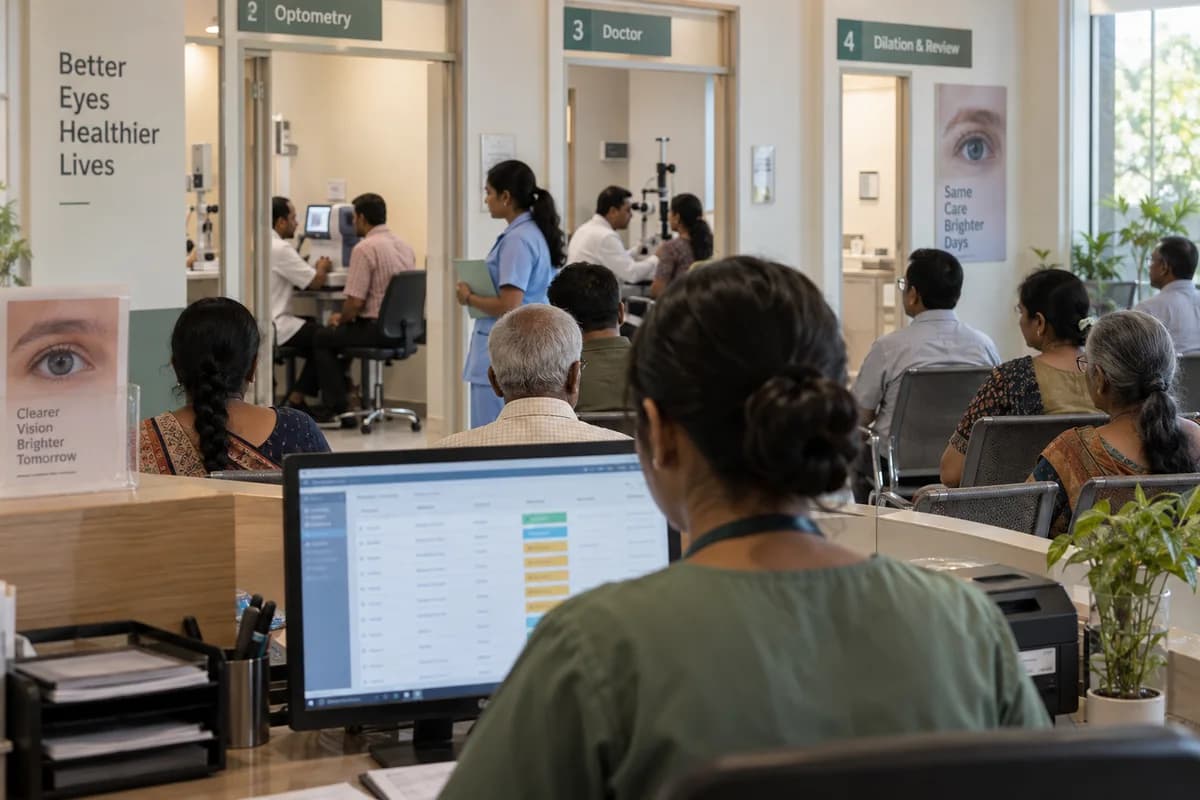
An outpatient eye clinic moves in stages: registration, vision and refraction, a pressure check, the doctor’s exam, then dilation and a second look once the drops have acted.
The records that hold the operation together.
- Patient, visit and eye-specific examination record
- Queue position and clinician-directed dilation status
- Approved surgery plan, lens model and power
- Lens serial or lot, consignment and patient-use record
Operational bottlenecks to check
Refraction is written twice
The optometrist’s readings are copied into the doctor’s notes and again at the optical counter. Each copy invites a mistake.
Dilated patients lose their place
Patients sent for drops rejoin the queue on someone’s memory, and the token order breaks down. Nobody knows who is ready.
How work flows across this business
This module sits within a wider operating process. Use the sequence to identify the other teams and records affected by a change.
1. Identify the patient and visit
Create or locate the patient record and record the visit reason. Urgent needs follow the hospital’s clinical triage process rather than booking order.
2. Record the workup and examination
Keep optometry measurements and clinician findings against the correct eye and visit. Record any clinician-directed change in queue status.
3. Prepare an approved procedure
Where surgery is advised, organise the approved case, consent record, theatre slot and selected lens. Staff verify identity and laterality through the hospital’s own checks.
4. Record use and charges
Record the lens and consumables actually used. Billing applies the approved package and separately authorised charges.
5. Coordinate follow-up and optical orders
Use dates and prescriptions recorded by the clinical team for follow-up and spectacle orders. Keep the laboratory order and collection record separate from clinical findings.
Industry reports to connect with
- Visit and queue status by work area
- Approved theatre list and outstanding preparation items
- Lens stock, consignment and patient-use reconciliation
- Optical orders and insurer balances awaiting action
Questions before implementation.
When should eye hospitals consider payroll management?
Use when employee pay includes recurring salary, allowances or deductions. A payroll period is ready for review.
What should we bring to the requirements discussion?
Bring anonymised examples of Approved employee pay structures and separately identified clinician fee arrangements.; Checked attendance, camp assignments and authorised additional theatre-session inputs.; Approved variable-pay evidence, advance deductions and the finance owner's pay-period rules. Show who creates, checks and changes each record. Use only records from an activity that meets the suitability conditions above.
Does this replace our existing business software?
The starting point is your current system and the gap you need to close. Calculate pay from approved employment, attendance and deduction records. Configuration, a connected module or a custom build are evaluated against that gap before a replacement is proposed.
What is outside this module?
Statutory settings, filings and payment authorisation remain with finance and employment advisers.
How are scope, price and rollout decided?
The proposal follows a review of your records, user roles, branches and existing software. Data migration, connections, training and support are scoped separately where needed. An additional theatre session reaches payroll only after the configured approval and supporting reference are present. Use this check when reviewing the first working version.
Related functions for eye hospitals.
Discuss payroll management for your business.
Tell us which workflow needs attention and which systems your team uses. The next step is a requirements discussion and a written scope.
What happens after you share your requirements
- We review your brief and the systems you already use.
- We clarify the workflow, missing information and the work to consider first.
- The proposed scope sets out the deliverables, responsibilities and dependencies.
- Review the scope and commercial terms before deciding whether to proceed.
Start with your requirements
Describe your current process, the people involved and the change you need. Start with the details you know; we can clarify the rest together.
Share your requirements