Business solutions for Label manufacturers
Explore software for work such as “Self-adhesive product labels for bottles and jars”. Review each business function below, including when it fits and what to check before implementation.
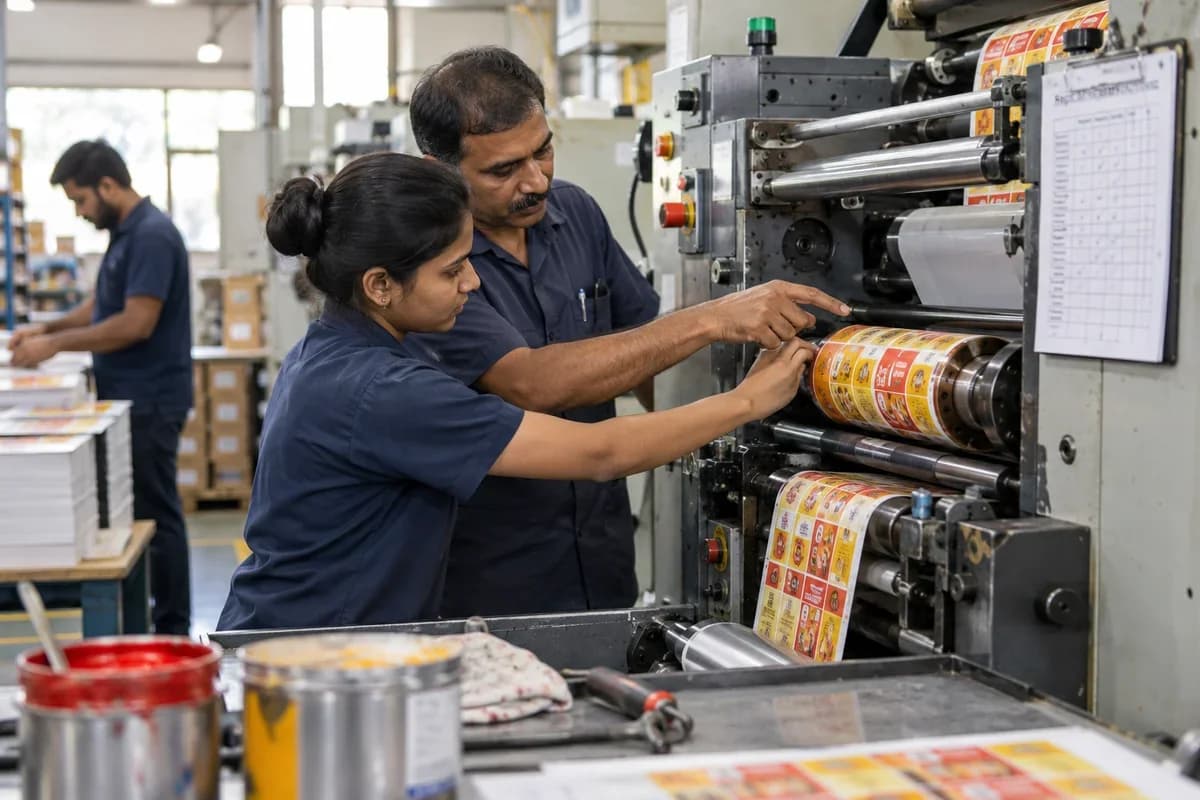
How the business operates.
A label printer sells small flat items by the million, wound on cores. The material is a sandwich of face stock, adhesive and a silicone liner, and each combination behaves differently on the press and on the customer’s applicator. Narrow web presses print, varnish, foil and die-cut in one pass, so a fault at any station travels with the web until someone stops the press. A single wrong barcode ruins an entire reel. Reprints cost the printer twice.
The records that hold the operation together.
- Label specification library. Keep size, shape, face stock, adhesive, colours, die and unwind direction for every label a customer orders, so a reorder opens the same card. Spot colour recipes sit beside it.
- Estimating and quotations. Price labels from material area, press time, die and finishing, and keep the earlier quote of a reorder beside the new one so short runs are compared fairly. Margins are visible.
- Proof and data approval. File each proof, barcode grade check and variable data file against the job version, so the press runs only the artwork that prepress cleared. Approvals carry the date.
- Label order intake and promised dates. An order gets a promised date once press hours are free and the reel is on the rack, so the sales desk quotes from live capacity. Overbooking shows early.
- Face stock and adhesive lots. Reels are booked by width, face material, adhesive and lot, and planners see unissued stock before they promise a date, so a rack is never assumed full. Remnants stay listed.
- Press and finishing queue. Sequence flexo and digital presses with varnish, foil and die-cut stations, and group jobs that share a reel width, so fewer web changes mean more metres printed per shift. Changeovers fall.
- Rotary die register. Track metres run, sharpening and rack position for every die, and flag near-limit dies before a ragged cut reaches the customer. Tooling staff set the limit.
- Variable data and serial jobs. Link each serial or lot code range to the roll that carries it, and block any job that tries to send a range already used back to print. The block names the first job.
Operational bottlenecks to check
Material combinations are unrecorded
A label is face stock, adhesive and liner chosen for a surface and a temperature. The reel lot used rarely reaches the job sheet, so an adhesion complaint has no starting point. Complaints stall without a lot number.
Rotary dies are unlogged
Magnetic and solid dies wear with every thousand metres. Die usage by job and remaining cutting length are estimated rather than recorded. Worn dies fail without warning.
Barcode and variable data errors
Serial numbers, lot codes and barcodes are printed from a data file, and a wrong file or an unchecked barcode grade ruins a reel that is already wound. Reprints follow at the printer’s cost.
Colour approval is repeated
A brand colour is matched again on every reorder. The approved sample is in a folder, and the operator mixes by eye. Brand owners notice the difference.
Roll specifications vary by applicator
Core size, outer diameter, unwind direction and labels per roll are set by the customer’s applicator, and a wrong roll is rejected on arrival after the freight is paid. Rejected rolls become waste.
Follow the work across teams.
This is a planning flow. Confirm the steps, owners and approval rules against your actual operation.
Roles and responsibility boundaries.
Reports your managers need.
- Jobs on press by flexo, digital and finishing station
- Face stock consumed against labels delivered
- Make-ready and stripped matrix waste per job
- Barcode grade results per roll
- Dies by metres run since sharpening
- Rolls dispatched by customer and label count
- Open invoices per customer, longest unpaid at the top
Connections to scope
- Barcode and roll label printing
- Prepress or press data files
- WhatsApp or other messaging
- Accounting software export
Confirm data access, record ownership and the exchange method for each connection. Inclusion here does not mean every connection is available in a standard package.
Setup decisions and adoption risks.
Use these requirements to plan phases, data migration and user training. Agree the release sequence after reviewing your current systems.
Limitations to settle before implementation
- A shop printing a few sheet labels on a desktop printer can manage in a simple book.
- Pouch and rollstock converters are better served by Flexible Packaging Manufacturer Management Software.
Modules to consider first.
These functions connect to the operating model above. Confirm each one against the work your business actually runs.
Choose the operation you want to improve.
Use these activities to explain your scope. Your business does not need every function in the directory.
- Self-adhesive product labels for bottles and jars
- Pharma and healthcare labels
- Barcode and thermal labels for warehouses
- Shrink sleeves and wrap labels
- Short run digital labels
- Labels for chemicals and industrial goods
- Garment and woven labels
- Reorders from established brands
Explore the business functions.
Production, stock, fleet and recurring billing functions apply only where your business runs those activities. Read the suitability conditions on each page.
Retail and POS
Manufacturing
Batch and Serial Tracking
Trace goods using batch identifiers or individual serial numbers.
View workflow and suitability →Production Planning
Plan manufacturing quantities against demand, materials and capacity.
View workflow and suitability →Quality Control
Record specified inspections and the disposition of checked goods.
View workflow and suitability →
Human Resources
Assets and Fleet
Procurement
CRM
Start with the problem your team can describe.
Bring a sample record and show where information is copied, missed or waiting for approval. Scope the first useful change from there.
What happens after you share your requirements
- We review your brief and the systems you already use.
- We clarify the workflow, missing information and the work to consider first.
- The proposed scope sets out the deliverables, responsibilities and dependencies.
- Review the scope and commercial terms before deciding whether to proceed.
Start with your requirements
Describe your current process, the people involved and the change you need. Start with the details you know; we can clarify the rest together.
Share your requirements