Quality Control for Organic farms
Record specified inspections and the disposition of checked goods.
Does this function belong in your operation?
Use when goods or production stages require documented checks before release.
Material or output reaches an agreed inspection stage.
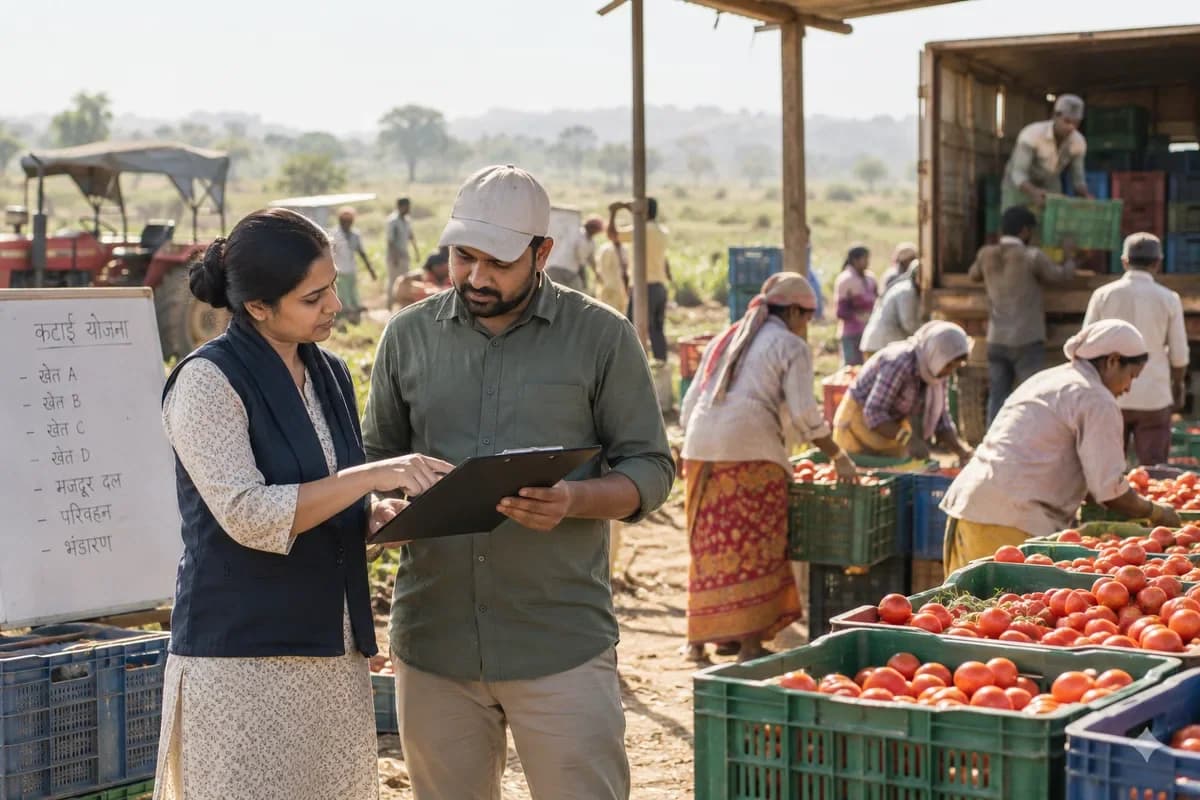
Packing sheds record grading, moisture and visual checks on each harvest lot. Cleaning of bins and tables is signed before packing begins. Segregation is recorded at every step.
Bring the records the workflow depends on.
- Inspection specifications
- Sampling and acceptance rules
- Authorised reviewers
Outputs to check
- Inspection readings and evidence
- Hold, release or rejection record
- Nonconformance follow-up list
Follow the quality control workflow.
Use this sequence to compare your current process with the proposed module. Agree the owner, permission and exception at each step.
Who uses the module, and who approves?
Keep responsibilities distinct even when one person holds more than one role.
Decide how exceptions are handled.
These business rules belong in configuration and testing. A normal transaction alone does not demonstrate that the workflow is ready.
Can this work independently?
Quality records can be maintained independently against identifiable receipts or jobs. Inventory and production connections must enforce any hold or release decision. The module records authorised checks; it does not select a regulatory standard or replace a qualified inspector's judgement.
Systems and records it connects with
- Work orders: Released production jobs, material issues and output records.
- Goods receipt: Counted, accepted and rejected supplier-delivery quantities.
- Purchase returns: Approved supplier-return quantities and adjustment references.
- Batch and serial tracking: Lot or unit identifiers carried through stock movements.
Configure, test and introduce the workflow.
- Show us where checks happen now. A note names the checkpoints and the parameters to record.
- Provide limits and your list of rejection reasons. A test lot can then be checked on the trial screen. Checkers use it at a station for a trial run. Their remarks return as changes.
- Checkers, production and purchase each practise their part. Each group gets a printed card. Other stations join as the trial station settles. The team reviews rejection reasons together.
Check the result before rollout.
Apply these checks to a sample from the agreed workflow, then repeat with an exception. Keep the expected result beside the test record.
- Failed items follow the agreed hold rule.
- Results retain the specification version.
- Release decisions identify the reviewer.
How the business operates.
Organic growers answer to an inspector as well as a buyer. The farm must show how long a field has been out of conventional use, which inputs went on, and that organic and non-organic produce never mixed. Both want the same records.
The records that hold the operation together.
- Parcel register and conversion status. Hold each parcel with its area, conversion start date, status and buffer zones. Past crops, inputs and cover crops print as one history sheet.
- Approved input list. Maintain a dated list of permitted seed, fertilisers and plant protection products with supplier statements. A product not on the list cannot be applied in the record until it is reviewed.
- Seed source statements. File the organic status or approved exception for each seed lot, with the supplier, the variety and the quantity sown on each parcel.
- Compost and manure batches. Record source materials, windrow number, turning dates and temperature readings. Each application on a parcel names the batch.
Operational bottlenecks to check
Field history is spread over seasons of paper
Conversion dates, previous crops and past applications are in folders from different years. The inspector asks for three years on one field. Someone spends a day finding them.
Nobody checks an input against the approved list
A foliar feed arrives from a new supplier, and the label says little. Whether it is permitted is settled by memory or a phone call, after it has been sprayed on the crop. Too late.
How work flows across this business
This module sits within a wider operating process. Use the sequence to identify the other teams and records affected by a change.
1. Parcel set-up
Each parcel is entered with its conversion start date, buffer strips, neighbouring land use and the crops it has carried. Status shows on every screen that touches it.
2. Planning and seed
Rotations, cover crops and green manure are planned per parcel. Seed is ordered with the supplier’s organic status statement attached to the line.
3. Inputs and compost
Any fertiliser, soil improver or pest control is checked against the approved list before it is recorded. Compost is made in numbered windrows with turning and heat readings.
4. Growing and field work
Sowing, weeding, mulching and netting are logged against the parcel. Observations on pests and disease are filed with photographs.
5. Harvest and packing
A harvest creates a lot code with parcel, crop and date. Grading, packing and weights are recorded against that lot, after a cleaning record is signed.
6. Sale and audit
Orders for boxes, stalls and trade customers are packed from named lots. At audit time the history, statements and trails are printed from one place.
Industry reports to connect with
- Parcel history for any chosen number of years, with crops, inputs and cover crops
- Inputs applied by product, parcel and date, with approval reference
- Compost batches with source, turning and heat readings, and where each was spread
- Lot trail from parcel to pack to customer, forwards and backwards
Questions before implementation.
When should organic farms consider quality control?
Use when goods or production stages require documented checks before release. Material or output reaches an agreed inspection stage.
What should we bring to the requirements discussion?
Bring anonymised examples of Inspection specifications; Sampling and acceptance rules; Authorised reviewers. Show who creates, checks and changes each record. Use only records from an activity that meets the suitability conditions above.
Does this replace our existing business software?
The starting point is your current system and the gap you need to close. Record specified inspections and the disposition of checked goods. Configuration, a connected module or a custom build are evaluated against that gap before a replacement is proposed.
What is outside this module?
The software records your inspection process and does not certify product safety or regulatory conformity.
How are scope, price and rollout decided?
The proposal follows a review of your records, user roles, branches and existing software. Data migration, connections, training and support are scoped separately where needed. Failed items follow the agreed hold rule. Use this check when reviewing the first working version.
Related functions for organic farms.
Discuss quality control for your business.
Tell us which workflow needs attention and which systems your team uses. The next step is a requirements discussion and a written scope.
What happens after you share your requirements
- We review your brief and the systems you already use.
- We clarify the workflow, missing information and the work to consider first.
- The proposed scope sets out the deliverables, responsibilities and dependencies.
- Review the scope and commercial terms before deciding whether to proceed.
Start with your requirements
Describe your current process, the people involved and the change you need. Start with the details you know; we can clarify the rest together.
Share your requirements