Build a plastics system around your moulds, your machines and your resin lots.
A moulding plant runs many moulds on many machines, and each mould has a history. It has a cavity count, a cycle time, a maintenance record and a customer who owns it.
The gaps appear in small places. A mould goes to a machine it was not set up for, and the first sign is a run of short shots on the night shift. A resin lot is changed without a note. Counts are lost.
A system built at GullySystem would treat the mould and the machine as first-class records. Orders, resin, production, rejections and dispatch would point back to them.
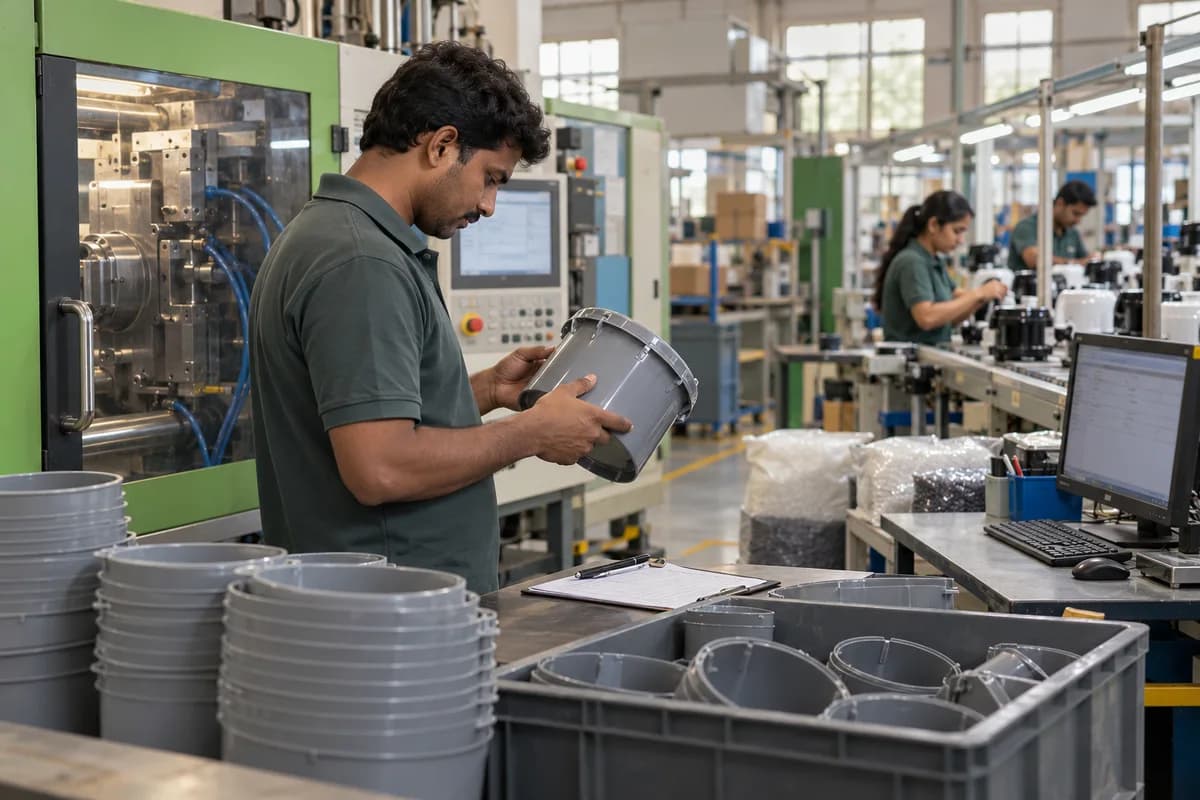
Plastics businesses this system could be built for.
A plant moulding small parts in large numbers and a plant extruding pipe by the hour count production differently. The build follows how your plant counts.
- Injection moulding companies
- Blow moulding companies
- Plastic extrusion companies
- Plastic component manufacturers
- Plastic packaging manufacturers
- Engineering plastics processors
- Plastic mould makers
- Thermoforming units
- Film and sheet extruders
- Compounding and masterbatch units
- Rotational moulding units
- Insert and overmoulding specialists
- Plastic recycling units
The modules, and what each one covers.
Nothing here is a fixed package. Each module is built, left out or changed to match how your organisation already works.
Parts, moulds and tools
Each part is linked to the mould or tool that makes it, and each mould has its own life record.
- Part number and drawing
- Mould or die number
- Number of cavities
- Mould owner (customer or plant)
- Hot runner and cooling details
- Standard cycle time
- Shot count since last service
- Preventive maintenance interval
- Repairs and modifications
- Storage location
Enquiry and quotation
The price of a moulded part depends on cycle time, cavities, material and machine hour rate.
- Part weight and runner weight
- Material and grade
- Cycle time estimate
- Cavity count
- Machine tonnage needed
- Secondary operations
- Packing
- Tooling cost and ownership
- Quantity breaks
- Quote revisions
Resin, masterbatch and additives
Raw materials are tracked by lot so that a defect can be tied to the bag it came from.
- Resin grade and supplier
- Lot and certificate of analysis
- Masterbatch and colour code
- Drying requirement and time
- Blend ratios per product
- Regrind limits per customer
- Hopper loading record
- Stock by silo or store
Orders and production planning
Orders are planned against moulds, machines and material, not just against dates.
- Customer schedule and call-offs
- Order quantity and delivery date
- Mould and machine allocated
- Material availability check
- Changeover grouping
- Daily production plan
- Priority changes
- Shortfall against schedule
Machine allocation and setup
Each mould is matched to a machine by tonnage, platen size and auxiliaries.
- Machine list with tonnage and shot size
- Compatible machines per mould
- Mould change record
- Process parameter sheet per mould
- Setup time
- Setup approval by the process engineer
- Auxiliary equipment such as chillers and dryers
- Machine status at a glance
Production entry
Operators record what the machine makes in each shift.
- Shift and operator
- Shots and good parts
- Rejected parts and reasons
- Downtime and reasons
- Cycle time actual against standard
- Material lot loaded
- Scrap and regrind weight
- Reading entered on a tablet at the press
Process parameters and first-off
The settings that made good parts last time are stored and compared.
- Barrel temperatures
- Injection pressure and speed
- Hold pressure and time
- Cooling time
- Parameter changes with name and time
- First-off approval
- Sample parts retained
- Approved process window
Quality and inspection
Checks are set for each part and recorded at defined intervals.
- Inspection plan by part
- Dimension and weight checks
- Visual defect standards
- Gauge and fixture checks
- Colour matching
- Hourly or per-shot-count checks
- Hold and release of suspect lots
- Customer complaint record
Rejections, scrap and regrind
Scrap is weighed and tied to a cause so that the same cause is not met again.
- Defect type such as short shot or flash
- Rejection by mould, machine and shift
- Scrap weight
- Regrind reused and its limit
- Rework and sorting
- Cost of rejection
- Repeat defect list
Mould maintenance and repair
The tool room needs to know when a mould is due and what was done to it last.
- Preventive maintenance plan
- Shot-count triggers
- Repair job card
- Spare inserts and cores
- Polishing and texture records
- Mould trial after repair
- Downtime caused by tooling
- Tool room workload
Secondary operations and assembly
Printing, welding, insert fitting and assembly follow moulding for many parts.
- Operation after moulding
- Inserts and bought-out items
- Printing and decoration
- Ultrasonic welding
- Assembly line output
- Rejection at each step
- Parts waiting for the next step
Packing, labelling and dispatch
Packs follow the customer’s instructions for count, label and carton.
- Packing instruction per part
- Label with lot and date
- Carton and pallet count
- Packing list
- Delivery note
- Tax invoice under your tax rules
- Currency per customer
- Customer return record
Costing and mould profitability
Machine time, material and labour are compared with the quote for each part and mould.
- Material consumed including scrap
- Machine hours at the set rate
- Labour and utilities allocation
- Tooling amortisation
- Margin by part and customer
- Moulds that lose money
- Cost of downtime
One connected workflow, end to end.
Every stage below can sit in one system, so nobody re-enters what the last stage already captured.
- Enquiry
- Quote
- Tool and mould setup
- Order and schedule
- Material check
- Machine allocation
- Mould change and first-off
- Production
- Inspection
- Secondary operations
- Packing
- Dispatch
- Invoice
You do not have to replace everything at once.
Each phase is usable on its own, so the system earns its place before the next part is built.
- 1
Moulds, parts and orders
The part and mould register, quotes, customer schedules and the plan that matches orders to machines.
- 2
Material and production
Resin lots, setup sheets, process parameters, shot counts, rejections and downtime from each press.
- 3
Quality, tool room and packing
Inspection plans, mould maintenance, secondary operations, packing and dispatch papers.
- 4
Costing and reports
Cost per part, mould profitability, machine utilisation and dashboards for the plant head.
How a build actually runs.
- 01
Stand at the press
We spend a shift watching one machine and note every number the operator writes down.
- 02
List moulds and machines
Every mould, machine and auxiliary is entered with the facts that decide which can run with which.
- 03
Agree the counting rules
Shots, good parts, scrap and regrind are defined once, in words the operators agree with, because every report and every costing figure afterwards depends on them.
- 04
Build the mould register first
Orders, maintenance and costing all read from it. Hence the order.
- 05
Pilot on a few presses
A small group of machines use it for real shifts. Operators say what slows them down, and their remarks shape the screens before the other presses follow.
- 06
Load history and train
Mould histories and parameter sheets are loaded from your files. Open orders follow, and each shift practises on the screens it will use.
- 07
Add machine data and portals
Counters on the presses, customer schedules and further plants can follow.
What you bring, and when.
The build moves at the speed of the answers. These are the things we ask for, in the order we ask.
- 01
Mould register, shift slips and rejection logs
Share your mould register, a shift production slip, the rejection record and a quotation with its costing. Resin purchase records help. Handwritten sheets are fine.
- 02
Shift supervisor, tool room lead and inspector
A shift supervisor, the tool room lead and the quality inspector try the early screens. Shifts may record scrap differently. The plant manager picks the method.
- 03
Cycle times, scrap allowances and colour change approval
Standard cycle time per mould, scrap allowances, when a mould goes for maintenance and who approves a colour change need answers as work advances. The floor tries what comes out.
- 04
Mould histories, resin stock and customer balances
Mould histories, resin stock, pending orders and what customers owe arrive from your sheets. Machine counters are linked when they can export. The plant manager approves.
Systems we can put together for you.
- Mould and tool life registers
- Quotation tools for moulded parts
- Resin and masterbatch lot tracking
- Production planning boards for presses
- Setup and process parameter libraries
- Shift production entry on tablets
- Rejection, scrap and regrind records
- Inspection and first-off systems
- Mould maintenance and repair job cards
- Secondary operation and assembly tracking
- Packing, labelling and dispatch tools
- Customer schedule and call-off portals
- Part and mould costing reports
- Machine utilisation dashboards
- Multi-plant plastics platforms
Questions owners ask before starting.
What is custom plastic manufacturing software?
This is a system written for one plant’s moulds, machines, materials and counting rules. It records the shot, the lot and the mould life, which general packages do not, and it counts them the way your floor does.
Does it work for extrusion and blow moulding as well as injection moulding?
Yes. The records change with the process: shots for injection, hours and metres for extrusion, bottles or containers for blow moulding.
Can it track mould life by shot count?
Yes. Shots are added from production entries and maintenance is flagged when a threshold is reached.
Will it connect to the machine controllers?
Whether a press can report to the system depends on its make and interface, and we check this early in the work. Entry by hand works where a connection is not practical.
How are customer-owned moulds handled?
Each mould has an owner. Customer-owned tools are kept separate from plant-owned tools, with their own reports.
Can we trace a defect to a resin lot?
Yes, if the lot is recorded when material is loaded. Parts from that production run can then be listed.
What about regrind rules?
Limits can be set per part or customer, and the regrind used is recorded against production.
Can we run it on a tablet at the machine?
Yes. Operator screens are built for a tablet, with large buttons and few fields.
Can our own team maintain it?
Yes. The code and data model are handed over with documentation that another developer can follow.
Who owns the data and the source code?
You do. Ownership of both is put in writing before any work begins.
How we work with this trade.
Ready products for this work.
If one of these fits, it is cheaper and faster than building from scratch. We will say so.
Build a plastics system that keeps the history of every mould.
Moulds outlive most of the people who run them. Their shots, repairs and settings are worth more as a record than as a memory.
Send one mould with its recent production sheets, a rejection report and a quote. The written reply covers how it would be recorded and what the plant could see from it.
Tell us how your plastic manufacturing and moulding companies runs today.
We will tell you what can be digitised, what can be connected, what is worth automating, and what you should leave alone.
What happens after you share your requirements
- A senior engineer reads your answers. Nobody phones first.
- Within one business day you get a written note: what we understood, what we would start with, and the questions we still have.
- If it fits, a proposal follows with the order of work, what we need from you and what you receive at each step.
- No call is booked and nothing is paid until you have read the note. Your details stay with us.
Start with your requirements
Seven short steps that tell us what you need. A senior engineer reads them before anyone gets in touch.
Share your requirements