Event orders, menu versions, kitchen rosters and vessel returns for caterers.
Run a caterer’s order book from enquiry through to settlement. Each event holds its date, venue, session, head count and menu, and every menu change is saved as a version the family approves. Quantities come from your recipes and the closing count, staff and vessels are booked against the event, and extra plates reach the bill.
- Menus, recipes and per-plate rates entered before the first event
- Running orders, advances and vessel lists migrated from your registers
- Set up and supported by one team over remote video sessions
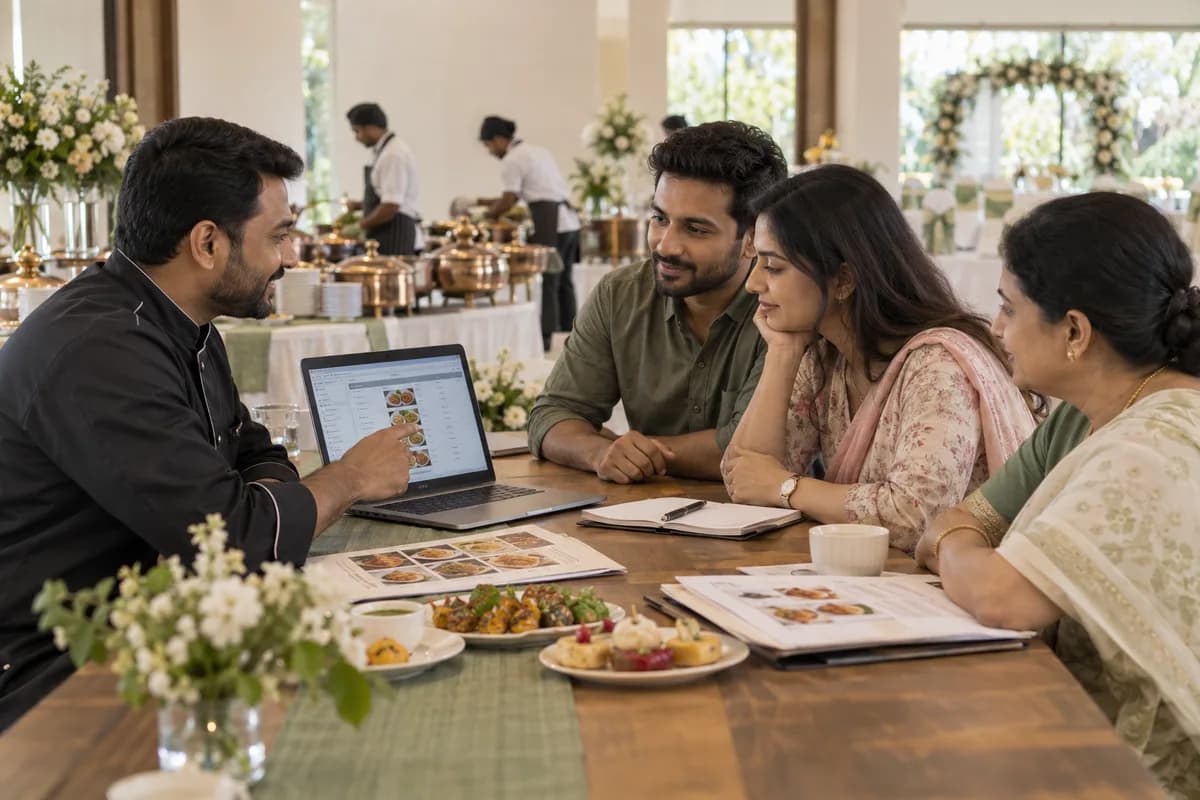
Catering Management Software holds a caterer’s order book, from the first enquiry to the closing settlement. GullySystem sets it up for wedding caterers, canteen contractors and outdoor teams. Each event carries its date, venue, head count and approved menu version, with per-plate costing, purchase lists, cook rosters and vessel issue beside it. You decide who sees margins.
What goes wrong before the software.
How the work flows through it, step by step.
- 1
Enquiry and quotation
Record the date, venue, session and approximate count, suggest menus and send a per-plate quotation.
- 2
Booking with an advance
Receipt the advance and block the date against the venue and session. Each menu change saves as a new version, and the family’s approval is recorded against the version they accepted.
- 3
Closing count
The family gives a final figure. Ingredient quantities are worked from your recipes at that count, and the week’s events combine into one purchase list.
- 4
Kitchen, staff and vessels
Assign cooks, servers, cleaners and drivers to the event. Double bookings are flagged early, and vessels go out on a loading list with a return date.
- 5
The day at the hall
The head cook opens the approved menu and quantities on a phone. The supervisor records plates added, late counters and requests made on the spot.
- 6
Settlement
The bill is built from the closing count and additions with the advance deducted. Vessels are checked back in, and the event shows cost against income.
What is inside.
Every module can be switched on, left out or changed to match how your team already works.
Event order book
Hold every event with its date, venue, session, guest count, menu and client. Two functions on one day appear side by side.
Learn moreMenus with versions
Build menus item by item for each session, save each revision and mark the approved version. The kitchen opens only the approved one.
Learn morePer-plate costing
Calculate ingredient cost per plate from your recipes, with staff, transport, gas and vessel charges added. The quoted price sits beside the cost.
Learn moreQuotation and advance
Price per-plate rates by session, and counters and live stalls separately, and record the advance and balance.
Learn moreQuantity and purchase planning
Work ingredient quantities from the closing count and combine them across the week into one purchase list.
Learn morePurchases and supplier bills
Record what was bought, at what rate and against which events, so cost lands on the right function.
Learn moreKitchen and staff roster
Assign cooks, servers, cleaners and drivers to each event and session, with a warning when the same person is committed twice.
Learn moreVessels and hire items
Mark cooking pots, chafing dishes, gas equipment and hired items out to an event and back on return, with anything outstanding listed.
Learn morePlates added at the hall
Let the supervisor record extra plates, late counters and added items from a phone, with the time and who asked.
Learn moreContract meals
Record daily head counts for canteen and hostel contracts by site, billed monthly with sales tax and any client withholding.
Learn moreSettlement and receipts
Track advances, part payments and closing balance per event by cash, card, cheque or transfer, with reminders.
Learn moreLogins and permissions
Give the order desk, head cook, supervisor and accounts their own screens, with costing and margins visible only to those you choose.
Learn moreThe business modules it is built from.
Each one is also available on its own, or inside a system built for you.
- Order Management
Each event is held with its date, venue, session, guest count, menu and client, and two functions on one day appear side by side.
- Quote & Proposal Management
Quotations price per-plate rates by session, with counters and live stalls priced separately, and the advance and balance are recorded against the event.
- Purchase Order Management
Purchases are recorded with rate and the events they were bought for, so cost lands on the right function.
- Production Planning
Ingredient quantities are worked from the closing count and combined across the week into a single purchase list for the kitchen.
- Attendance & Time Tracking
Cooks, servers, cleaners and drivers are assigned to each event and session, and a warning shows when one person is committed twice.
- Receipts Management
Advances, part payments and the closing balance are tracked per event by cash, card, cheque or transfer, with reminders for what is due.
- Roles and Permissions
The order desk, head cook, supervisor and accounts each get their own screens, and costing and margins show only to chosen users.
How we would put it in.
Setup, data migration, integrations and anything built on top.
Every part of the system, by area.
Take the modules you need. Each one works on its own or inside a larger system built for you.
- Applicant Tracking (5)
- CRM (8)
- Finance & Accounting (10)
- Helpdesk (4)
- Human Resources (13)
- Inventory Management (5)
- Project Management (7)
- Manufacturing (6)
- Procurement (4)
- Sales and Distribution (6)
- Field Service (5)
- Statutory and Compliance (4)
- Retail and POS (4)
- Bookings and Appointments (3)
- Subscriptions (2)
- Assets and Fleet (4)
- Platform (6)
- Analytics (2)
- Documents (1)
- All business solutions
Topics beyond the modules.
Each page covers one part of how the system is used, connected or controlled.
Views by Role for Catering Teams
A catering firm splits its work across the owner, the order desk, the kitchen, the hall and accounts.
Learn moreReports and Dashboards for Caterers
These reports bring together what a caterer otherwise keeps in a register, a notebook and a purchase slip.
Learn moreIntegrations and Connections for Caterers
The catering system connects to accounting software, WhatsApp, SMS, mobile wallets, payment gateways and Google Calendar.
Learn moreOne system, each person sees their part.
For owners
See this week’s events, open counts, cost against price for each function, balances to collect and vessels not yet returned.
For the order desk
Take the enquiry, build the menu, send the quotation and record the advance, with the booking calendar in view.
For head cooks
See the approved menu and the day’s quantities on a phone.
For site supervisors
See the loading list, the staff who reported, plates added at the hall and vessels returning to the store room.
For accounts assistants
Manage advances, balances, supplier bills, contract invoices with tax and the month-end file for the books.
The numbers the owner asks for.
- Events by date, with counts and approved menus
- Cost per plate against the rate quoted
- Purchase list for the week, across all events
- Staff and vessel bookings, with clashes marked
- Hire items out and not yet returned
- Advances received and balances outstanding
- Contract invoices and tax summary for the month
Who this is built for.
- Wedding caterers working kalyana mantapas and convention halls
- Caterers running office canteen and hostel contracts on daily counts
- Outdoor caterers who carry their own vessels, counters and gas
- Caterers who take two or three functions on the same auspicious day
- Cooks turned contractors whose costing lives on a notebook page
- Catering firms billing corporate clients with tax and withholding
When it is not the right choice.
- Restaurants and cloud kitchens billing table by table. A restaurant POS fits that work better and costs less.
- A home cook taking a few orders a month. A diary and a calculator are honestly enough.
- It has no view on your food licence or your hygiene checks. Those stay with you and whoever advises you on them.
Adapted to your business before it goes live.
You are not handed a login and left to it. The product is set up around your records, your people and the tools you already use.
Works alongside
- Accounting package export
- SMS
- Mobile wallets and payment gateways
- Google Calendar
Questions owners ask before a demo.
How do we stop the kitchen cooking an old menu?
Every change saves as a new version, and the family’s approval is recorded against the version they agreed. Only that version opens on the kitchen screen.
Can it work out quantities for a thousand plates?
It works them from your own recipes and the closing count. Early recipes are approximate and are corrected after a few events until the purchase list matches what the kitchen uses.
Can the supervisor record extra plates at the hall?
Yes. Plates added, a counter opened late and any last-minute item go in from a phone with the time recorded. That record supports the settlement.
What does it cost?
Seasonal event volume, contract meals and whether kitchen planning and vessel tracking are included decide the cost. Phones for the kitchen and the hall, plus running bookings carried over, add work. We run one of your own events through the system before quoting. Each module is itemised in the written quotation.
Does it track vessels and hired items?
Each vessel, counter and chafing set goes out against an event and is ticked back on return. What has not returned is listed with the event and the date it left.
Does it work with our accounting package?
Event bills, contract invoices, supplier purchases and receipts download for your accountant to bring into the books. A live connection can be built separately.
Can running bookings and advances be moved in?
Yes. Booked events, advances, agreed menus and contract clients are carried over from your register or a spreadsheet.
Will it run on a phone in the kitchen?
Yes. The cook and supervisor work on ordinary Android phones with large, mostly read-only screens. Quotations and costing are easier on a laptop.
Who owns our menus, recipes and client records?
You do. Recipes and rates are your knowledge. Taking a full copy at any time is part of what the written proposal covers.
Is this too big for ten weddings a season?
It may be. At that size a disciplined register and one careful person can hold it together. Send us your event volume and kitchen headcount, and we will tell you straight if the register can carry on alone.
How soon can the order desk start on it?
The event order book, menus with versions, per-plate costing and quotations with advances go in ahead of the rest, since every booking passes through them. Purchase planning, rosters, vessels and settlement follow. Order desk staff begin there. Sequence and calendar are described in the proposal.
What does a caterer need to have ready?
Have the menus with the rates quoted, the recipe sheets behind them, and the order book or diary for running events. Add the vessel and hire item list and a sample quotation and settlement sheet. Name an owner, a head cook and a site supervisor to answer questions. Access to the accounting package is needed. Bring real events.
Wondering what it would cost? Share your requirements and an engineer will come back with a scope.
Every part, on its own page.
Each page covers one part of the system: what it records, who uses it and what it hands on.
- Catering Event Order Book
- Catering Menus With an Approved Version
- Per Plate Costing for Caterers
- Quantity and Purchase Planning for Caterers
- Kitchen and Staff Roster for Catering Events
- Vessels and Hire Items, Out and Back
- Plates Added at the Hall
- Catering Settlement, Advances and Balance
- Quotations and Advances for Caterers
- Purchases and Supplier Bills for Caterers
- Logins and Permissions for Catering Teams
- Contract Meals for Canteen and Hostel Caterers
- Views by Role for Catering Teams
- Reports and Dashboards for Caterers
- Integrations and Connections for Caterers
Built for.
The trades this product is set up for. Pick yours to see how the work runs there.
Related products.
See Catering Management Software set up around your records.
Tell us how you run things today. An engineer reads it and writes back with what fits as it is, what would need changing, and what we would start with.
What happens after you share your requirements
- A senior engineer reads your answers. Nobody phones first.
- Within one business day you get a written note: what we understood, what we would start with, and the questions we still have.
- If it fits, a proposal follows with the order of work, what we need from you and what you receive at each step.
- No call is booked and nothing is paid until you have read the note. Your details stay with us.
Start with your requirements
Seven short steps that tell us what you need. A senior engineer reads them before anyone gets in touch.
Share your requirements