Barcodes and Labels for Adhesive manufacturers
Connect scannable labels with the correct items and variants.
Does this function belong in your operation?
Use when physical items benefit from scanning or printed identification.
An item needs identification at receipt, counting or sale.
Pail and drum labels print the grade, lot code, fill date and hazard marks. A barcode links the label to the batch record. Despatch scans before loading the truck.
Bring the records the workflow depends on.
- Item and variant codes
- Barcode formats
- Printer and scanner requirements
Outputs to check
- Item-code and label definition
- Printed-label batch record
- Scan-validation exception list
Follow the barcodes and labels workflow.
Use this sequence to compare your current process with the proposed module. Agree the owner, permission and exception at each step.
Who uses the module, and who approves?
Keep responsibilities distinct even when one person holds more than one role.
Decide how exceptions are handled.
These business rules belong in configuration and testing. A normal transaction alone does not demonstrate that the workflow is ready.
Can this work independently?
Labels need an item or asset identifier and compatible printing and scanning arrangements. Billing, receipt and counting systems use the scanned value to select a record. Printing a code does not create a stock movement, establish authenticity or satisfy every product-labelling requirement.
Systems and records it connects with
- Product management: Item identifiers, units and controlled variant definitions.
- Point of sale billing: Counter sales, tender records and authorised returns.
- Stock tracking and alerts: Item-location quantities and authorised stock movements.
- Label and thermal printers: Agreed label formats and hardware-tested print output.
Configure, test and introduce the workflow.
- We look at items, current labels and your printer. You supply a stock list. You get back a note on which codes exist and which are missing.
- Codes are agreed on paper. You approve how item and variant codes are built before any printing. A sample label is cut to size. A few stickers come back to hold against real stock.
- Counter staff scan a small batch at billing and at a rack count. Slow scans get noted. So do wrong codes. Remaining items are labelled in groups while the unlabelled list shrinks on screen. Training at each counter closes the work.
Check the result before rollout.
Apply these checks to a sample from the agreed workflow, then repeat with an exception. Keep the expected result beside the test record.
- Codes retrieve the correct variant.
- Duplicate active codes are detected.
- Printed labels are readable on the agreed hardware.
How the business operates.
Adhesives are judged by whether they hold. A carton maker wants a glue that sets at line speed, a footwear factory wants a bond that survives flexing, and a woodworker wants an open time that fits the press. Each need leads to a different formulation. None is interchangeable.
The records that hold the operation together.
- Grades and formulations. Hold recipe revisions for every grade, with allowed substitutions of tackifier or plasticiser and quantities scaled to the kettle size.
- Raw material lots. Record resin, polymer, solvent and additive lots with incoming viscosity and solids. Each lot links to every batch that drew from it.
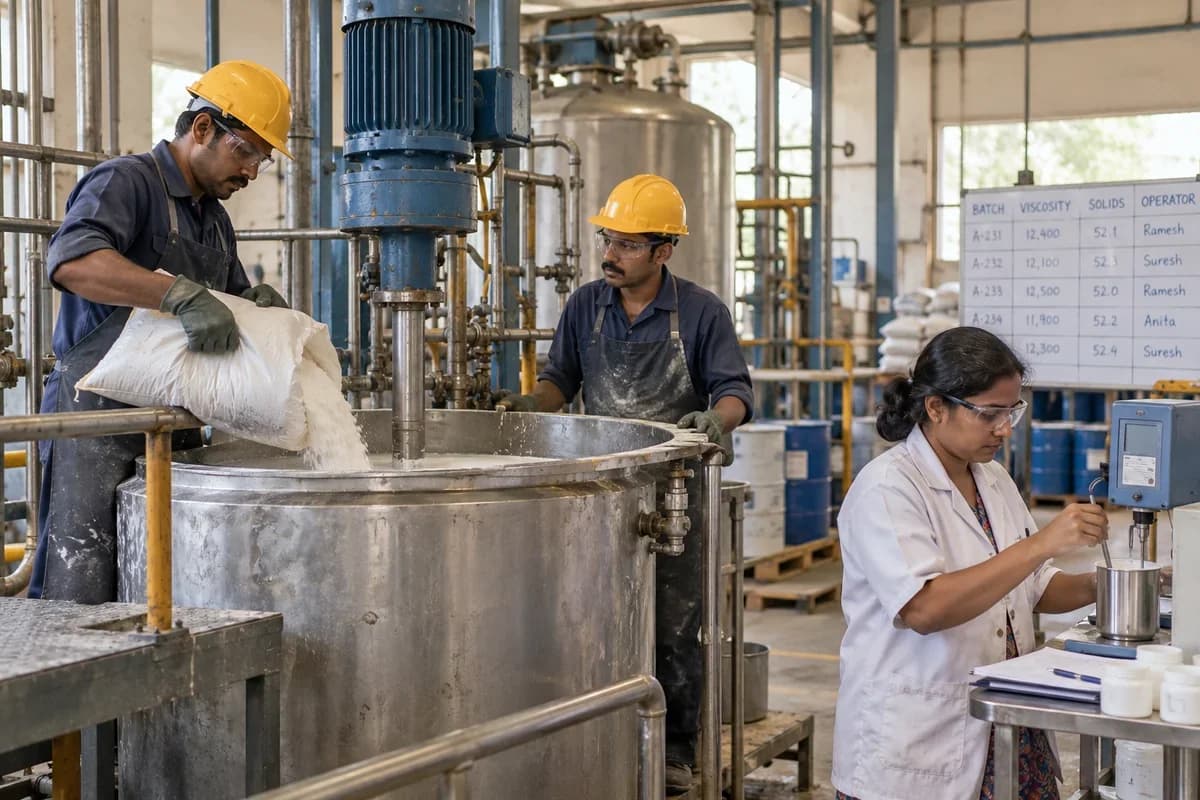
- Kettle batch records. Capture charging order, jacket temperature, dispersion blade speed, mixing time and the operator for each kettle batch.
- Viscosity and solids. Save Brookfield viscosity, solids content and pH against the batch. Readings are compared with each grade’s limits before release.
Operational bottlenecks to check
Viscosity drifts between batches
The same recipe gives a thicker batch when a resin lot changes. Readings sit in a notebook. The pattern is never seen.
Bond tests are not tied to the batch
A peel strength result is written on a test strip. Weeks on, nobody can say which pail in the customer’s store it describes.
How work flows across this business
This module sits within a wider operating process. Use the sequence to identify the other teams and records affected by a change.
1. Order and plan
A customer order, or a forecast for a repeat grade such as a case-sealing hot melt, opens a kettle batch. It carries the recipe revision and the quantity to make.
2. Weighing and charging
Resins, tackifiers, plasticisers, solvents or water, fillers and additives are weighed in charging order, and each raw lot number is recorded as it goes into the jacketed kettle. Scale readings stay on file.
3. Mixing
The operator notes jacket temperature, dispersion blade speed and mixing time, then a sample goes to the laboratory. The kettle waits.
4. Laboratory release
Viscosity, solids, pH, ring and ball softening point and peel or lap shear results are saved. The batch is released, reworked or held.
5. Filling
Pails, drums, IBC totes, tubes or cartridges are filled and checked on the scale, and a batch code and use-by date are printed on each. Short fills are caught at the scale.
6. Dispatch
Orders are picked by remaining shelf life and ship with the technical data sheet revision and safety data sheet the customer approved. Paperwork matches.
Industry reports to connect with
- Brookfield viscosity and solids by kettle batch and grade
- Peel and lap shear results against customer limits
- Resin and polymer lots used in a chosen batch
- Pails, drums and cartridges filled by batch code
Questions before implementation.
When should adhesive manufacturers consider barcodes and labels?
Use when physical items benefit from scanning or printed identification. An item needs identification at receipt, counting or sale.
What should we bring to the requirements discussion?
Bring anonymised examples of Item and variant codes; Barcode formats; Printer and scanner requirements. Show who creates, checks and changes each record. Use only records from an activity that meets the suitability conditions above.
Does this replace our existing business software?
The starting point is your current system and the gap you need to close. Connect scannable labels with the correct items and variants. Configuration, a connected module or a custom build are evaluated against that gap before a replacement is proposed.
What is outside this module?
Industry numbering standards and mandatory product-label requirements need separate confirmation.
How are scope, price and rollout decided?
The proposal follows a review of your records, user roles, branches and existing software. Data migration, connections, training and support are scoped separately where needed. Codes retrieve the correct variant. Use this check when reviewing the first working version.
Related functions for adhesive manufacturers.
Discuss barcodes and labels for your business.
Tell us which workflow needs attention and which systems your team uses. The next step is a requirements discussion and a written scope.
What happens after you share your requirements
- We review your brief and the systems you already use.
- We clarify the workflow, missing information and the work to consider first.
- The proposed scope sets out the deliverables, responsibilities and dependencies.
- Review the scope and commercial terms before deciding whether to proceed.
Start with your requirements
Describe your current process, the people involved and the change you need. Start with the details you know; we can clarify the rest together.
Share your requirements